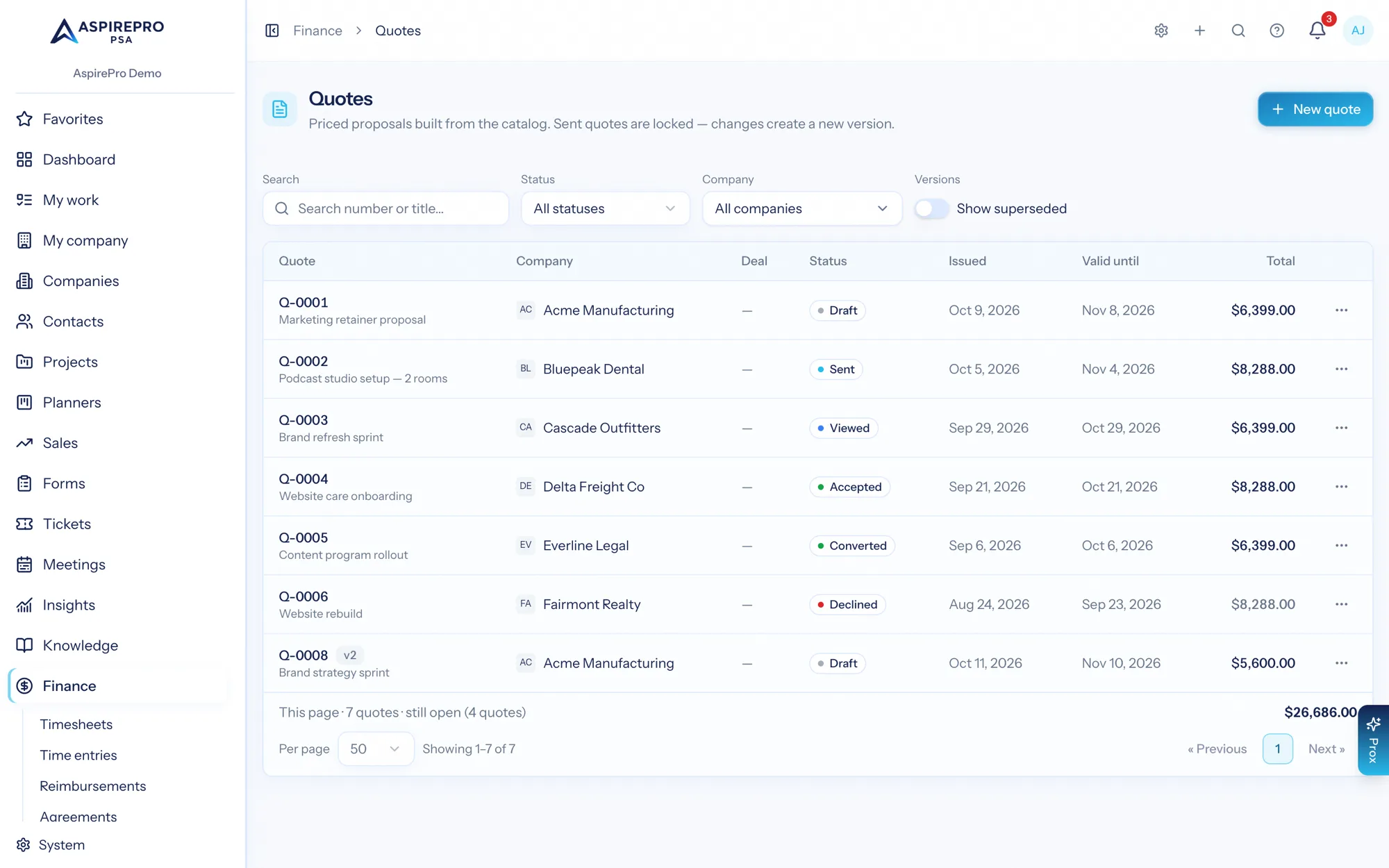
Quotes turn the Products & Services catalog into priced proposals. Find them under Finance → Quotes.
Building a quote#
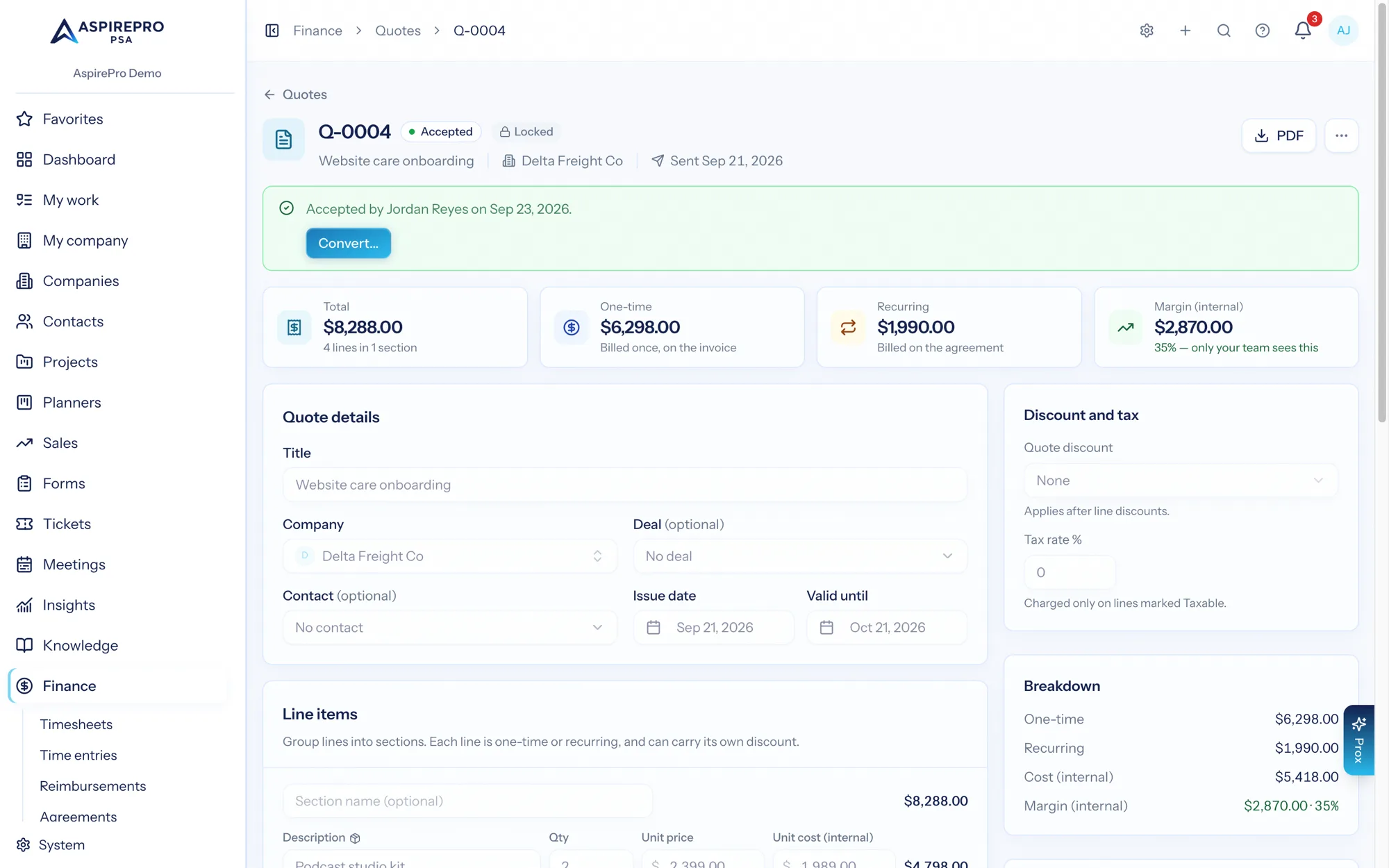
A quote belongs to a company and can link a deal (so the pipeline knows what's been proposed) and a contact (whose name goes on the PDF). Lines are grouped into optional sections — "Hardware", "Onboarding", "Monthly services" — and each line is either typed free-form or picked from the catalog, which snapshots the item's description, price, and (for people with the Manage permission) its hard cost at that moment. Later catalog edits never rewrite a quote you've already written. A bundle lands as one line at the bundle price — the client sees the offering, never the parts.
Every line is one-time or recurring (with its cadence), and the totals rail keeps the two separated so a $1,500 project with $800/month of services never reads as $2,300. When costs are present, the rail also shows the internal margin — visible only to people allowed to see cost, and never on the PDF.
Discounts#
A line can carry exactly one discount — a percent, a dollar amount per unit, or a dollar amount off the line — never a stack of them. On top of that, the quote itself can carry one overall discount (percent or amount), applied after the line math. Tax applies to the taxable share of the discounted subtotal.
Optional lines#
Mark a line optional to offer it without committing the client to it. Optional lines show on the PDF flagged as optional, and count toward the total while selected.
Numbering and defaults#
Quote numbering (prefix, next number) and the default validity window and terms & conditions live in System → Finance Settings, next to the invoice numbering they mirror. Numbers are minted in sequence and never reused.
Approval threshold#
Set an approval threshold in Finance Settings and quotes at or above that total can't leave the building unapproved: sending parks them in pending approval until someone with the Finance Settings permission clicks Approve for sending. Leave the threshold blank and there's no ceremony at all.
Sending — and why sent quotes lock#
Send emails the quote as a branded PDF attachment (through the Finance mailbox when one is connected, the organization mailer otherwise) with a Review & accept quote button linking the client's page; Mark sent records a quote you delivered some other way (or one the invoice mailbox took but didn't confirm — the send then says it may have gone, and the quote stays a draft until you check the Sent folder) — the client link is shown on the quote for you to paste wherever the conversation lives. Either way, the quote locks: what the client is looking at and what the system says they were offered must never drift apart.
Changes after that go through New version — a full clone that starts back at draft, gets its own number, and becomes the chain's primary while the old version is marked superseded. The versions bar on the quote steps through the whole chain, and the quotes list shows only primaries unless you flip on Show superseded.
Draft quotes can be deleted; sent and accepted quotes are records — they can only be superseded.
Reporting#
Two metrics ship in Insights: Quote Value by Status (what's out for signature, what landed, what died — primary versions only, so revisions never double-count) and Quote Win Rate (accepted share of decided quotes — open quotes are undecided, never counted as losses). Both drill through to the underlying quotes.
Permissions#
Quotes have their own grains, so a salesperson can quote without holding the rest of the Finance module:
- View Quotes (
quotes.access) sees the Quotes page and downloads PDFs — costs and margin always hidden. - Manage Quotes (
quotes.manage) creates, edits, sends, versions, and deletes quotes, sees cost and margin, and can price from the catalog picker. - Manage Finance still implies both, so existing Finance users are unchanged — and converting an accepted quote into an agreement and invoice remains a Manage Finance action, because it creates billing paperwork. The approval threshold sign-off stays with Finance Settings holders.
The client's page#
The quote email links a hosted quote page — no login, the link is the credential. The client sees the quote exactly as priced (never a cost or margin), downloads the PDF, ticks the optional lines they want (the total reprices as they're applied), and accepts by typing their full name — the name, the time, and their network address are recorded as the signature and shown on the quote afterwards. They can also request changes or decline, with an optional message that lands on the quote as the reason, flipping the status to changes requested or declined so the pipeline reads honestly.
The first open of a sent quote marks it viewed, and a quote past its validity date flips itself to expired on sight — it can be viewed but no longer accepted. Drafts never resolve on the public link; nothing leaks before you send.
Converting an accepted quote#
An accepted quote grows a Convert… button that turns it into paperwork in one transaction, each step opt-in with a dry-run preview shown before anything commits:
- Recurring lines → an agreement — fixed-fee, billed on the cadence carrying the most money (the preview shows the cycle so mixed-cadence quotes never surprise you), lines carried over with their catalog references intact.
- One-time lines → a draft invoice — referencing the new agreement when one was created in the same conversion, priced exactly as accepted: per-line discounts and the quote-level discount are already folded into the converted prices, so the paperwork totals match the signature.
- The linked deal → won — moved to its pipeline's won stage, firing the same automations a manual close would.
Unselected optional lines never convert — they were offers the client didn't take. The quote flips to converted with links to everything it created, and stays as the permanent record of what was agreed. Deliberately not built: sales orders — the draft invoice plus the purchasing and stock tooling already cover fulfilment for a small shop.