Before any time can be billed, it has to be approved. The Timesheets area is the review queue where managers approve the weeks their team submits — the gate that separates raw logged hours from billable work.
Where time comes from#
People log time throughout AspirePro — against tasks, tickets, and projects — and submit their week from My Work. Once submitted, a week appears in the Finance timesheet queue for review, and further time logging for that week is locked.
The approval queue#
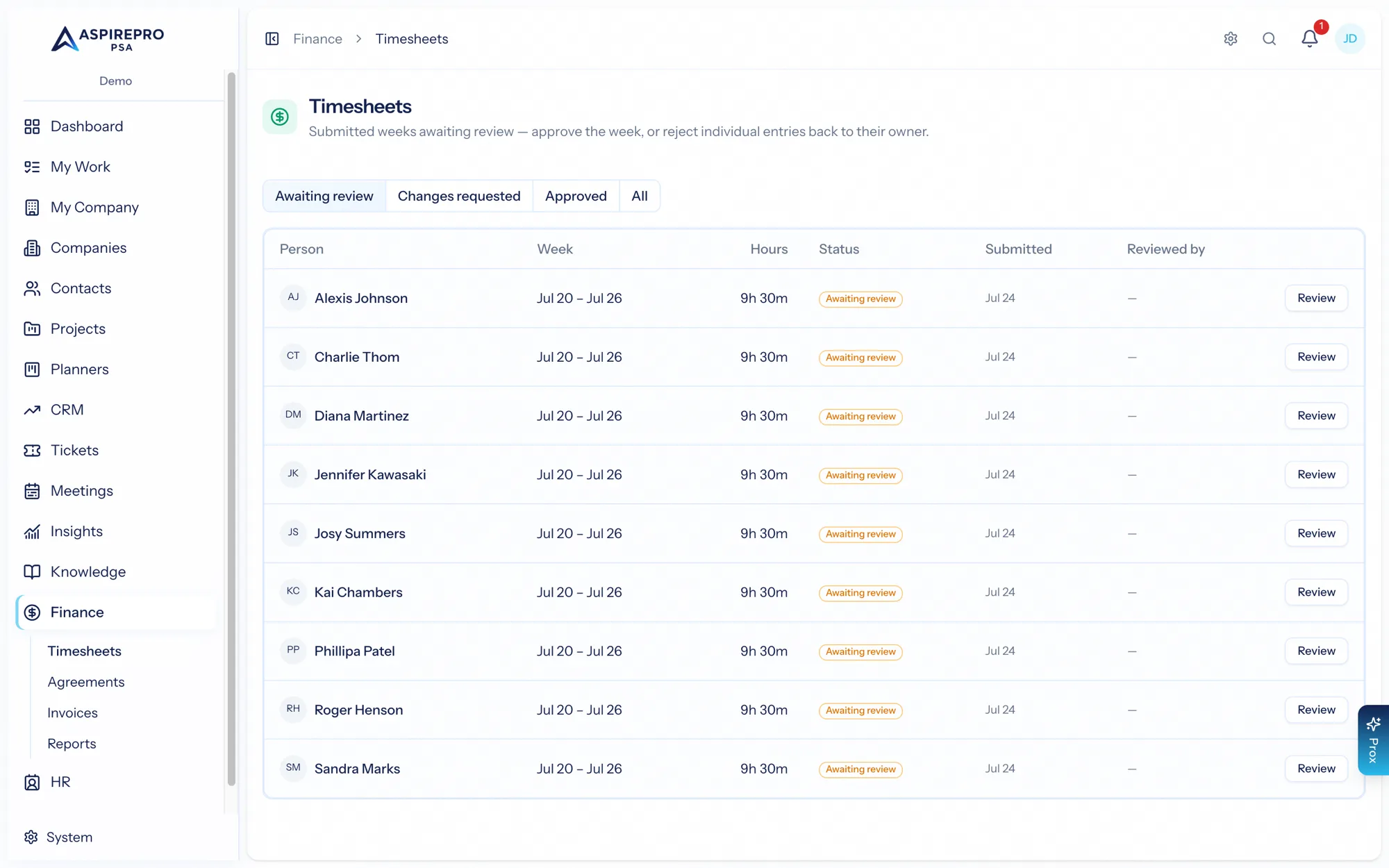
Finance → Timesheets lists each submitted person-week with the person, the week, total hours, its status, and who reviewed it. Filter by awaiting review, approved, or changes requested. It's your single view of what needs approving.
Reviewing a week#
Open a week to review it entry by entry. Each entry shows its date, start/end time, duration, whether it's billable, its notes, and what it was logged against (a task, ticket, project, company, or internal). Alongside, you see the expected hours for each weekday from the person's work schedule, so you can spot a light or heavy day at a glance.
From here you have two actions:
- Approve — approves every submitted entry in the week and closes the period, with an optional note. The person is notified.
- Reject entries — send specific entries back to the person with a required reason, while the rest of the week is approved. The week is marked "changes requested" and the person is notified to fix and resubmit.
What approval unlocks#
Approved, billable entries that haven't been invoiced yet become work in progress (WIP) — the unbilled value you'll pull onto an invoice. Non-billable time is approved too (it matters for utilization and reporting) but never bills.
This is also why time can be missing when somebody goes to bill a job. Quick invoice only offers approved hours, and says underneath how many are still waiting on you — approve them and they appear.
Approval is deliberately the hard gate for billing: nothing reaches an invoice until a manager has signed off on the week. This keeps your billing clean and your utilization numbers honest.
One deliberate exception: Profitability counts time as soon as it is logged, not when it is approved — a margin that only appeared after Friday's approval run would be permanently a week stale. Rejected entries never count. The computation-basis panel on the Profitability page says how many hours in the window are still awaiting review, so you can see how much a margin could still move.