Every client request, answered on time and on the record
Emails, portal requests and phone calls become tickets on one shared queue — with the whole conversation, a visible response clock, and the time your team spent on it, ready to bill.
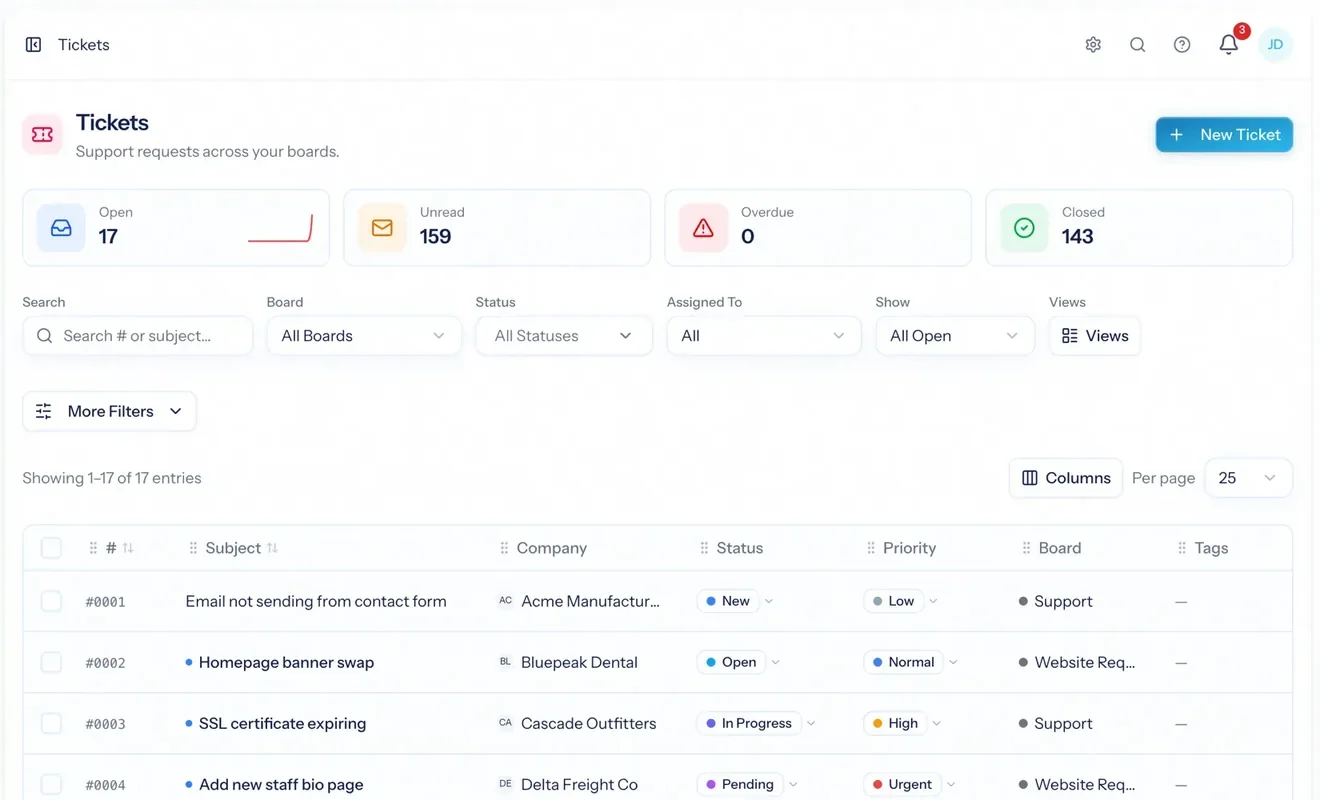
Help desk software turns incoming requests — emails, portal submissions, calls your team logs — into tickets on a queue, so nothing depends on somebody remembering to follow up. AspirePro's service desk is built into the same system that runs your projects and invoices: every ticket belongs to a client company, the time logged on it lands on the person's timesheet, and billable time becomes a line on the invoice — approved first, if you require it — without being typed a second time.
Nothing lives in someone's inbox
Email a board's address and it becomes a ticket with the thread intact. Anyone on the team can pick it up; nobody has to be copied in.
You see the deadline before the client does
Each queue carries response and resolution targets. A ticket running late shows up on the queue today, not in a quarterly review.
Support time reaches the invoice
Log time on the ticket. It lands on the weekly timesheet and becomes a line on the client's invoice — after approval, if you require it.
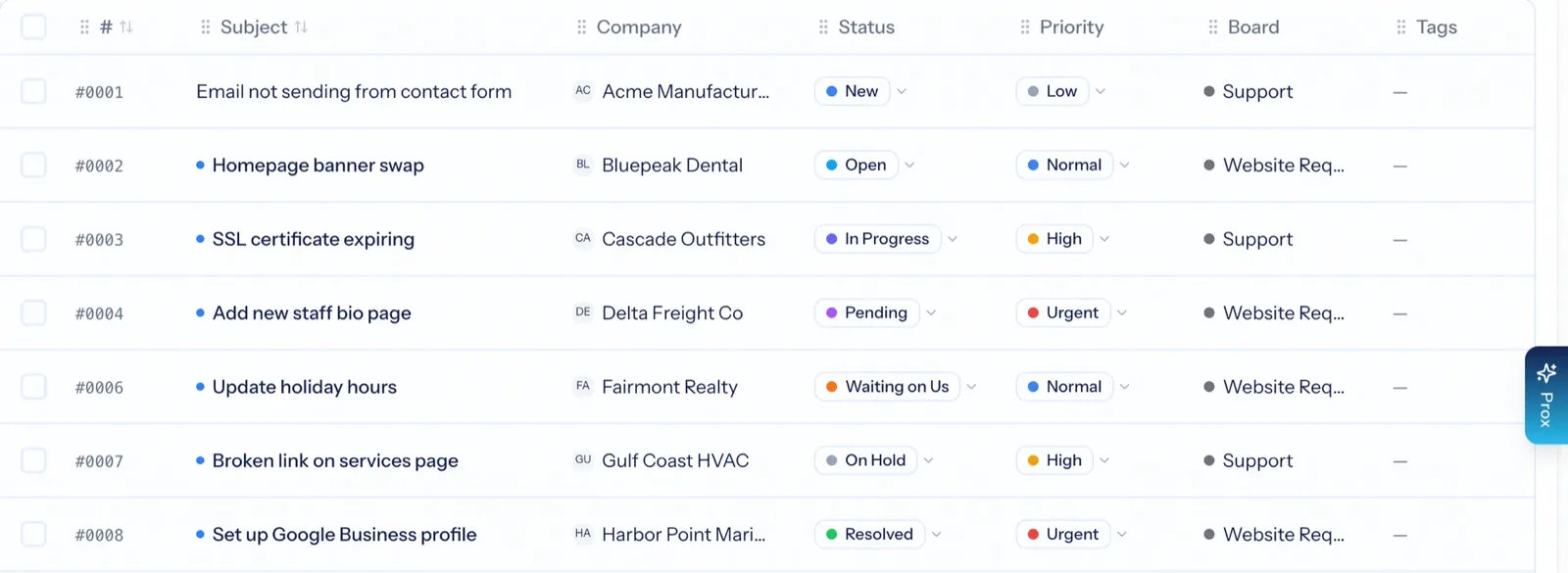
A separate queue for each kind of work
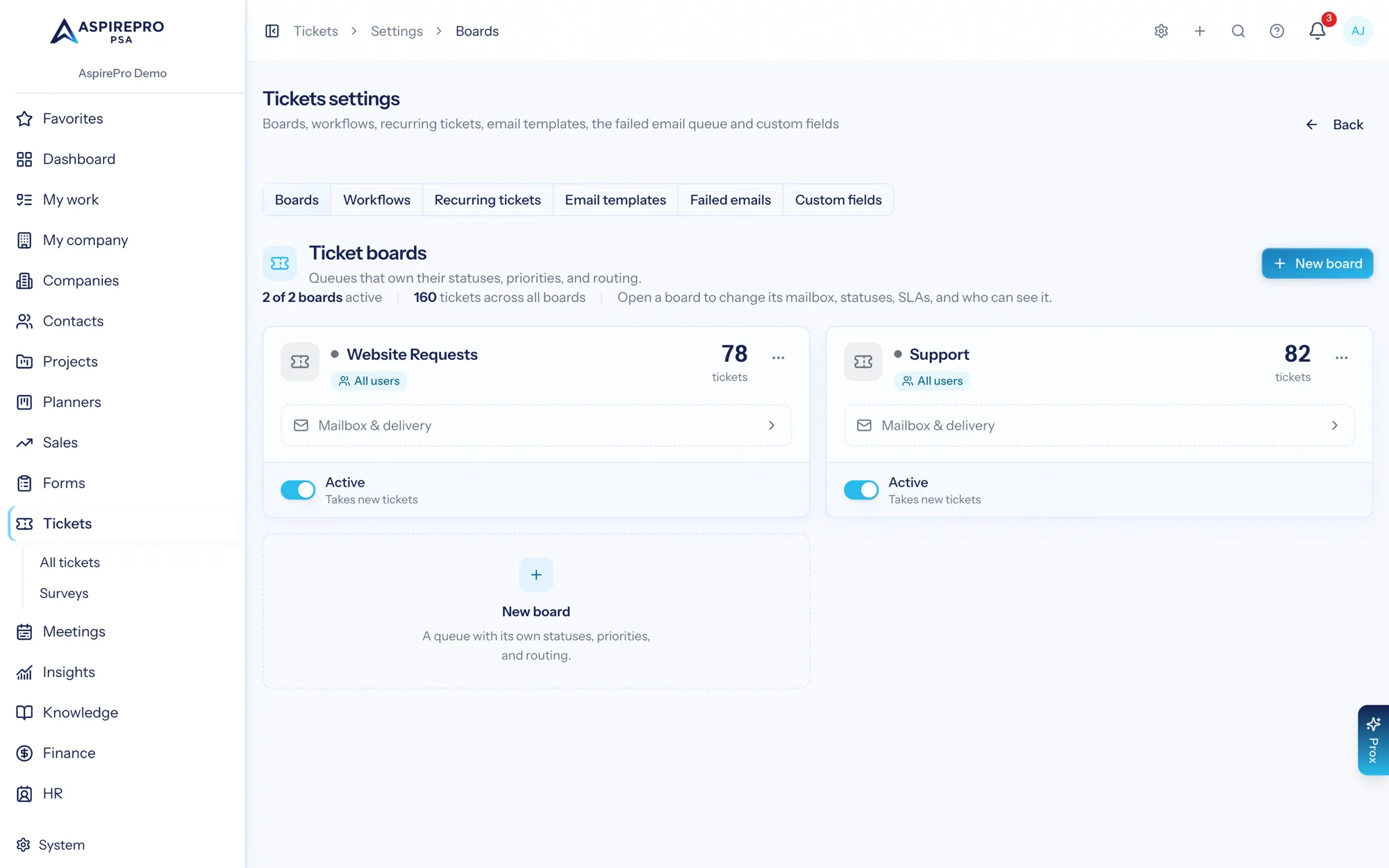
A board is a queue for one kind of request — Support, Website Requests, IT Helpdesk. Each board has its own statuses, priorities, types, tags and sources, its own mailbox, its own rules and survey, and its own access list. Look at one board at a time, or the whole business at once.
- Statuses and priorities per board, so a website queue never has to borrow the support workflow
- A mailbox per board: it sends and receives as itself, and replies thread correctly
- An access list per board, so a contractor sees one queue and not the whole company
- Saved views and bulk actions for the daily triage pass
The whole conversation in one place
Open a ticket and the customer thread, internal notes and forwards sit in one feed, with status, priority, type and assignee on top. Tasks, logged time, scheduled work, attachments, the survey result and the change history each have their own tab — so the record answers "what happened here?" without a hunt through email.
- Reply, add an internal note, or forward from the same composer, with templates
- Log time as you reply — tick a box rather than opening a timer app
- AI reads the thread and proposes the tasks still open; you confirm before anything is added
- Link a ticket to a project and hand its checklist to the project board when support becomes delivery
- A full history of every change, so escalations are never guesswork

Email in, email out — and the threads stay together
Connect an Outlook (Microsoft) mailbox to a board and incoming mail becomes tickets; a Google or other support address forwards its mail to the board's own forwarding address. Replies attach to the right ticket instead of creating duplicates, because AspirePro follows the mail provider's own message headers rather than guessing from the subject line. Outgoing mail goes out as the board, so clients reply to support@ and not to whoever happened to answer.
- Outlook (Microsoft) mailboxes connect with a sign-in and are read directly, with no shared passwords. Google Workspace and Gmail boards send as the mailbox and receive by forwarding a copy to the board's own address
- Auto-replies, customer addresses and templates set per board
- A Failed emails screen shows anything that could not be sent or read, so nothing vanishes silently
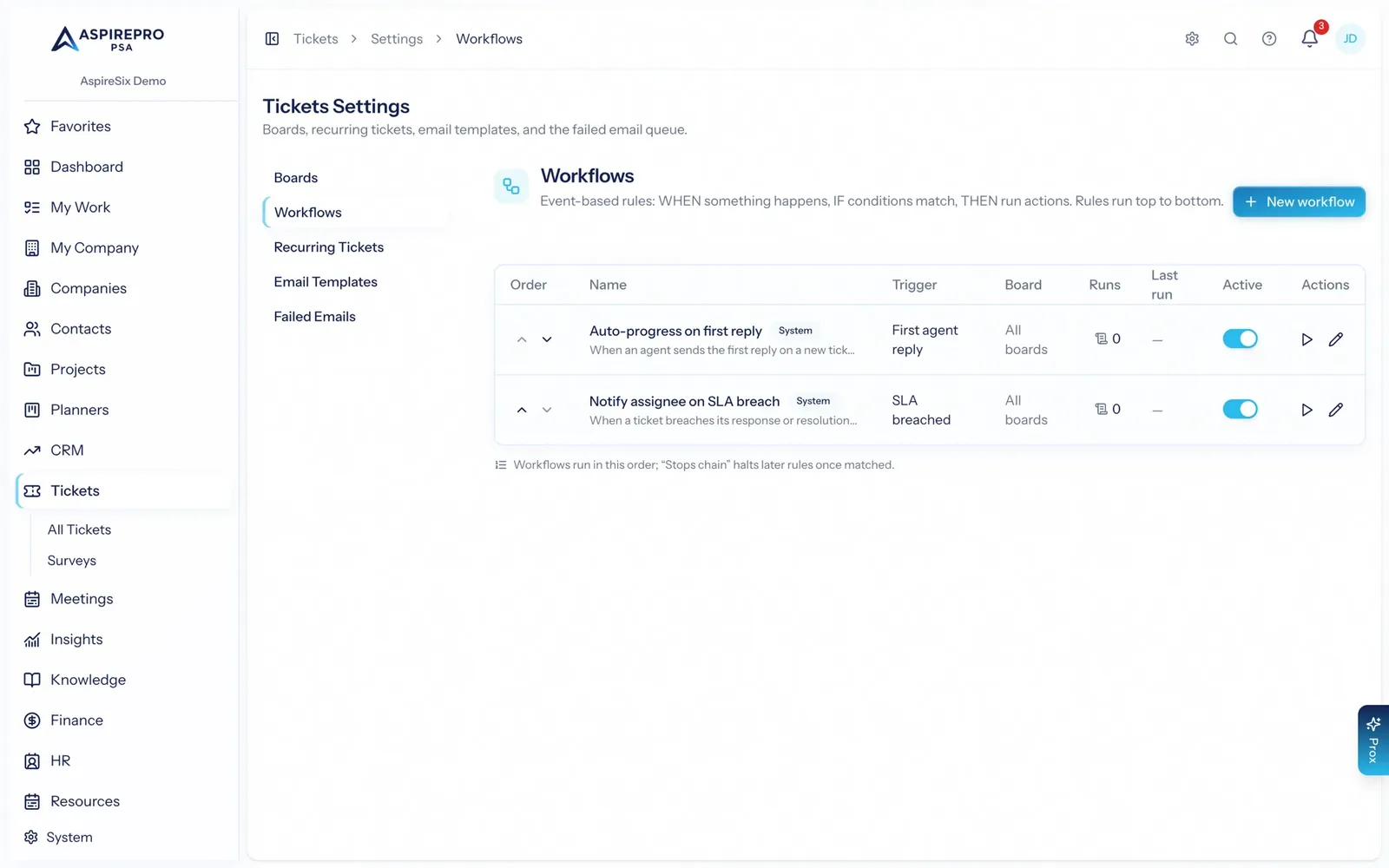
The rules do the chasing, so people don't have to
Every board can have rules: when these conditions match, take these actions. Move a ticket forward on the first reply. Warn the assignee when a response target is about to be missed. Route by type or source. Recurring schedules open the same monthly maintenance ticket without anyone remembering to.
- Response and resolution targets per board, with late tickets flagged on the queue
- Conditions combine status, priority, board, type, tags and time elapsed
- Recurring tickets for monthly maintenance and check-ins
- Every rule that fires is logged, so a surprising status change is explainable
Ask how you did, and keep score
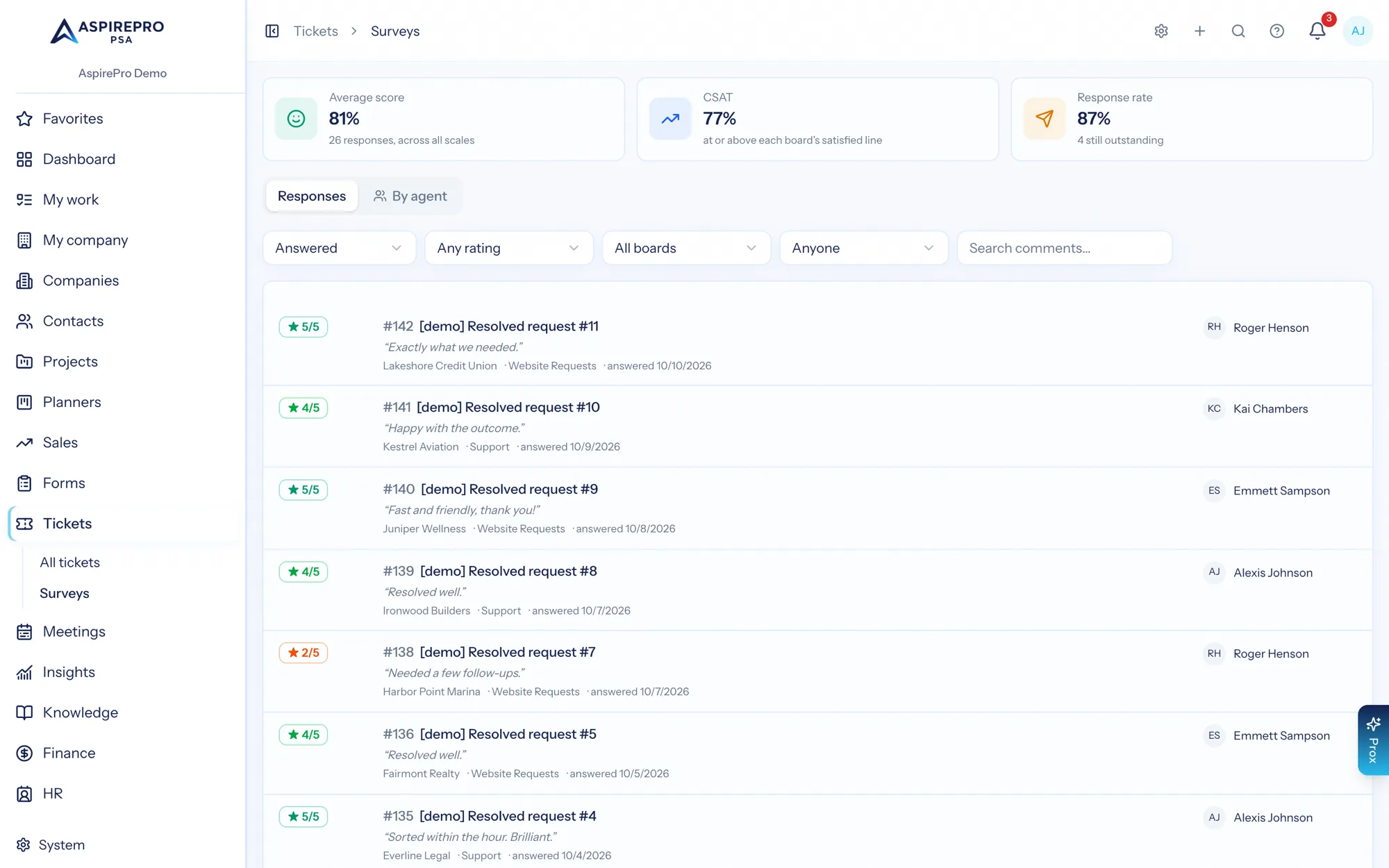
When a ticket reaches a status you have marked as the moment to ask, the client gets a one-question survey. The answer is stored with the board, the company and the person who handled it — so satisfaction can be read by team and by client, not just as a number in an email.
- One-click rating on a public page that shows only the ticket number and subject
- Satisfaction score and response rate on dashboards and scheduled reports
- Breakdowns per person and per board for the coaching conversation
From request to invoice
A request arrives
A client emails the board address, submits through the portal, or your team logs the call. It becomes a ticket on the queue.
Someone picks it up
They reply from the ticket, log the time it took, and move it through the board's statuses.
The clock keeps everyone honest
Response and resolution targets track each ticket; the survey goes out when it closes and records what the client thought.
The time gets billed
Logged time lands on a timesheet and becomes an invoice line under the client's agreement — approved first, if you choose.
What Service Desk connects to
Nothing here is a standalone tool — each of these reads the same clients, people and permissions.
Frequently asked questions
What is help desk software?
How does email-to-ticket work?
Can I run separate queues for different teams?
What happens with duplicate tickets?
Does it track response-time promises (SLAs)?
Can clients submit and follow their own tickets?
Is support time billable?
Do you measure client satisfaction?
Read the documentation
The full how-to for this module, written for the people who use it every day.
Bring your whole services business together
Stop stitching together five tools. Run sales, delivery, support, and billing from one organization — with an AI assistant on every page.