Invoices that write themselves from the work your team logged
Billable hours and agreement fees become invoice lines — approved time only, or any logged time, as you set for each client — invoices go out and get paid online, and QuickBooks or Xero stays your book of record, with nothing retyped from a timesheet export.
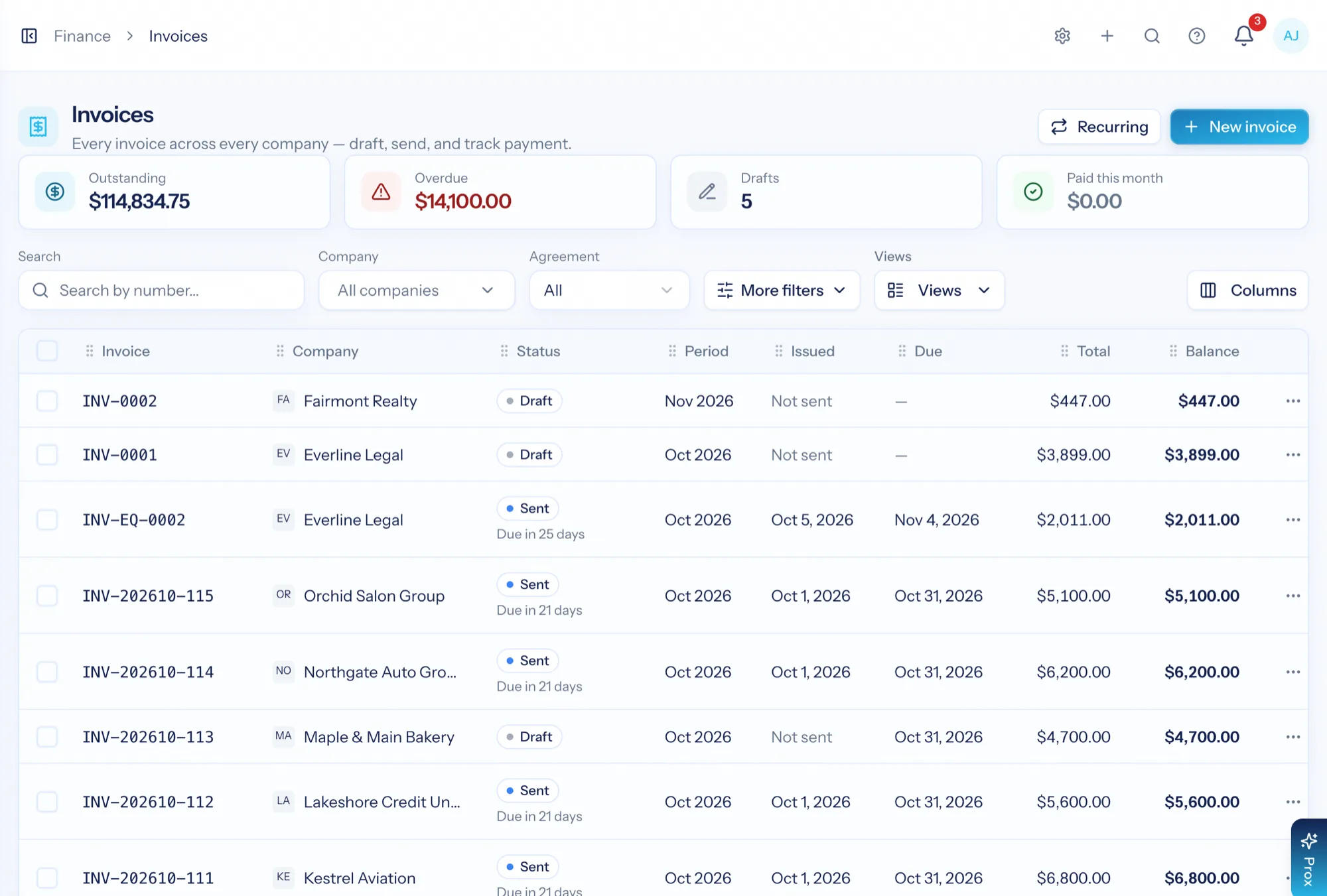
Invoicing software for a services firm has to connect three things most tools keep apart: what you agreed to charge, what your team actually did, and what it cost you to do it. AspirePro holds all three — agreements, logged time and expenses, and cost rates — so an invoice is generated from the work rather than reconstructed from it, and margin is a report rather than an argument.
Work becomes an invoice line
Billable time — approved, or any logged time, per client — and agreement fees pull straight onto the invoice. Nothing is copied from a timesheet export.
A link the client can pay from
Turn on Pay now and every invoice page and email gets a button — clients pay by card or bank transfer through Stripe or QuickBooks Payments, and the payment records itself.
QuickBooks or Xero keeps the books
Push invoices and customers to your accounting system, pull payments back, and read live statements.
The agreement sets the price; the invoice follows it
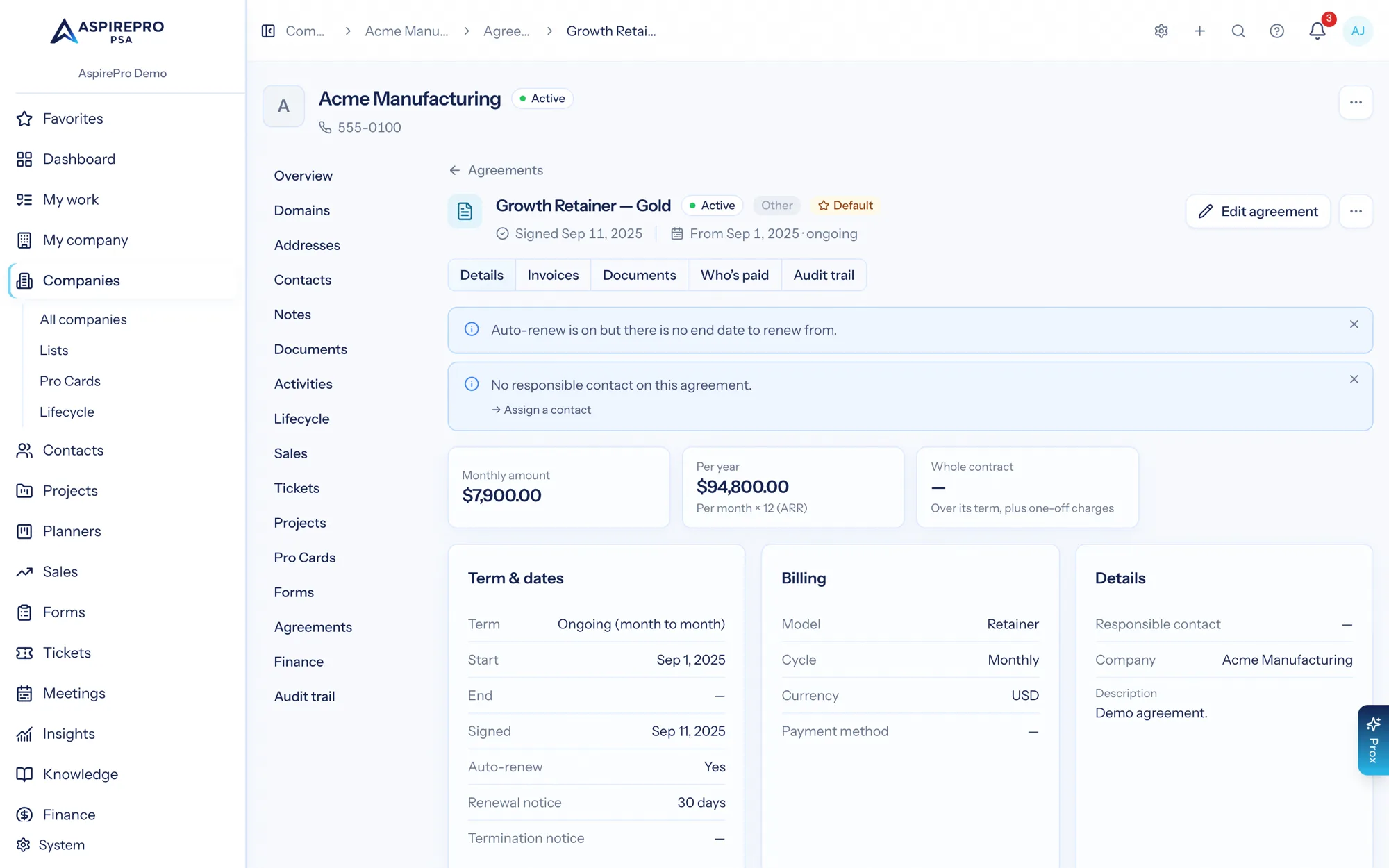
An agreement is the contract in software: term and dates, billing cycle, retainer, fixed fee, time and materials or a prepaid block of hours, service rates and the rule that raises the recurring invoice. Retainer usage shows against the agreement, so an over-serviced client is visible while you can still do something about it. Agreements have a page of their own — this is where the invoice picks up its terms.
- Retainer, fixed-fee and time-and-materials structures, or a prepaid block of hours on a client PO
- Payment in installments, with an installment that can wait for a project milestone
- Per-agreement rates that override the standard rate table
- Recurring invoices raised automatically on the agreement's cycle
- Contracted hours against what was actually delivered
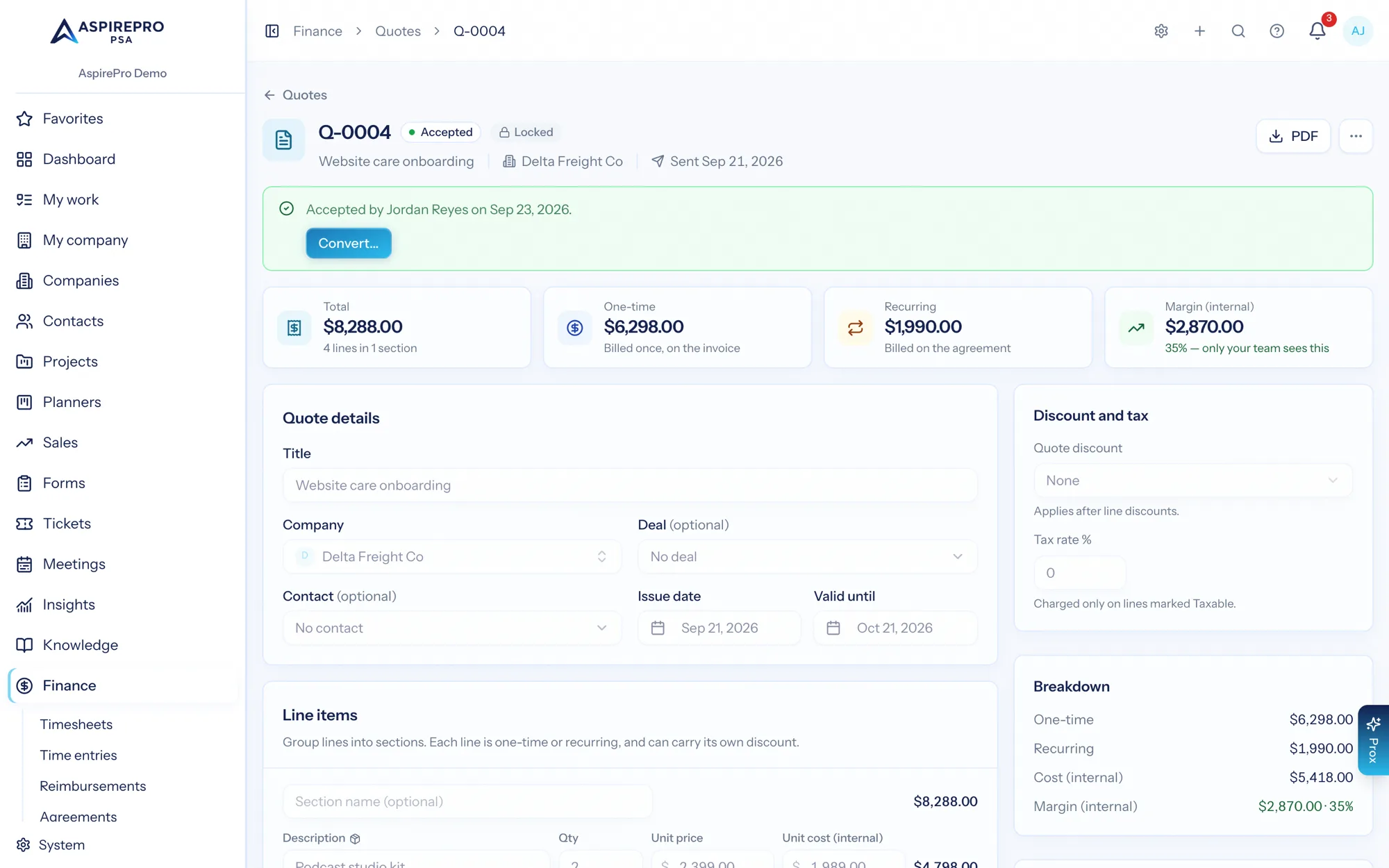
From accepted quote to first invoice, previewed first
A quote the client accepts online — with a typed signature — converts in one step, each part optional and previewed first: recurring lines become the agreement, one-time lines a draft invoice, and the deal is marked won, all priced exactly as accepted. Quotes have their own page; here, what matters is that the first invoice is never typed from a PDF.
- Prices come from your product and service catalogue, and stay fixed once a quote is sent
- One-time and recurring charges kept apart on the quote and on the invoice
- Accepted quotes lock; changes create a numbered new version
Built from the work, not from memory
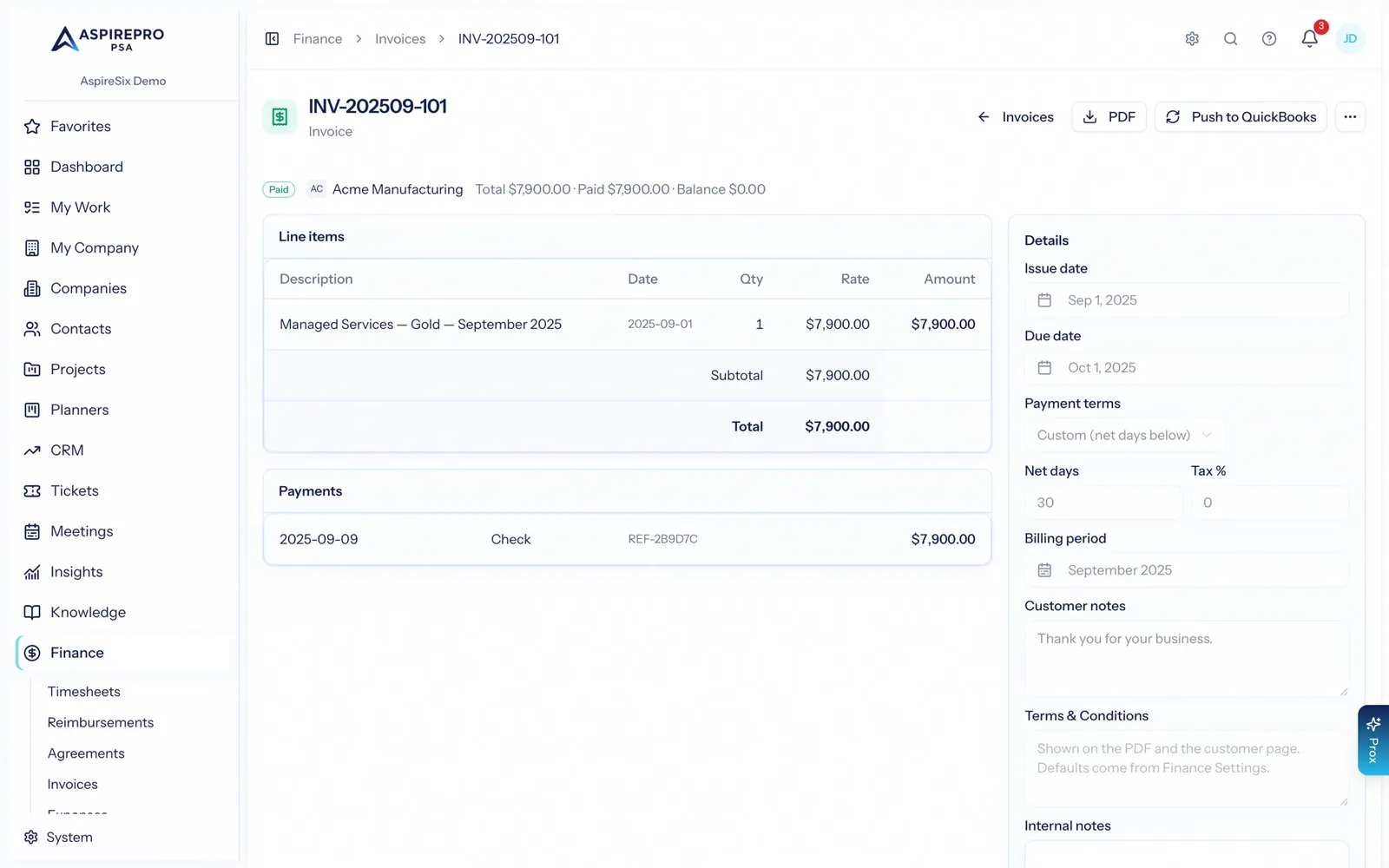
Create an invoice and pull in the client's unbilled work and their agreement fees. Time follows the client's rule — approved time only, or any logged time — and non-billable time can go on as a $0 no-charge line so the client sees the free work. Or pick entries on Finance → Time entries and invoice them: one draft per client. Each line carries the date, quantity, rate and total. Send it, record the payment, or push it to your accounting system and let the ledger own it from there.
- Draft, send, and track outstanding, overdue and paid — with totals on the list
- Invoice selected time from Finance → Time entries, one draft per client
- Raise a draft straight from a ticket or project with Quick invoice, with the time, charges and expenses already gathered
- Send now or schedule it for later, through AspirePro, QuickBooks, Stripe or Xero
- PDF and email preview before anything reaches the client
- Payments recorded against the invoice, with the balance updated
- A public invoice link so a client can view and download the invoice without a login
- Pay now: clients pay by card or bank transfer through Stripe or QuickBooks Payments, and the payment records itself
Know whether the invoice was worth the hours
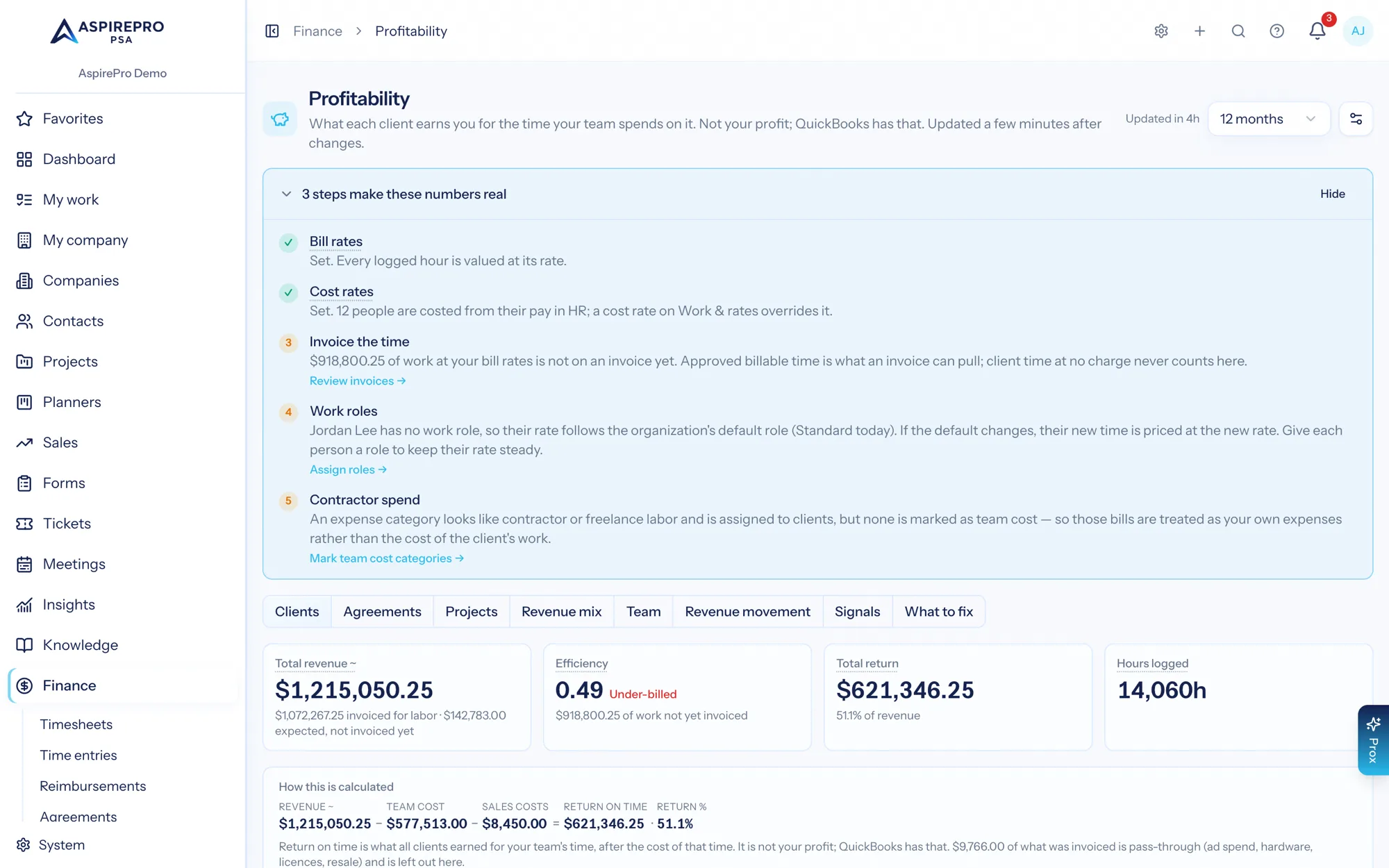
Return on time by client and by agreement: revenue against the recorded cost of your team's time (and client expenses, if you switch them on), updated a few minutes after time, invoices or expenses change. Each figure says whether it is recorded or estimated, and where no cost is recorded the return percentage is hidden rather than shown as 100%. Profitability has a page of its own.
- Return on time, return percentage and dollars per hour earned, per client
- Signals for clients drifting the wrong way
- Works even with light time tracking — with the approximations labelled
Including the money your team fronts
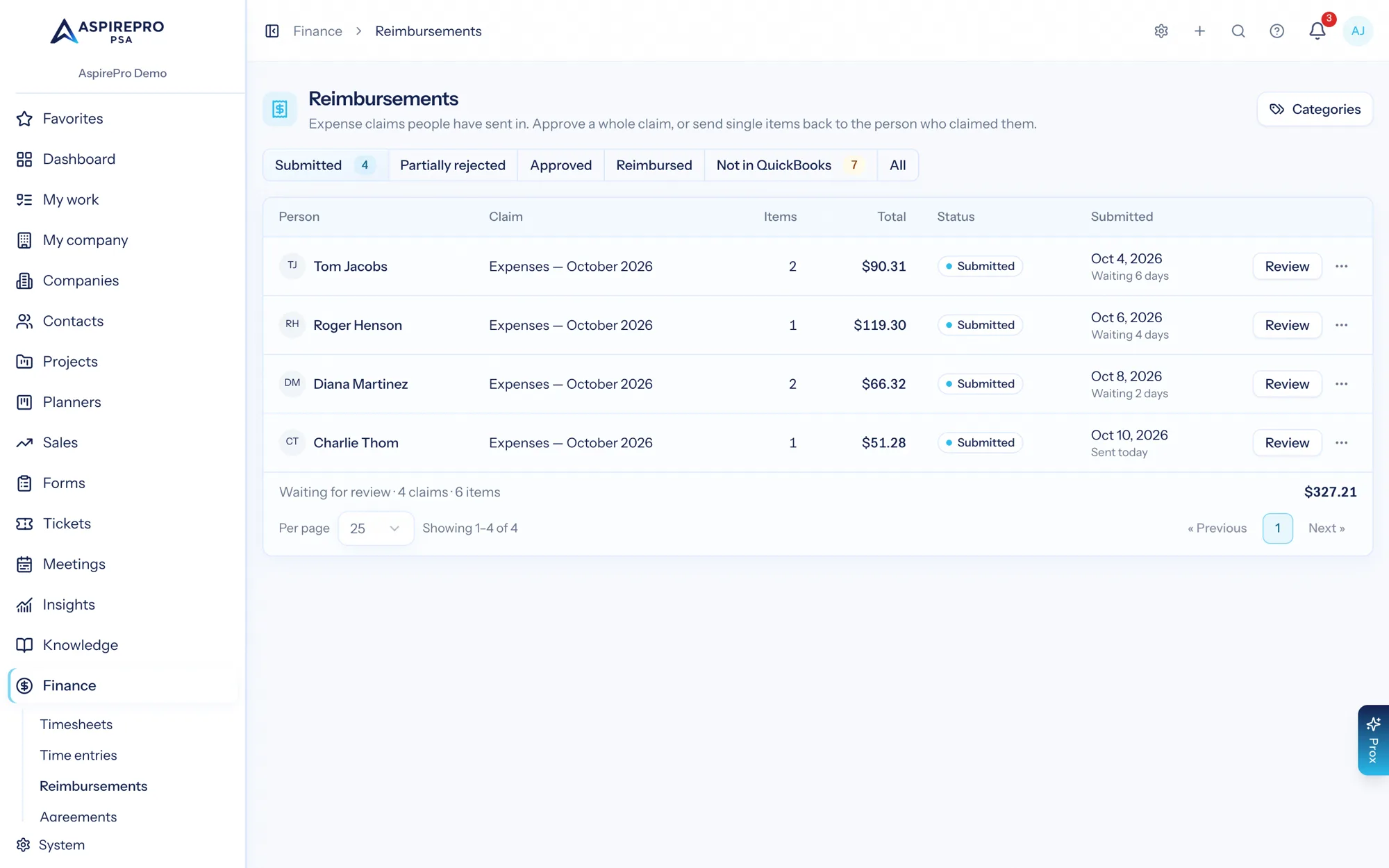
Reimbursements let staff claim what they spent, a reviewer approve it, and finance mark it paid — and approved items become real expense records that count as client direct costs or overhead. Vendor spend and financial statements mirror your ledger when one is connected.
- Expense claims with receipts, review, and reimbursement through payroll, a pay run or by hand
- Billable expenses pass through to the client invoice
- Vendors and expenses mirrored from QuickBooks; P&L, balance sheet, cash flow and A/R aging read live
The numbers the partners ask for
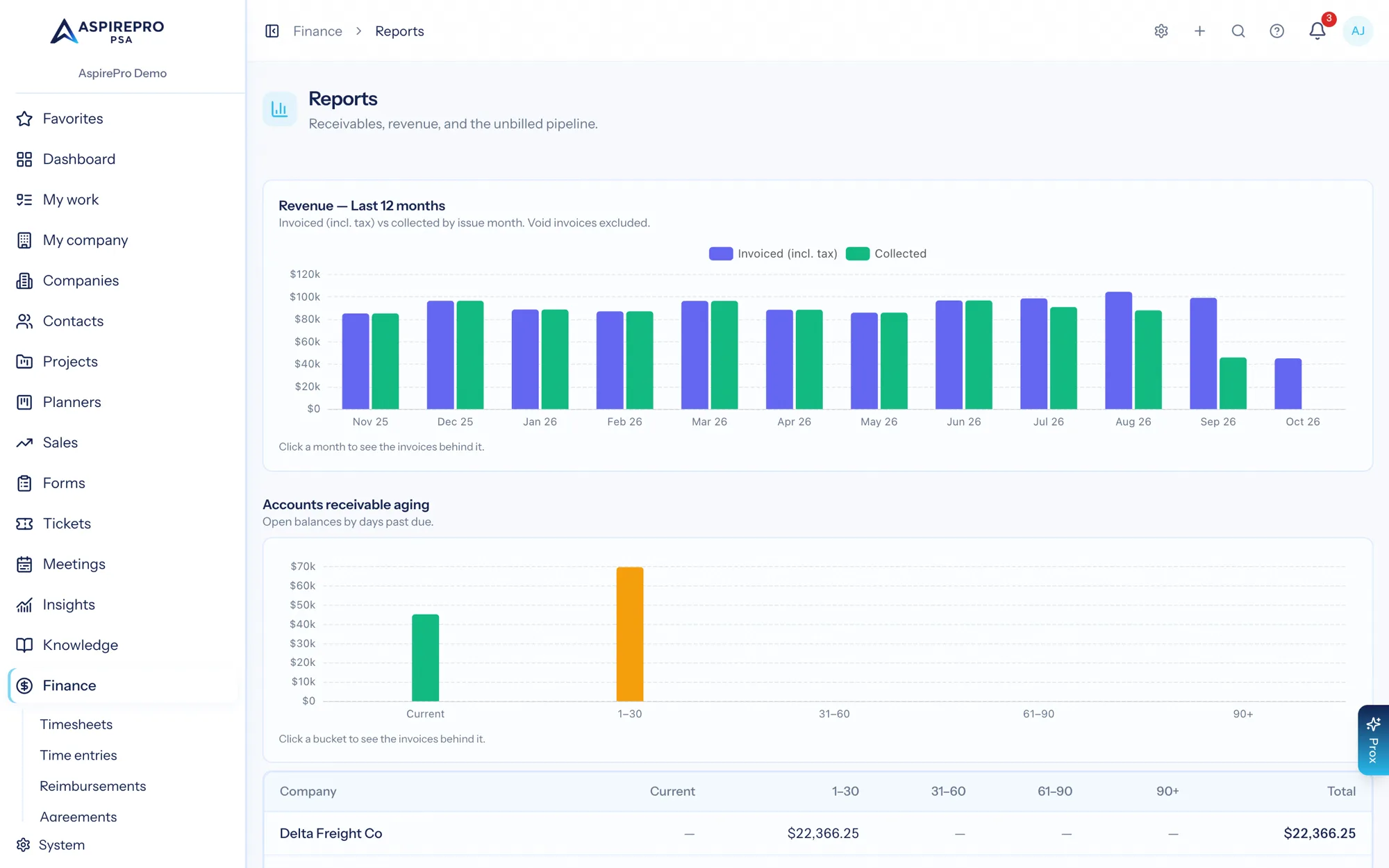
Revenue over the last twelve months, work in progress, receivables aging by client, and the unbilled pipeline — with a finance digest that emails what changed. It is the month-end pack, generated from the same records the work was done in.
- Revenue trend, work in progress, receivables aging and unbilled value
- Live profit and loss and balance sheet when a ledger is connected, exportable to CSV or PDF
- A per-client finance view on the company record, including the agreement against reality
The money chain, end to end
Agree the terms
Set up the agreement: retainer, fixed fee or time and materials, with its rates and billing cycle.
Do the work, approve it if you want
Time and expenses are logged where the work happens. Approve time before it bills, or bill any logged time — your call, per client.
Invoice it
Pull work in progress and agreement fees onto an invoice, send it, and record or sync the payment.
Read the return
Profitability compares revenue with the cost of your team's time, per client, updated within minutes.
What Billing & Invoicing connects to
Nothing here is a standalone tool — each of these reads the same clients, people and permissions.
Frequently asked questions
How does time become an invoice?
Do you support retainers and fixed-fee work?
Does it integrate with QuickBooks or Xero?
How is client profitability calculated?
Can it work if we do not track time carefully?
How do expense reimbursements work?
Can clients pay online?
Read the documentation
The full how-to for this module, written for the people who use it every day.
Bring your whole services business together
Stop stitching together five tools. Run sales, delivery, support, and billing from one organization — with an AI assistant on every page.