Ask how you did, and turn the answer into something
When a ticket reaches the status you mark as the moment to ask, the client gets a one-question survey. Happy answers are nudged toward your public reviews; unhappy ones get an apology and a comment box. Every rating is stored by board, client and agent.
CSAT survey software asks a client one question after support has helped them and turns the answers into a score you can read by team, by client and by person. AspirePro's surveys are part of the service desk: a board decides which status triggers the ask, the survey goes out once per ticket on a clean public page with no login, the rating is stored with the board, the company and the agent, and review gating points your best interactions at the review sites that matter to you.
A rating, not a form
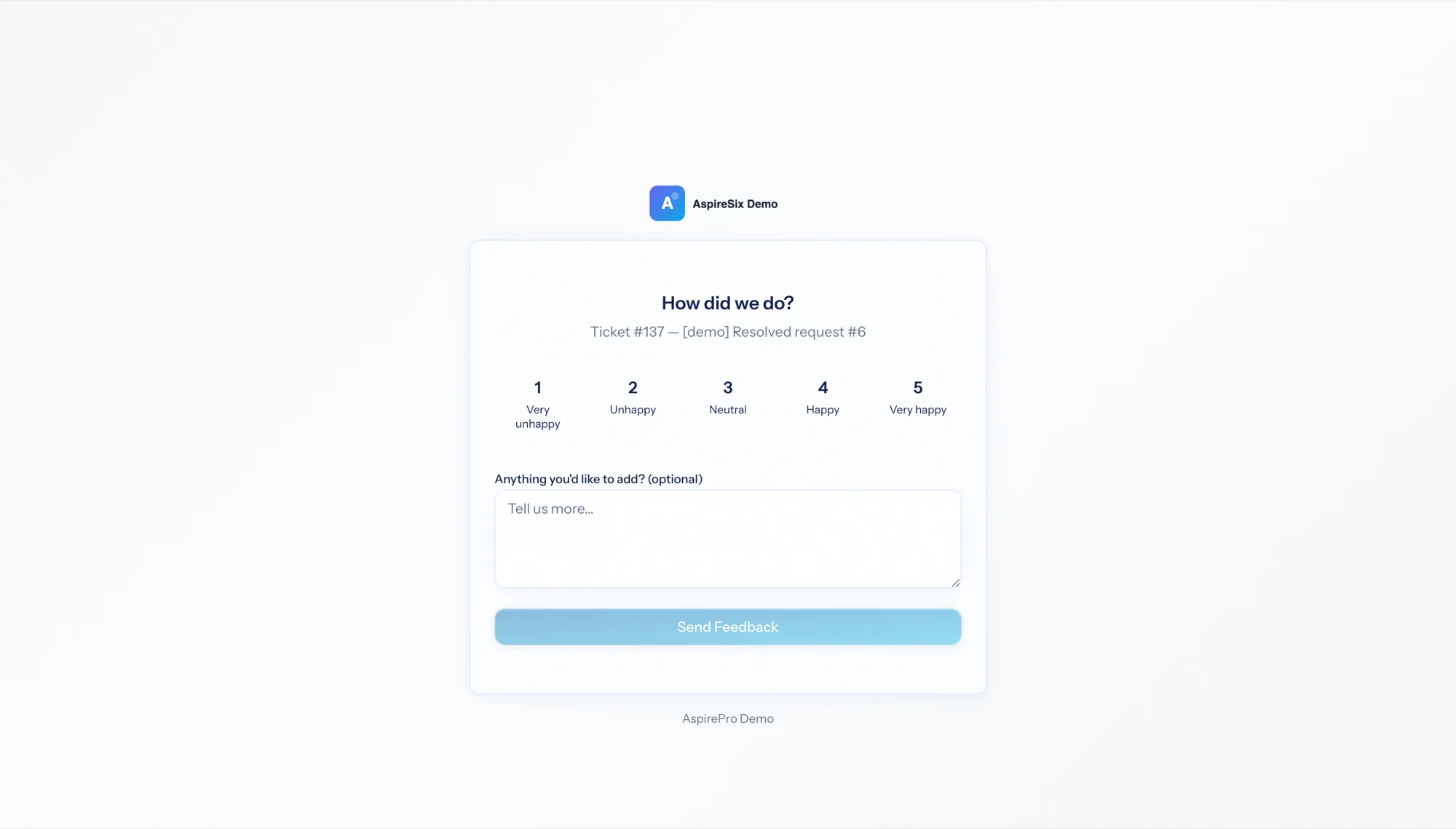
Numbers, stars or smileys on a public page that shows only the ticket number and subject. No login, no account.
Happy clients go public, unhappy ones get an apology
Above your threshold: a thank-you and links to your review platforms. Below it: an apology and a comment box, never a public prompt.
By board, by client, by agent
Every response is stored with the board, the company and the people who handled it — so satisfaction is a coaching tool, not a number in an email.
The status decides when to ask
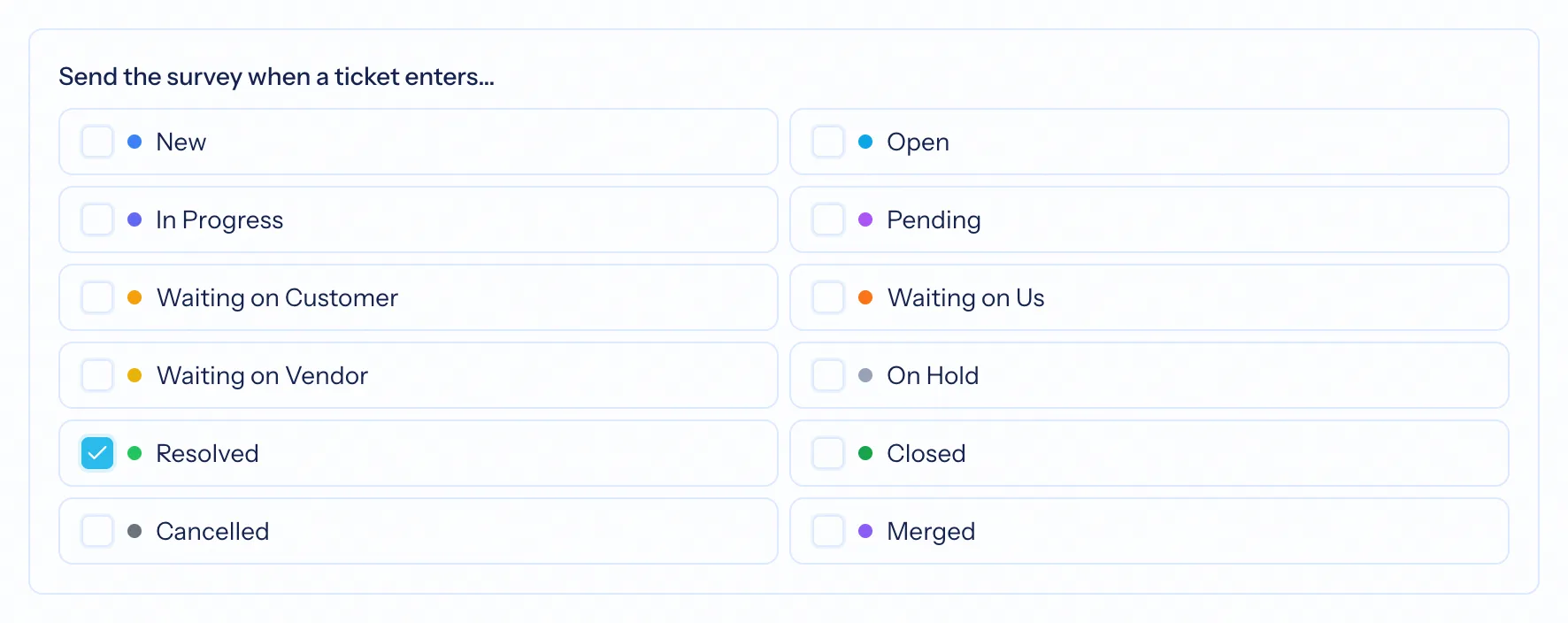
Flag a status on a board as the moment to request a rating — usually Resolved or Closed. When a ticket enters it, the survey is sent once, only if the board's survey is enabled and the contact has not opted out. Merged tickets never send one. You can also send a survey by hand from a ticket's Survey tab.
- Once per ticket at most
- Per-board survey with its own wording, scale and threshold
- Manual send from the ticket when you want feedback on a specific case
Your scale, your words, a live preview
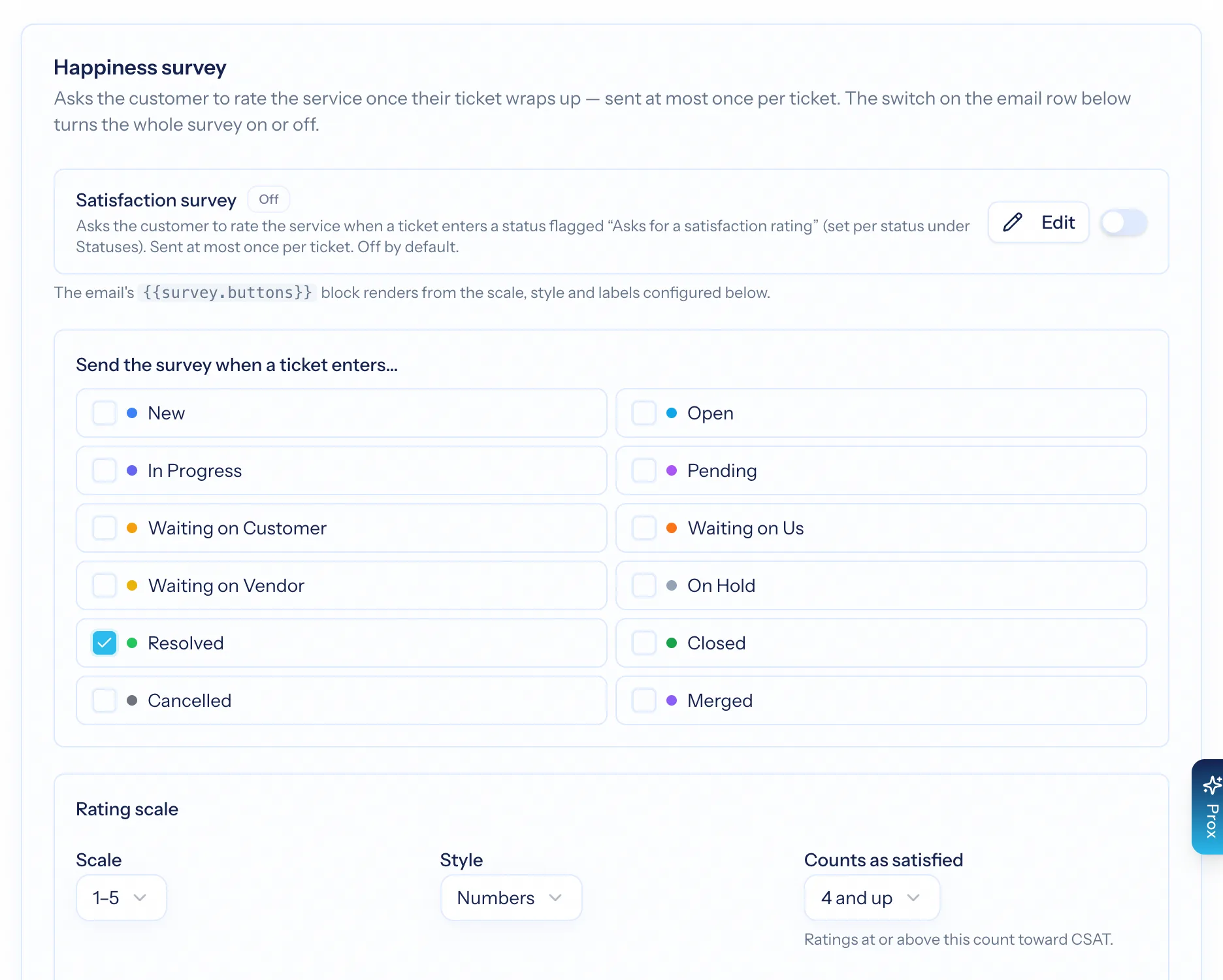
Choose a 2, 3, 5 or 10-point scale shown as numbers, stars or smileys; write the question and labels; set what counts as satisfied; optionally let clients rate the specific people who helped. The wording and scale are snapshotted when a survey is sent, so an old response always renders the way the client saw it.
- Numbers, stars or smileys
- Satisfied threshold per board
- Per-agent ratings
- A live preview of what the client will see
Grow your reputation from your best interactions
A happy client sees a thank-you and buttons to your Google, Trustpilot or other review pages. An unhappy one sees an apology and a comment box — and their comment lands with the ticket, so someone can follow up. Public prompts go only to people who would say something good.
- Your review platforms, in the order you choose
- Unhappy responses collect a comment instead
- Comments searchable on the Surveys page
CSAT you can act on
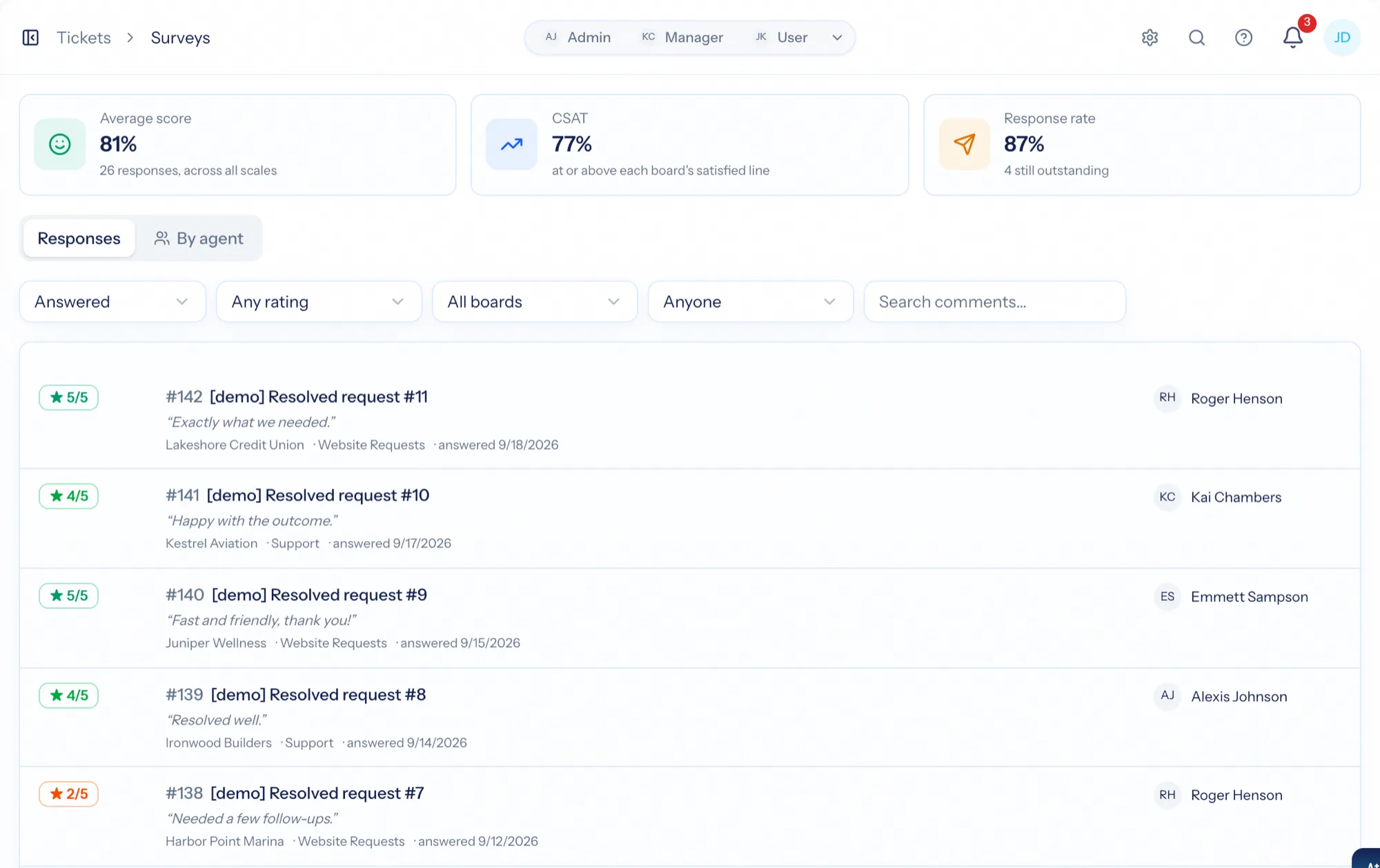
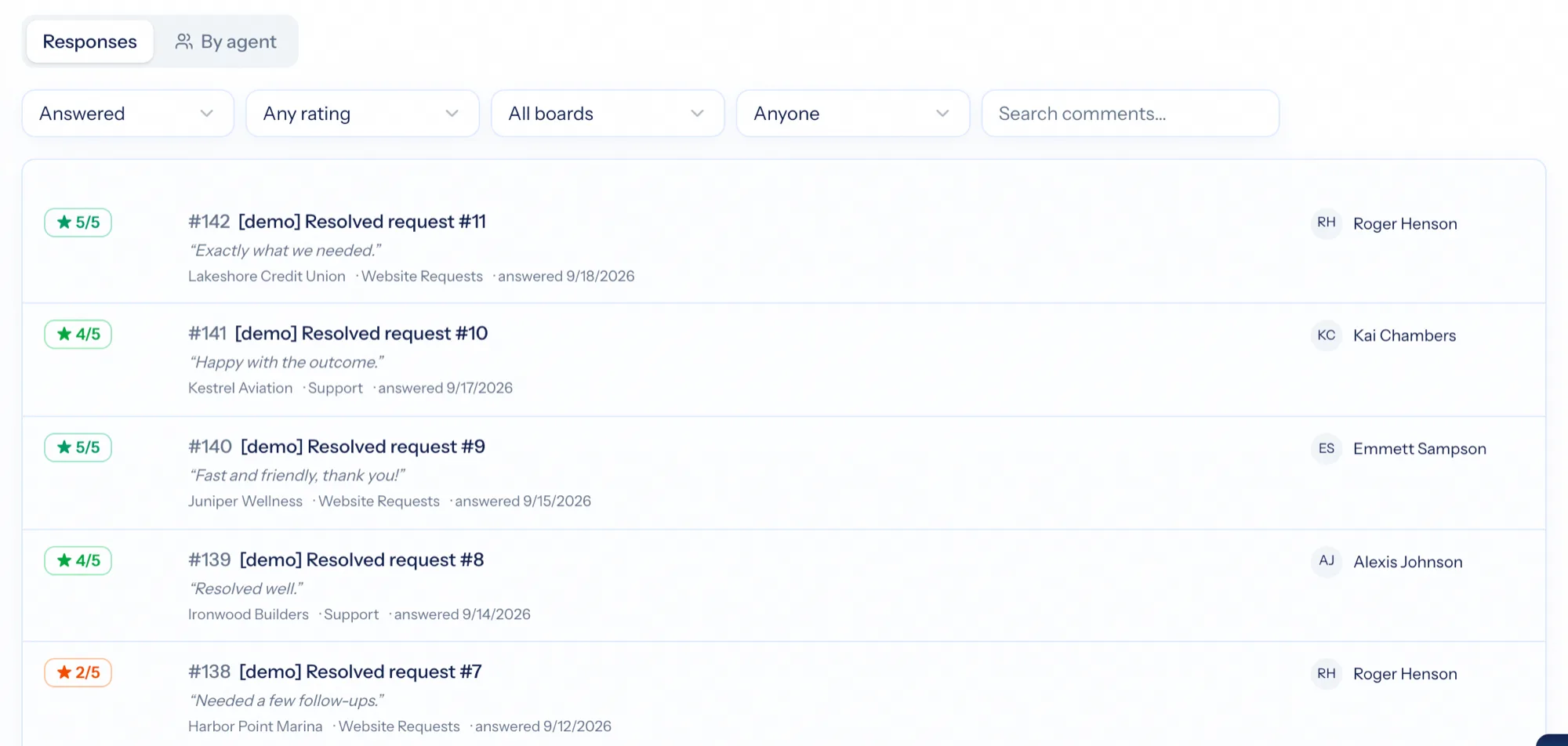
Tickets → Surveys lists every survey with average score and CSAT tiles, filters for answered and outstanding, and search across comments and agents. The same numbers are metrics for dashboards and scheduled reports — overall, by board, by agent, by team and by client — and feed the client health score.
- Average score, CSAT percentage and response rate
- Satisfaction by board, agent, team and client
- Six months of positive responses count toward client health
From closed ticket to public review
Flag the status
Mark Resolved or Closed as the moment to ask, and switch the board's survey on.
The client rates it
One click on a public page — numbers, stars or smileys — with an optional comment.
Gating routes the response
Happy: thank-you and review links. Unhappy: apology, comment box, follow-up.
Read the score
By board, agent and client on the Surveys page, dashboards and scheduled reports.
What Satisfaction Surveys connects to
Nothing here is a standalone tool — each of these reads the same clients, people and permissions.
Frequently asked questions
When is a survey sent?
Does the client need an account?
What is review gating?
Can clients rate individual people?
Where do the scores show up?
Read the documentation
The full how-to for this module, written for the people who use it every day.
Bring your whole services business together
Stop stitching together five tools. Run sales, delivery, support, and billing from one organization — with an AI assistant on every page.