Finance → Profitability → Revenue mix splits your revenue into what you resell (hardware, licences — products) and what your team does (services), and shows how well each pays.
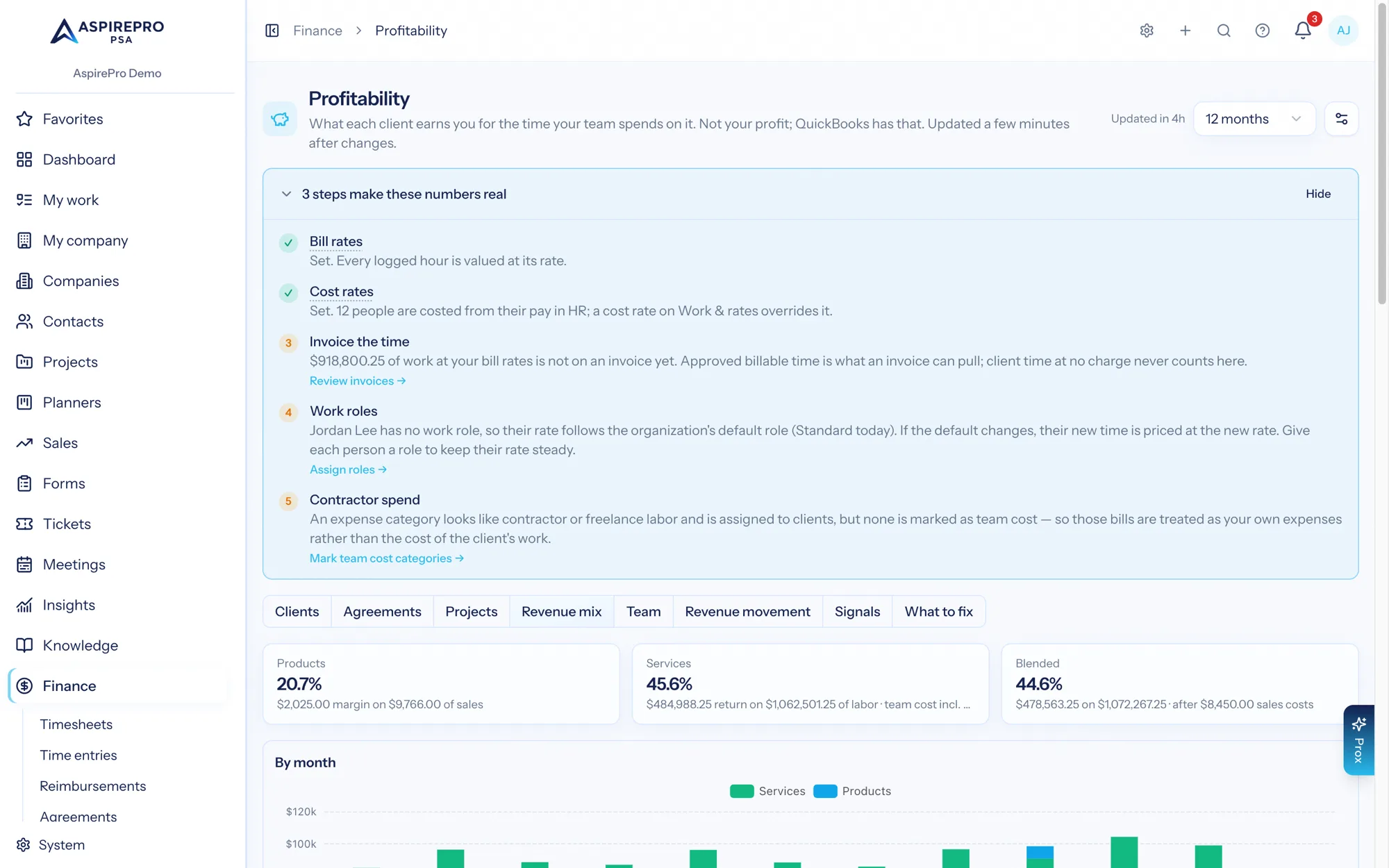
Figure | What it is |
|---|---|
Products | Product sales that have a recorded cost, less that cost, as a margin %. |
Services | Labor revenue less team cost (logged time at cost rates, plus subcontract labor and team pay from agreements). |
Blended | Both together, less sales costs such as commission, which aren't split between the two. |
Set margin targets for products, services and the blend in the Profitability settings; they show beside each figure.
Product costs#
Every invoice line remembers what the item cost you on the day it was sold — from the catalog, the job charge, the quote or the agreement's products. Later catalog changes never move it. A product sale with no cost recorded is left out of the product margin and of Return until it has one; the card on this tab shows how much that is. Finance can set a line's cost on the invoice (it stays internal — the client never sees it), or use Use today's catalog cost to fill every product line that has none with the catalog's cost as it is today, marked as an estimate.
The Profitability setting Count product sales as revenue with a margin (on by default) decides whether costed product sales count in Return. A bundle with a product inside counts as a product. An expense category marked Product cost (Finance → Reimbursements → Categories) lets Profitability count supplier bills for products once — never both from the invoice line and from your books.