Finance → Profitability works out revenue per agreement, per month, on a ladder that can never double-count. The Count revenue from setting (the gear on the page header) picks which rungs of that ladder count: Invoices, plus what agreements should bill (the default) or Invoices only. This page is the whole ladder, including the parts that surprise people when they reconcile a month by hand.
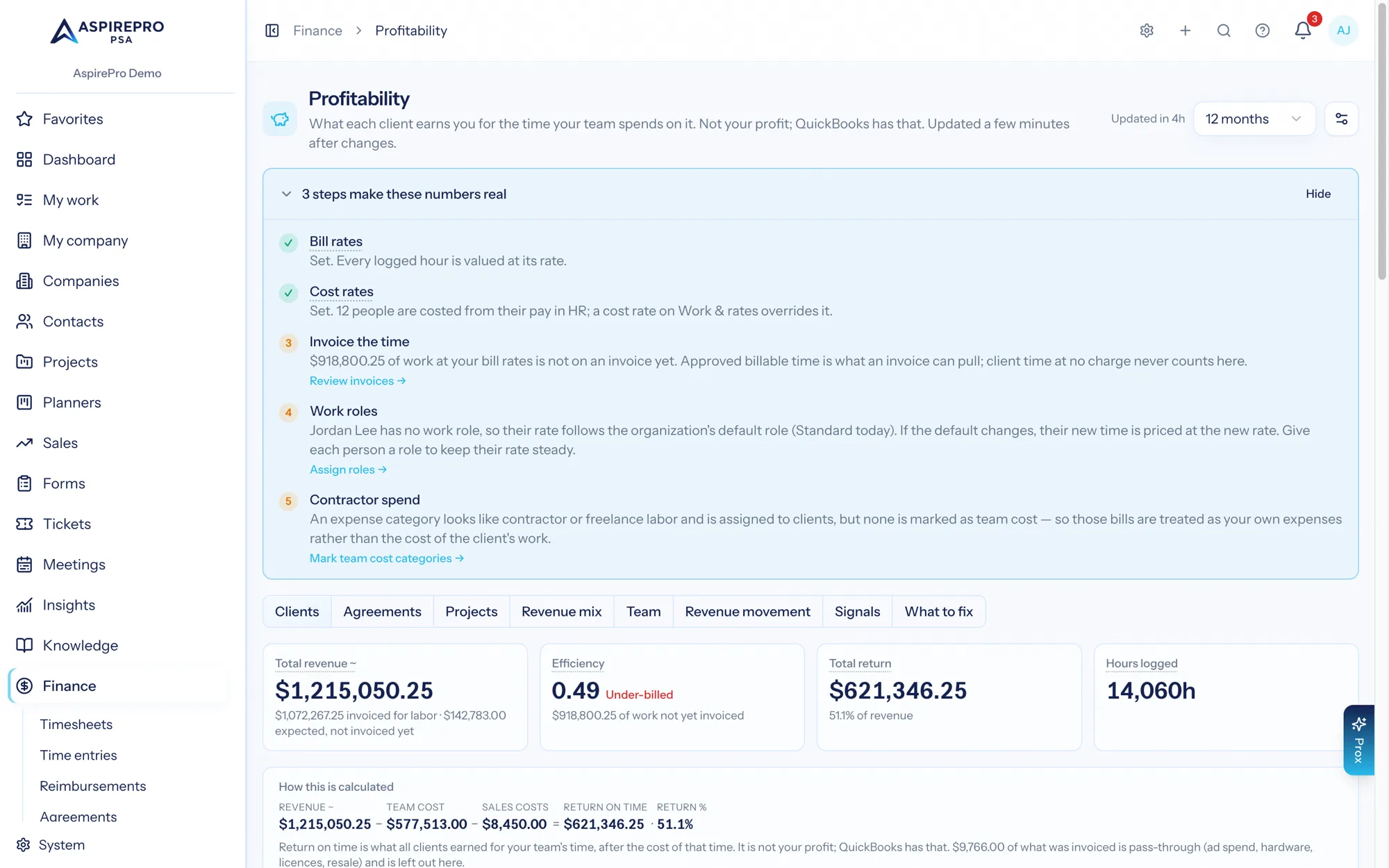
Revenue is always counted before sales tax. Tax you collect is remitted, not earned. The Collected figure in the client PDF is the cash that actually arrived, and it includes tax.
The ladder#
For each agreement, in each month:
- Invoiced — if any non-void, non-draft invoice on that agreement is dated inside the month, that is the number. Full stop, and the expectation for that agreement-month is replaced entirely.
- Expected — no invoice, but the agreement was live: a retainer or fixed-fee agreement expects its per-cycle amount in the months its billing cycle opens, plus the hours its fee doesn't cover: a retainer's overage (when it invoices overage, at its overage rate when set) and time billed separately. A time-and-materials agreement expects the month's billable time value: hours × the bill rate recorded on each entry (your work in progress). Hours an agreement covers are never expected on top of its fee. See Time an agreement covers.
Because the choice is made per agreement-month, an invoice always replaces an expectation. March's invoice replaces March's expected value; April with no invoice still shows what the contract said April was worth. Firms that invoice outside AspirePro but keep their agreements accurate get accurate return figures anyway.
For a fixed fee or retainer, the two parts are replaced separately: an invoice that bills the fee replaces the fee's expectation, and an invoice with hours on it (overage, time billed separately) replaces the hours' expectation. An hours-only invoice leaves the fee still expected until it is invoiced, and a fee-only invoice leaves the overage expected.
Anything that includes expected revenue is marked with an amber ~ — on the KPI tile, on the Revenue cell, on the month rows in the client PDF — and the tile's sub-line and the cell's small print say how much was actually invoiced. A figure with expected revenue in it never passes for cash, and the Revenue row of What's behind these numbers reads Estimated when none of it was invoiced and Partly recorded when some was.
Pass-through#
Some invoiced money is not payment for your hours: ad spend and media buys, hardware, licences, hosting resale. Profitability sorts every invoice line one of three ways: Labor (time, agreement and service lines, and manual lines), Product (resold with a margin: products, and bundles with a product inside) and Pass-through (resold at cost: expense lines). Any of them can be changed on the catalog item (System → Products & services → Counts in Profitability as) or on a single invoice line. Labor revenue — invoiced minus product and pass-through lines — is what Efficiency and $/hour earned compare against hours. While Include client expenses in return on time is off, pass-through leaves Return as well, because its matching cost is out of the picture too; with the switch on, everything counts on both sides. Products count in Return as a margin while Count product sales as revenue with a margin is on (the default): the sale is revenue and the cost on its invoice line comes off it, and a product line with no cost is left out until a cost is added. Off, products are treated like pass-through. See Revenue mix. Revenue tiles say how much of the figure is pass-through.
Invoices are counted by issue date#
This is the single most common reconciliation surprise, so it is worth stating on its own.
Revenue lands in the month an invoice was issued, not the period it covers. An invoice issued 4 April for March's work is April revenue. (An agreement's Invoices count for setting changes only which month Agreement vs. Reality counts a books invoice for, not this.) If you close March at the end of the month and invoice in the first week of April, your March revenue on this page is the March-dated invoices only.
The invoice's billing period is consulted in exactly one place — the replacement check on multi-month cycles, below — and nowhere else. If you want revenue to sit in the period rather than the issue month, date the invoice in that month.
Expectations follow the real billing cycle#
A retainer or fixed-fee agreement does not expect one-twelfth of an annual amount every month. It expects the per-cycle amount, in the month its cycle opens:
- Monthly — every month.
- Quarterly — every third month, counting from the agreement's effective start month.
- Semi-annual — every sixth month.
- Annual — once a year, in the anniversary month.
- One-time — only in the month of its start date.
An agreement with no effective start date can only open a monthly occurrence; longer cycles need a start month to count from. Three things zero an expectation outright, in every month:
- Paused — the month is in the agreement's excluded billing periods.
- Excluded from financials — the agreement is marked to stay out of financial reporting.
- No effective amount — nothing to expect.
The practical consequence: on the default setting, a period shorter than a client's billing cycle can look thin for quarterly and annual contracts. A three-month period on an annual agreement will usually show two empty months. That is the true contractual cadence, not a bug.
Which agreements were live, at what amount, on what cycle, is read from the month's agreement snapshot — the population as it stood at the time — not from today's agreements. See Freshness and history.
The multi-month replacement rule#
A quarterly or annual invoice rarely lands in the exact month its occurrence opens. If it did not replace the expectation, the opening month would expect the full amount and the invoicing month would record it — the same money twice inside one period.
So for any agreement whose cycle is longer than a month and whose occurrence opens this month, the engine looks across the whole occurrence window (three months for quarterly, twelve for annual) for a non-void, non-draft invoice on that agreement whose billing period falls in the window or whose issue date falls in the window. If it finds one, the opening month's expectation becomes zero.
Two practical notes:
- The check runs when a month is built. An invoice that arrives after a month stopped being rebuilt does not retroactively replace it until that month is rebuilt. The overnight update covers the current and previous month only.
- The billing period half of the check is what catches a genuinely late invoice — one issued outside the window but stamped with the period it covers. Filling in the billing period on cycle invoices is worth doing for exactly this reason.
Billable time that belongs to no agreement#
Billable hours logged against a client but not attached to any agreement are a real expectation — but only when nothing has been invoiced, and only for the part not already counted.
- If the client had any invoiced revenue in the month, unattached billable time counts for nothing. It may already be inside one of those invoices, and the module will not guess.
- If the client had no invoiced revenue in the month, the unattached value is the client's total invoiceable time value (what invoices would charge for it, leaving out hours an agreement covers) minus the part already attributed to its agreements. That subtraction is what stops a time-and-materials agreement's work in progress being counted once as its own expectation and again as the client's.
Choosing a setting#
- Invoices, plus what agreements should bill (default) — the contractual view. Choose it if you invoice on a cycle, invoice outside AspirePro, or run retainers, and you want a month to read as what it was worth rather than as what happened to be billed inside it.
- Invoices only — the cash-hard view. Choose it if you invoice everything here, promptly, and you want every number to be traceable to a document you can open.
Whichever you choose, every surface follows it: the grids, the client page, the PDF, and the Return on Time by Client, Return on Time by Agreement and Effective Rate widgets in Insights. The deliberate exceptions are the Billing Efficiency widget, which is always invoices only, and Signals, which always read invoiced revenue only so a worklist cannot be moved by a setting — and the Signals tab says so. See Profitability and Insights.
The Collected column in the client PDF is a third figure and is not part of either setting: it is cash actually received, counted by payment date and including sales tax. Use it to see how far behind the revenue your collections run.
Worked example — a quarterly agreement across six months#
Coastline Systems, quarterly retainer, $9,000 per cycle, effective start 15 January 2026. Occurrences open in January, April and July.
Month | Occurrence opens | Invoice | Expected | Default | Invoices only |
|---|---|---|---|---|---|
Jan | yes | INV-1180 issued 20 Jan | $0.00 (replaced) | $9,000.00 | $9,000.00 |
Feb | — | — | $0.00 | $0.00 | $0.00 |
Mar | — | — | $0.00 | $0.00 | $0.00 |
Apr | yes | — | $9,000.00 | $9,000.00 | $0.00 |
May | — | — | $0.00 | $0.00 | $0.00 |
Jun | — | INV-1244 issued 12 Jun, billing period 2026-04 | $0.00 | $9,000.00 | $9,000.00 |
Total | $18,000.00 | $18,000.00 |
Read April and June together. April opened an occurrence and, at the time April was built, no invoice existed anywhere in its April–June window, so April expected $9,000.00. The 12 June invoice carries billing period 2026-04, which is inside that window — so on April's next rebuild its expectation drops to $0.00 and the $9,000.00 sits in June, where the invoice was issued.
If April is never rebuilt (it falls out of the overnight update's two-month scope), it keeps its $9,000.00 expectation while June also carries $9,000.00 invoiced, and a six-month period totals $27,000.00. That is the case a manual finance:rollup --from=2026-04 exists to correct — see Freshness and history.
Worked example — an annual invoice a month late#
Harbor Digital, annual agreement, $12,000, effective start 10 January 2026. The occurrence opens in January; the invoice is issued 3 February.
- January's twelve-month window runs 1 Jan – 31 Dec. The 3 February invoice's issue date falls inside it, so January's expectation is replaced with $0.00.
- February records $12,000.00 invoiced, because that is the month it was issued.
- On the default setting the year still totals $12,000.00 — it simply sits in February.
Without the replacement rule, January would have shown $12,000.00 expected and February $12,000.00 invoiced: $24,000.00 of revenue for one $12,000.00 contract.
Worked example — a time-and-materials month#
Rivera Website Rebuild, time & materials, no invoice in June 2026. Twenty-six billable hours logged, all at a $150.00 bill rate.
billable value  26.0 h × $150.00 = $3,900.00
expected        $3,900.00   (time & materials expects the month's work in progress)
That $3,900.00 is the expected half of the reference client's $9,900.00 June revenue, and it is why the Revenue cell carries an amber ~. On Invoices only it is $0.00, and Rivera's June return flips negative — the same numbers, a different question. Both are worked through in How return on time is calculated.
Worked example — unattached billable time, both ways#
Delaney Partners has one retainer agreement at $4,500 per month, and its support team logs billable ticket time that nobody attaches to an agreement.
June — one invoice issued. INV-1091 for $4,500.00, issued 12 June against the retainer. In the same month, 14.0 h of billable time at $145.00 sits on tickets with no agreement.
invoiced                       $4,500.00
unattached billable value      14.0 h × $145.00 = $2,030.00  →  EXCLUDED
revenue                        $4,500.00
The client had invoiced revenue this month, so unattached billable time counts for nothing: it may already be inside INV-1091, and guessing would inflate the month.
July — nothing invoiced. The retainer's July occurrence opens and is not invoiced. The client's total invoiceable time value in July is $6,850.00, of which $4,820.00 is on agreements (time billed separately on the retainer, say).
retainer expectation                       $4,500.00
unattached = $6,850.00 − $4,820.00       = $2,030.00
revenue                                    $6,530.00
The subtraction is the guard: without it, the $4,820.00 of agreement-attributed time would be counted once inside the agreement's own expectation and again as client-level unattached value. (The retainer's included hours aren't in either figure: its fee pays for them.)
Set this once, deliberately, and leave it. It is a organization-wide setting, it changes every return figure on every screen, and every change is written to the audit log.