Let clients book you without the back-and-forth
Send one link. They pick a time from your real availability, the invite goes out with a video link, and the meeting lands on the client and the deal it was about.
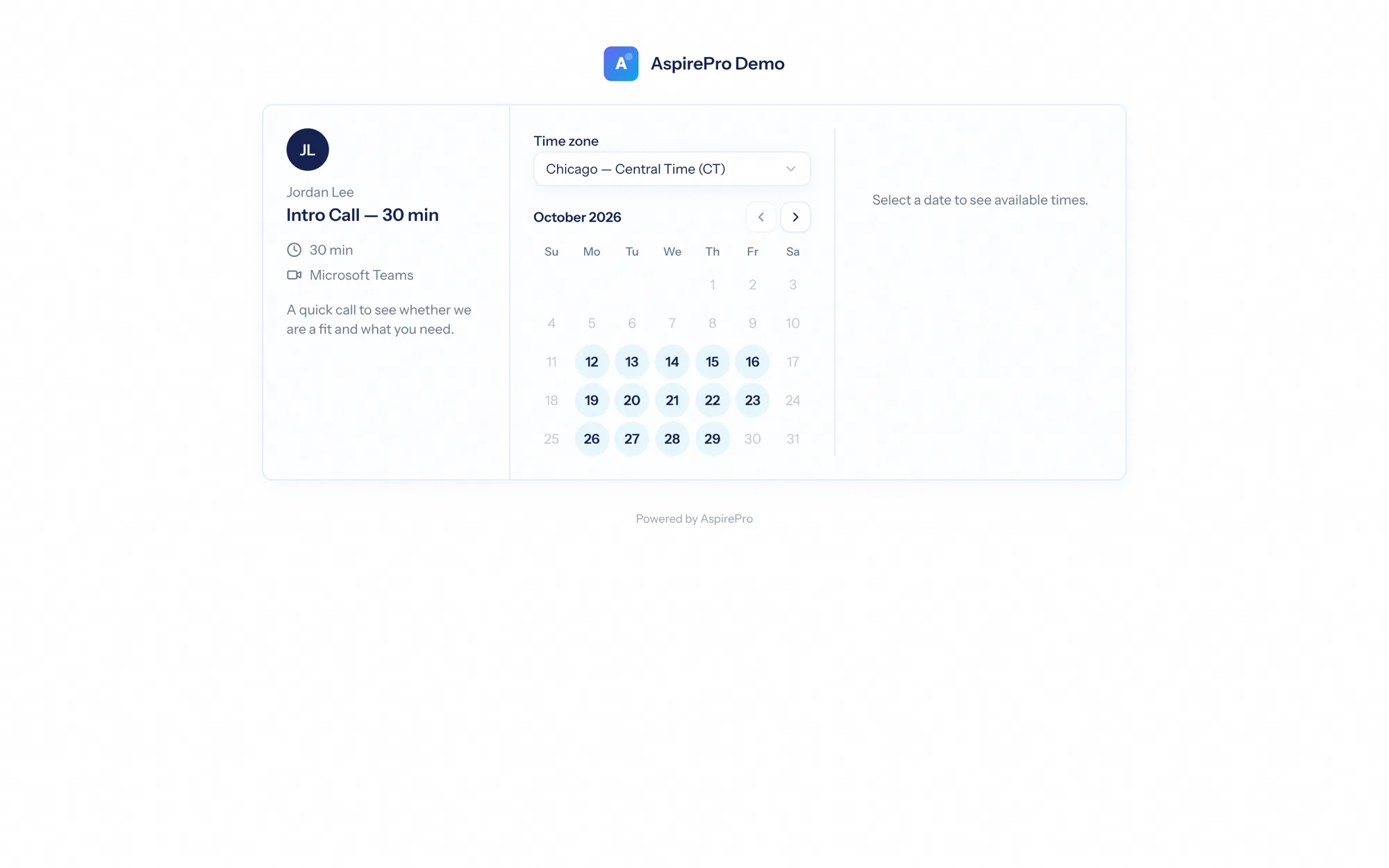
Meeting scheduling software replaces the email tennis of finding a time: you publish when you are free, the other person picks a slot, and both calendars update. What makes it worth having inside AspirePro is what happens next — the booking is a record attached to a contact and, where it matches, to the deal your team is trying to close.
Your availability is always true
Slots come from your connected Microsoft and Google calendars, so a busy hour is never bookable — even one that filled up five minutes ago.
The meeting lands on the deal
When the person booking matches a client, the meeting is logged against the right deal without anyone typing it.
Invites and reminders handle themselves
Calendar invites, a video link, confirmation and reminder emails, and a reschedule link the invitee can use without calling you.
A page for each kind of meeting
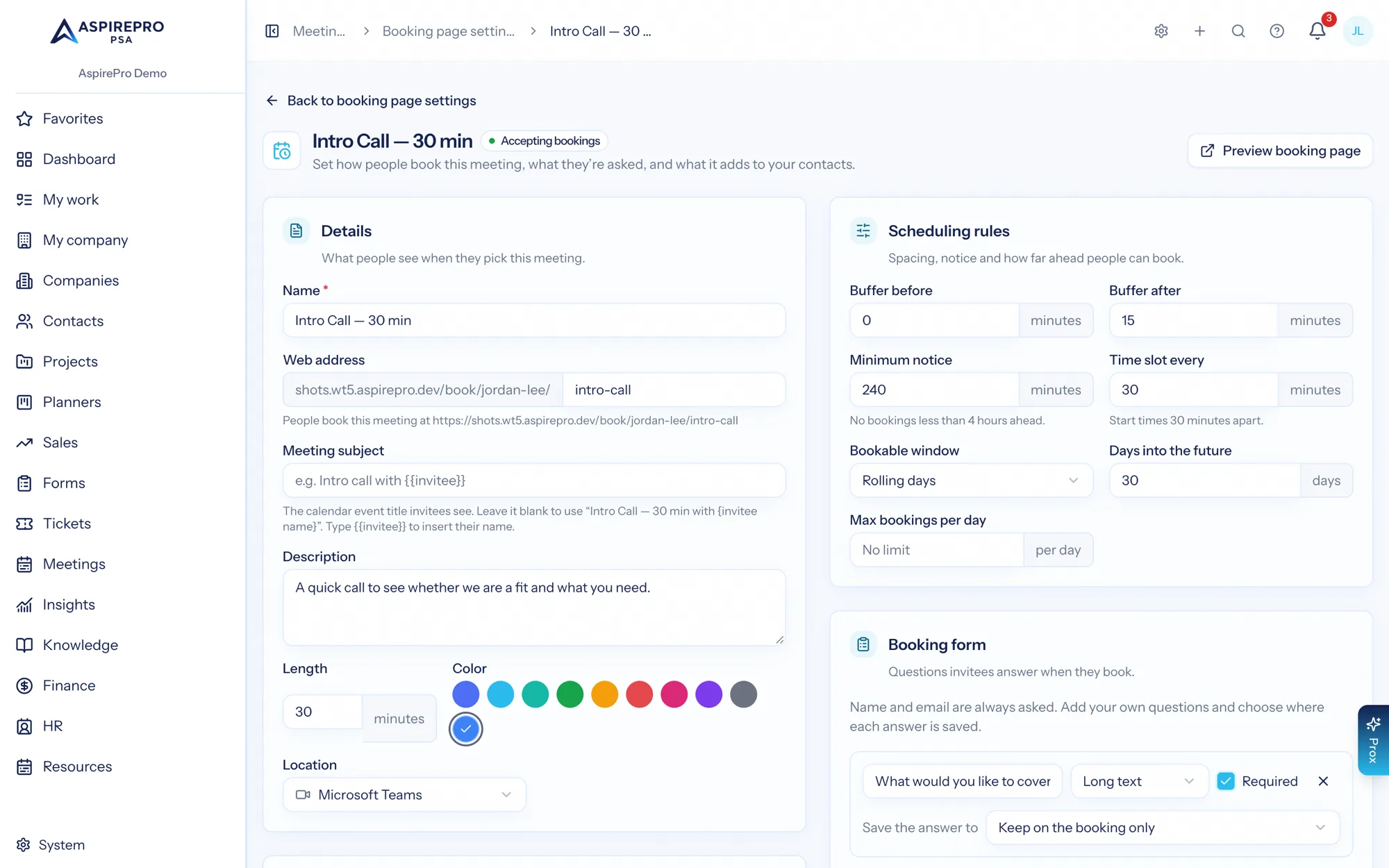
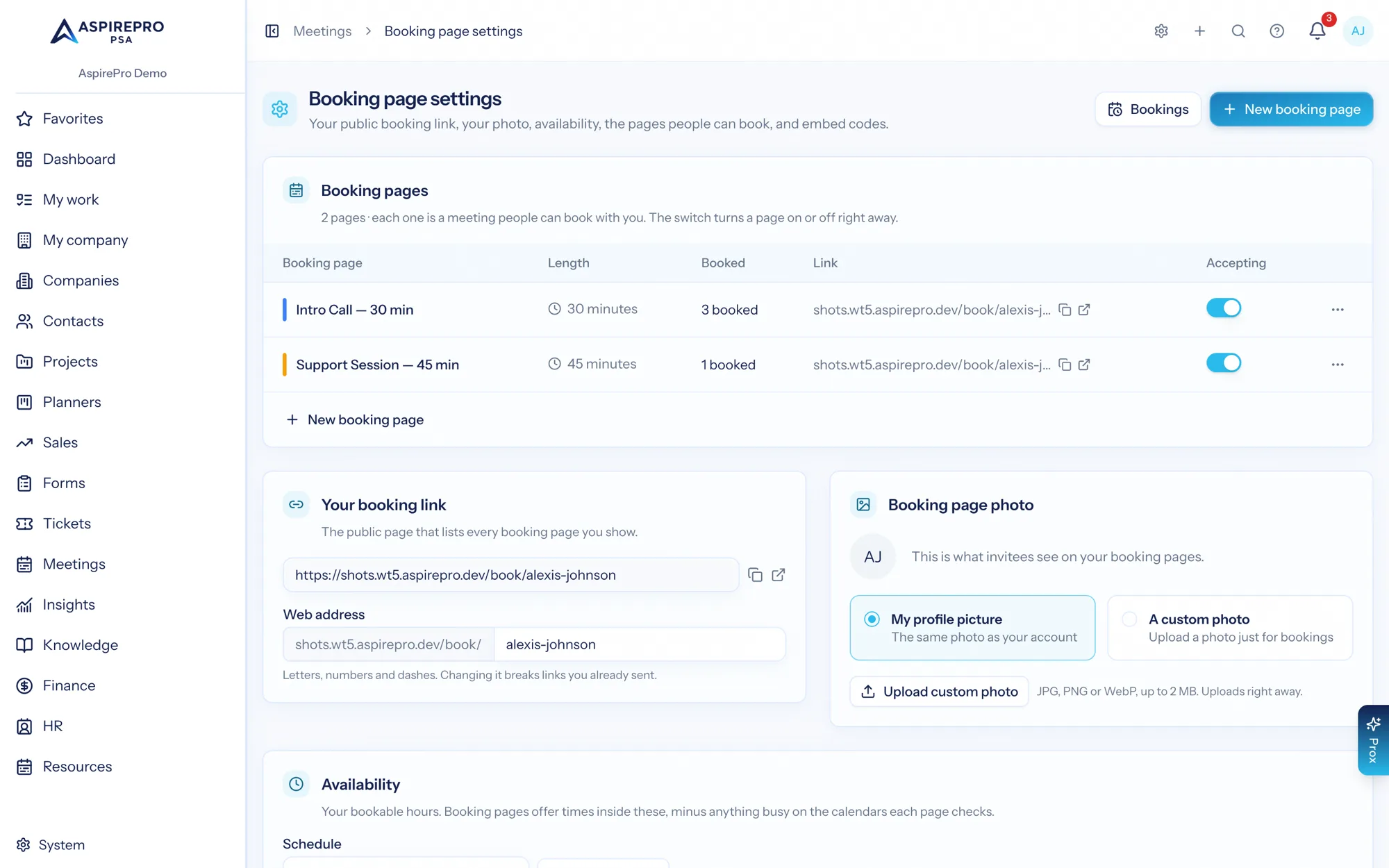
Each booking page is its own meeting type with its own length, location, description, availability, buffers, notice period and booking window. Add the questions you want answered before the call, and choose which pages appear on your public profile.
- Duration, buffers, minimum notice and how far ahead people can book
- Location per page — Teams, Google Meet, phone or in person
- Custom questions, required or optional, captured with the booking
- Per-page email options for confirmations and reminders
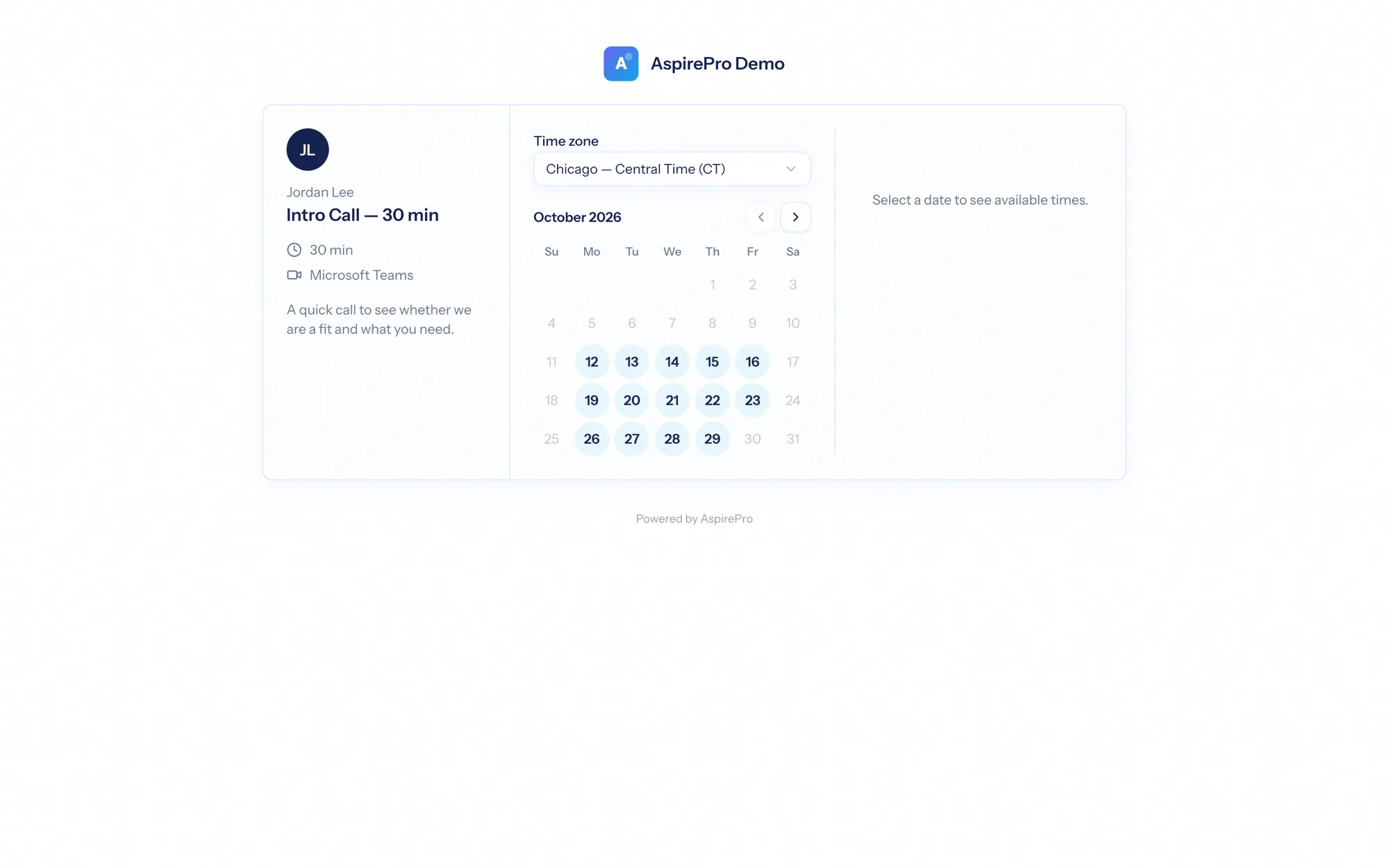
They pick from times you are genuinely free
Your public page shows a month of open dates in the invitee's own time zone. Pick a date, pick a slot, answer the questions, done — the calendar event is created for both sides with the video link attached.
- Slots worked out live against every connected calendar
- The invitee's time zone detected, and switchable
- A confirmation page and email, with a link to reschedule or cancel
Your bookings, with the context attached
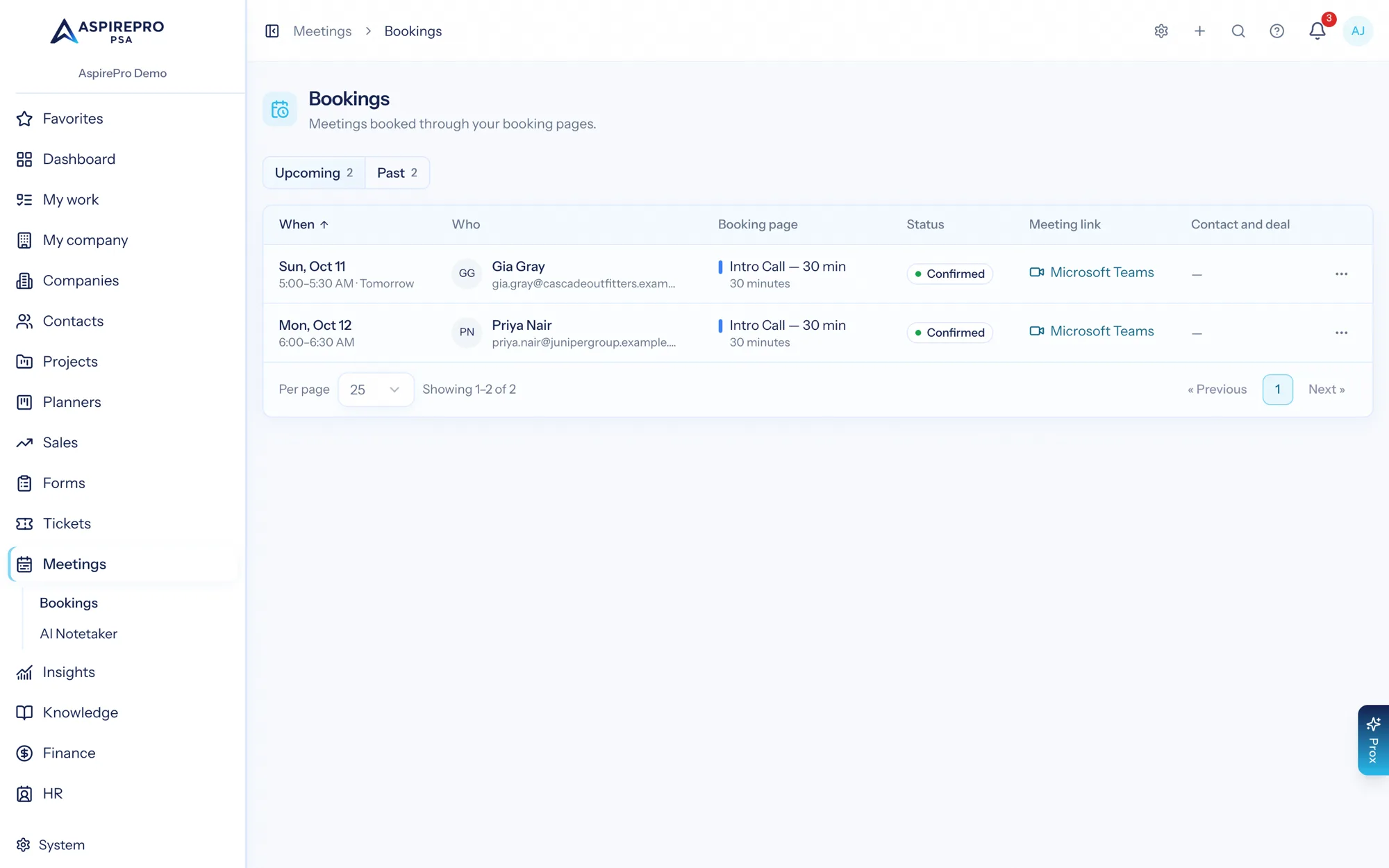
Upcoming and past bookings in one list — meeting, invitee, time, length, status and location, with a link to the related deal when there is a match. A needs-attention badge flags a confirmed video meeting that never got a join link, so it cannot quietly fail.
- Upcoming and past, with cancel and an optional reason
- The linked deal when the invitee matches a client contact
- A needs-attention badge for meetings missing a join link
Your booking profile, wherever you need it
One public profile lists the pages you choose to show. Copy a single link for an email, or embed a page inline or as a popup button on your website — with your booking photo and your own address.
- A single profile URL listing your bookable meeting types
- Inline embed or popup button snippets for your site
- Availability schedules, overrides and holidays honoured across all of it
From a link to a logged meeting
Connect your calendar
Outlook (Microsoft) or Google, with a normal sign-in. Availability is worked out from what is really on it.
Build a booking page
Set the length, location, rules and questions for that kind of meeting.
Share or embed it
Send the link, put it in your signature, or embed the page on your website.
It logs itself
Invites and reminders go out, and the meeting is recorded against the client and the deal it matches.
What Scheduling connects to
Nothing here is a standalone tool — each of these reads the same clients, people and permissions.
Frequently asked questions
How is availability calculated?
Can I have different pages for different meeting types?
Does it create the video link?
Can invitees reschedule or cancel?
How does a booking reach your sales pipeline?
Can I embed the booking page on my website?
Read the documentation
The full how-to for this module, written for the people who use it every day.
Bring your whole services business together
Stop stitching together five tools. Run sales, delivery, support, and billing from one organization — with an AI assistant on every page.