Sales software built for selling services, not seats
Track every opportunity from first touch to signed on a pipeline shaped like the way you actually sell — then hand the won deal straight to the team that has to deliver it, with nothing re-typed.
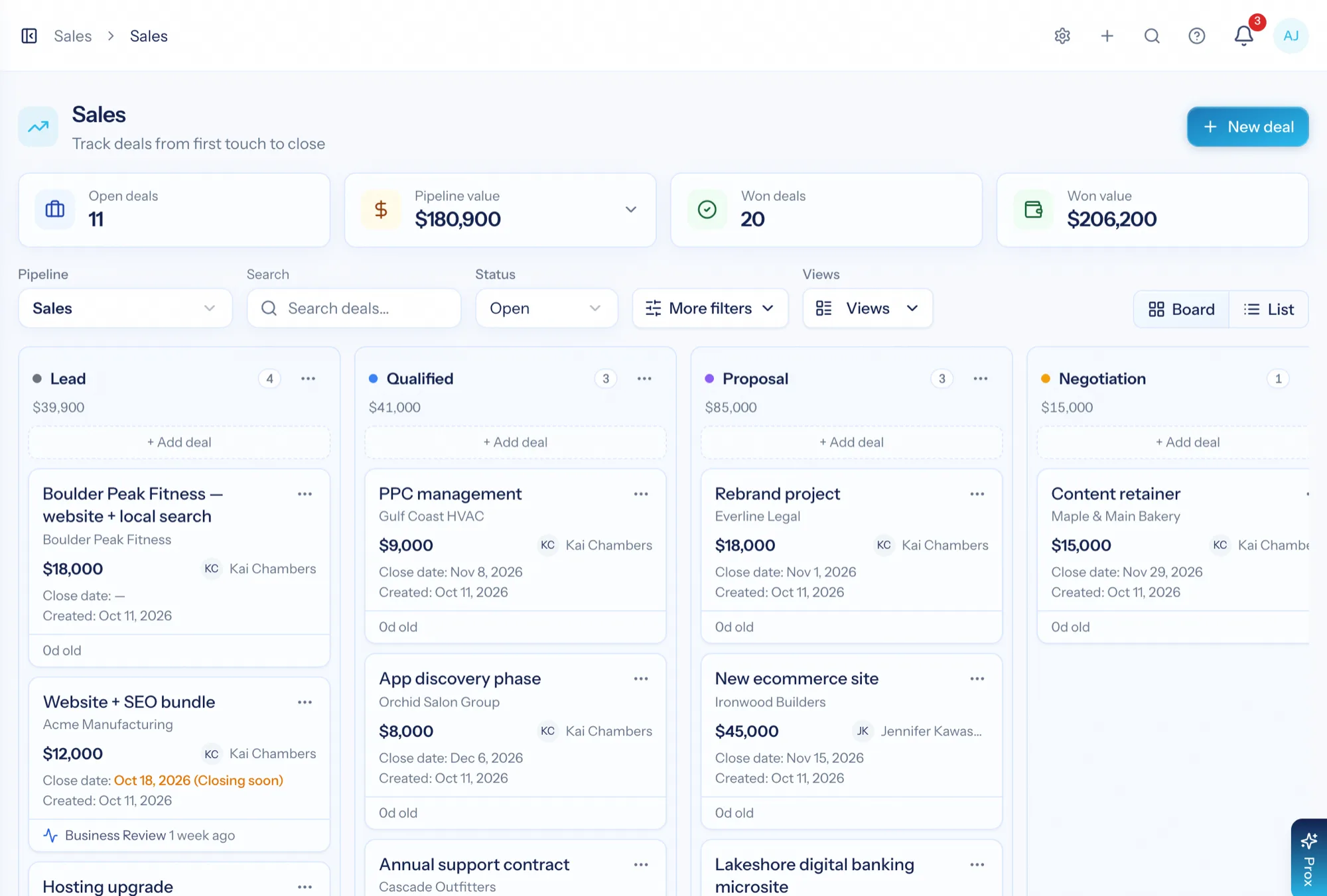
Sales software for an agency or consulting firm has a different job than sales software for a product company. You are not tracking a thousand identical sales — you are tracking a few dozen scoped engagements, each with a proposal, a rate and a delivery team waiting behind it. AspirePro's Sales module runs deals on pipelines you shape yourself, against the same company and contact records your projects, tickets and invoices already use, so winning a deal is a status change rather than a data migration.
Nothing gets re-typed at handoff
The company you sold to is the company you deliver to. Winning a deal never means re-entering the client into a second system.
Pipelines shaped like you sell
Stages, sources, tags, currency — even the word "deal" — are yours to set per pipeline. Run new business and renewals side by side.
Quiet deals raise their hand
Rules move stages, assign owners and flag deals that have gone silent, so the board tells the truth without anyone nagging.
A board that matches how you actually sell
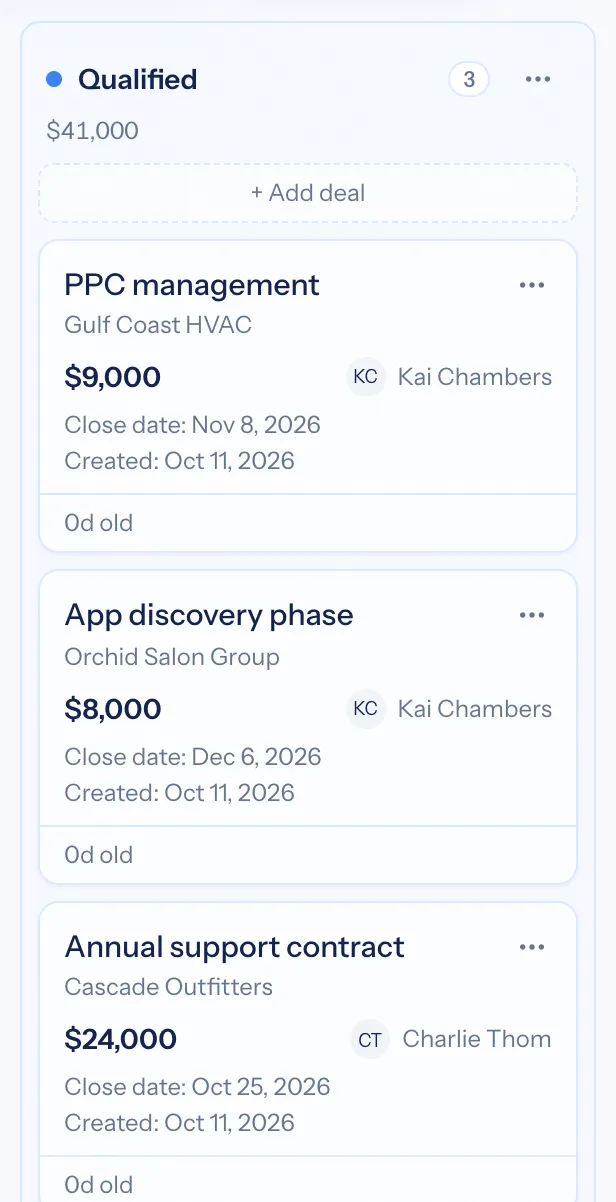
Deals move left to right through stages you define. Each column shows its deal count and total value, so you can read the health of the pipeline without opening a report. Drag a card to change its stage; the board updates the forecast as you go.
- Unlimited pipelines — new business, renewals, partnerships — each with its own stages, sources, tags and access list
- All Deals: one filterable list across every pipeline you can access, sortable by value, close date or recency
- Every card shows value, owner, close date, last activity and a Stale badge when a deal has sat untouched
- Filter by owner, source, tag, status or value, then save the filter as a view you can come back to
- Switch to a list view for bulk work: change stage, reassign owner or archive a whole selection at once
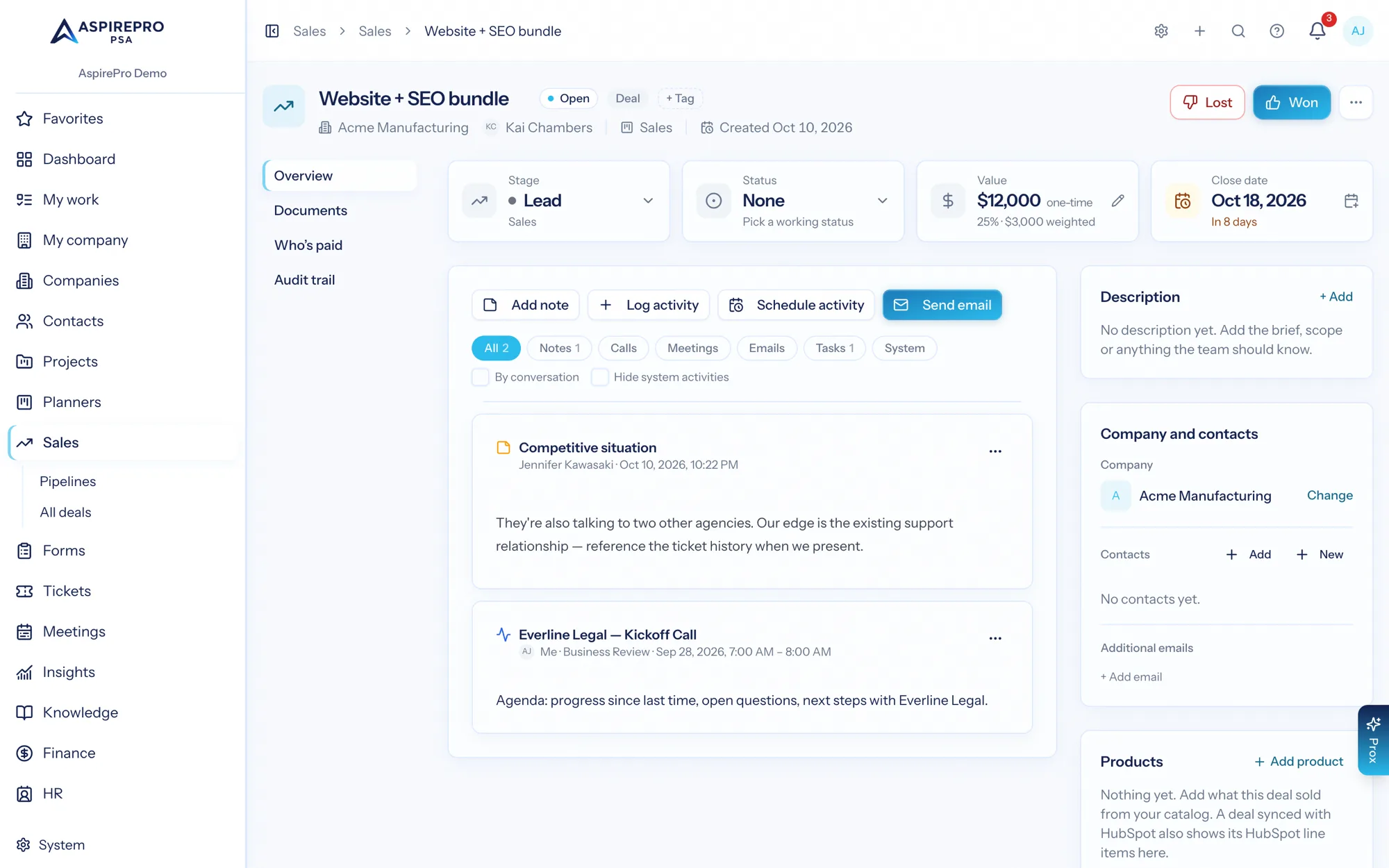
Every email, meeting and note on the deal itself
Open a deal and the full history is one feed: emails sent and received, meetings logged from your calendar, notes, calls, files and every stage change. Nothing lives in one person's inbox, so anyone can pick up the thread.
- Send email from the deal — with Outlook (Microsoft) connected, replies are captured on the deal automatically; with Google, BCC the deal's log address to file a reply
- Reusable email templates with merge fields, so the fifth proposal follow-up is as good as the first
- Calendar meetings log against the matching open deal (each person can switch this off in Account settings → Calendar)
- Attach the proposal, the SOW and the pricing sheet to the deal, not to a chat thread
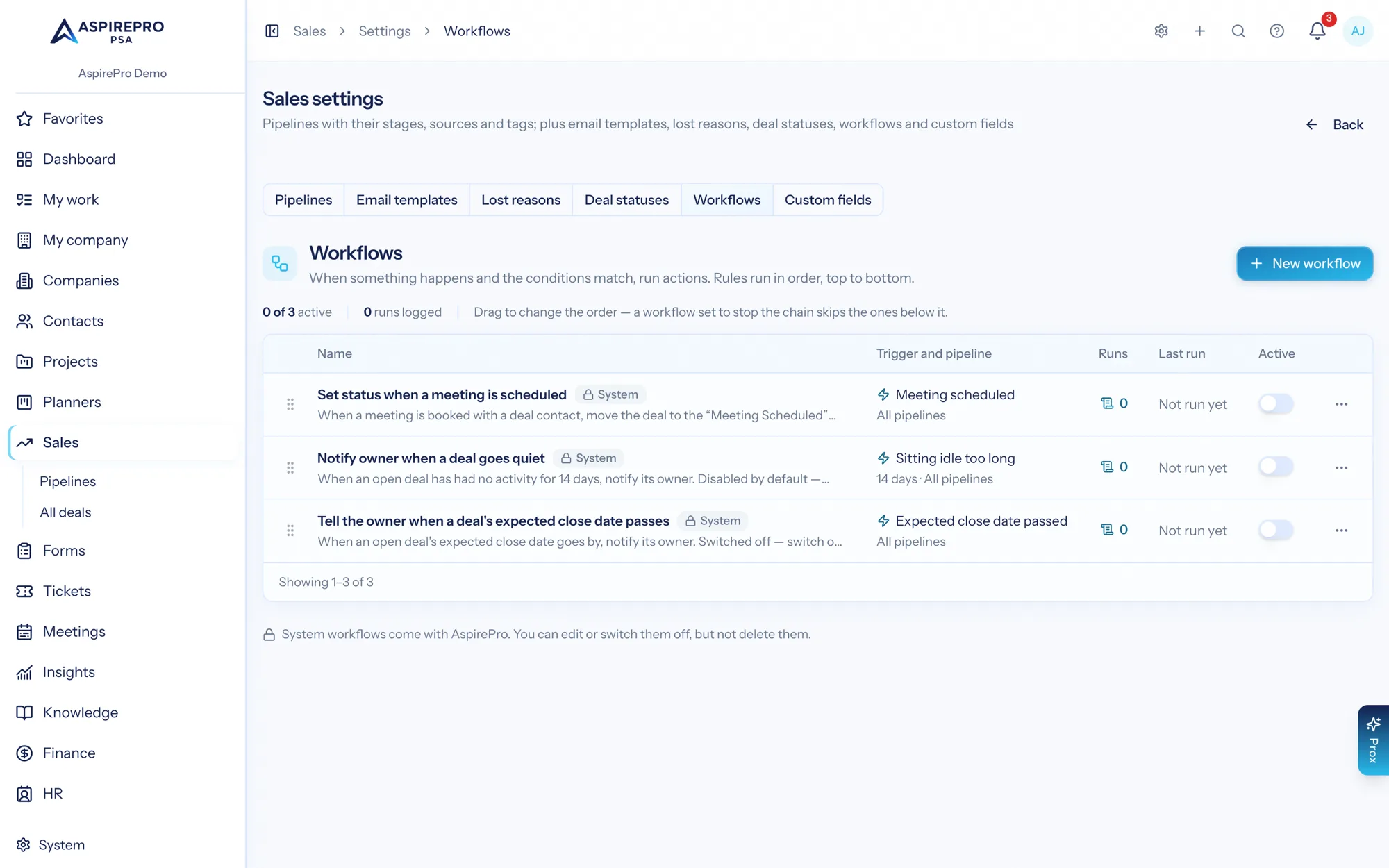
The board stays honest without a weekly nag
Each pipeline can have rules that watch for what you care about and act on it. Set a stage when a meeting is booked. Tell an owner when a deal has not moved in two weeks. Tag it when the source is a referral. The rules run on their own, whether or not anyone is looking.
- Triggers: a stage or status change, a deal won or lost, a meeting booked, a quote accepted, a deal sitting idle, a close date passed
- Conditions test value, source, tags, owner and more; actions move the stage, assign an owner, add a tag, a note or a follow-up, send a notification, or start the delivery project
- Every run is logged, so you can see exactly what fired and when
The deal you won becomes the work you deliver
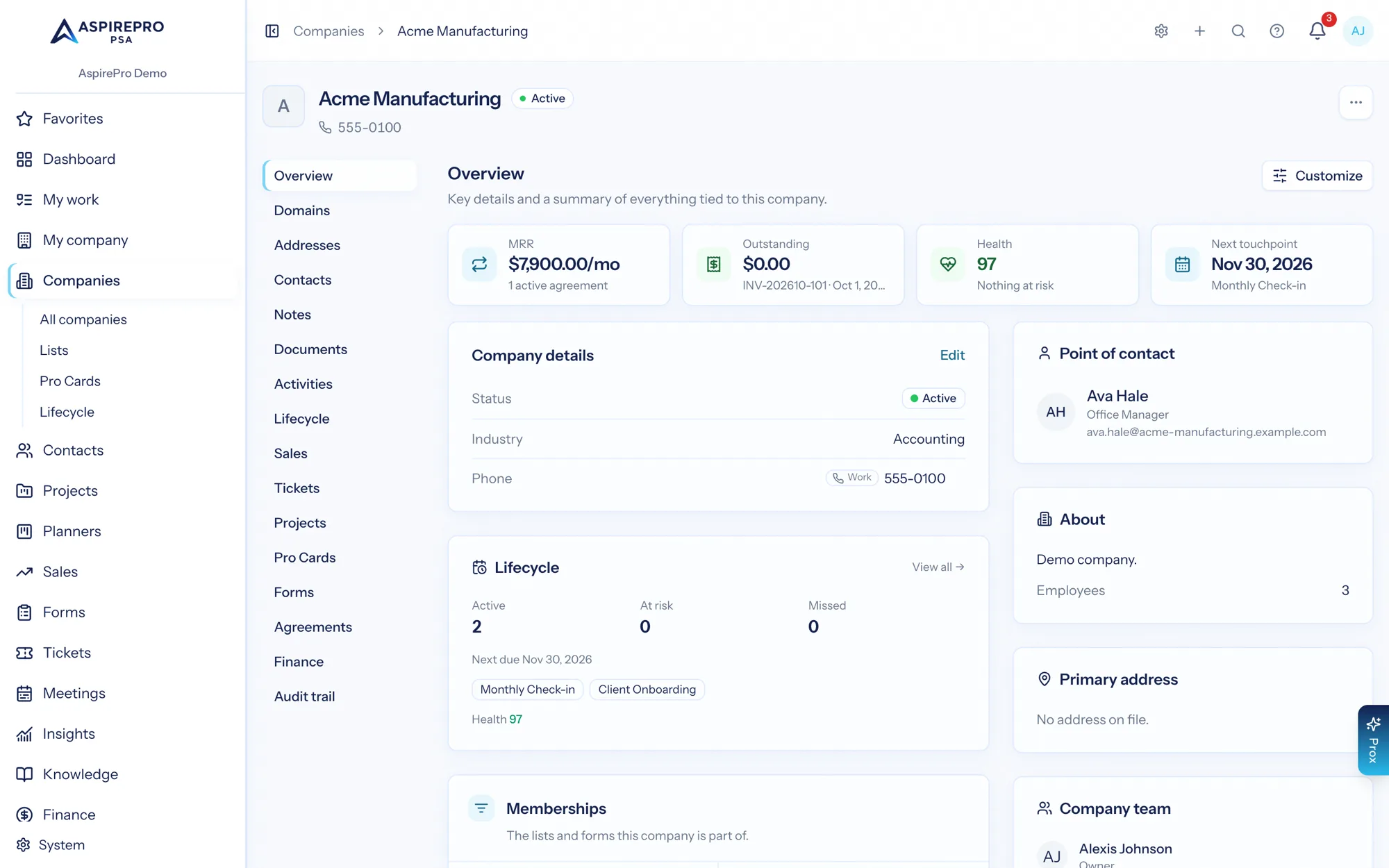
This is where one platform earns its keep. A won deal already points at the company record, so the project you start, the tickets that arrive later, the agreement that prices the work and the invoices that bill it all belong to the same client — and the profitability report can finally tell you whether the deal you celebrated was worth having.
- Win a deal and a rule can start the delivery project from a template, linked to the deal and the client
- Start the delivery project from the client record the deal already belongs to
- Agreements price the recurring work; invoices pull from the time logged against it
- Client profitability compares what you invoiced with what delivery actually cost
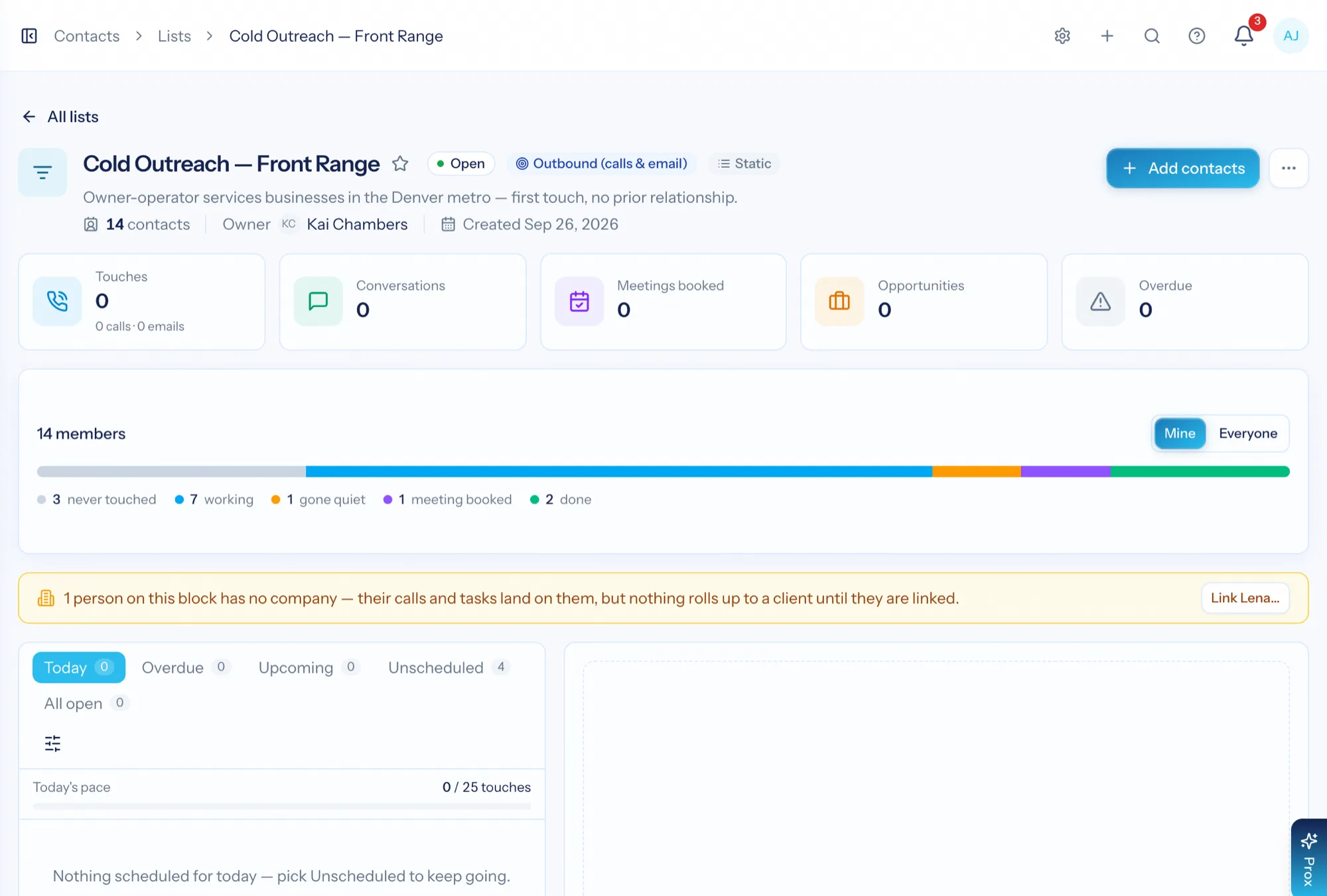
Work a call list from one screen
Give any list the Outbound purpose and it becomes a block a rep can finish: Today, Overdue, Upcoming, Unscheduled and All open across the top; the person beside the list with their numbers, emails, open work, notes and history; and everyone else on the block underneath. Every call and email is logged with an outcome and a next step, so the block shows who has never been reached, who has gone quiet, who booked a meeting and who is done — and whether the list was worth working.
- Log a call or email in one press: outcome, duration, note, next step — and an opportunity when it earns one
- A final outcome finishes the person everywhere; a daily target paces the day
- Split a big list into blocks you can finish, and compare block against block
- Work a client's HubSpot list as a block: their tasks land in your queue, your touches land on their timeline
Already sell out of HubSpot? Keep it.
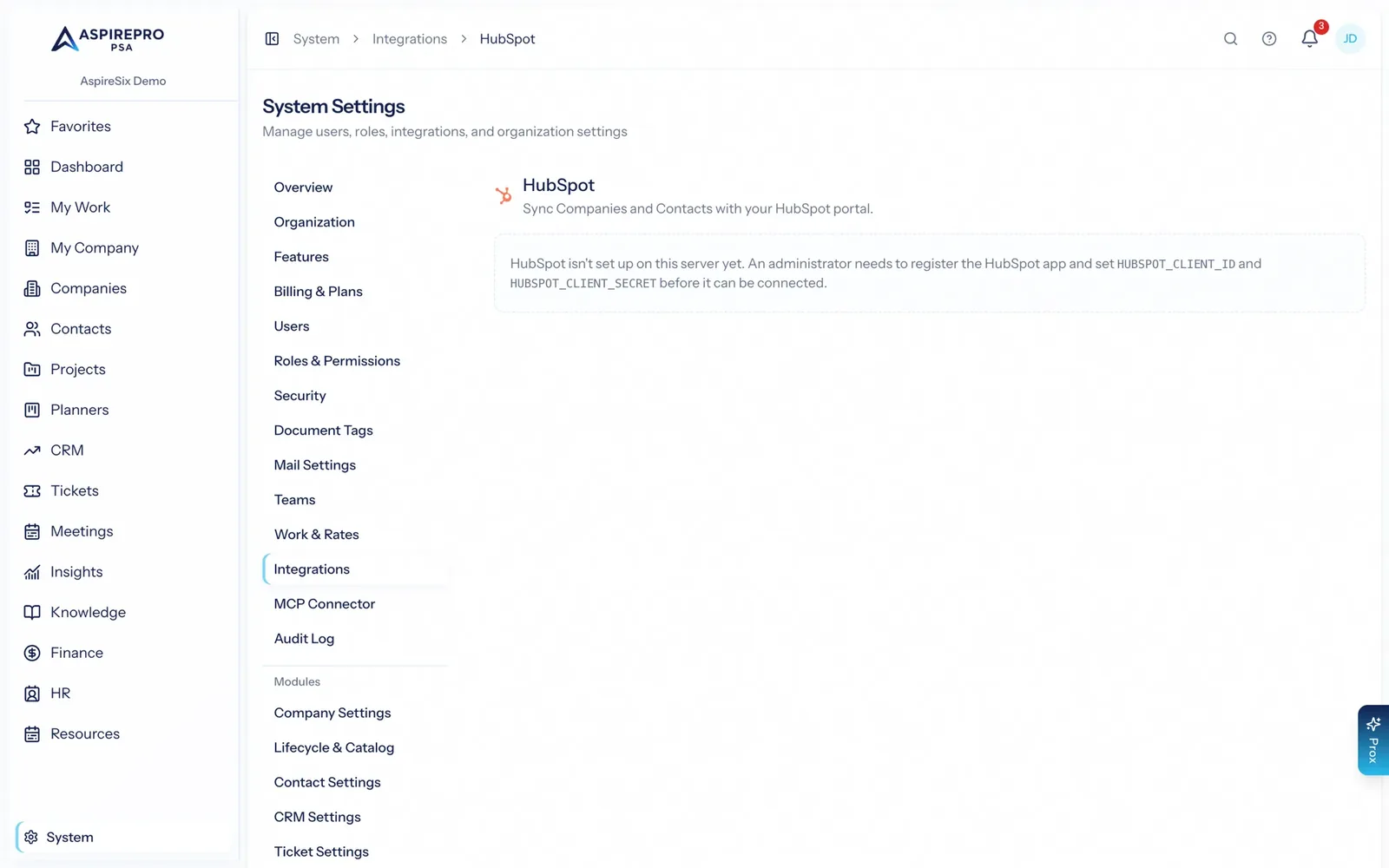
Sales is a switch under System → Features — turn it off and it disappears from the sidebar. If you sell out of HubSpot, the two-way sync keeps companies and contacts aligned in both systems, so delivery still runs on the same client records your sales team maintains. You can also bring whole HubSpot pipelines across and work the deals here while HubSpot keeps the stages — and if you later leave HubSpot, convert those pipelines and everything stays where it is.
- Two-way company and contact sync with HubSpot, including owners, mirrored lists and list-scoped imports
- Work a client's HubSpot list as an outbound block: their tasks in your queue, your calls and notes on their timeline, Lead Status in step both ways
- Import whole HubSpot deal pipelines — or migrate off HubSpot without losing a record
- Safeguards built in: blank fields never overwrite real ones, create-only mode, pause per object
- Or import from CSV or Excel with a guided column mapper and duplicate detection
From first touch to signed
Shape the pipeline
Name your stages, sources and tags to match the way you already sell. Choose who can see the pipeline.
Work the board
Add deals against real companies and contacts, email from the record, and drag cards forward as they progress.
Let the rules chase
Rules flag quiet deals and keep stages accurate, so your forecast is not a work of fiction.
Hand off cleanly
Won deals sit on the client record delivery already uses — no export, no re-entry, no lost context.
What Sales connects to
Nothing here is a standalone tool — each of these reads the same clients, people and permissions.
Frequently asked questions
What is sales software for an agency?
Can I run more than one pipeline?
Does it send and track email?
Can I keep using HubSpot?
How do the rules work?
Can I import my existing pipeline?
Can a sales rep work a cold-call list in it?
Who can see which deals?
Read the documentation
The full how-to for this module, written for the people who use it every day.
Bring your whole services business together
Stop stitching together five tools. Run sales, delivery, support, and billing from one organization — with an AI assistant on every page.