From accepted quote to first invoice in one click
Build a priced proposal from your product and service catalogue, send it as a branded PDF with a link the client can accept from, and convert the accepted quote into an agreement, a draft invoice and a won deal — priced exactly as the client signed.
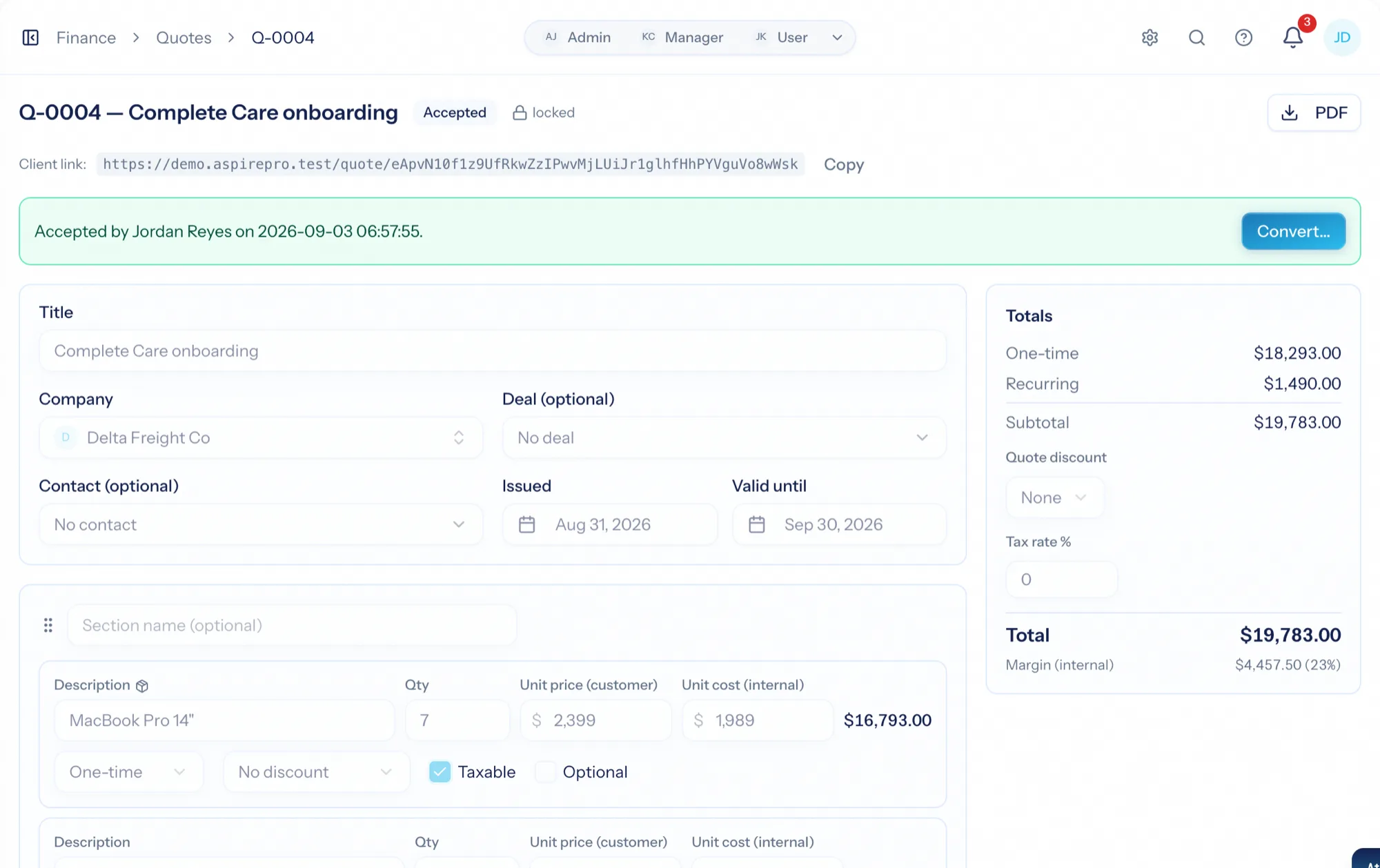
Quoting software turns a price list into a proposal a client can say yes to. Most quote tools stop at the PDF, and the accepted quote gets re-typed into an invoice or a contract. AspirePro quotes price from the same catalogue your agreements and invoices use, lock when sent so nothing drifts from what the client is holding, record the acceptance as a signature, and convert into the billing paperwork in a single transaction.
Prices that can't drift
Lines pick from your catalogue and snapshot the price at pick time. A later price change never rewrites a quote the client already has.
A typed signature, on the record
The client opens a hosted page — no login — ticks the optional lines they want, and accepts by typing their name. Name, time and network address are recorded.
Recurring lines → agreement, one-time lines → invoice
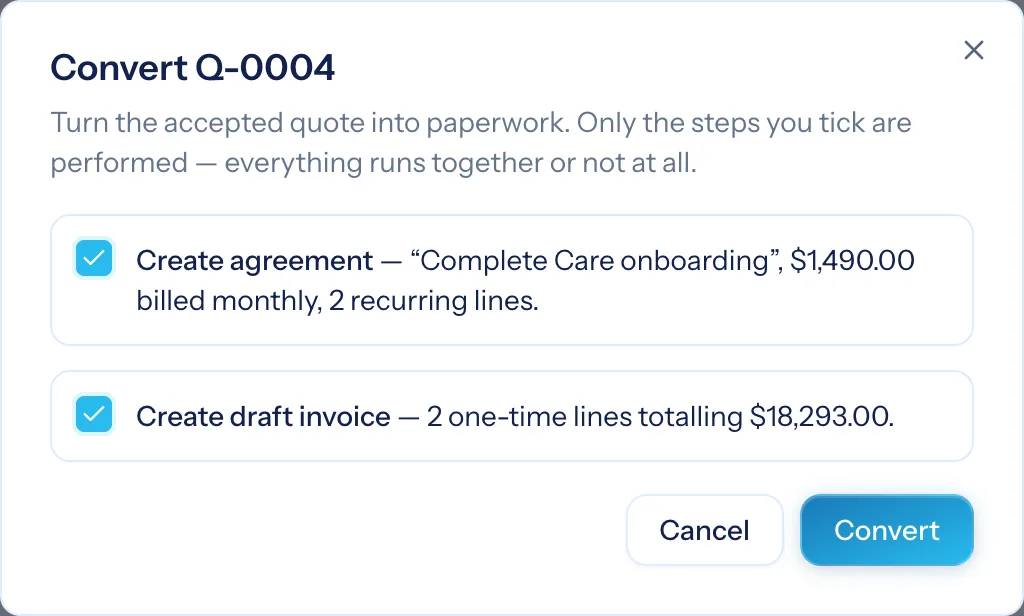
Conversion previews everything first, then creates the agreement, the draft invoice and marks the deal won — discounts already folded in.
One-time and recurring, kept apart
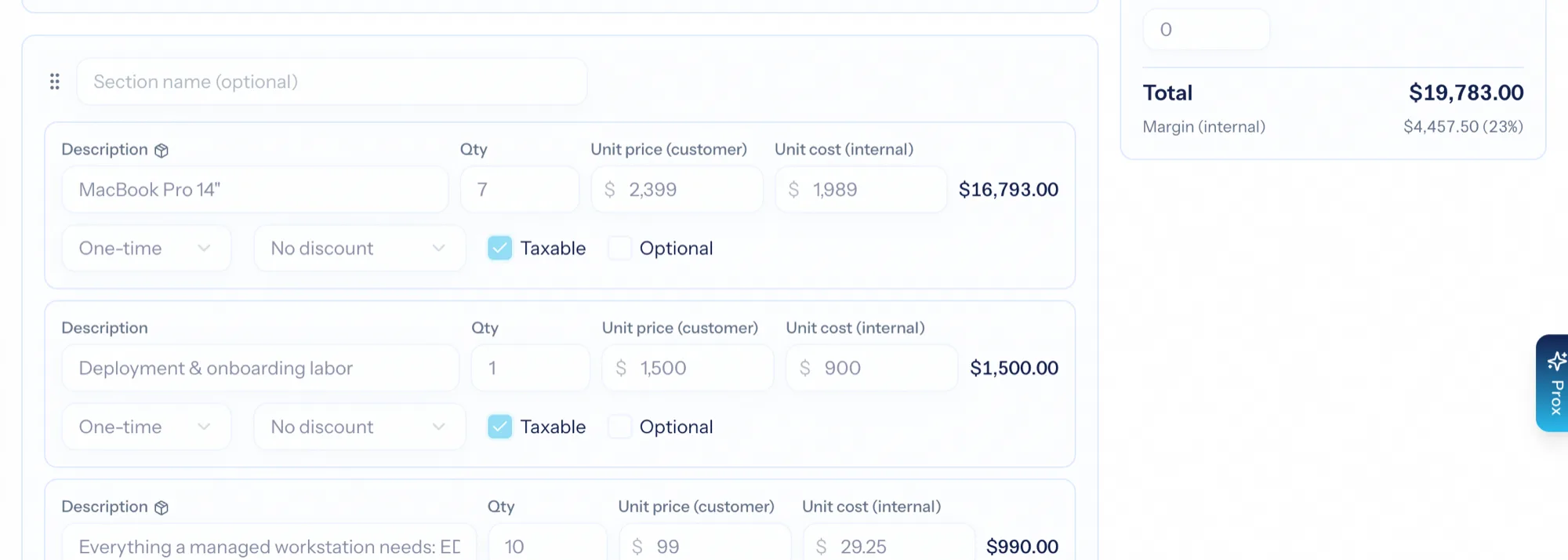
A quote belongs to a company and can link a deal and a contact. Lines are grouped into sections — Hardware, Onboarding, Monthly services — and each is one-time or recurring with its cadence. The totals keep the two separate, so a $1,500 project with $800 a month of services never reads as $2,300. Internal margin shows only to people allowed to see cost, and never on the PDF.
- Pick from the catalogue or type a line free-form
- One discount per line — percent, per unit or per line — plus an optional quote-level discount
- Optional lines the client can tick, flagged on the PDF
- Tax on the taxable share of the discounted subtotal
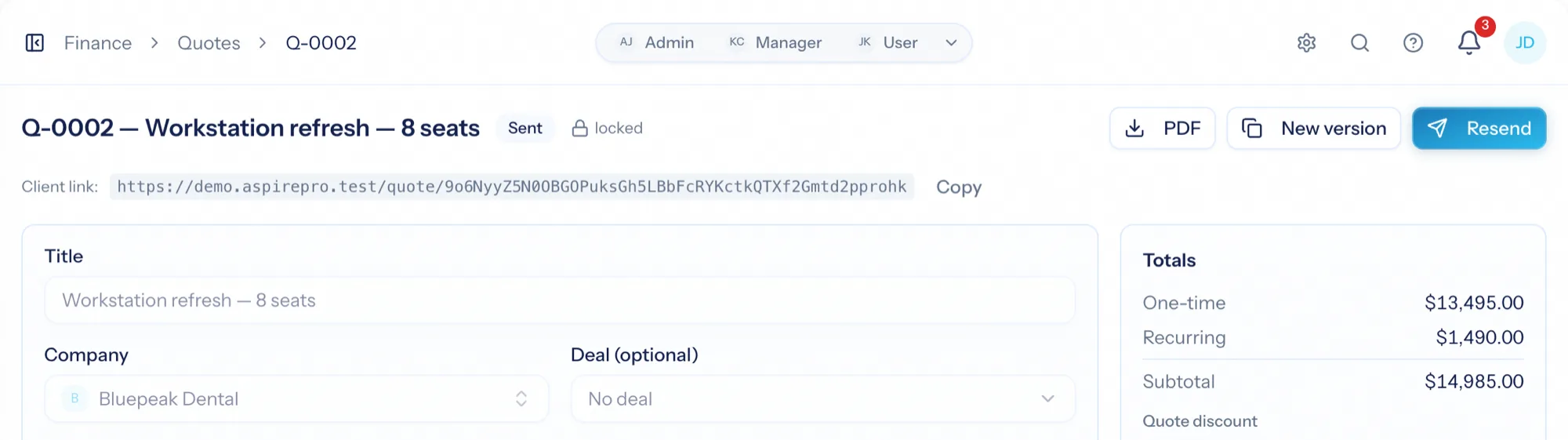
Sent quotes lock — changes make a new version
Send emails the quote as a branded PDF with a Review & Accept button; Mark sent records one you delivered another way. Either way the quote locks. Changes go through New version: a full clone that gets its own number and becomes the primary while the old one is marked superseded, so what the client is holding and what you are looking at never disagree.
- Numbered in sequence, never reused; validity window and terms from Finance Settings
- An approval threshold parks large quotes in pending approval until a finance admin signs off
- The versions bar steps through the chain; the list shows primaries unless you ask for superseded
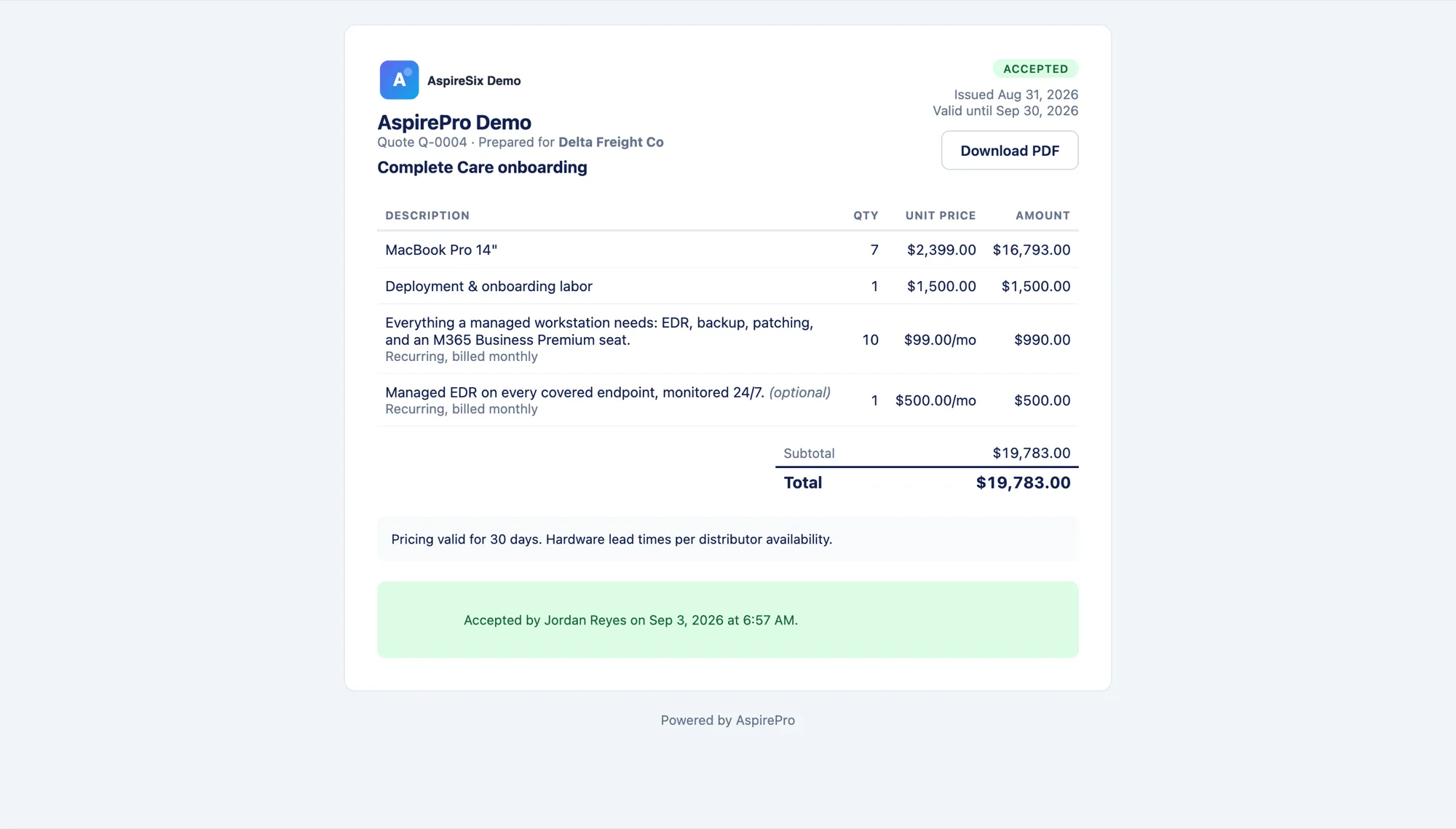
Accept by typing your name
The email links a hosted quote page — no login, the link is the credential. The client sees the quote exactly as priced, downloads the PDF, ticks the optional lines they want (the total reprices as they go), and accepts by typing their full name. The first open marks the quote viewed; a quote past its validity date expires on sight.
- Never a cost or a margin on the client's page
- Name, time and network address recorded as the signature
- Expired quotes can be viewed but not accepted
The paperwork, in one transaction
An accepted quote grows a Convert button. Each step is opt-in with a dry-run preview: recurring lines become a fixed-fee agreement on the cadence carrying the most money; one-time lines become a draft invoice priced exactly as accepted, discounts already folded in; the linked deal moves to won and fires the same automations a manual close would. Unselected optional lines never convert.
- Preview shows the agreement's cycle, so mixed-cadence quotes never surprise you
- The quote flips to converted with links to everything it created
- Stays as the permanent record of what was agreed
What's out, what landed, what died
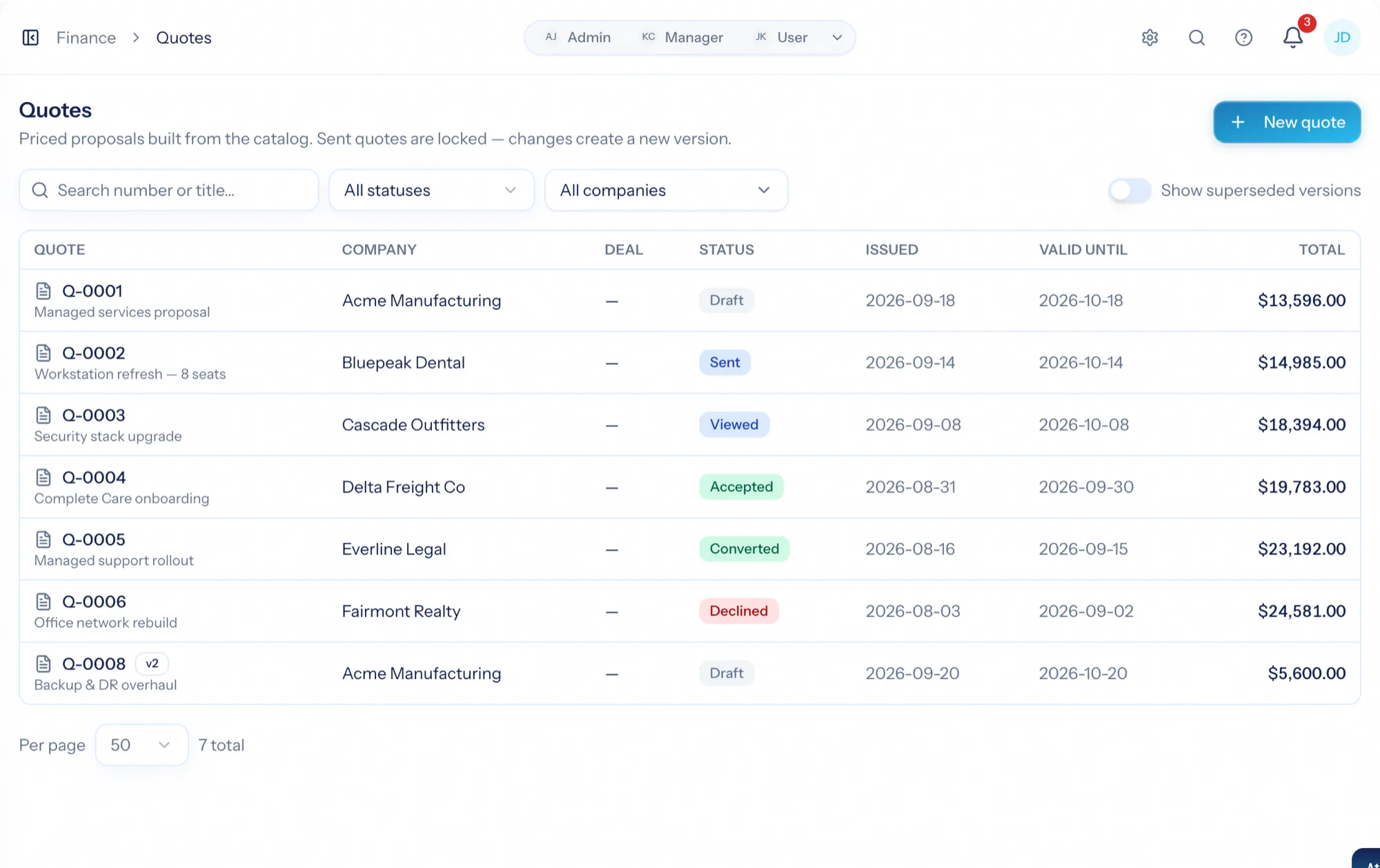
Every quote with its number, client, status, one-time and recurring totals and validity. Sent quotes wait for the client, accepted ones carry their conversion links, expired ones are visible but done. Quote value by status and quote win rate ship as metrics for dashboards and scheduled reports — primary versions only, so revisions never double-count.
- Draft, pending approval, sent, viewed, accepted, declined, expired, converted
- Quote value by status and win rate as dashboard metrics
- Superseded versions hidden unless you ask
From proposal to paperwork
Price it from the catalogue
Sections, one-time and recurring lines, optional extras, a discount if you mean it.
Send it
A branded PDF with a Review & Accept link. Large quotes wait for a finance sign-off if you set a threshold.
The client accepts online
Ticks the options they want and types their name; the acceptance is recorded.
Convert in one click
Agreement, draft invoice and won deal — previewed, then created, priced as signed.
What Quotes connects to
Nothing here is a standalone tool — each of these reads the same clients, people and permissions.
Frequently asked questions
What is quoting software?
Can the client accept without an account?
What happens if I need to change a sent quote?
How does a quote become an invoice?
Can I require approval for large quotes?
Can a salesperson quote without seeing finance?
Read the documentation
The full how-to for this module, written for the people who use it every day.
Bring your whole services business together
Stop stitching together five tools. Run sales, delivery, support, and billing from one organization — with an AI assistant on every page.