Hear about a slipping account before the client does
A 0–100 score per client built from six things that already happen in the platform — kept check-ins, recent contact, support responsiveness, delivery, contracts and satisfaction — each with a sentence explaining it, and a notification when a client drops a band.
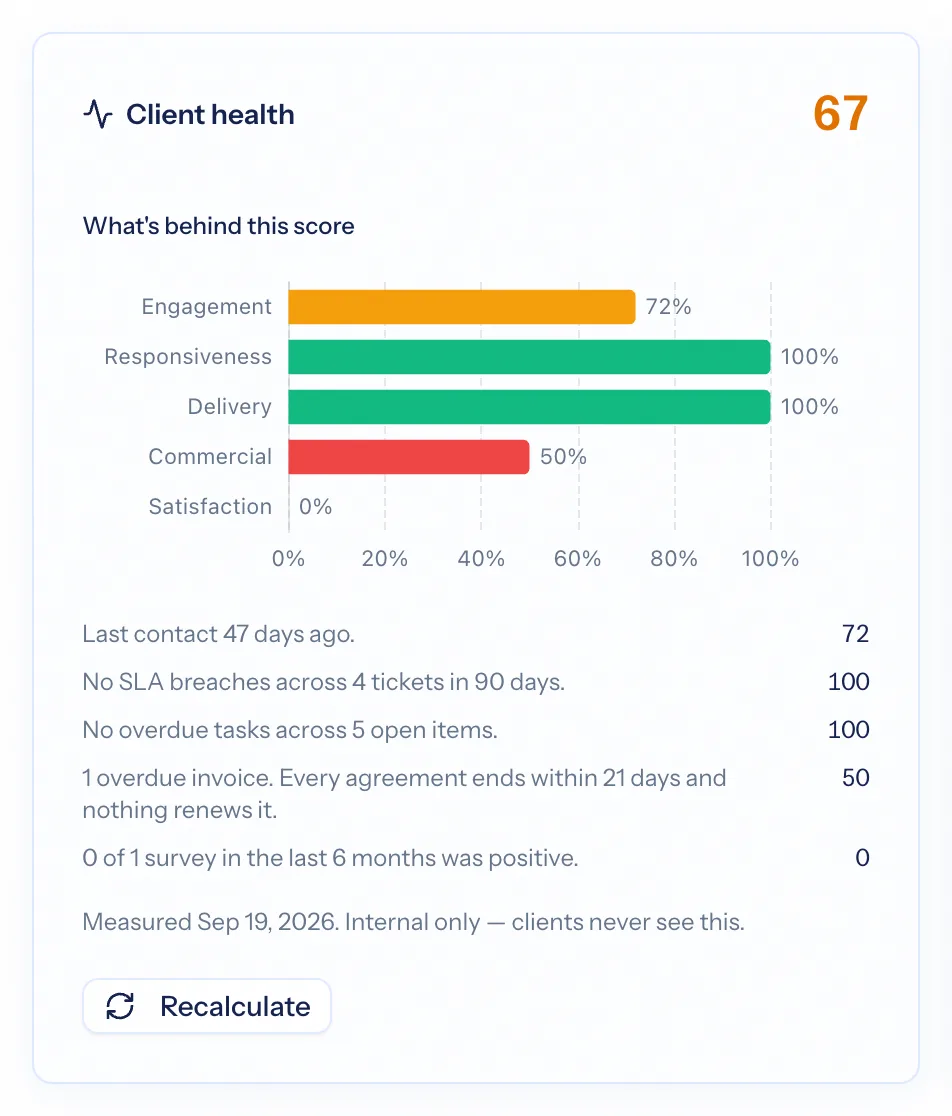
A customer health score is a single number that says how a client relationship is going, built from signals rather than gut feel. Customer-success tools do this for software products from usage data; a services firm has no usage to measure. AspirePro scores what a services relationship actually runs on — whether you kept the check-ins you promised, when you last spoke, whether their tickets got answered on time, whether delivery is on schedule, whether there is a contract underneath, and what they said in surveys — and explains every part of the number in plain words.
A sentence behind every number
"2 of 14 tickets missed their target in 90 days." Each contributor comes with the fact that produced it, so the score is never a bare number to argue with.
Only what has data counts
A client with no projects is not failing on delivery; that contributor is simply absent and the weights rebalance. Only things that have happened count.
A notification when a band drops
Healthy, Watch, At risk. When a client drops a band, its owner gets one notice naming the previous score and the weakest signal — and nothing for a wobble from 82 to 80.
Six contributors, each with its weight
Goal compliance — how many of the lifecycle periods that closed in the last year were met. Engagement — how recently anyone actually spoke to the client. Responsiveness — the share of recent tickets answered inside their target. Delivery — open project tasks that are not overdue. Commercial — invoices paid on time, capped by whether there is a live agreement. Satisfaction — positive survey responses in the last six months.
- Weights of 30, 20, 20, 15, 15 and 15, rebalanced when a contributor has no data
- Commercial cannot score high without a contract in force — paying on time never hides a missing agreement
- A scheduled meeting counts only after it has happened
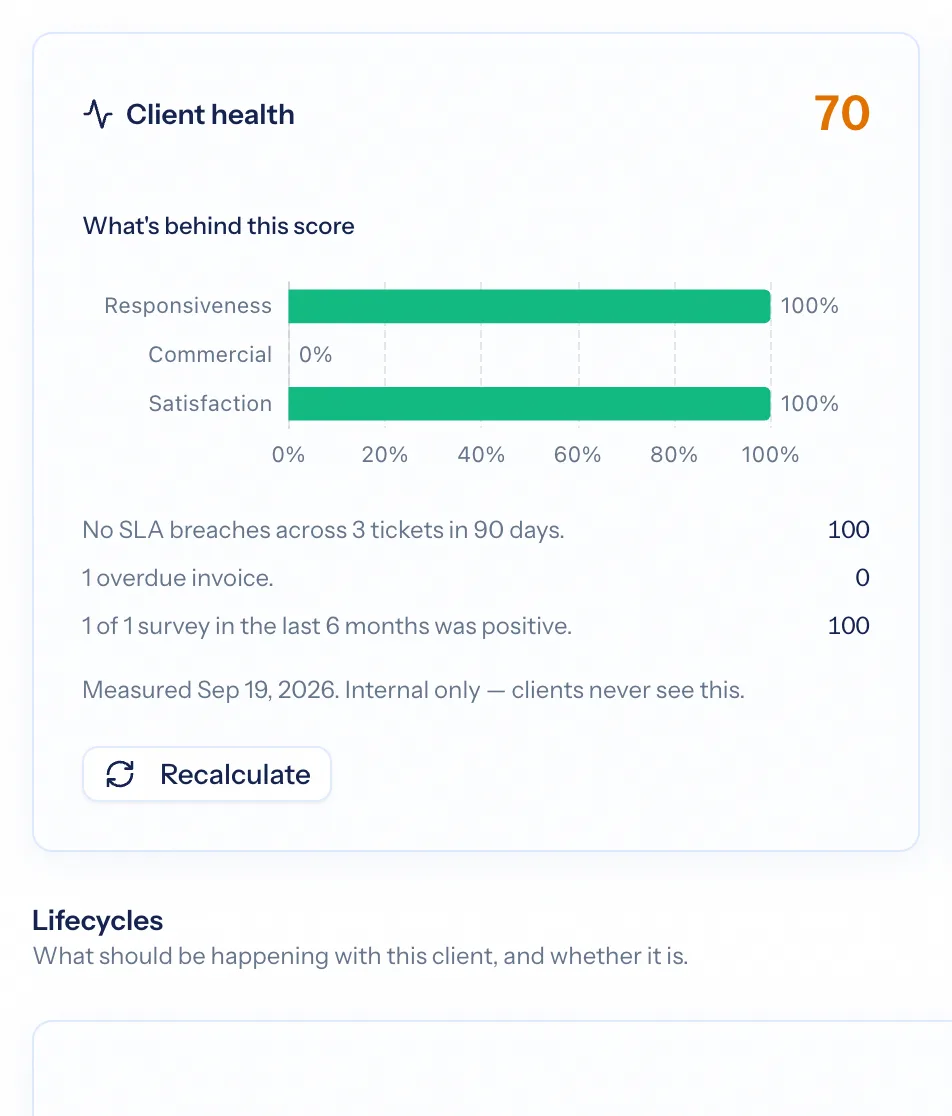
Healthy, Watch, At risk — and one notice per drop
Scores fall into three bands: Healthy at 80 and above, Watch from 60 to 79, At risk below 60. When a client drops a band, the company owner gets one notification naming the previous band and score and the weakest contributor's sentence. Band changes only, once per drop.
- A sortable Health column on the companies list and the lifecycle worklist
- The score on the company's Overview card and Lifecycle tab
- Internal only — clients never see it, in the portal or anywhere else
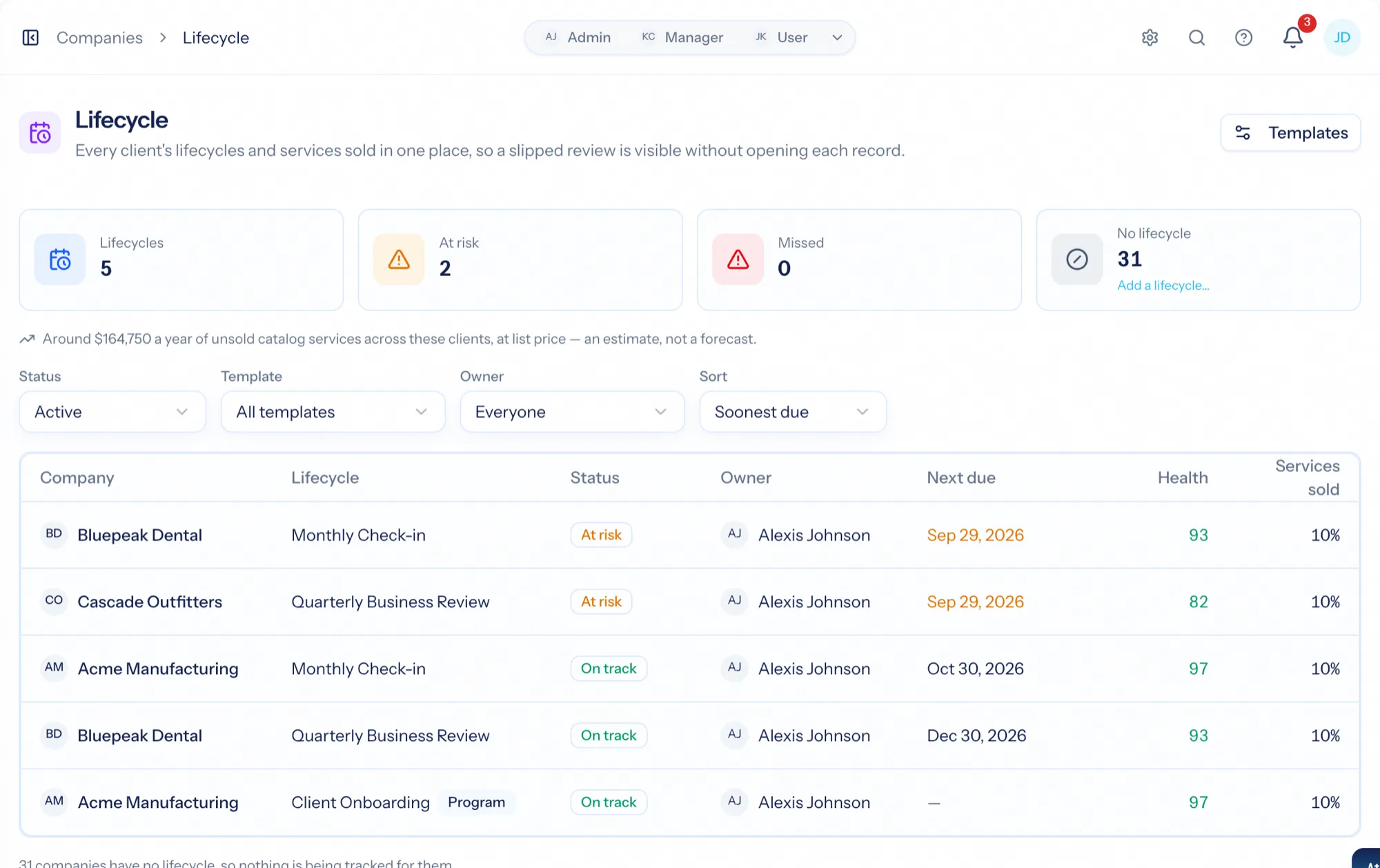
Not every company is scored — deliberately
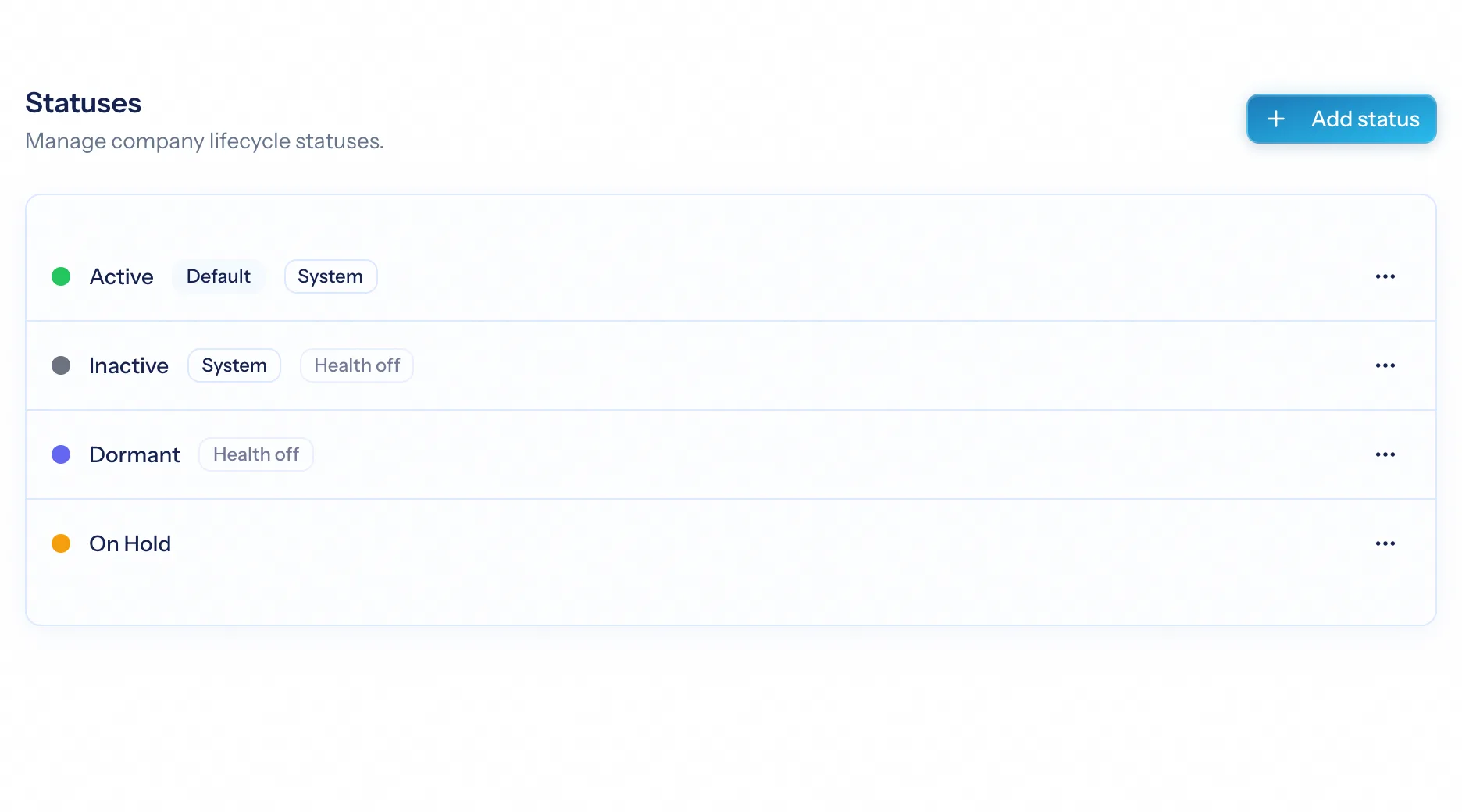
Health measures a relationship you are actively running, so scoring starts once there is something real to measure: an active lifecycle, logged activity, a recent ticket, a live project, an invoice, an agreement or a survey. Statuses and types can be opted out, so a dormant or former client — or a prospect you logged one call with — is never flagged at risk.
- Not scored yet, Scored, or Excluded — every screen says which
- Inactive, Dormant and Past Client are opted out by default
- Recalculate on demand after closing tickets or logging a review
Turn it off, or keep the score and drop the notices
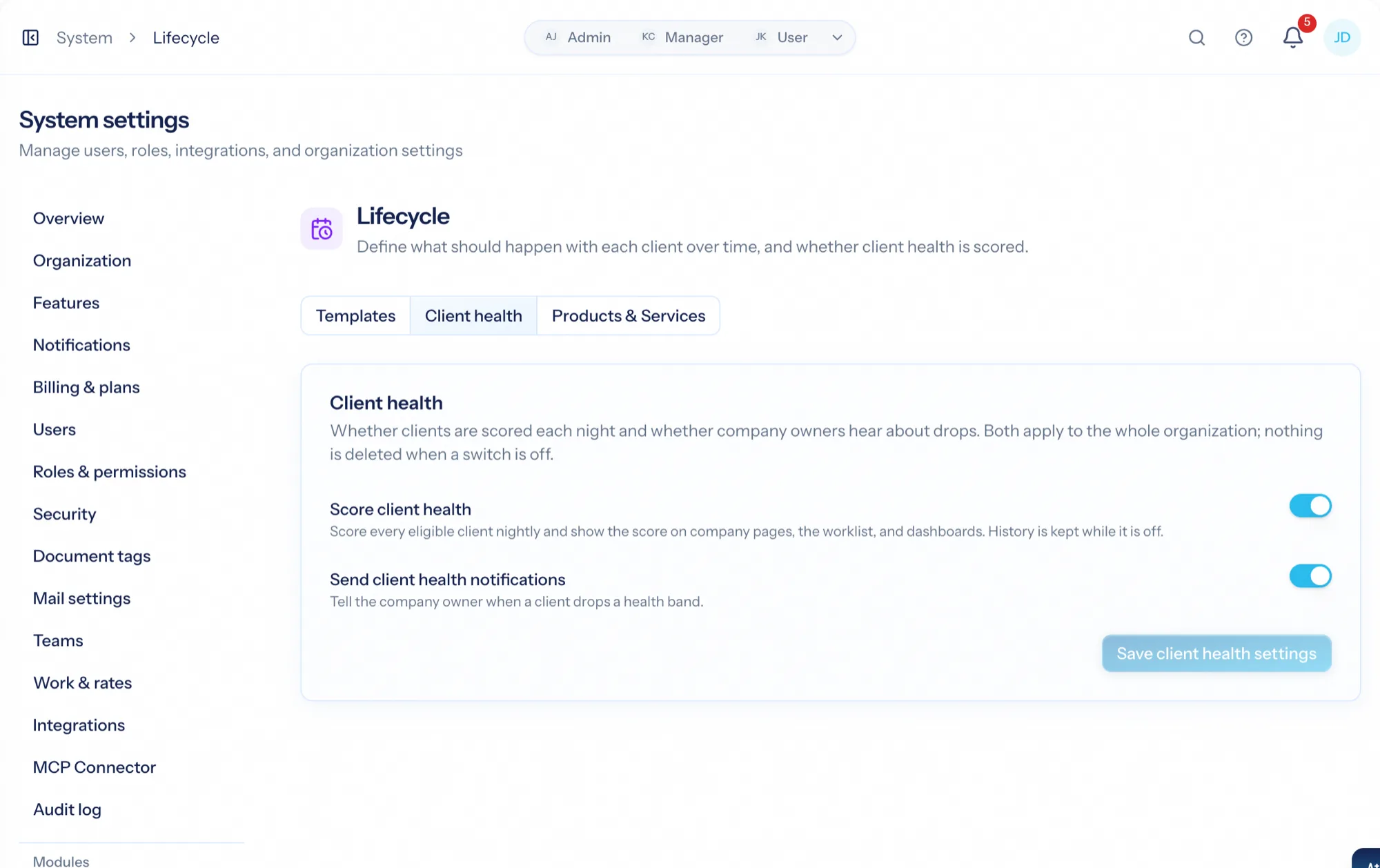
Client health is on for every organization, and two switches cover the ones that don't want it: stop scoring altogether — every health surface disappears — or keep scoring and stop the notifications. Nothing is deleted by either; switching back on resumes at the next nightly run without paging anyone for what slipped meanwhile.
- Score client health: on or off
- Send client health notifications: on or off
- Both changes written to the audit log
How a score comes together
Run the relationship
Lifecycle check-ins, tickets, projects, agreements, invoices and surveys all happen where they already happen.
The score is measured nightly
Each contributor with data is scored and explained; the weights rebalance around what exists.
A drop gets one notice
When a client crosses into a lower band, its owner hears about it once, with the weakest signal named.
Act on the sentence
Book the overdue review, chase the missed ticket target, renew the lapsed agreement — the score tells you which.
What Client Health connects to
Nothing here is a standalone tool — each of these reads the same clients, people and permissions.
Frequently asked questions
What is a client health score?
How is it different from a customer success platform?
Why is a client 'not scored yet'?
Will prospects and former clients show up as at risk?
When do I get notified?
Can we turn it off?
Read the documentation
The full how-to for this module, written for the people who use it every day.
Bring your whole services business together
Stop stitching together five tools. Run sales, delivery, support, and billing from one organization — with an AI assistant on every page.