Hiring without the spreadsheet — from opening to first day
Openings, candidates, interviews and offers in one pipeline. When someone is hired, the record you have been building becomes their employee profile instead of a form you fill in again.
An applicant tracking system (an ATS, in HR-speak) organises hiring: it holds the open roles, moves candidates through defined stages, keeps interview notes and documents with each person, and records offers. The reason to have one inside your operations platform rather than beside it is the handoff — a hire in a standalone system becomes a fresh data-entry job for whoever runs onboarding.
Every role, every stage
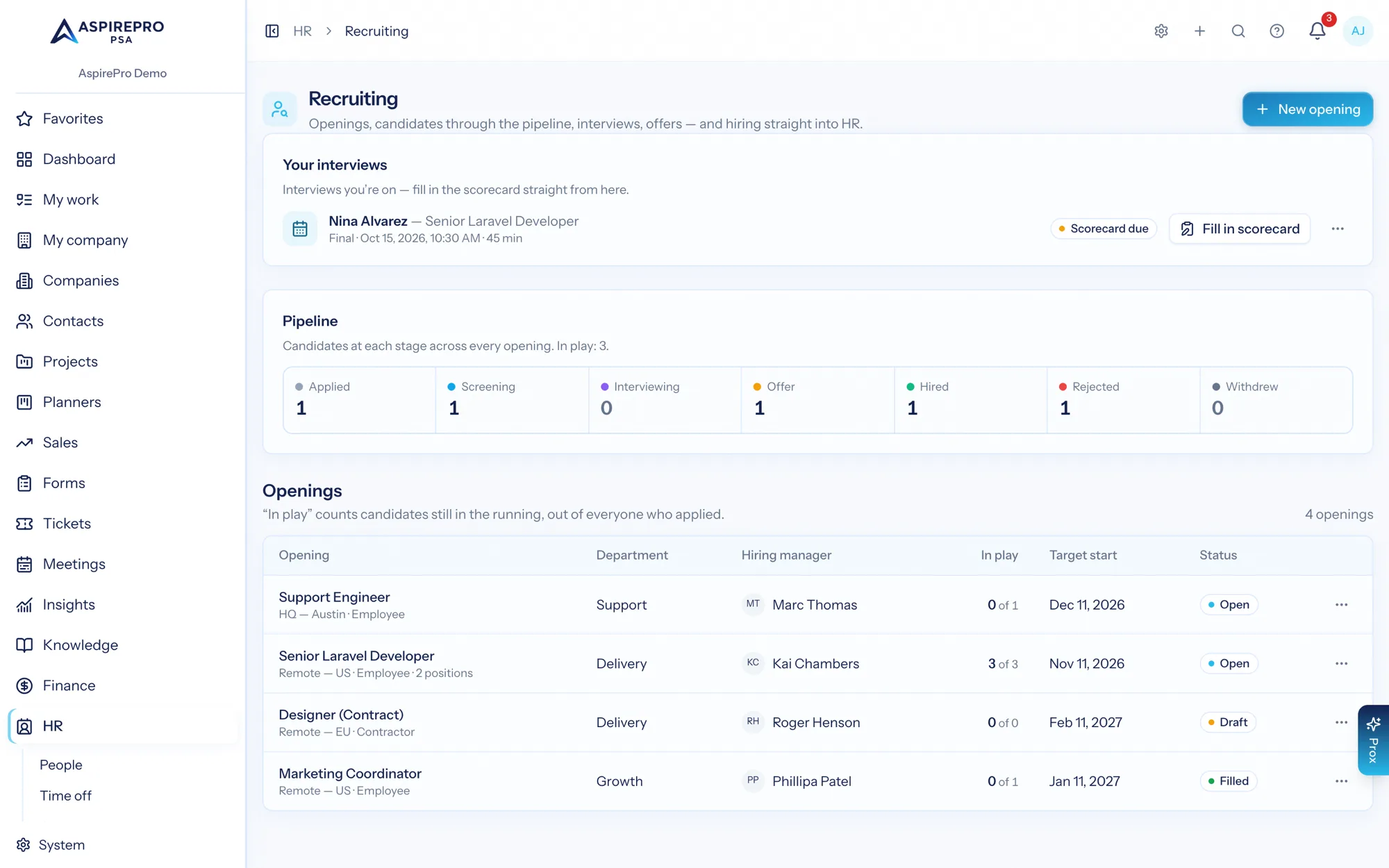
Applied, screening, interviewing, offer, hired, rejected, withdrawn — counted per opening and across all of them.
Notes, documents, decisions in one place
CVs, interview feedback and offer details live on the candidate, not in a hiring manager's inbox.
The hire becomes the employee
The hired candidate flows into an employee profile, and the onboarding checklist starts itself.
Two seconds to answer “how is hiring going?”
Stage counts across the whole hiring effort at the top, then every opening with its department, hiring manager, how many are in pipeline, the target start date and its status. Two seconds to answer "how is hiring going", which is how often you get asked.
- Live counts at every stage, per opening and in total
- Openings carry department, hiring manager, target start and status
- Draft and open states, so a role can be shaped before it is advertised

The role, with its candidates in it
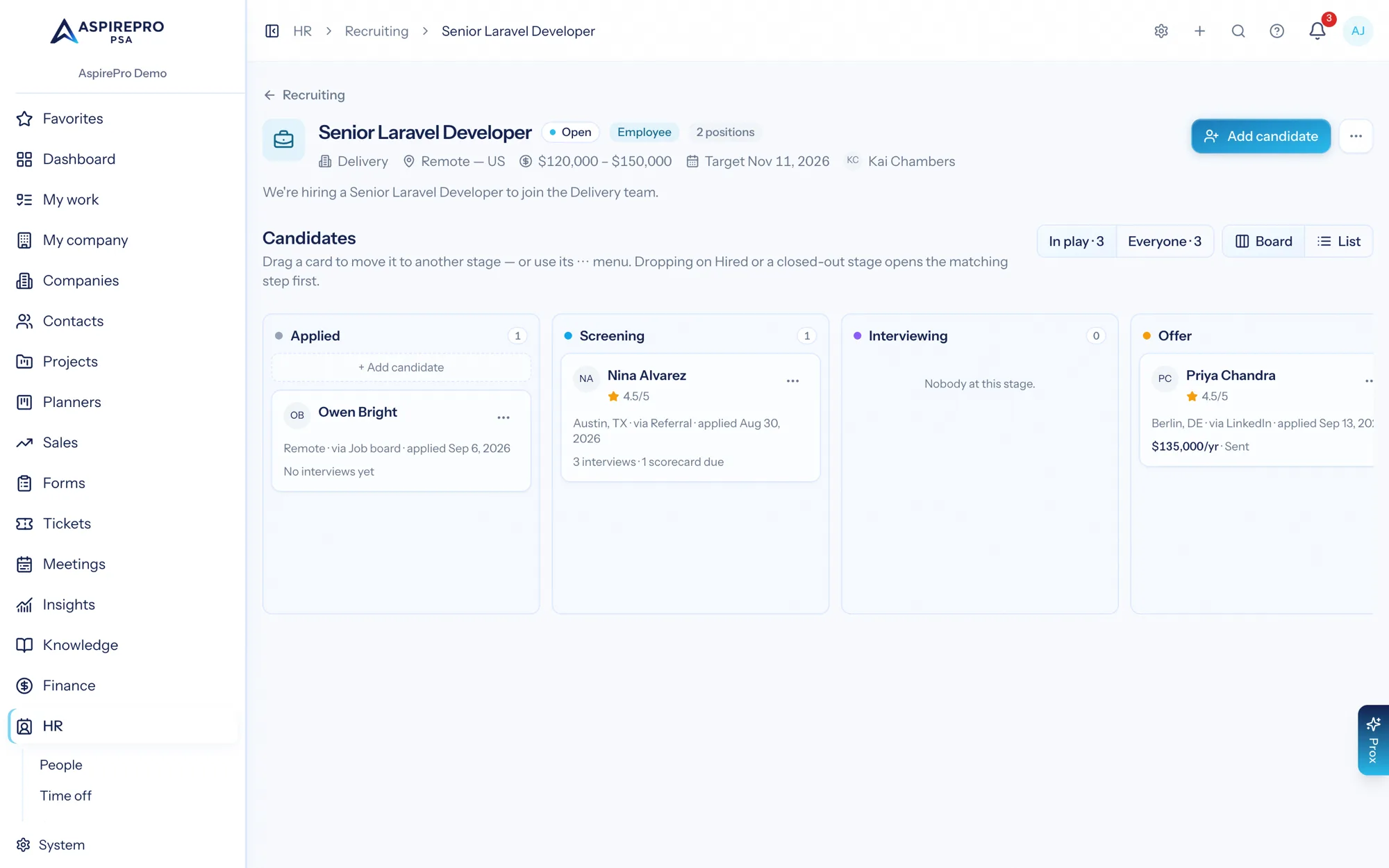
Open a role and you get the description, the compensation range and target start, then every candidate on it with their current stage and the actions that move them: screen, interview, offer, hire, reject. Interview rounds are recorded with their date and outcome, so a decision two weeks later can be justified.
- Candidates listed with stage, source and applied date
- Interview rounds with scheduled dates and recorded outcomes, and a scorecard from each interviewer: rating, recommendation, strengths and concerns
- Offers with amount and status tracked to acceptance
- Candidate documents — CV, portfolio, references — on the record
Hired means onboarding starts, not paperwork
Marking a candidate hired is the point of the whole exercise, so it should not create work. The hire becomes an employee profile with the details you already captured, and the onboarding checklist template fires — equipment, accounts, paperwork — assigned to the people who own each step.
- Hired candidate becomes an employee record without re-typing
- Onboarding checklist templates with per-item owners
- Asset register records the equipment they were issued
Hiring is a capacity decision, so it sits next to capacity
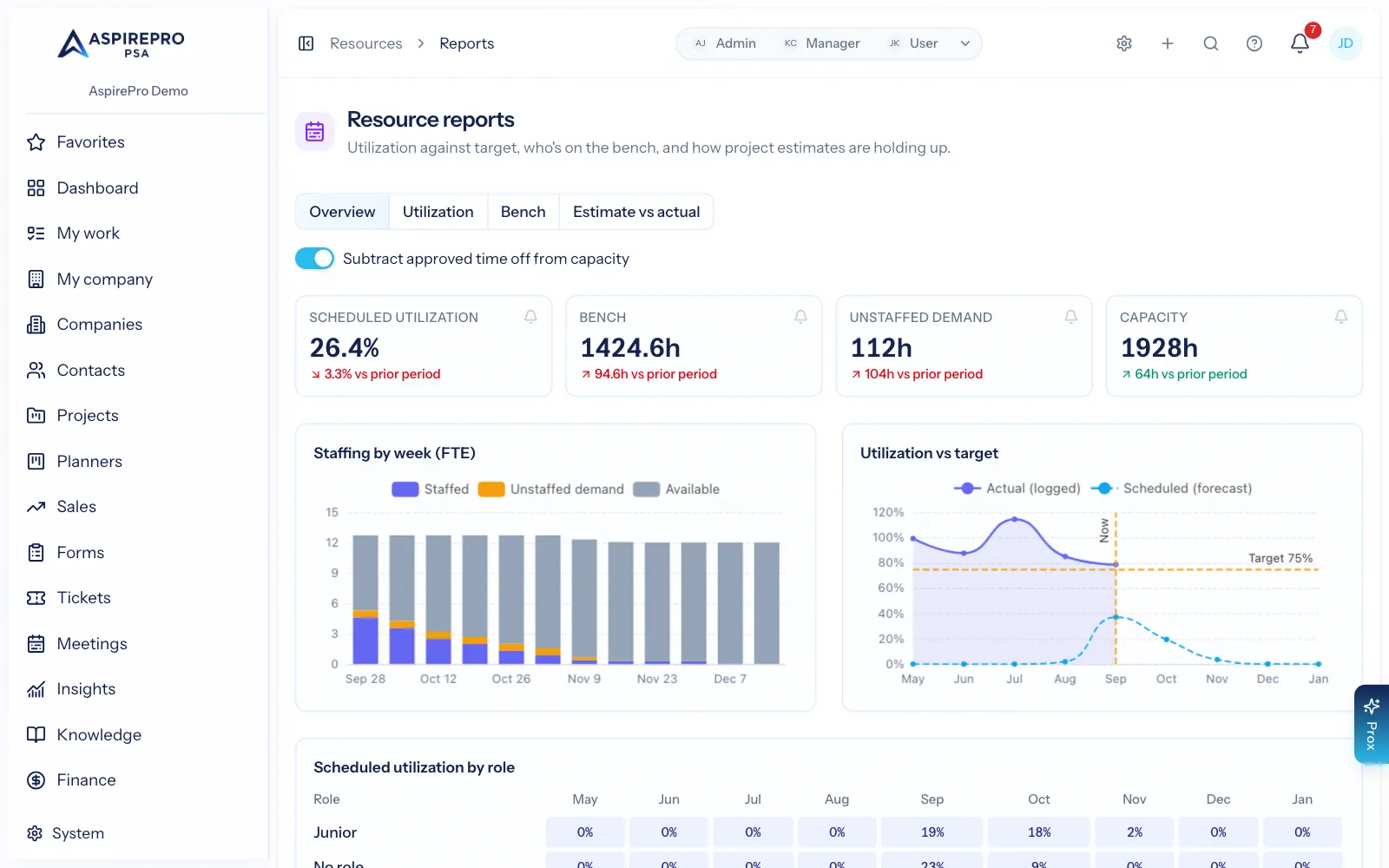
The evidence for a hire is usually unstaffed demand: work booked with nobody to do it. Because resource management and recruiting are in the same platform, the forward demand that justifies the role and the pipeline filling it are two clicks apart rather than two systems apart.
- Unstaffed demand and bench hours from the resource reports
- Placeholder roles on projects show the shape of the gap
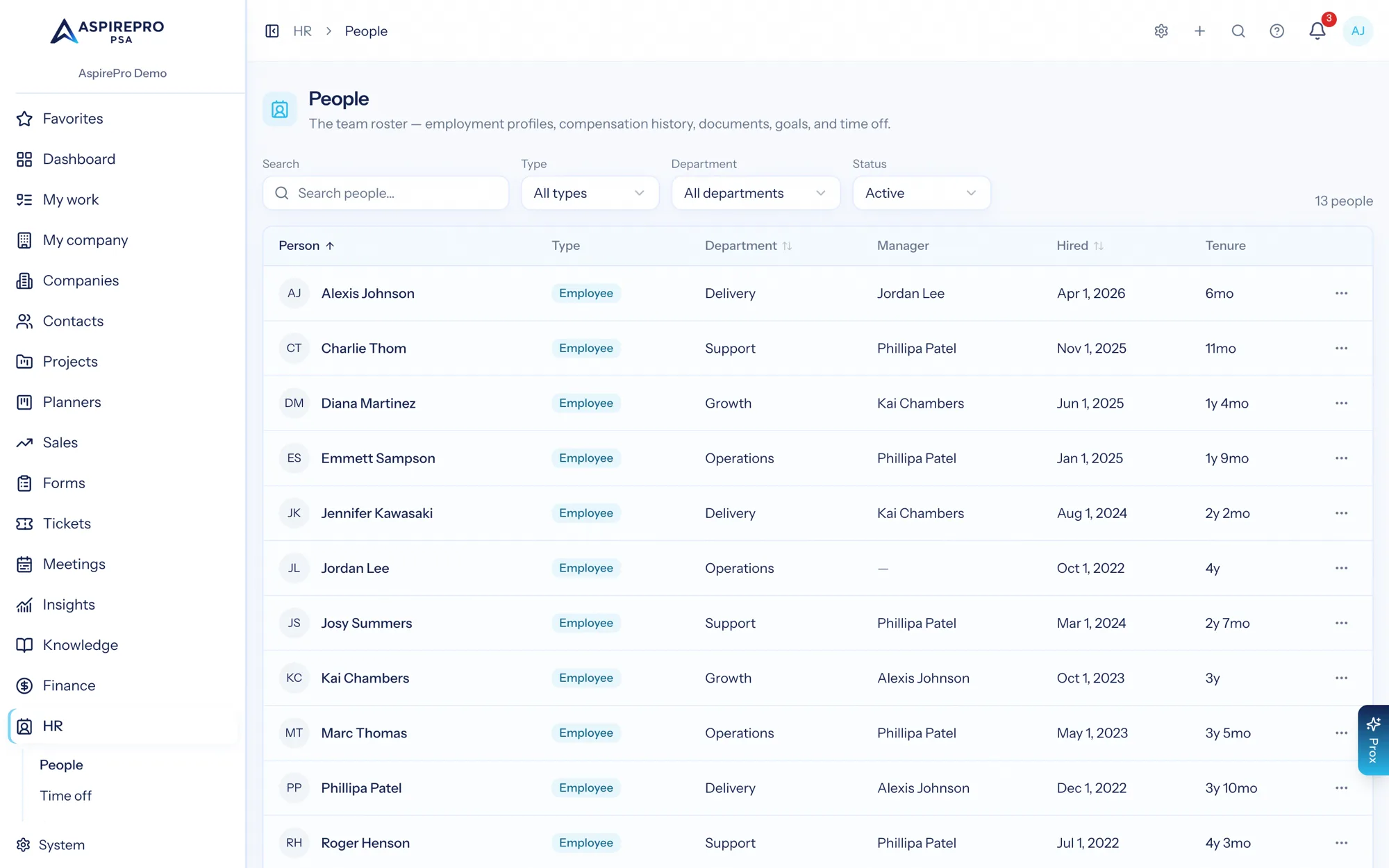
- Headcount, tenure and departure reporting from the same records
From open role to first day
Open the role
Department, hiring manager, compensation range, target start. Draft it first if it is not signed off.
Move candidates
Screen, interview, offer — each stage recorded with its notes, documents and outcome.
Make the offer
Offer details tracked to acceptance, with the whole decision history behind it.
Hand to onboarding
Hired becomes an employee profile, and the onboarding checklist starts without a re-key.
What Recruiting (ATS) connects to
Nothing here is a standalone tool — each of these reads the same clients, people and permissions.
Frequently asked questions
What is an applicant tracking system?
How is this different from a standalone hiring tool?
Can I track interviews and offers?
Who can see candidate data?
Does it post jobs to job boards?
Is recruiting included with HR?
Read the documentation
The full how-to for this module, written for the people who use it every day.
Bring your whole services business together
Stop stitching together five tools. Run sales, delivery, support, and billing from one organization — with an AI assistant on every page.