Every detail about a client, in one place your team can trust
Hosting stacks, DNS records, licence keys, equipment, brand rules, site specs — the things you'd otherwise keep in a spreadsheet or a wiki page per client. Pro Cards give them structure, permissions, history and a view across your whole client base.
Client documentation software keeps the operational facts about each client — the details that don't fit in a deal, a project or a ticket but decide whether you can do the work. IT firms know the category as IT documentation (Hudu, IT Glue); agencies keep the same things in a shared drive. In AspirePro, Pro Cards are typed record cards: you design the card types with a field builder, attach cards to companies, relate them to each other, and search across every client at once — with the same permissions and change history as the rest of the platform.
Fields the software never shipped
Design a card type once — hosting, workstation, brand kit, access checklist — with exactly the fields it needs. Every card of that type captures the same things.
Beside the tickets it explains
Cards live on the company record, next to the tickets, projects and invoices, and a card can link to the tickets that concern it.
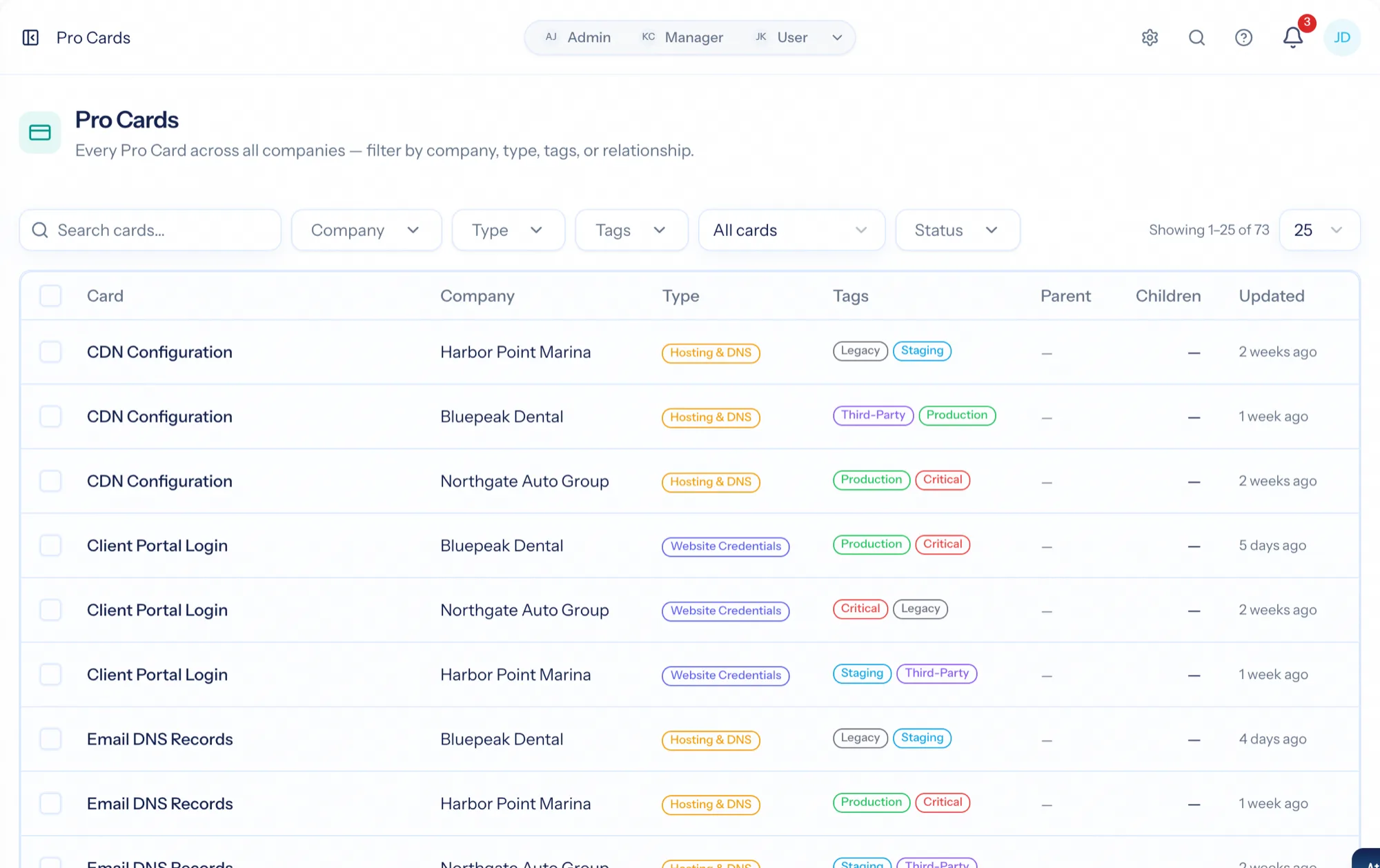
One screen across every client
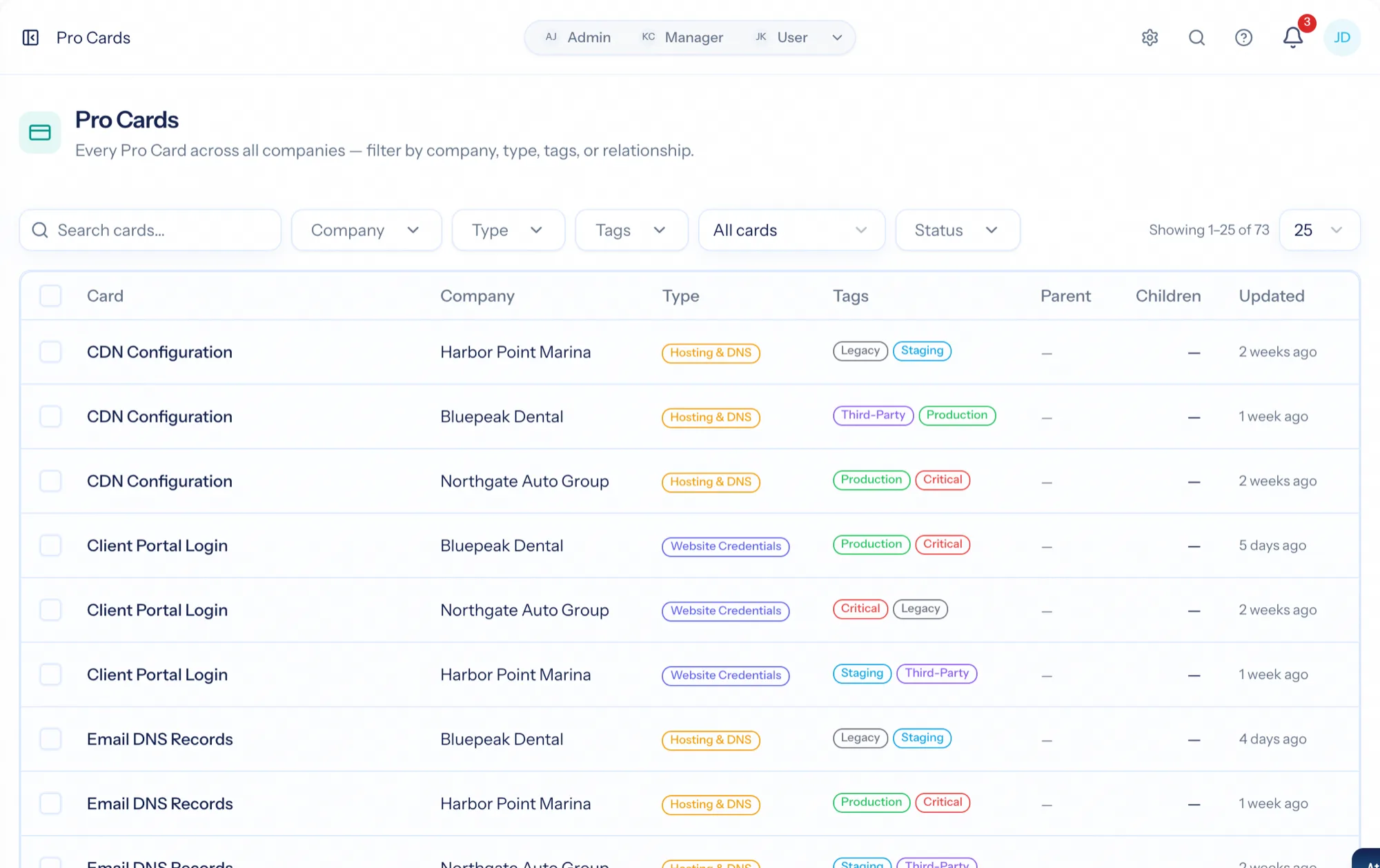
The fleet view answers portfolio questions — who is still on the legacy setup, which onboarding cards are incomplete — with filters, a board and bulk actions.
Design the record once, use it everywhere
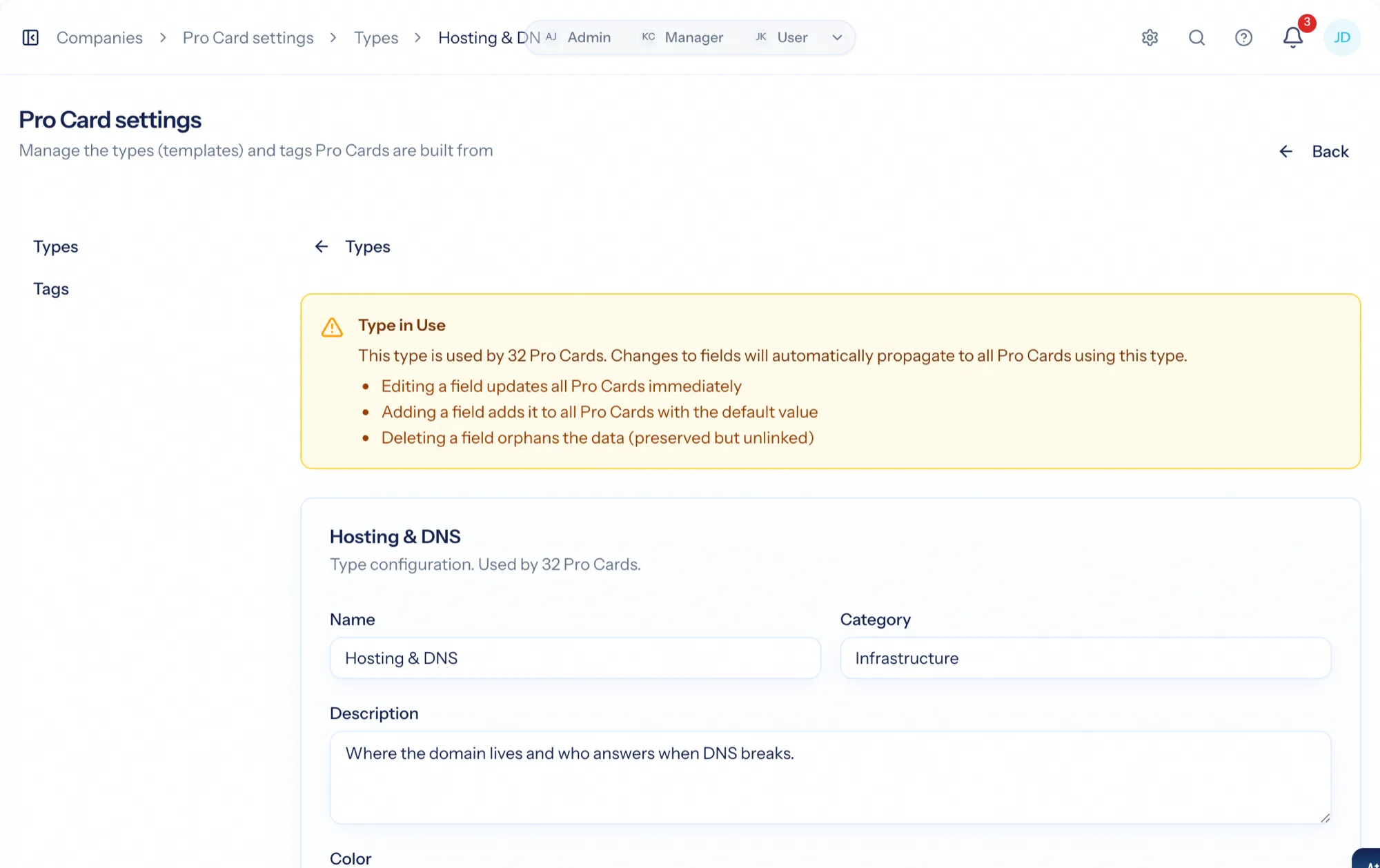
A Pro Card type is a template you define with the field builder — text, numbers, dates, dropdowns and more — so every card of that type captures the same structured information. Organise types with tags, and start from starter packs when you set up a new organization.
- Field builder with text, number, date, dropdown and other field types
- Tags on types and cards, so a card can be found by what it is about
- Starter packs to seed a new organization with sensible types
- Snapshot on create: existing cards are never disrupted by later template edits; a synchronizer rolls improvements out when you choose
The cards that explain how you serve this client
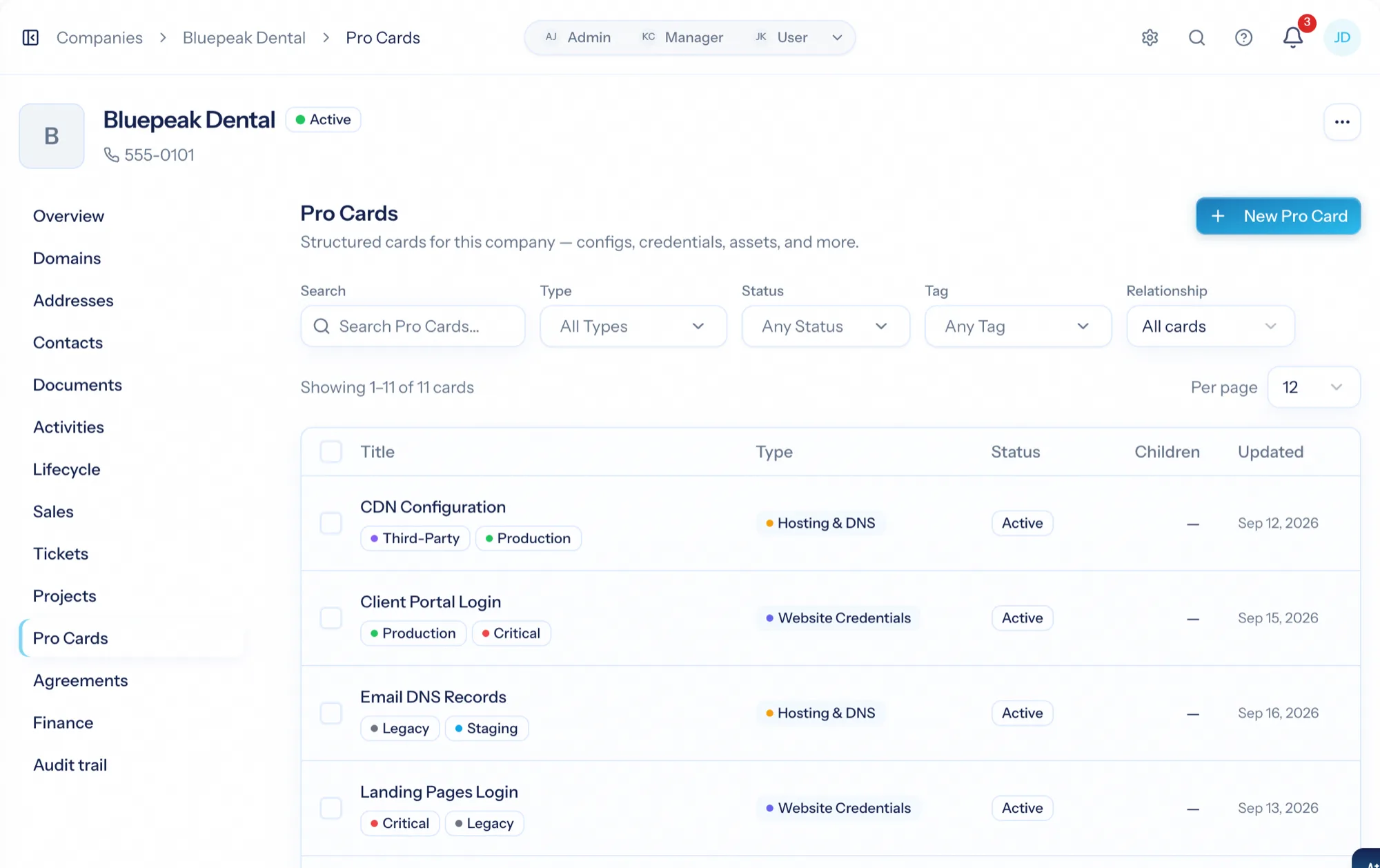
Open a company's Pro Cards tab and every card attached to that client is there. Create a card from any type, open it to view and edit, and see its own tabs for documents, related tickets and change history.
- Create a card from any type and fill in its fields
- Documents, related tickets and a full history on every card
- Clone a card to reuse a configuration; archive and restore the ones you no longer need
Cards that know about each other
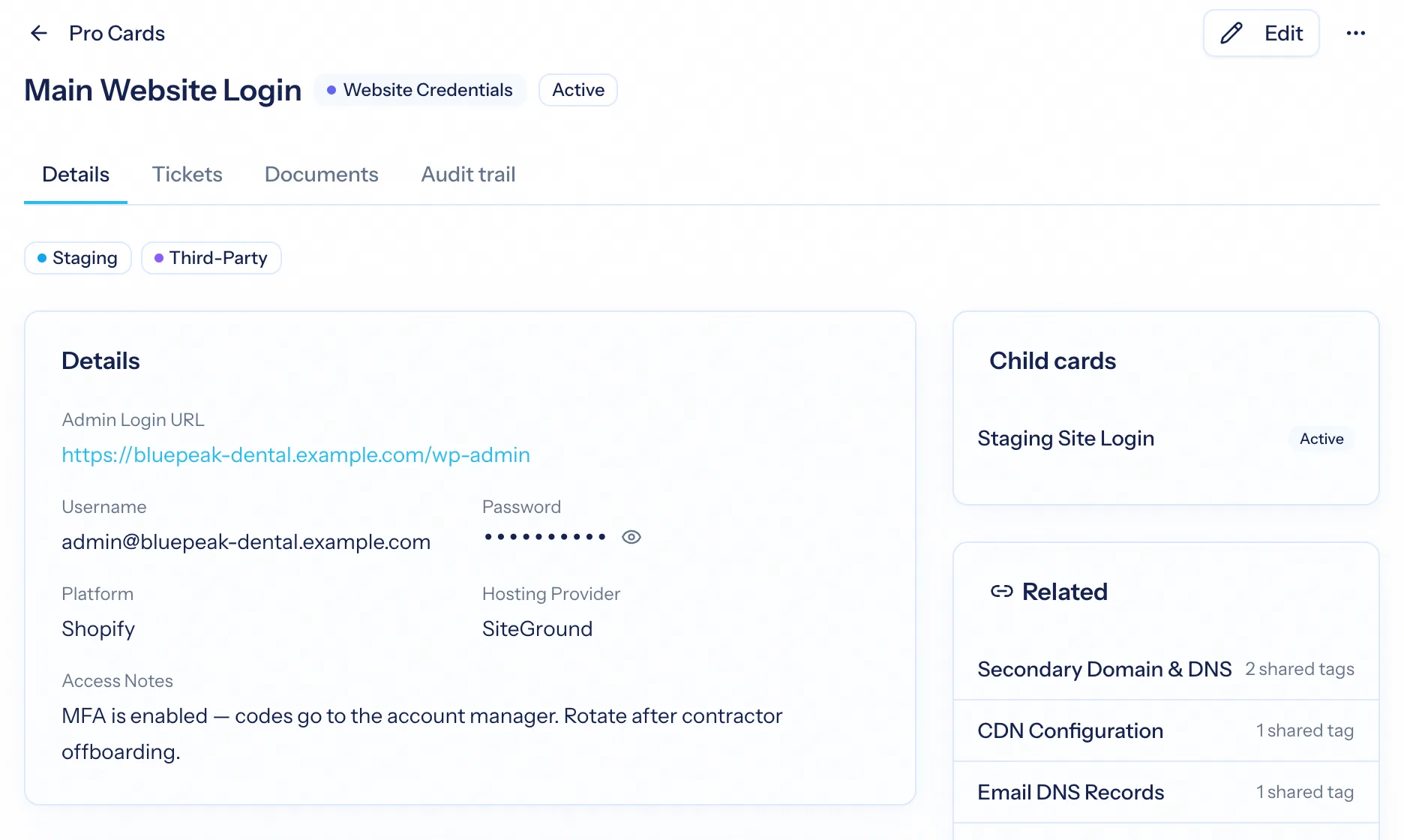
Relate cards to model structure — a site and its sub-sites, a product and its components — with parent and child relationships. When a ticket concerns a card, link them, so the next person to pick up the ticket finds the configuration without asking.
- Parent and child relationships between cards
- Related cards across types
- Link a card to the tickets that concern it
Portfolio questions, answered in one place
Beyond a single client, the Pro Cards page shows every card of every type across all your clients. Filter by company, type, tag or relationship, switch to a board view, and run bulk actions — status, tags — across the fleet.
- Filter by company, type, tags and relationship
- Board view grouped by status
- Bulk status and tag changes across many cards
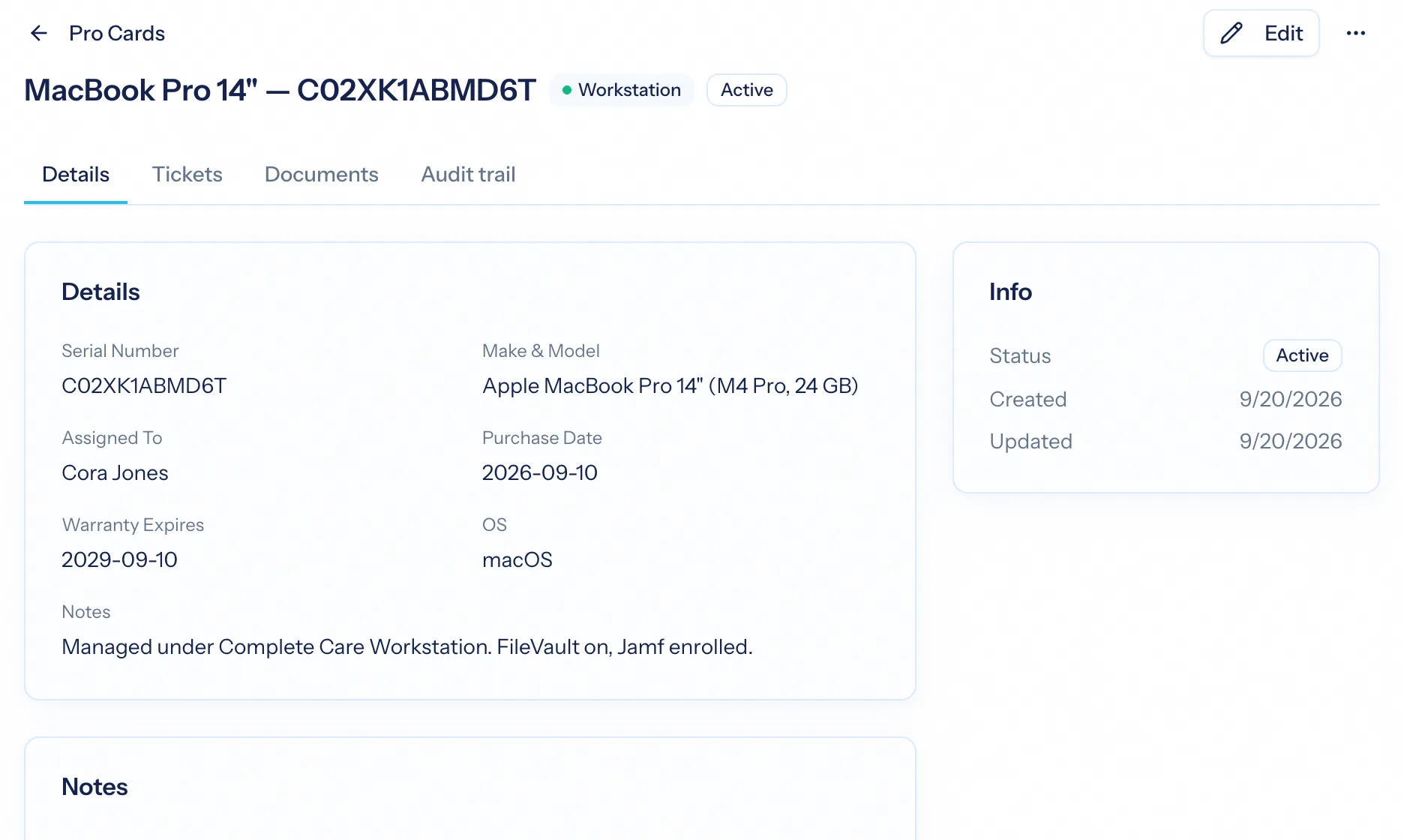
Serial numbers that become cards on their own
When Purchasing delivers a serialized unit to a client — a laptop, a firewall — the unit becomes a Pro Card on that client automatically, built from the item's card template with the serial number already filled in. A year later, the serial is on the client's record when they call about it.
- Delivered and drop-shipped serialized units become Pro Cards
- A vendor replacement swaps the new serial onto the card
- The stock ledger and the client record agree
From spreadsheet to record
Design the types
Decide what you keep about a client — hosting, access, equipment, brand — and build a card type for each with the fields it needs.
Attach cards to clients
Create cards on the company record, or let purchasing create them from delivered hardware.
Relate and link
Model structure with parent and child cards, and link cards to the tickets they explain.
Work across the fleet
Filter, board and bulk-edit across every client when the question is about the whole base.
What Pro Cards connects to
Nothing here is a standalone tool — each of these reads the same clients, people and permissions.
Frequently asked questions
What is a Pro Card?
How is this different from a wiki page or a shared drive?
Is it IT documentation software?
Can cards relate to each other?
What happens when I change a card type?
Who can see and edit cards?
Read the documentation
The full how-to for this module, written for the people who use it every day.
Bring your whole services business together
Stop stitching together five tools. Run sales, delivery, support, and billing from one organization — with an AI assistant on every page.