Approved time off comes straight out of the plan
People request days, approvers say yes or no, balances accrue by policy — and the moment a request is approved, those hours leave the person's capacity, land on the calendar, and sync to Outlook or Google as away.
Time off tracking software records who is away and when, and keeps the balances behind it right. In a services business the part that matters most is what comes after approval: the plan has to know. AspirePro splits time off between two doors — Resource Management handles requesting and approving, HR owns policies, accruals and balances — and both work on the same records, so an approved week draws down the balance, leaves the capacity plan, appears on the internal calendar and syncs to the person's external calendar.
A queue, not an email thread
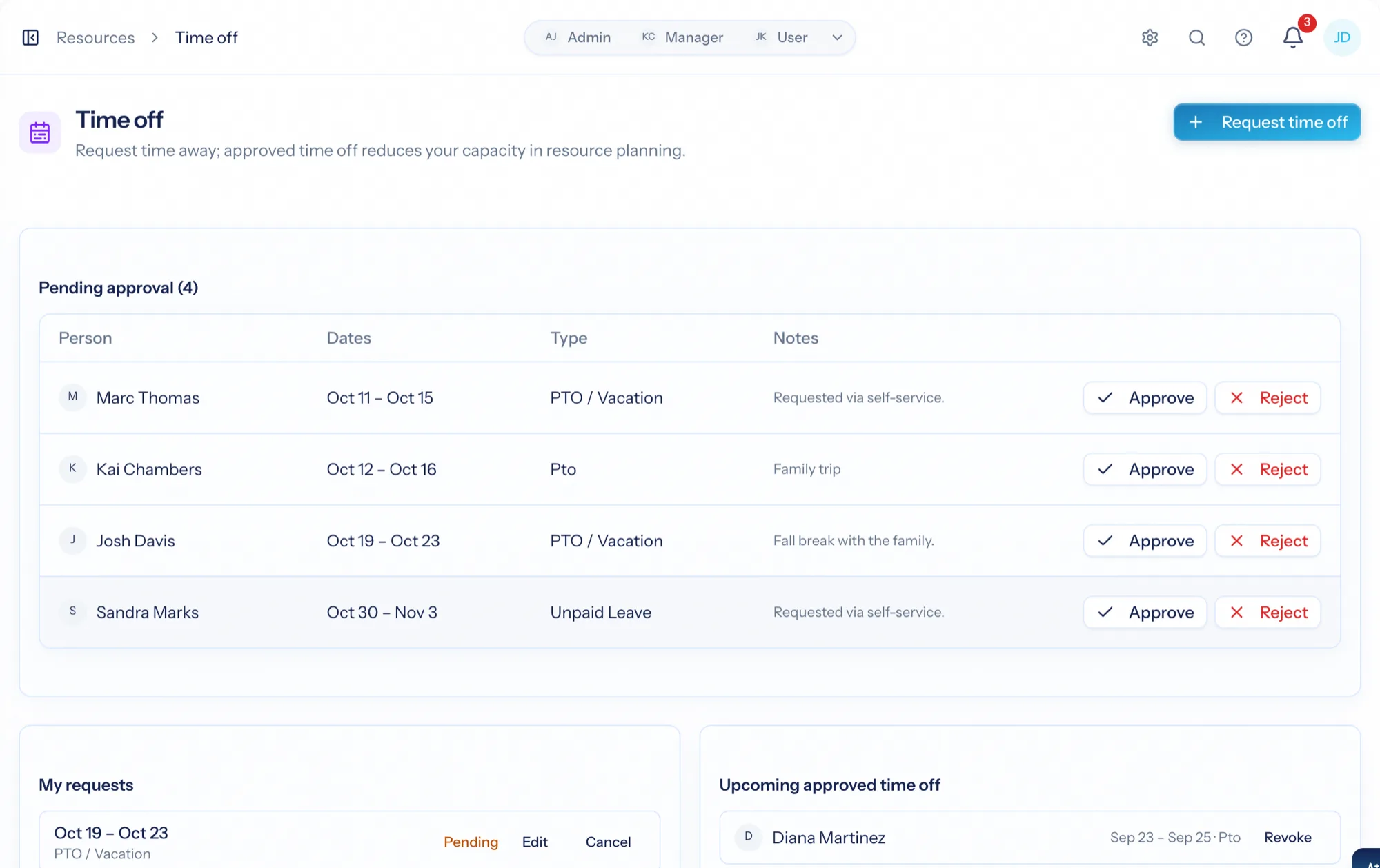
Submit a request with a type, dates and notes; approvers get a pending queue with approve, reject and revoke. Both sides are notified.
Balances that add up
Policies define how time accrues — method, annual days, carryover, waiting period, reset — and run to grant it. Every accrual, use and adjustment is a ledger row.
Away means away in the plan
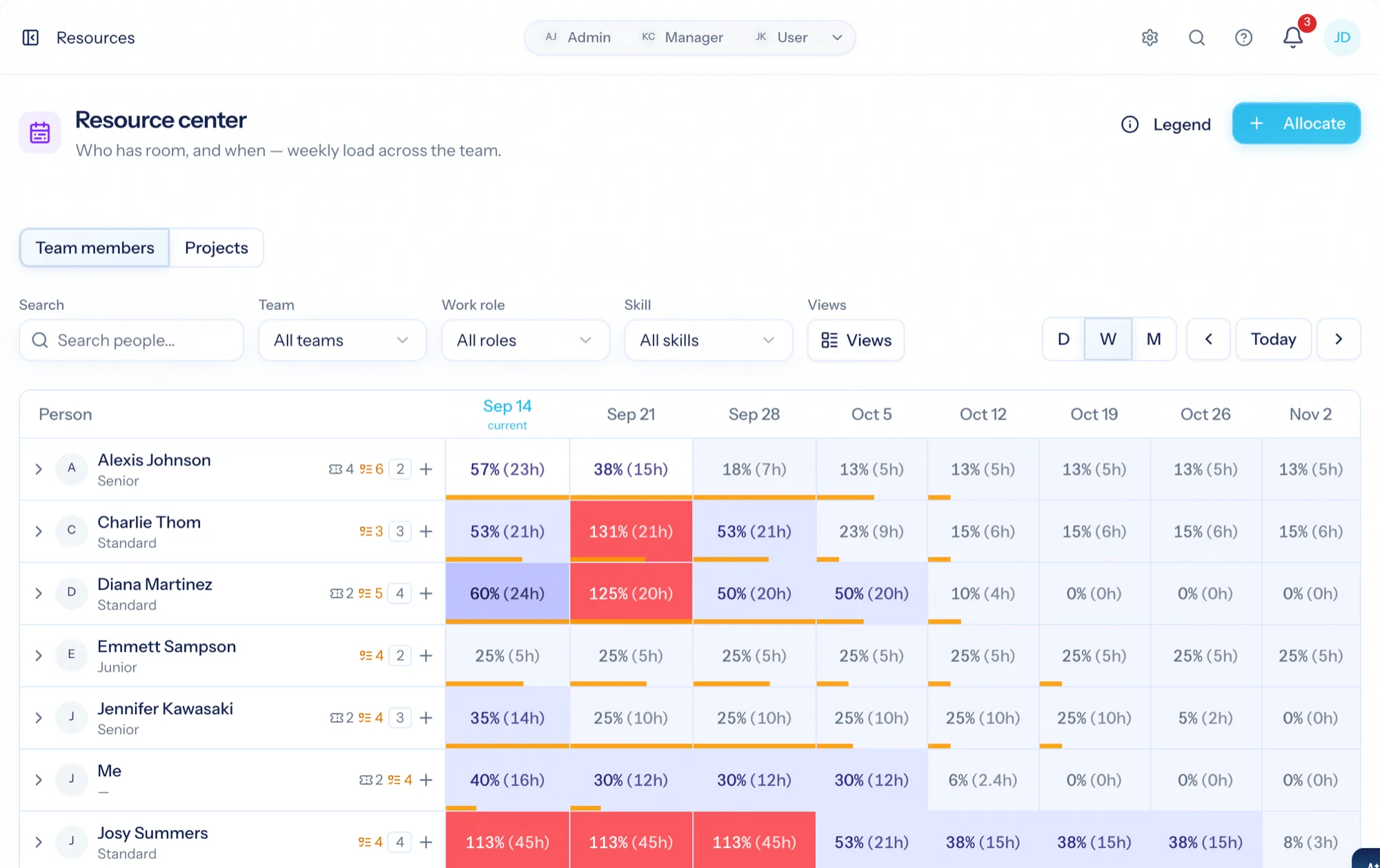
Approved hours come out of the person's capacity for those weeks, so the heatmap, availability and forecasts stop pretending they are here.
One queue for the people who say yes
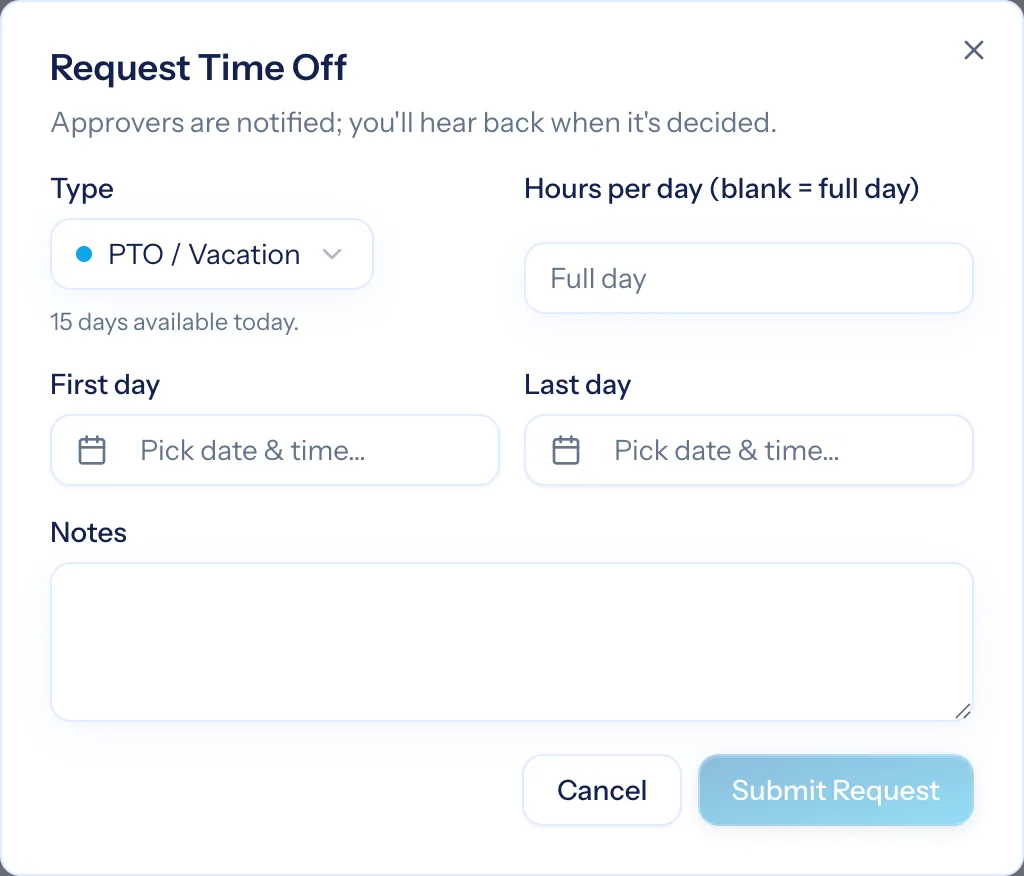
From Resources → Time off a person submits a request with a type — vacation, sick, and the others you define — the dates and a note, and sees their own requests and balances on the same page. Approvers work a pending queue: approve or reject with a note, or revoke an approval if plans change. Requester and approver are notified at every step.
- Types you define, each with its own policy
- Pending queue with approve, reject and revoke
- Balances shown on the request page so nobody asks HR first
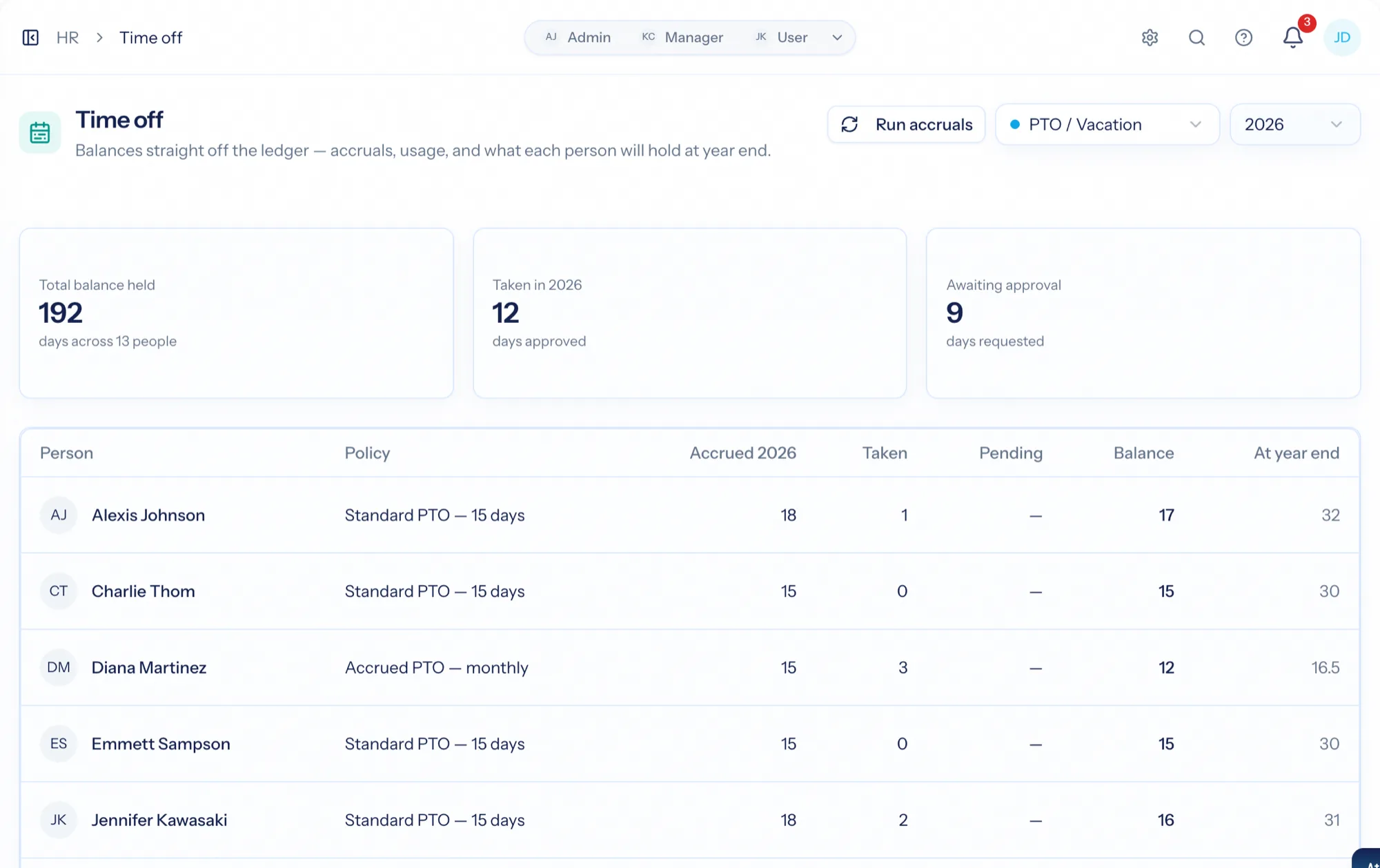
How much people have, kept honest by HR
HR → Time off shows every active person's balance for a type and year: policy, accrued, used, pending, remaining, projected year-end, and a total liability across the organization. On a person's Time Off tab, HR managers adjust balances with a required note, assign or remove policies (accruals backfill), and project a balance to any future date.
- Org-wide balances and liability by type and year
- Ledgered adjustments with a required note, audit-logged
- Project a balance forward — 'how much will I have by December?'
The plan and the calendar both know
Approved time off reduces capacity for the affected weeks, so bookings, availability and forecasts reflect it. It also shows on the internal calendar as all-day bands and, with a connected calendar, syncs out as all-day blocks — so a booked day reads as away in Outlook or Google too.
- Heatmap and availability drop the approved hours
- Pending and approved requests on the internal calendar
- Approved time off synced to Outlook and Google as all-day blocks
From request to a plan that knows
Request
Type, dates, a note — with the balance right there.
Approve
An approver clears the pending queue; both sides are notified.
The balance draws down
The ledger records the use against the policy HR maintains.
The plan adjusts
Capacity, the internal calendar and the person's external calendar all show the days as away.
What Time Off connects to
Nothing here is a standalone tool — each of these reads the same clients, people and permissions.
Frequently asked questions
Who approves time off?
How do balances accrue?
What happens to capacity?
Does time off appear on calendars?
Why is it split between HR and Resource Management?
Read the documentation
The full how-to for this module, written for the people who use it every day.
Bring your whole services business together
Stop stitching together five tools. Run sales, delivery, support, and billing from one organization — with an AI assistant on every page.