The contract you signed, keeping the billing honest
Retainers, fixed fees and time-and-materials arrangements with their fees, rates, included hours, terms and renewals — so invoicing knows what to charge, and Agreement vs. Reality shows the months you forgot to bill.
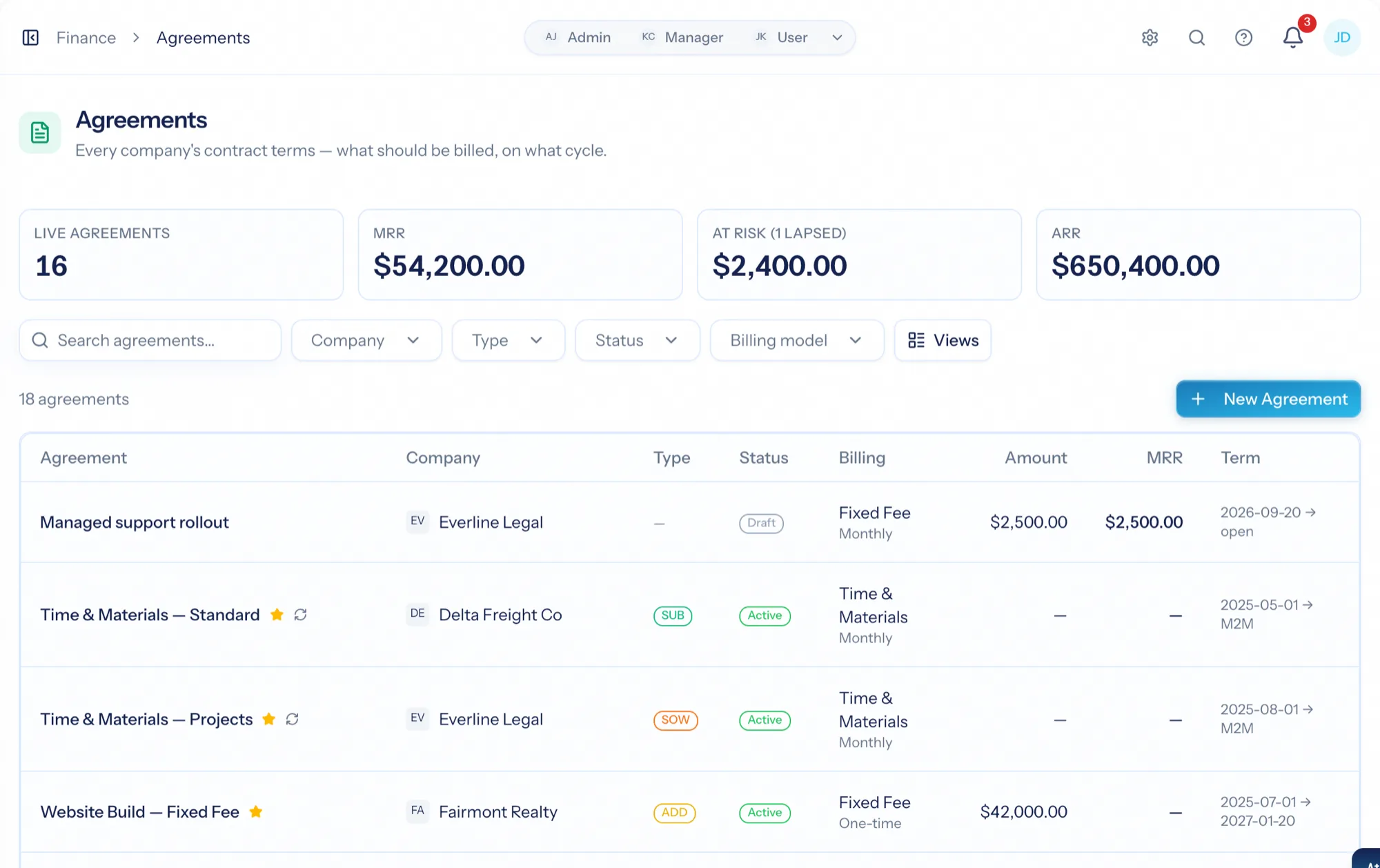
Service agreement software records the contract you bill a client under — a retainer, a fixed-fee engagement, a time-and-materials arrangement — with the fees, rates, included hours and terms that invoicing needs. AspirePro goes further than a filing cabinet: agreements drive the recurring invoice, price this client's hours, cap the health score when a contract lapses, and compare what a fixed fee or retainer should have billed against what you actually invoiced.
Retainer, fixed fee, time and materials
Billing model, cycle and amount; included hours with overage and rollover; payment schedules; client-specific rates — and templates so a standard agreement is one pick.
Umbrella contracts and the paper beneath them
A master agreement with statements of work, addendums and renewals under it. Blank fields inherit from the parent; newer paper supersedes older paper automatically.
The months you forgot to invoice
Agreement vs. Reality compares what the agreement should have billed with what you did, cycle by cycle, and flags the gaps.
Recurring revenue, and how much of it is at risk
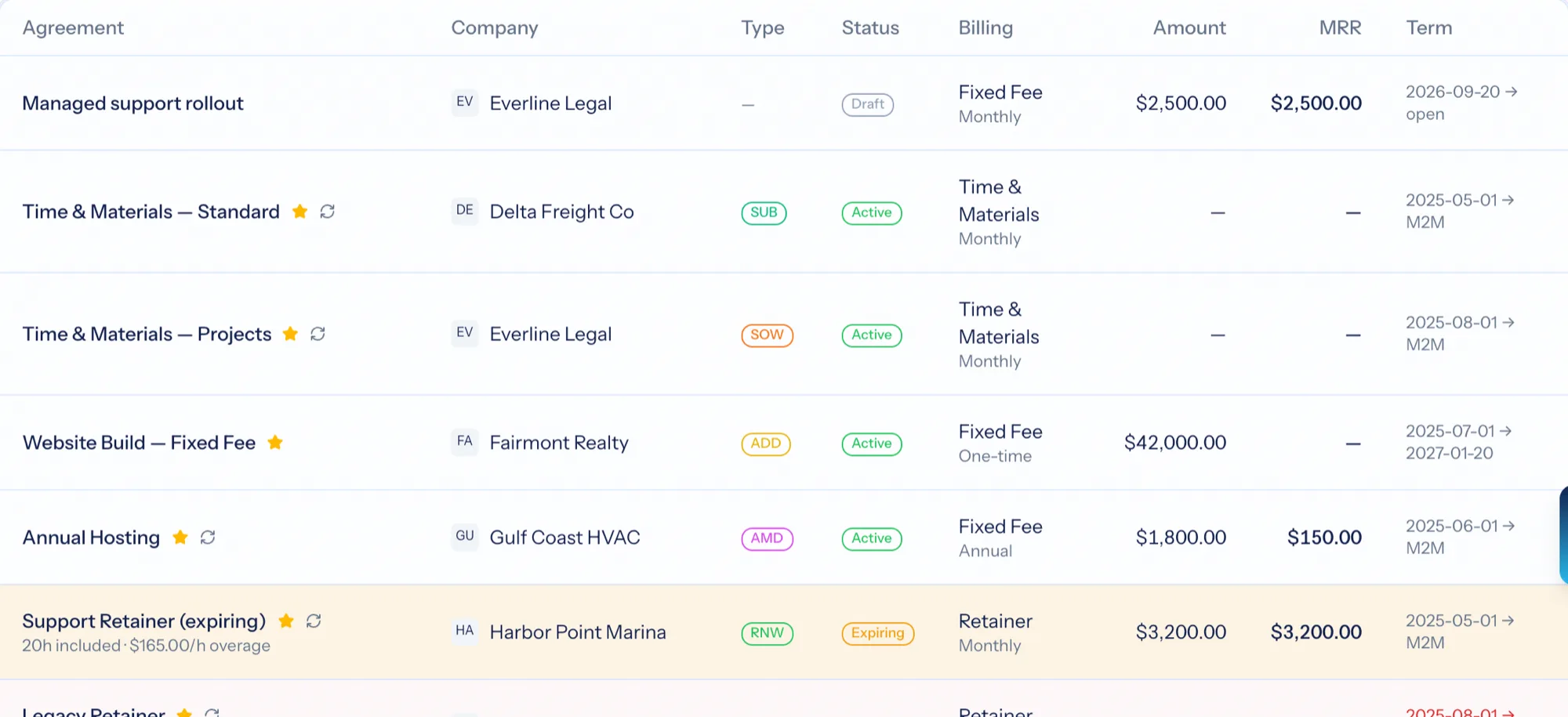
Every agreement with company, type, status, billing model, amount and term, plus tiles for active count, monthly and annual recurring revenue. Each row carries a state — normal, expiring, expired, extended, completed — so renewals never sneak up on you. Beside every recurring-revenue figure sits the amount that is currently uncontracted.
- Filter by company, type, status and billing model; save the views you watch
- Monthly and annual recurring revenue across the family, not just the parent
- Revenue at risk: live agreements that are past their paper, counted and flagged
Everything a real contract carries
Client and type, dates and how acceptance was given, term and renewal notice periods, billing model and cycle, included hours with overage rates and rollover, line items, billing exclusions, and client-specific rates per role. Templates pre-fill all of it, so a 'Website Care Subscription' or a 'Standard Retainer' is one pick.
- Fixed-fee, retainer and time-and-materials billing with a cycle and an amount
- Included hours per period with overage and rollover rules
- Work-role rate overrides and free-form service rates for this client
- Line items, payment schedules and billing exclusions with a reason
- Templates for every shape you sell
Master agreements, statements of work, renewals — as a tree
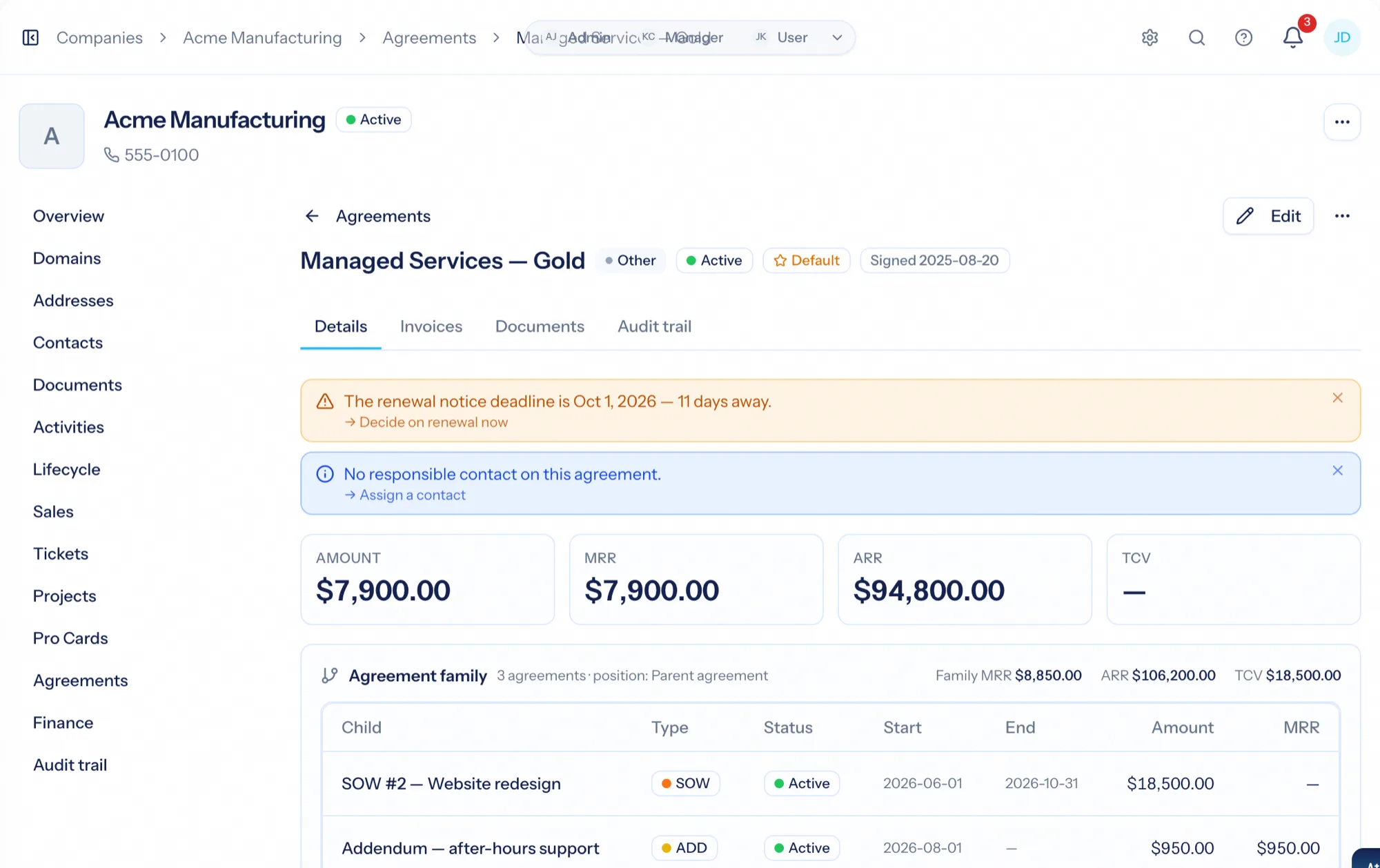
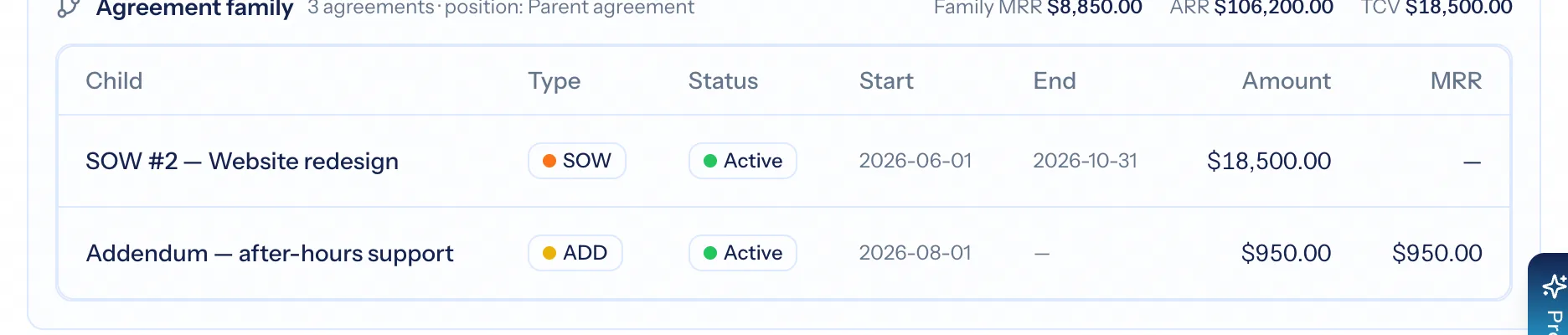
An umbrella contract at the root and the documents that hang under it: statements of work with their own dates and money, addendums and amendments that modify what came before, renewals that carry the relationship into the next term. Three rules make it work: a blank field on a child inherits from the parent, the family rolls up, and newer paper supersedes older paper.
- Master agreement, statement of work, addendum, amendment, renewal, extension, subscription and more
- Inherited fields show where they came from; a banner counts the overrides
- A live renewal stops the family nagging about expiry
Status is the truth; dates only drive the automation
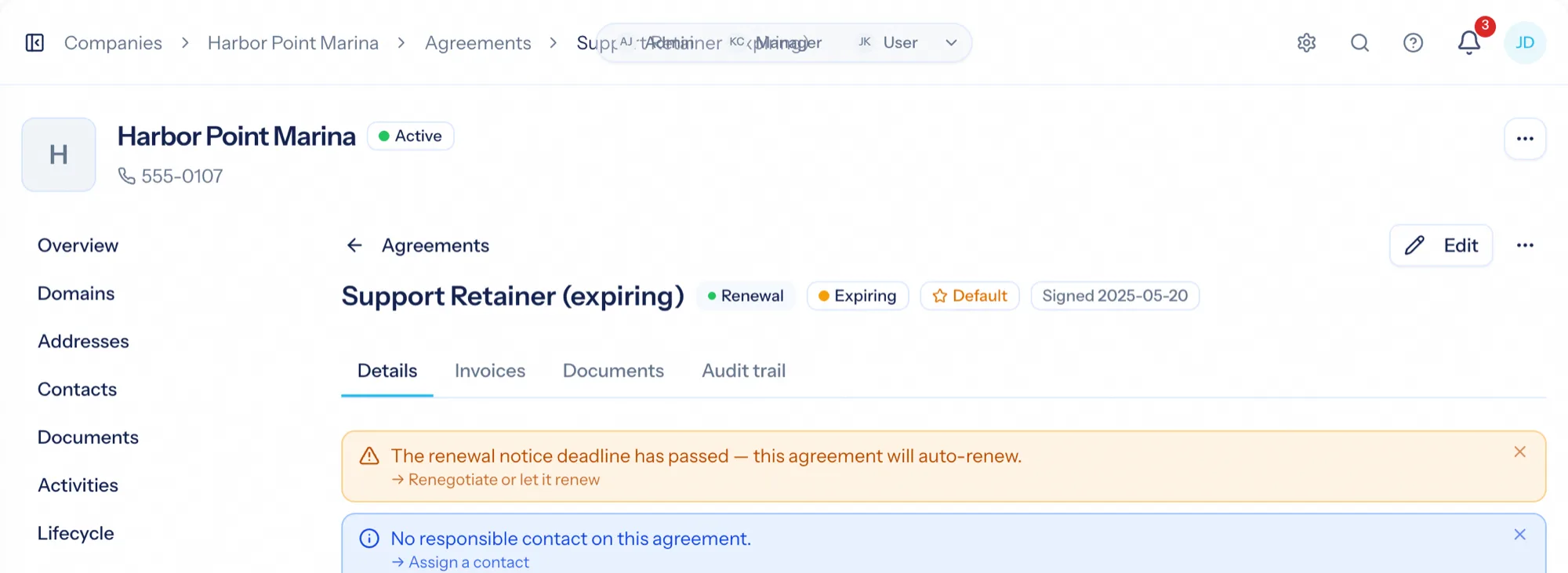
Drafts activate on their start date, active agreements flip to expiring as they enter your notice window, and past-end agreements expire after a grace period — unless a renewal is carrying the family forward. An expired agreement keeps working, because you keep serving a client while the renewal sits on somebody's desk; every screen just says the money is at risk until it is renewed, and you decide whether new work on it is allowed.
- Draft → Active → Expiring → Expired, plus Completed and Cancelled
- Expired agreements show 'renew or complete' and remind finance after your threshold
- Allow work on expired agreements with a warning, or block it until renewed
The under-billing detector
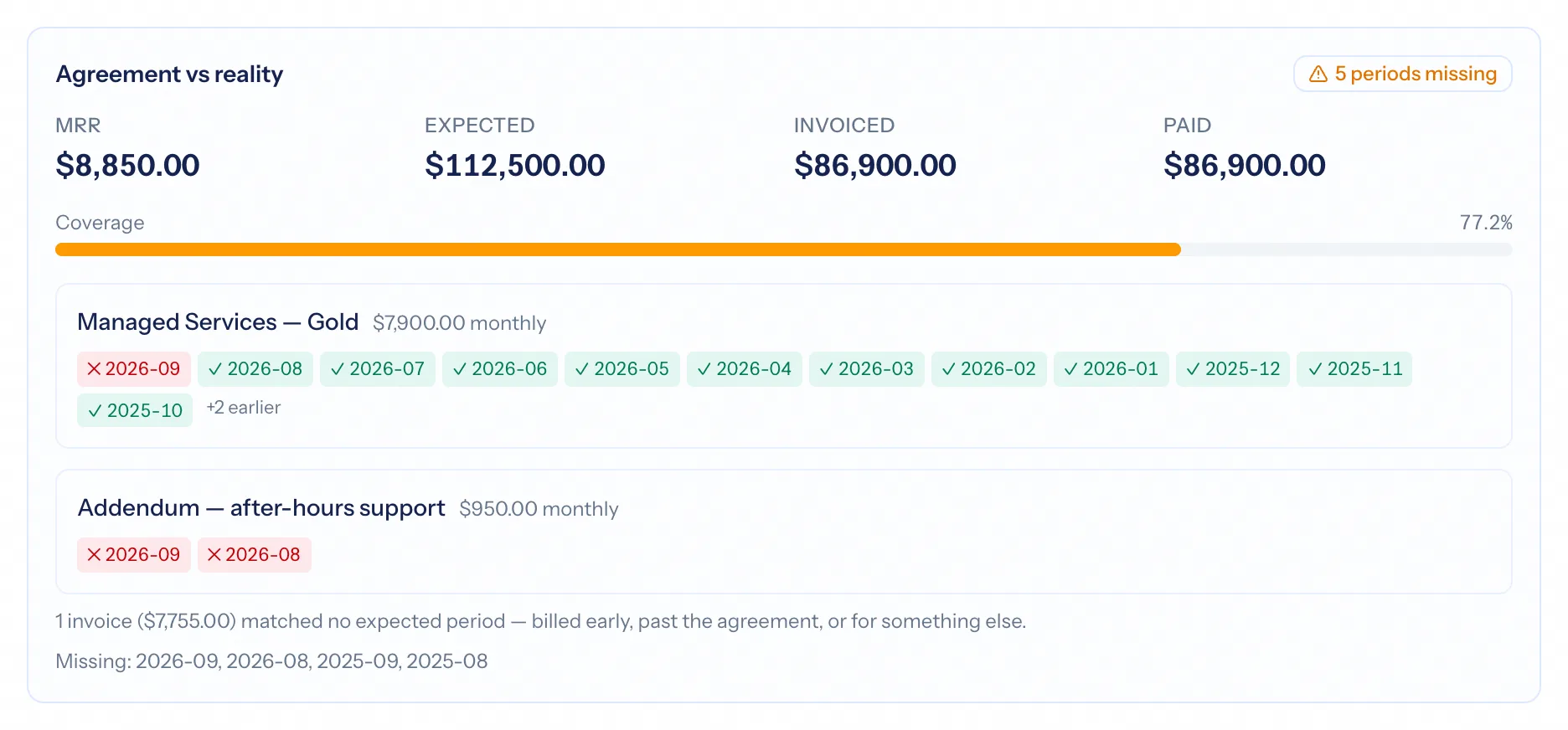
For a fixed fee or retainer, the platform knows what should have been billed each cycle. Agreement vs. Reality on the company's Finance tab compares that with the invoices actually issued and gives a coverage percentage with the missing periods named — so a forgotten quarter is found while it can still be invoiced.
- Follows the agreement's billing cycle, not the calendar
- Respects billing exclusions and matches invoices to the agreement first
- Lapsed agreements keep expecting invoices right up to today
From signed contract to honest billing
Pick a template
Retainer, subscription, statement of work — the shapes you sell, pre-filled with billing, term, included hours and rates.
Attach it to the client
Set dates and acceptance; make it the default so new billable time lands on it automatically.
Let the cycle run
Recurring invoices raise themselves; hours price at this client's rates; expiry moves status on schedule.
Check reality against the paper
Agreement vs. Reality names the missing periods; revenue at risk shows what needs renewing.
What Agreements connects to
Nothing here is a standalone tool — each of these reads the same clients, people and permissions.
Frequently asked questions
What is an agreement in AspirePro?
Do you support master agreements with statements of work under them?
What happens when an agreement expires?
What is Agreement vs. Reality?
Can rates differ per client?
Does it work with Stripe subscriptions?
Read the documentation
The full how-to for this module, written for the people who use it every day.
Bring your whole services business together
Stop stitching together five tools. Run sales, delivery, support, and billing from one organization — with an AI assistant on every page.