People records that finance and delivery actually use
Profiles, time off, reviews and recruiting in the same system that knows what everyone is working on — with access strict enough for HR data, including no admin override.
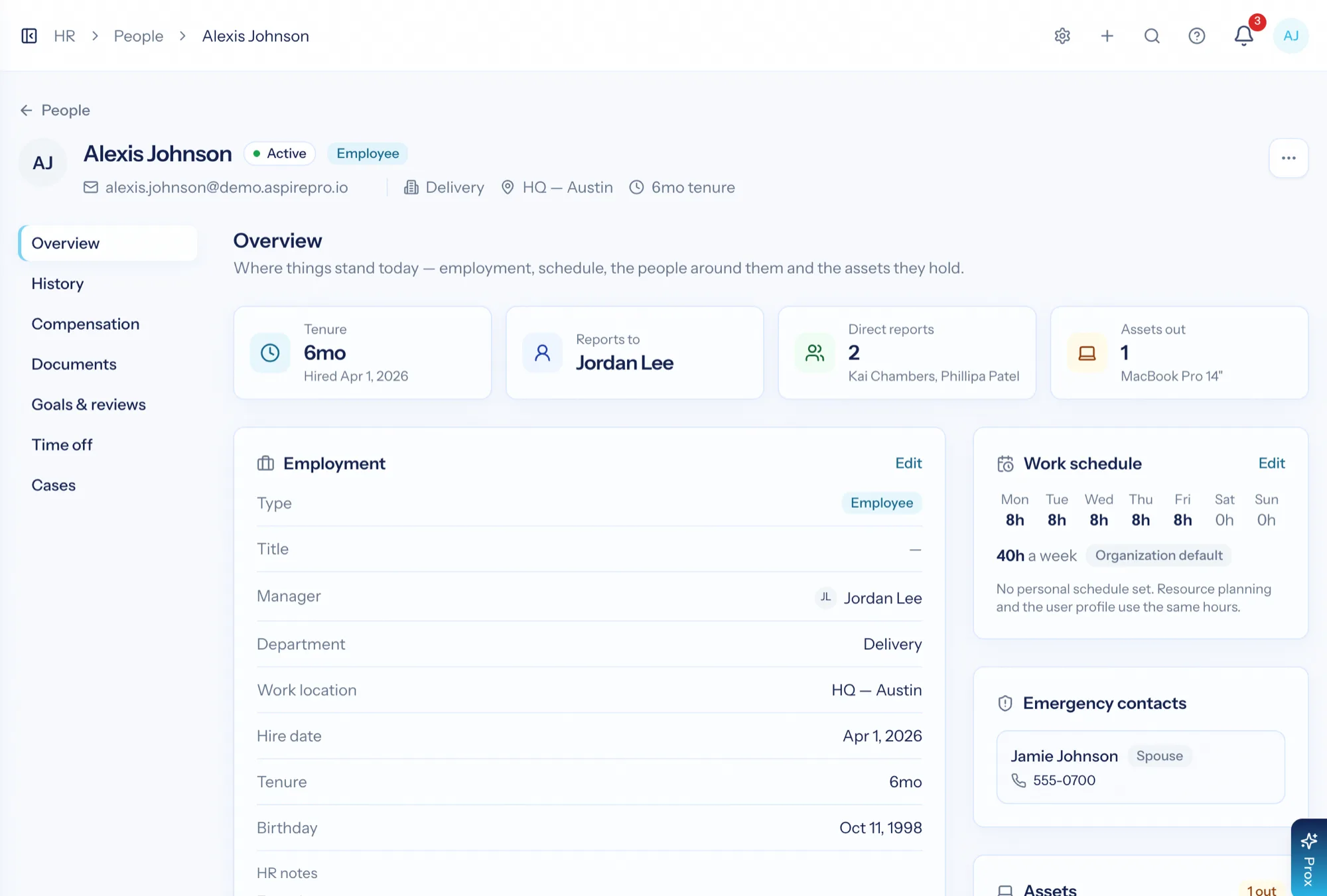
HR software for a small services business has an unusual advantage available to it: the same system already knows what each person is booked on, how much they billed, and when they are off. AspirePro HR holds the people record — employment, compensation, documents, goals, reviews, time off — and shares the parts that belong to capacity planning, while keeping the sensitive parts genuinely private.
Admin is not an override
HR access comes from the HR permission, being that person, or being their manager. There is deliberately no way for an admin to bypass it.
Approved leave reaches the schedule
Approved time off comes off the same capacity picture that staffing and busy-ness reports read.
From hire to review
Recruiting pipeline, onboarding checklists, goals, review cycles, training and an equipment register.
The person record, organised the way HR thinks
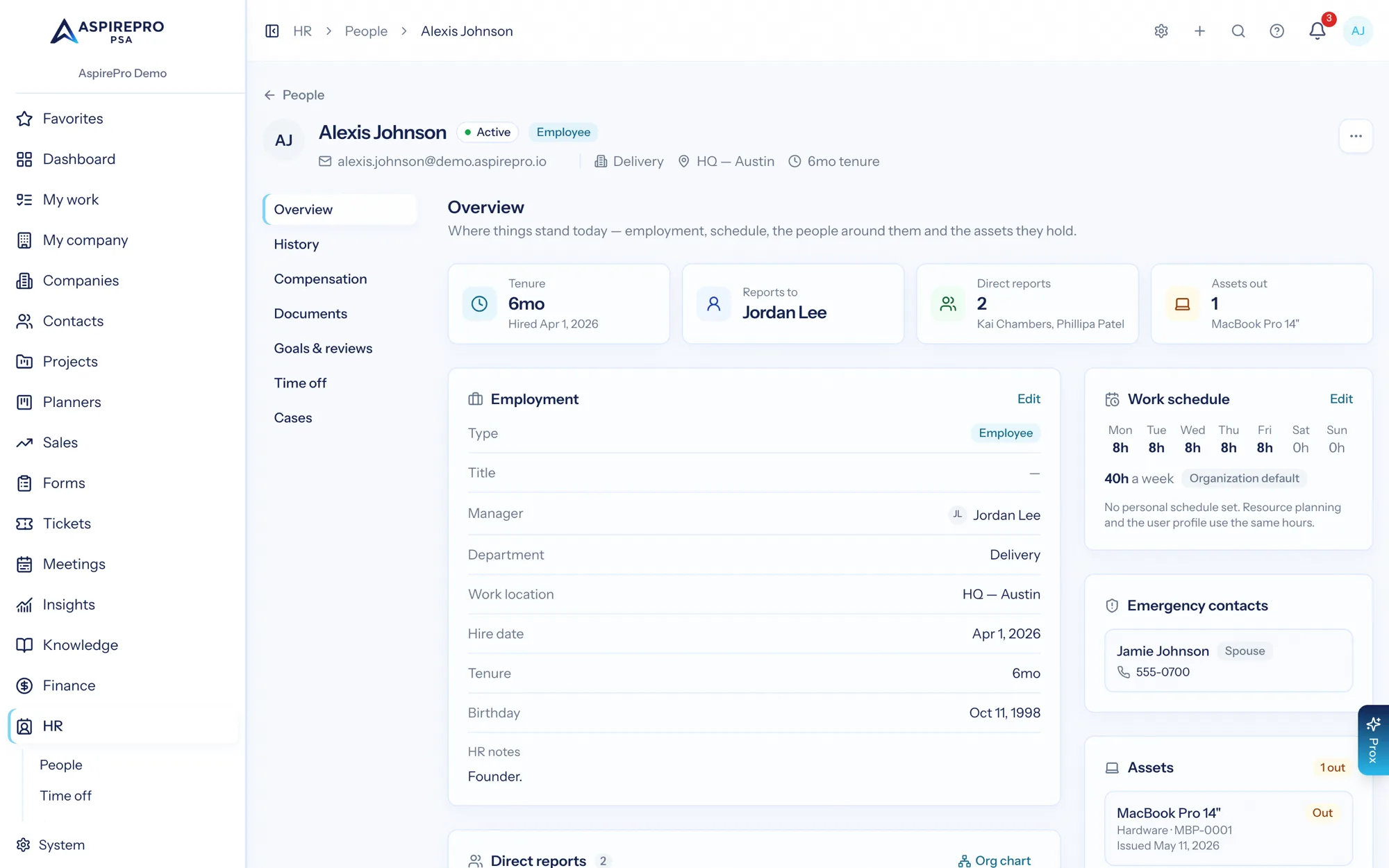
Overview, employment history, compensation, documents, goals, time off and cases — each a tab, each with its own access rules. Manager, department, work location, work schedule and direct reports sit on the front page, because those are the details people actually look up.
- Employment history over time, not just the current title
- Pay history behind its own permission
- HR documents with expiry checks, so certifications do not lapse quietly
- Cases for sensitive matters, visible only to the right people
Time off that the plan knows about
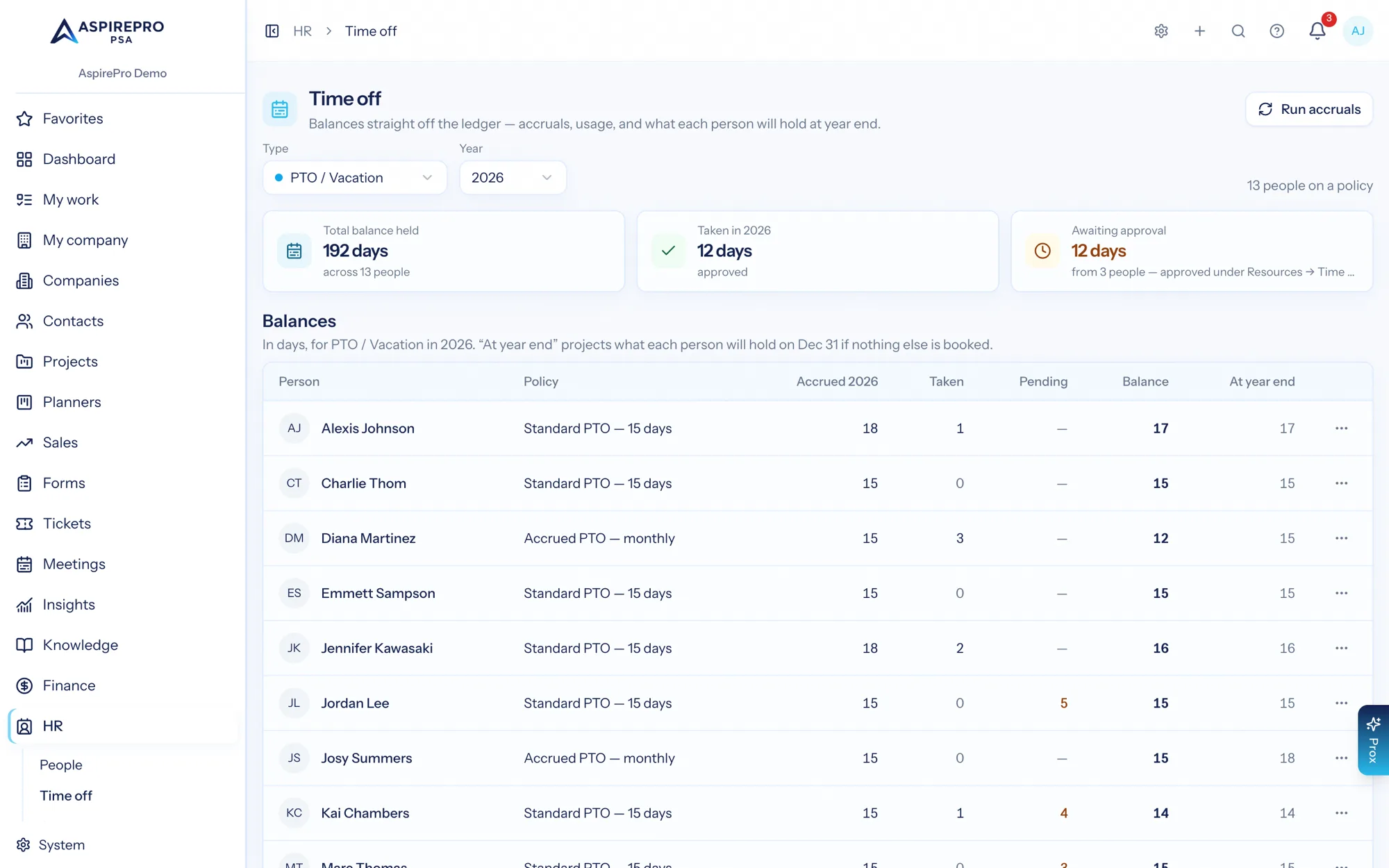
Policies with accrual, balances and a ledger per person; requests that route to approvers; a calendar of who is out. Because approved leave feeds the resource capacity model, nobody gets booked onto a project during their holiday.
- Accrual and fixed-allowance policies, assigned per person
- Balance, taken, pending and remaining on one screen
- Approve or reject with the balance in front of you
- Approved leave immediately reduces available capacity
- Approved time off syncs to Outlook or Google as all-day blocks — and cleans itself up if a request is cancelled or revoked
Goals, reviews and the conversations in between
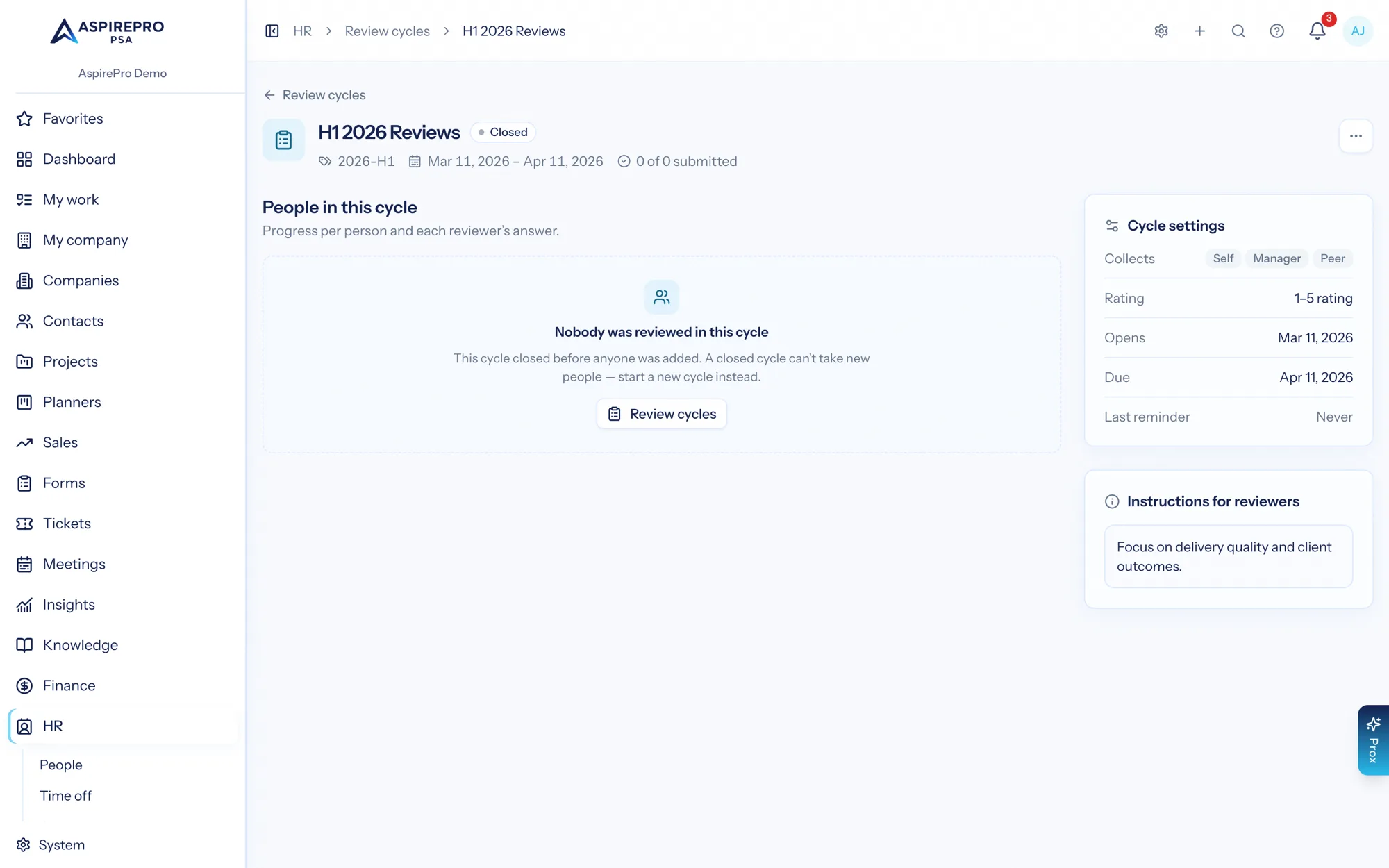
Review cycles with participants and windows, goals with progress, one-on-ones with agendas and notes, and engagement surveys. It is the performance loop, kept in the same place as the employment record it belongs to.
- Review cycles with templates, self-review and manager review
- Goals with measurable progress rather than a paragraph of intent
- Recurring one-on-ones with a shared agenda and private notes
- Training assignments and completion tracking
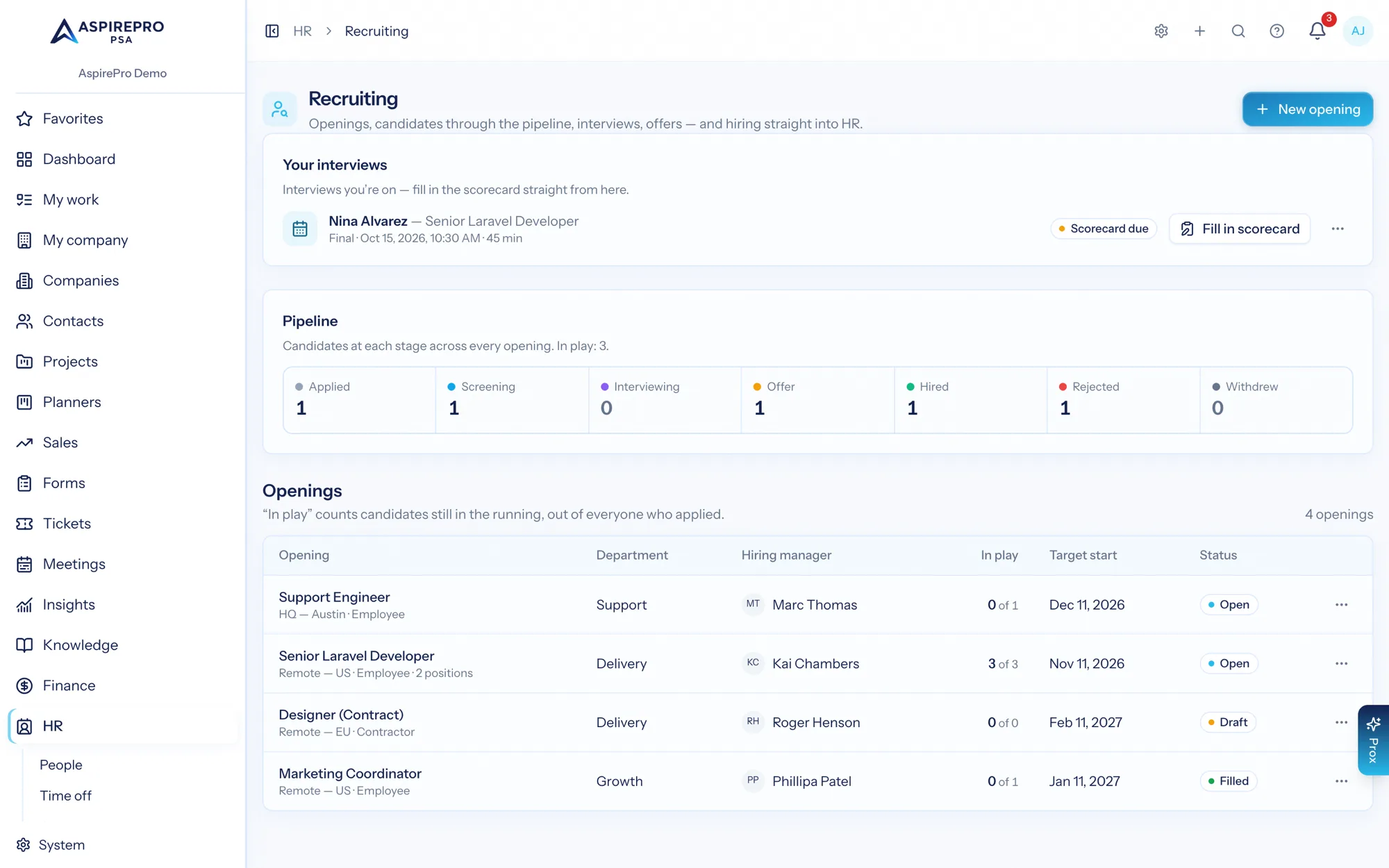
Recruiting, from opening to offer
Job openings with a hiring manager and target date, candidates moving through applied, screening, interviewing, offer and hired, interviews scheduled against them, and offers recorded. When somebody is hired, the record they already have becomes their employee profile.
- Pipeline counts at every stage, per opening and overall
- Candidate documents, interview notes and offer details on the record
- Onboarding checklists that fire when a hire starts
The numbers leadership asks for, and what everyone is owed
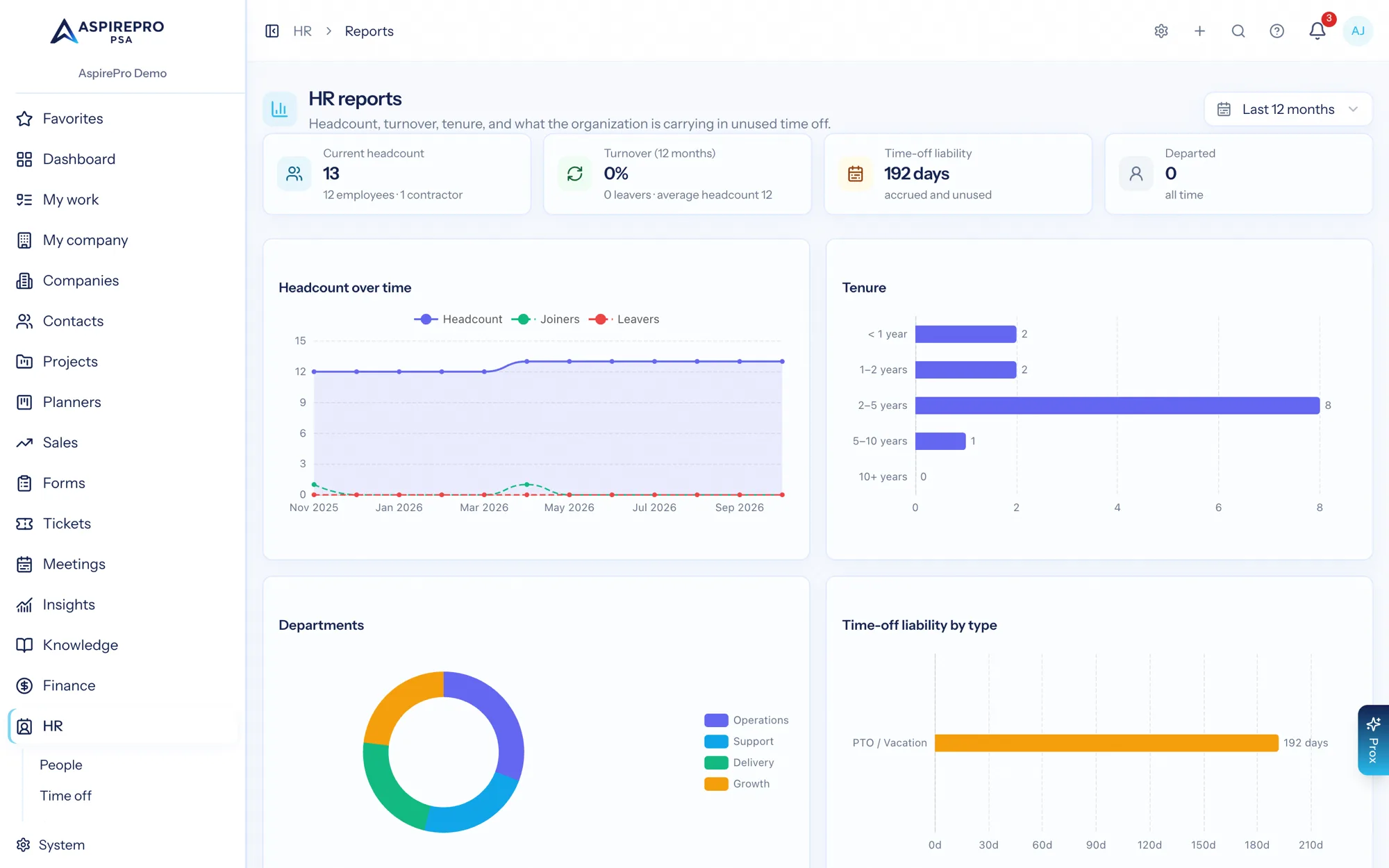
Headcount over time, tenure distribution, department mix, time-off liability by type and expected departures — reported from the same records the team maintains day to day, so there is no separate HR spreadsheet to reconcile. Turn on pay runs and the same records work out each payday too.
- Headcount, joiners and leavers over time
- Tenure and department mix
- Time-off liability — a real number on the balance sheet
- Pay runs work out what everyone is owed each payday: salary, hourly pay, shares of agreements, commissions and reimbursements
- Someone checks and approves each run, then statements, a payroll provider file and contractor bills in QuickBooks or Xero follow. AspirePro never moves money or withholds tax
- A simpler payroll export of hours, rates and time off for your payroll provider, including paid reimbursements
Running people ops here
Build the roster
Everyone gets a profile with employment details, manager, department and work schedule.
Set the policies
Time-off policies and accruals, review cycles, onboarding checklists and training catalogue.
Run the loop
Requests get approved, reviews run on their cycle, one-on-ones keep their history.
Report on it
Headcount, tenure, liability and departures — and a pay run or payroll export when it is time to pay everyone.
What HR connects to
Nothing here is a standalone tool — each of these reads the same clients, people and permissions.
Frequently asked questions
Who can see HR data?
Does it handle time off and accruals?
Is there performance management?
Can I recruit in it?
What are pay runs?
Does it connect to an HR system we already use?
Do you track company assets?
Read the documentation
The full how-to for this module, written for the people who use it every day.
Bring your whole services business together
Stop stitching together five tools. Run sales, delivery, support, and billing from one organization — with an AI assistant on every page.