Answers your team can find without asking
Playbooks, runbooks and standard procedures in collections that control who can read them — searchable by any phrase inside the article, and living in the same place as the work itself.
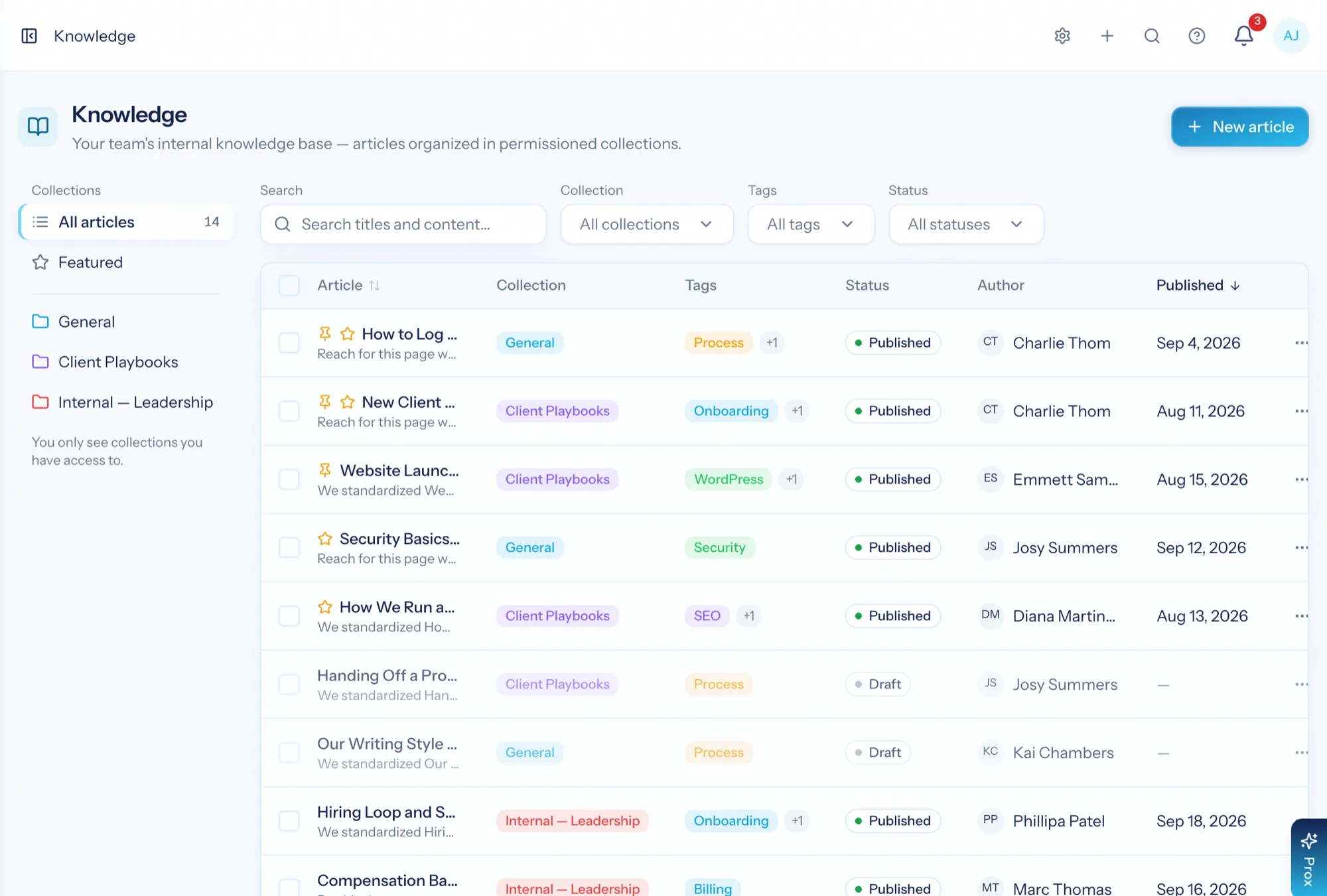
Knowledge base software is where a team's repeatable answers live: how we onboard a client, how we run this kind of engagement, what to do when this alert fires. An internal knowledge base earns its keep only if people can find the article in the thirty seconds they are willing to spend — which means search that reads the whole article, sensible organisation, and being in the tool where the work already happens.
Find it from a phrase you half remember
Search reads article bodies, not just titles, so a sentence you recall is enough to find the runbook.
Access that matches reality
Collections are the permission boundary — leadership material and shared playbooks can live in the same system safely.
Change it with confidence
Every edit keeps a revision, so a procedure can be updated freely and checked later.
Built for finding, not browsing
Each article shows its collection, tags, author and publish date, with pinned and featured articles at the top. Filter by collection or tag, search the full text, and — if you are an editor — see drafts alongside what is published.
- Search across titles and bodies
- Filter by collection and tag; editors also filter by status
- Pinned and featured articles put the ones everyone needs on top
- Publish, unpublish, move between collections, or delete in bulk
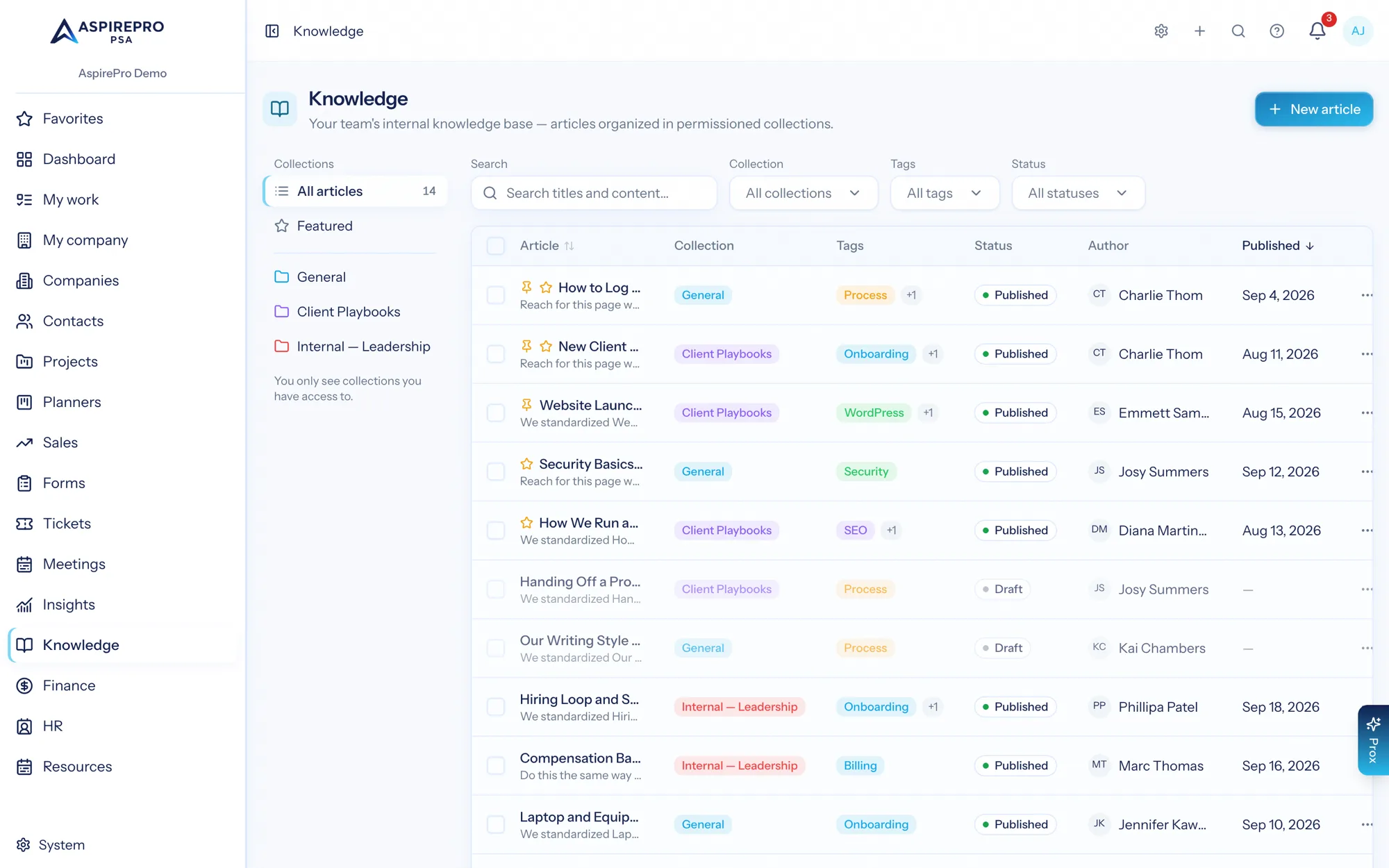
Articles that read like documentation, not a wiki dump
Clean formatted text with a summary, its collection and tags as links, the author, and a view count. Attachments ride along for the checklist or template the article refers to.
- Rich text with headings, lists, code and links — cleaned on save
- Summaries so the index tells you whether to open it
- Attachments for the templates and files the article references
- View counts, so you can see what people actually rely on
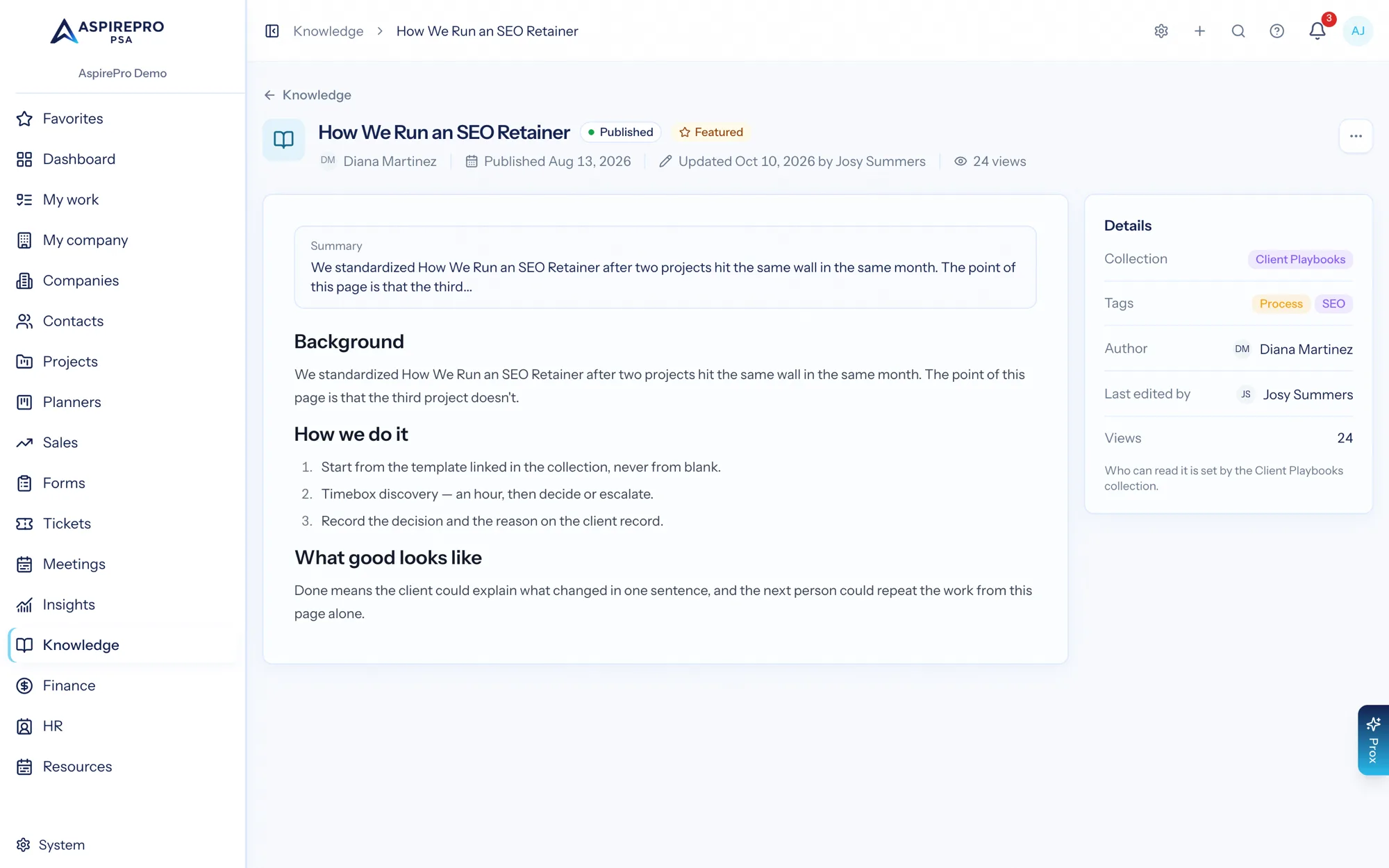
The shelf is also the lock
A collection is both the shelf and the permission. Give a collection to specific people or teams and only they see its articles anywhere in the app — including in search results. That is what makes it safe to keep a leadership collection next to the general playbooks.
- Grant a collection to people or whole teams
- A default collection, so nothing lands homeless
- Articles you cannot access never appear in the index or in search
- Tags cut across collections for browsing by topic
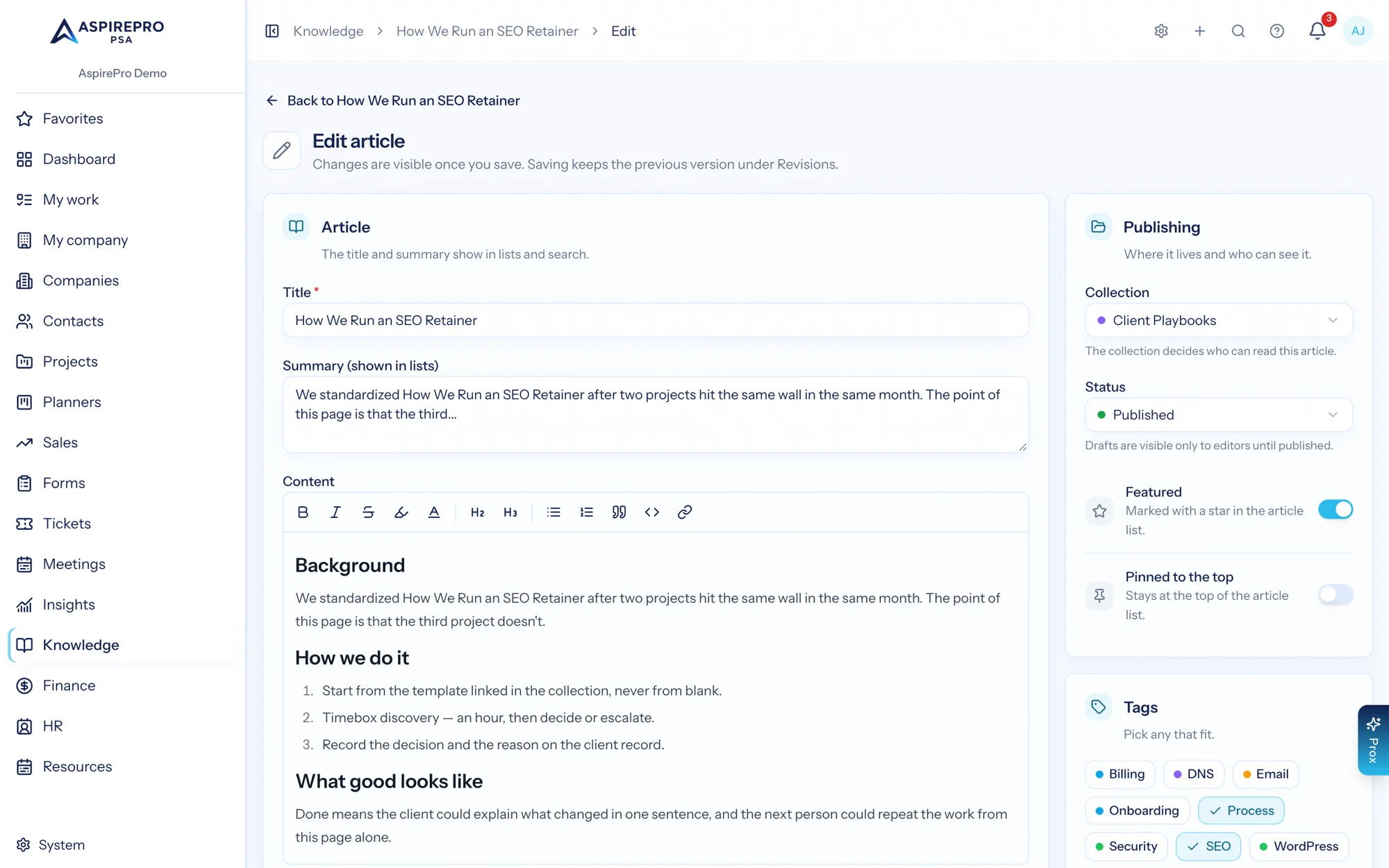
Edit freely — the old version is still there
Write in the editor, save a draft, publish when it is ready. Every save keeps a revision, so a procedure can be corrected without anyone worrying about what it used to say.
- Draft and published states, so half-written guidance is not live guidance
- Revision history on every article
- Pin and feature controls to steer people to the current best answer
Making knowledge stick
Set up collections
Decide the shelves — client playbooks, support runbooks, internal-only — and who each is for.
Write what you repeat
Start with the answers your team types more than once a month. Tag them so they can be browsed.
Link from the work
Paste the article's link into a ticket note or project, or ask Prox, which can read what you have access to, so it is found at the moment of need.
Keep it current
Edit freely — revisions keep the history, and view counts show which articles carry the load.
What Knowledge Base connects to
Nothing here is a standalone tool — each of these reads the same clients, people and permissions.
Frequently asked questions
What is knowledge base software?
How do permissions work?
Can I search inside articles?
Does it keep a history of changes?
Can I organise articles beyond collections?
Read the documentation
The full how-to for this module, written for the people who use it every day.
Bring your whole services business together
Stop stitching together five tools. Run sales, delivery, support, and billing from one organization — with an AI assistant on every page.