The work you promised every client, done on schedule
Define the cadence each client is owed — a monthly check-in, a quarterly review, a 90-day onboarding — and let the platform show whether it actually happened, from real logged activity rather than a box someone ticked.
Client retention in a services firm rarely fails loudly. An account goes quiet, the quarterly review slips twice, and nobody notices until the renewal email arrives. Client lifecycle management turns the intentions in your account plan into tracked periods with evidence, and rolls goal compliance, engagement, responsiveness and delivery signals into a health score you can sort your whole client list by. The services a client buys sit beside the score, not inside it.
Covered means it really happened
A period counts as covered when there is real activity behind it — a logged meeting, a call, a note — not because someone ticked a box at quarter end.
A health score you can sort by
Goal compliance, engagement, responsiveness, delivery, commercial standing, satisfaction and your own read combine into one score per client.
At risk before the renewal
At-risk and missed periods show up across the whole client list while there is still time to do something.
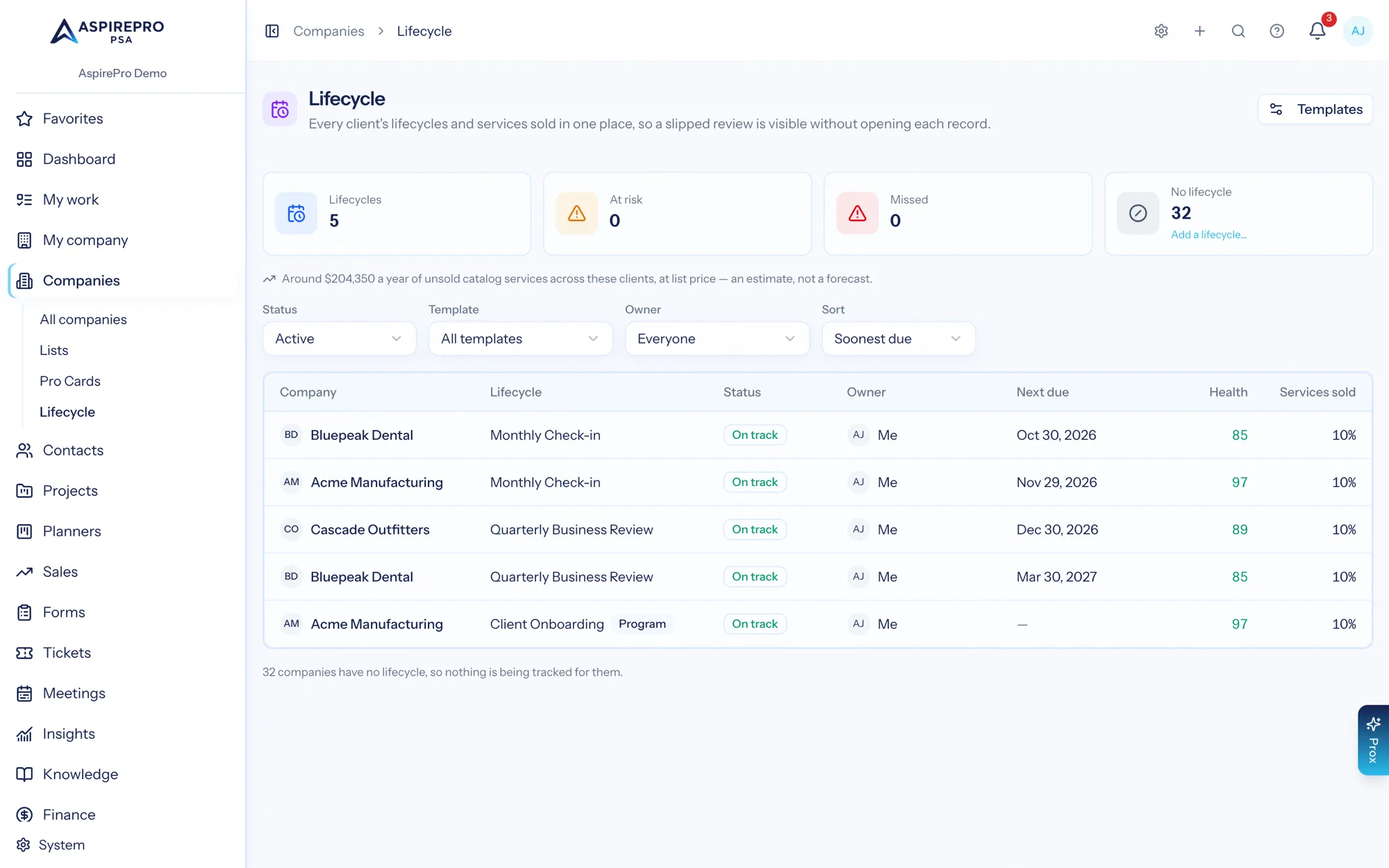
Every client relationship on one screen
Active, at-risk and missed counts across the client base, then every client with its cadence, status, owner, next due date, health score and coverage. It is the Monday-morning screen for whoever owns client relationships.
- Filter by status, template and owner
- Sort by what is due next, lowest health or fewest services sold
- Missed and at-risk periods flagged in place, not in a separate report
A score broken into the parts you can act on
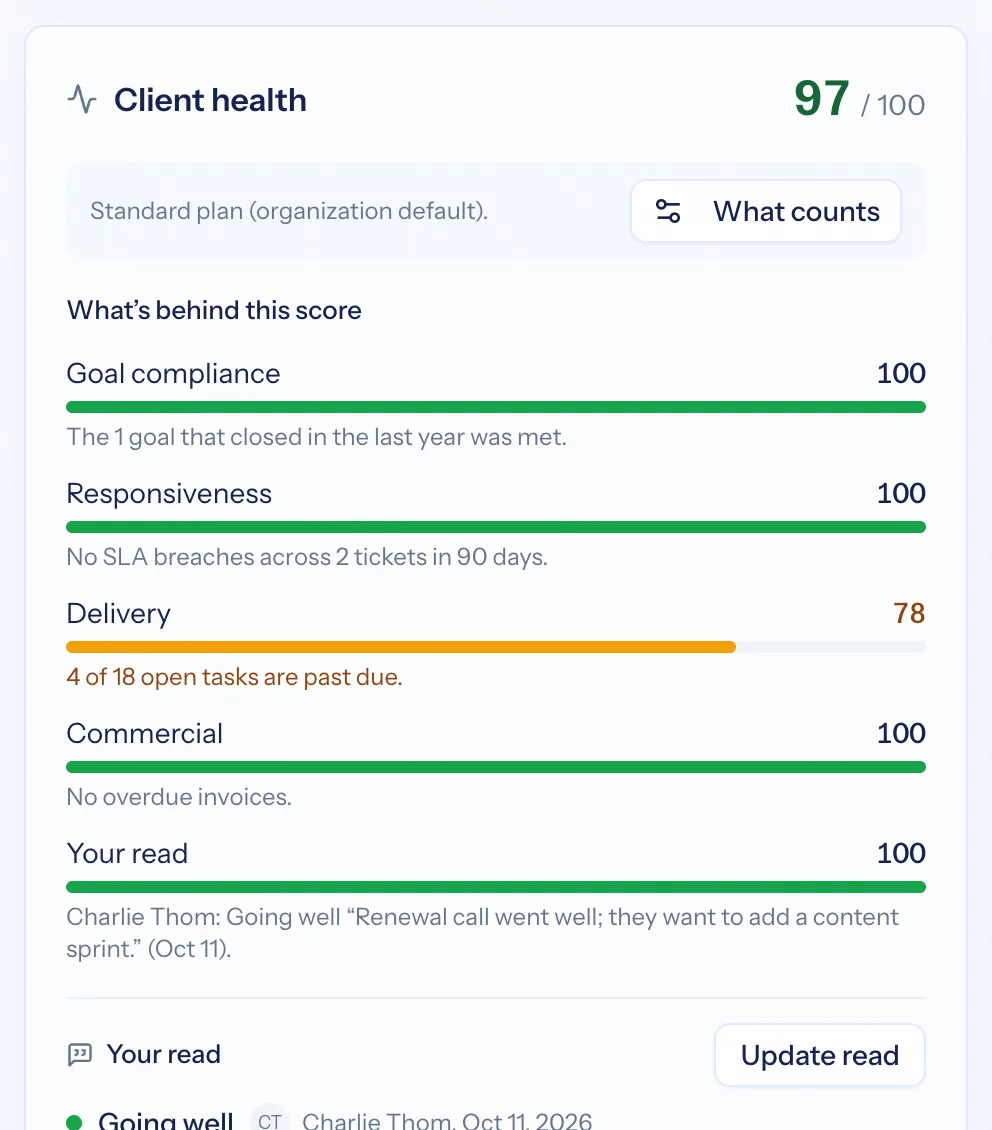
One number is useless if you cannot see why. Health breaks down into goal compliance, engagement, responsiveness, delivery and the rest — each with its own bar and the figure behind it. Beside the score sit plain statements: no tickets in eleven weeks, using one of your six services, an opportunity worth raising.
- Component bars rather than one opaque number
- Coverage against your service catalogue — the natural expansion conversation
- Prompts that name the next action, including creating the opportunity
- Recalculated on demand and on a schedule
- Dormant or former clients can be excluded, so they are never flagged at risk
Define a cadence once, apply it to many
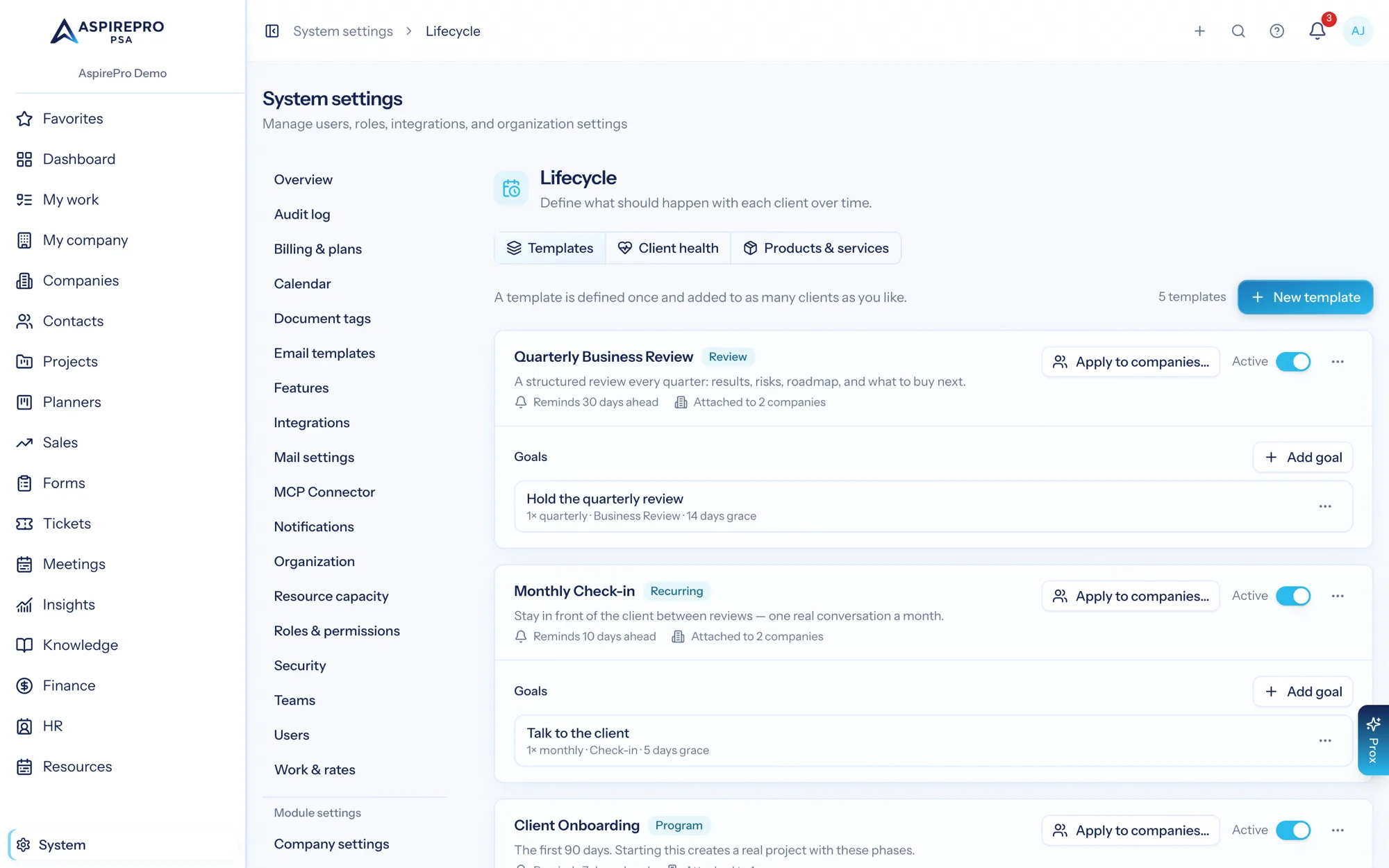
A lifecycle template is a play: a monthly check-in, a quarterly business review, a 90-day onboarding plan, with the goals each period should meet. Apply it to the clients it fits, and every client on it gets its own periods, dates and evidence trail.
- Templates with named phases and goals per period
- Apply to one client or a whole segment
- A service catalogue that defines what "covered" means for your firm
On the client record, next to everything else
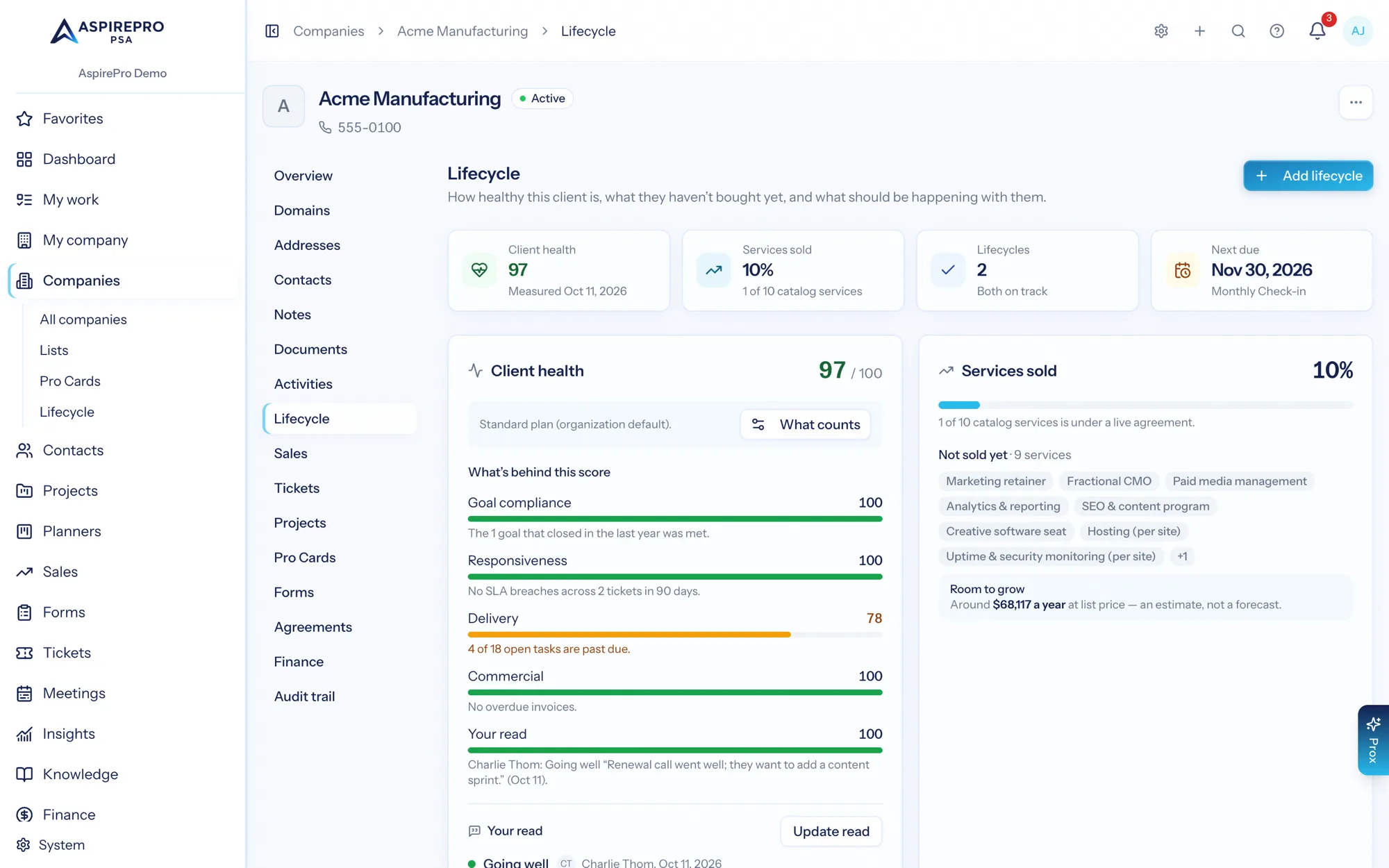
Lifecycle is not a separate tab nobody opens — it sits on the company record beside the deals, projects, tickets, agreements and invoices for that client. Health and coverage are read in the same breath as unbilled work and margin, which is the only way either means anything.
- Health and coverage on the company record itself
- Each period with the activity that covered it
- Attach evidence, add a cadence, or raise the opportunity from the same screen
And the client tells you too
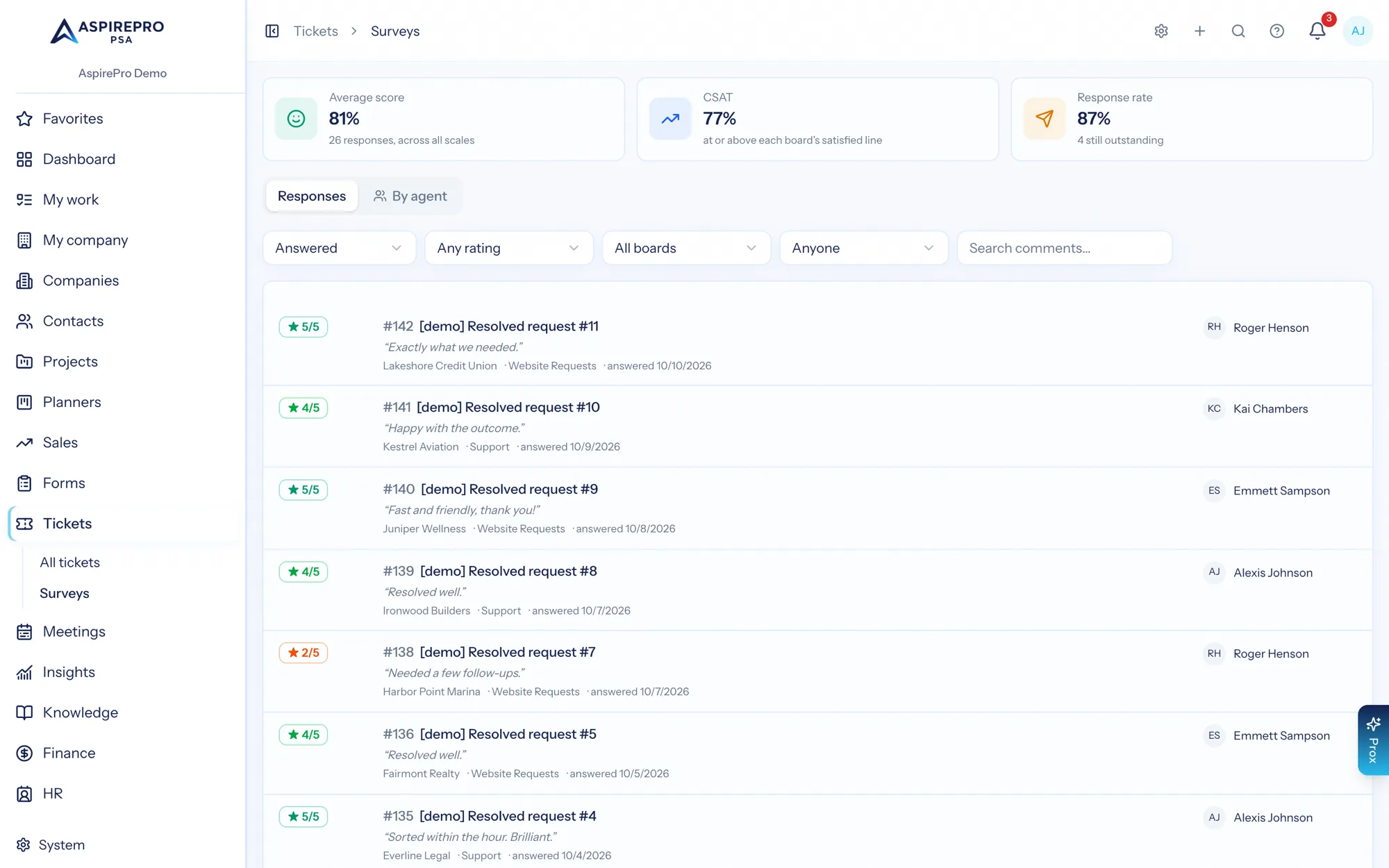
Satisfaction surveys go out when a ticket reaches a status you have flagged, and the answers are recorded against the board, the company and the agent. Health signals plus what the client actually said is a better retention picture than either alone.
- A one-question survey when a ticket closes, per board
- Scores attributed to client, board and agent
- Survey results available as dashboard metrics
Making retention a process
Define the plays
Templates for the cadences you actually run, with the goals each period is meant to achieve.
Assign them
Apply a lifecycle to each client and give it an owner. Periods generate with their dates.
Let evidence pile up
Logged meetings, calls and notes cover periods on their own; anything uncovered stays visibly uncovered.
Work the exceptions
Sort by health, act on at-risk and missed, and raise the expansion opportunities that coverage exposes.
What Client Lifecycle connects to
Nothing here is a standalone tool — each of these reads the same clients, people and permissions.
Frequently asked questions
What is a client lifecycle in AspirePro?
How do you know a check-in really happened?
What goes into the health score?
Is this a customer success platform?
Do I need to switch anything on?
What is service coverage?
Read the documentation
The full how-to for this module, written for the people who use it every day.
Bring your whole services business together
Stop stitching together five tools. Run sales, delivery, support, and billing from one organization — with an AI assistant on every page.