Time that logs itself where the work happened
Log hours on the task, on the ticket, or in the weekly grid, in your own time zone — then bill them, with a manager's approval first or straight from logged time. One system, no export, no month-end reconciliation.
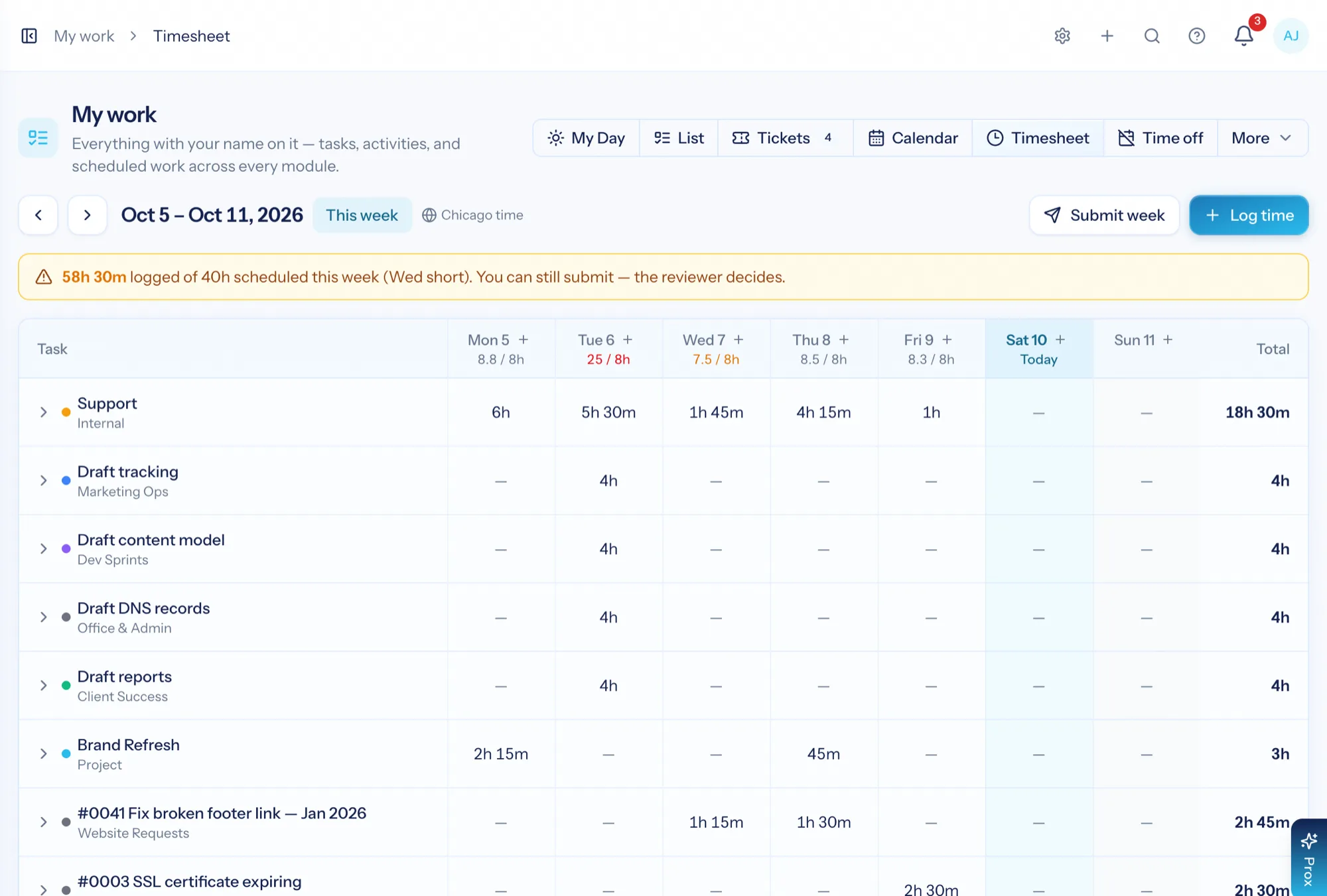
Time tracking software records how long work took and against what. In a services business that record has a second job: it is the raw material for the invoice and the cost side of profitability. AspirePro captures time on the task or ticket being worked, rolls it into a weekly timesheet, and makes the billable portion available to invoice — after approval, or as soon as it is logged, as you choose for each client. One chain, nothing re-typed.
Logged where the work is
On a task, on a ticket, from a timer or the weekly grid — never in a separate time app you have to remember to open.
Reviewed before it bills — if you want
Make approval the gate for the whole firm or just the clients who need it, or bill straight from logged time. Warnings catch long days, overlaps and duplicates as time is saved.
Every hour knows its client
Every entry carries its client and work item, so budgets, busy-ness and margin all read from the same rows.
A weekly grid people will actually fill in
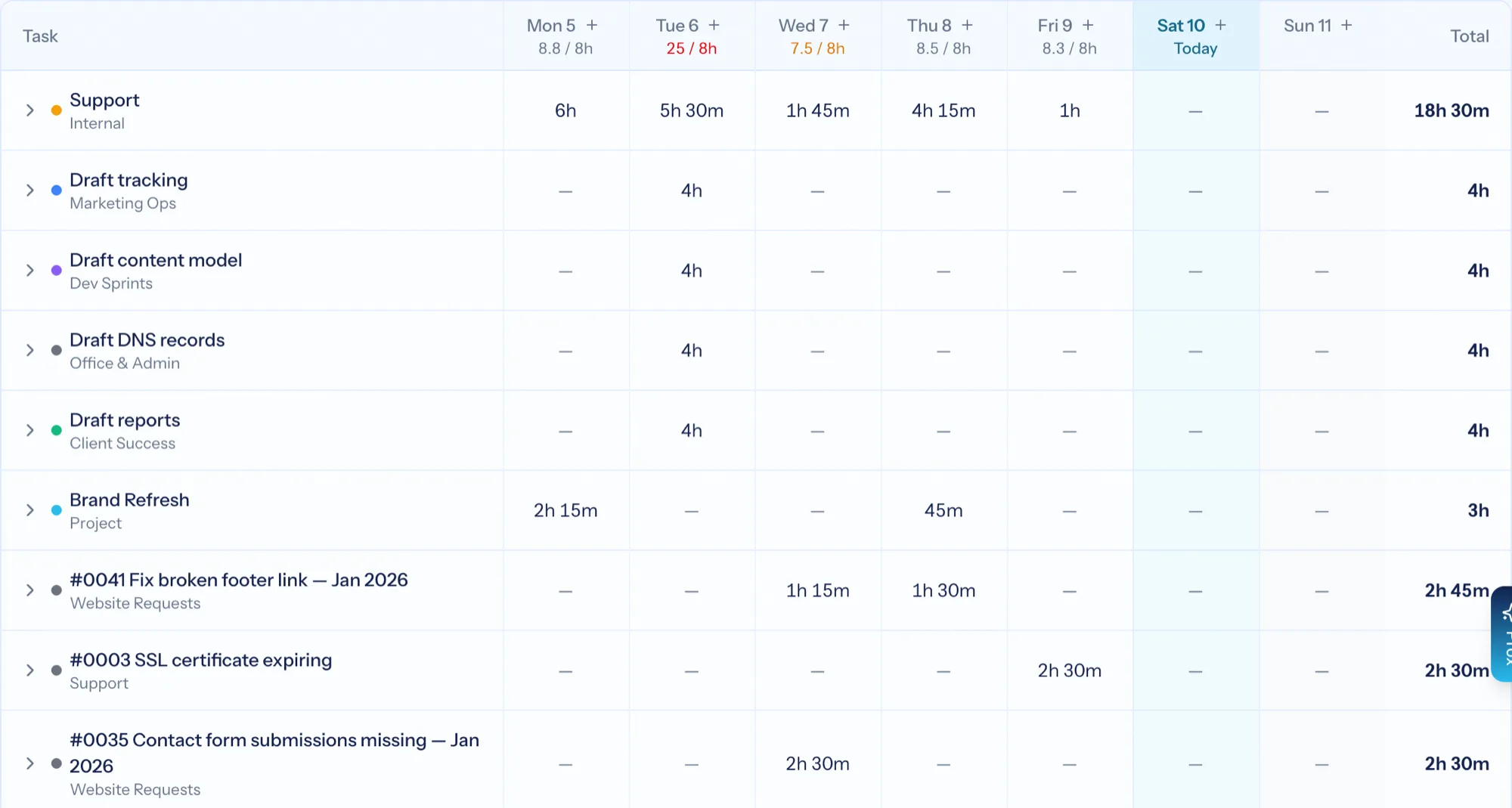
One row per piece of work, one column per day, totals down the side. It shows what timers and tickets already captured, flags the days that fall short of your scheduled hours, and lets someone finish the week in a couple of minutes rather than reconstructing it from memory. Times are typed and shown in your own time zone, and every report counts the day you actually worked.
- Rows filled in from the tasks and tickets you actually worked
- A running total against scheduled hours, with a warning when the week is short
- Warnings, never blocks, for a day over 16 hours, overlapping times, a likely duplicate or a future date
- Add a row for anything unplanned, with client, work item and a billable tick
- Submit the week in one action once it balances
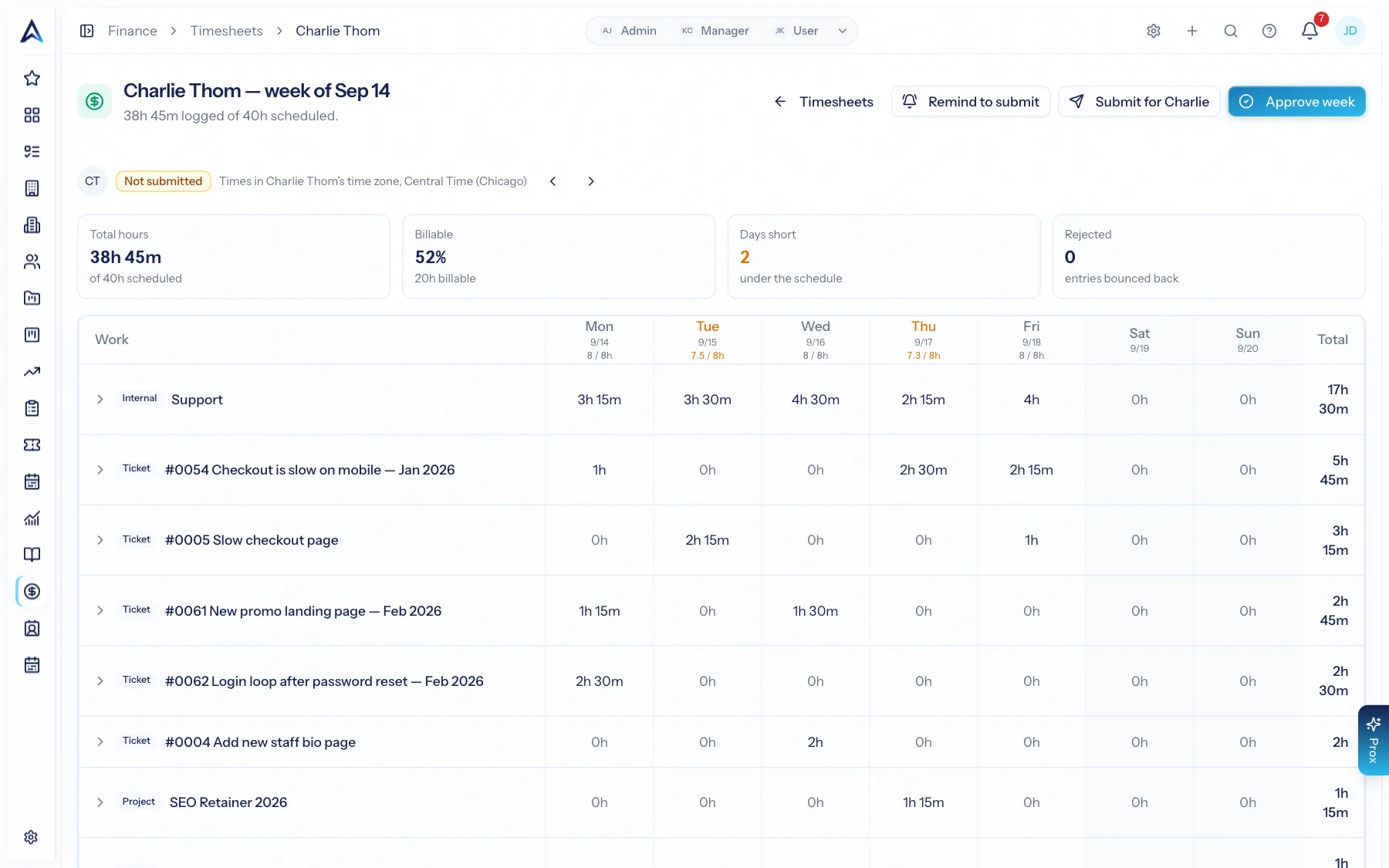
Approval where you need it — your call, per client
Finance shows everyone's weeks on one grid, a row per person and a column per week, the ones nobody submitted included. A manager can approve a week, send it back with a reason, submit it for someone or send a reminder. Whether approval gates billing is a setting: approved time only, or any logged time, for the whole firm — and any client can have its own rule on its Finance tab.
- Everyone's weeks on one grid, with the missing ones easy to spot
- Approve, request changes with a reason, submit on someone's behalf, or send a reminder
- Approved time only, or any logged time — set for the firm, overridden per client

See exactly what was worked before you approve it
Open a week and it breaks down by day and by work item: which ticket, which project, how long, billable or not, with the times shown in that person's own time zone. Approving is a judgement made on detail, not on a total.
- Per-day, per-item breakdown with the source record linked
- Billable and non-billable separated on the same screen
- Long days, overlaps, likely duplicates and future dates flagged
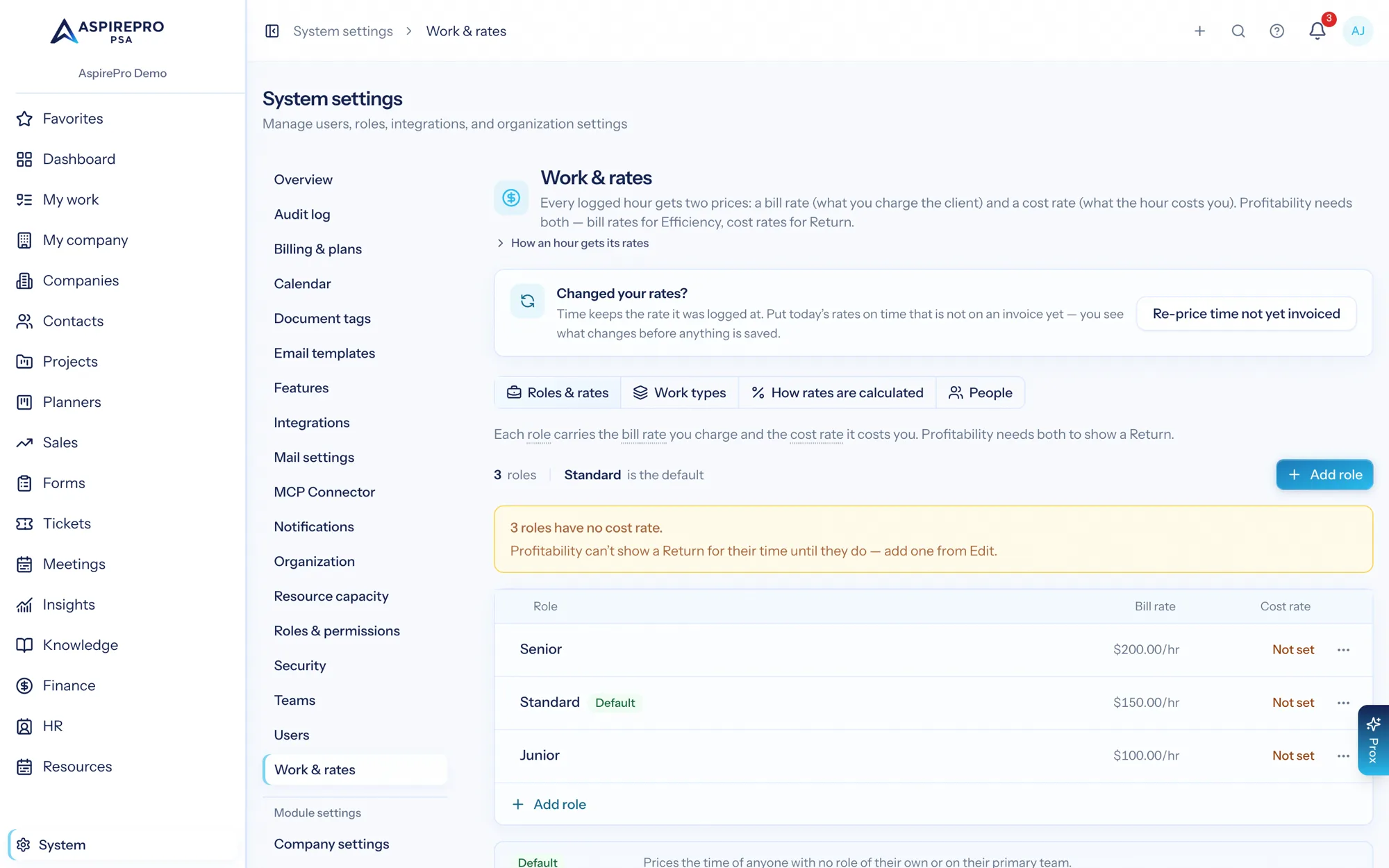
Hours meet budgets and rates
Time logged against a project rolls up on its Time tab against the project budget. Rates come from a rate table — by role, by kind of work, or negotiated per agreement — so the same hour prices correctly for the client it belongs to, and costs correctly for margin. Every entry remembers where its rate came from, and after a rate change you can re-price the time that hasn't been invoiced yet.
- Budget used and hours remaining on the project record as work happens
- Bill rates by role and kind of work; an agreement's negotiated rates always apply to its client
- Each entry shows where its rate came from — personal, agreement, role, or set by hand
- Re-price time not yet invoiced after a rate change, with a before-and-after preview
- Cost rates per person feed the labour cost in profitability
From an hour worked to an hour billed
Log it in place
Start a timer on a task, tick "log time" while replying to a ticket, or fill in the weekly grid.
Submit the week
The grid shows what is captured and what is missing against your scheduled hours. Submit when it balances.
Get it approved — if you want
A reviewer approves, or sends it back with a reason. Make approval the gate to billing for the firm or per client — or bill straight from logged time.
Bill it
Billable time is pulled onto the client's next invoice — approved time only, or any logged time, under that client's rule.
What Time Tracking connects to
Nothing here is a standalone tool — each of these reads the same clients, people and permissions.
Frequently asked questions
How does time tracking work in AspirePro?
Is there a timer, or only manual entry?
What stops incorrect time from being billed?
How are billing rates decided?
What if my team works in different time zones?
Can I see whether a project is over budget?
Do you support non-billable time?
Which plans include approvals and invoicing?
Read the documentation
The full how-to for this module, written for the people who use it every day.
Bring your whole services business together
Stop stitching together five tools. Run sales, delivery, support, and billing from one organization — with an AI assistant on every page.