Know who is free next month before you promise the work
A live picture of capacity against booked work — built from real schedules, approved time off, project bookings and open tickets, not a spreadsheet someone updated last month.
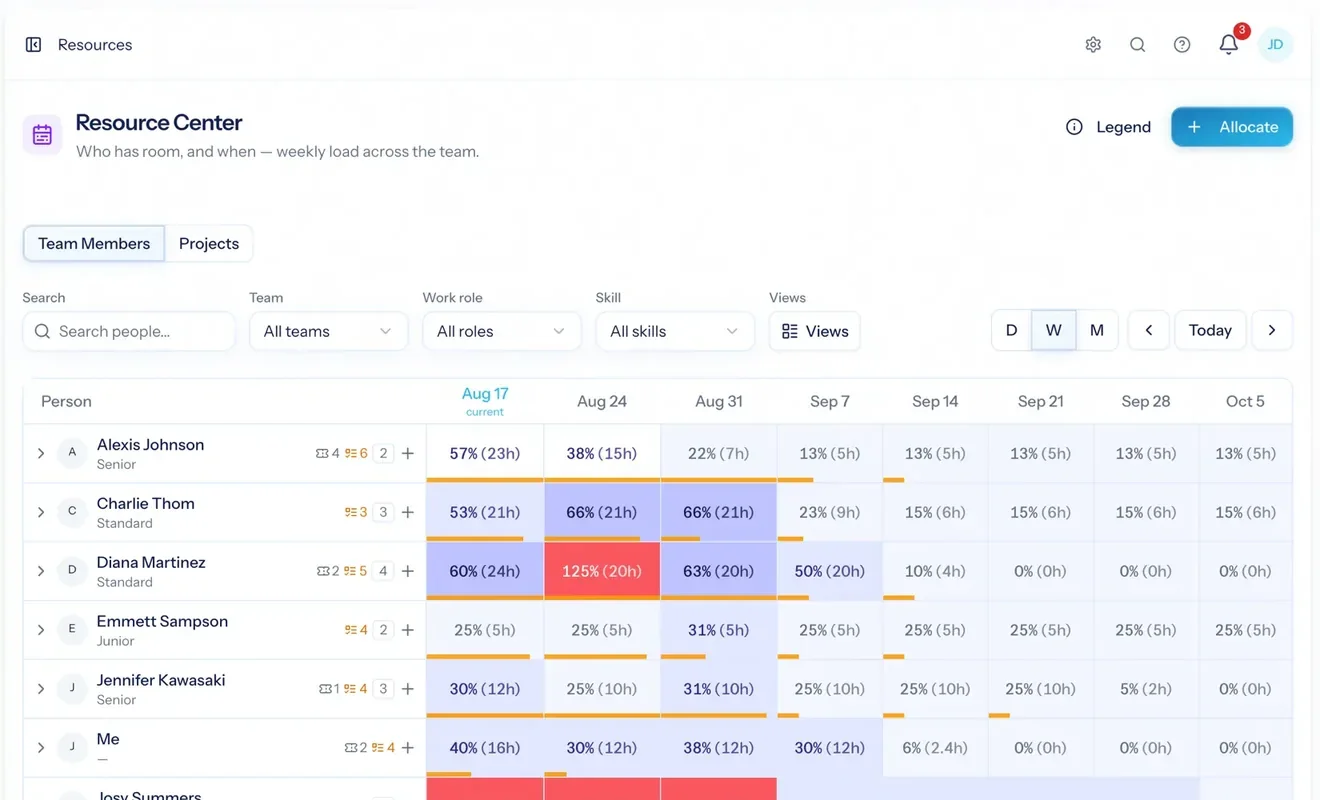
Resource management software answers the question every services business asks before saying yes: who is available, and when? It works out each person's real capacity, subtracts what is already booked, and shows the gap across the weeks ahead — so staffing decisions stop being a guess made in a Monday meeting. Utilization — the share of a person's available hours that is booked or billable — comes from the same picture.
Not a headcount guess
Availability comes from each person's working schedule, minus holidays and approved time off — then minus what is already booked.
You see the crunch coming
Cells shade by load and turn red past capacity, so next month's overload is visible this month.
Billable time, bench time, what's unstaffed
How busy people are against target, work with nobody booked on it, and idle time — in one report, by person and by role.
Everyone, every week, at a glance
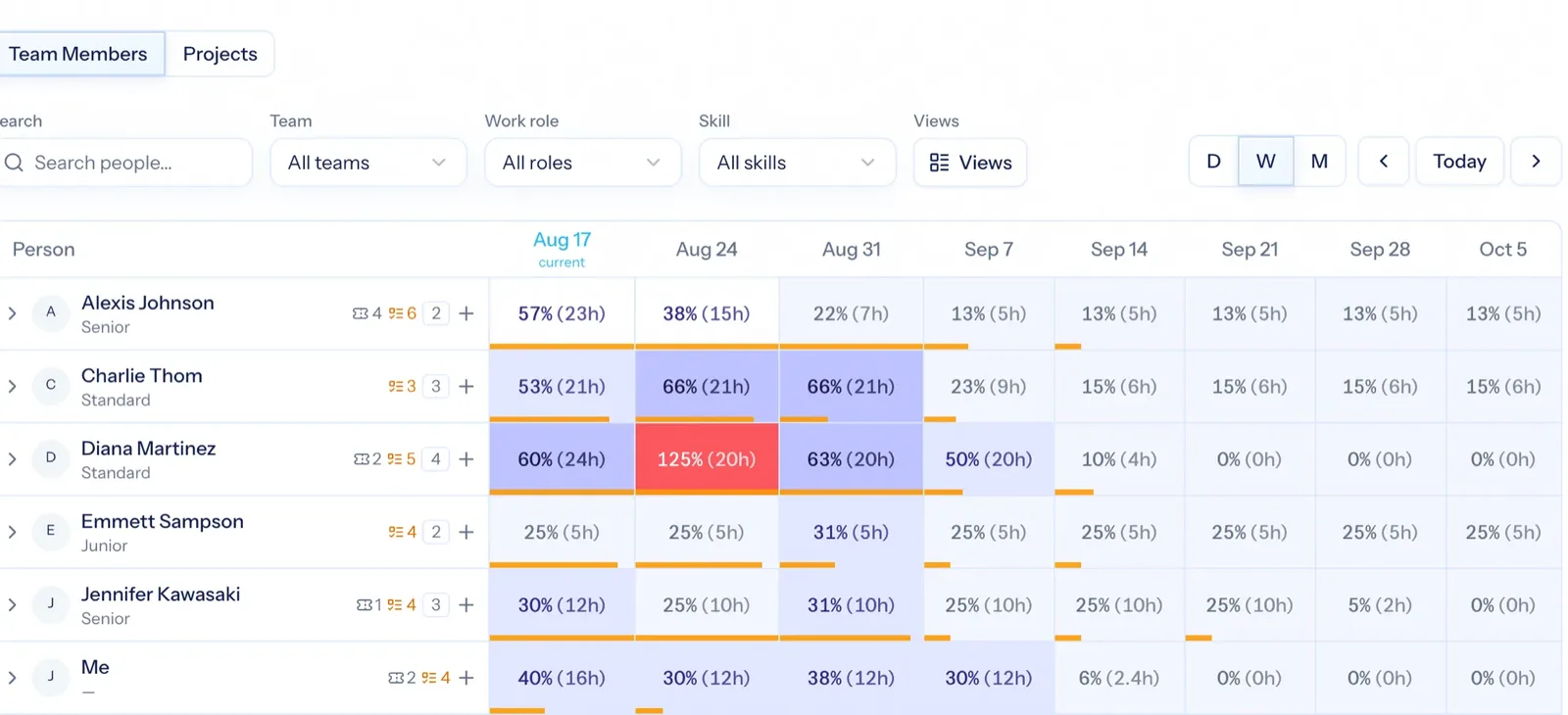
Each row is a person, each cell a period, shaded by how booked they are and red when they are over. Expand a row to see the individual bookings as weekly bars — tentative ones striped, so a provisional plan never masquerades as a commitment. Zoom between day, week and month; filter by team, role or skill.
- Load shown as both hours and a share of capacity
- Tentative bookings drawn striped, separate from committed work
- Filter by team, role or skill to answer "who can do this, and when?"
- Open ticket load counts too, so support demand is never invisible to planning
The same weeks, from the project's side
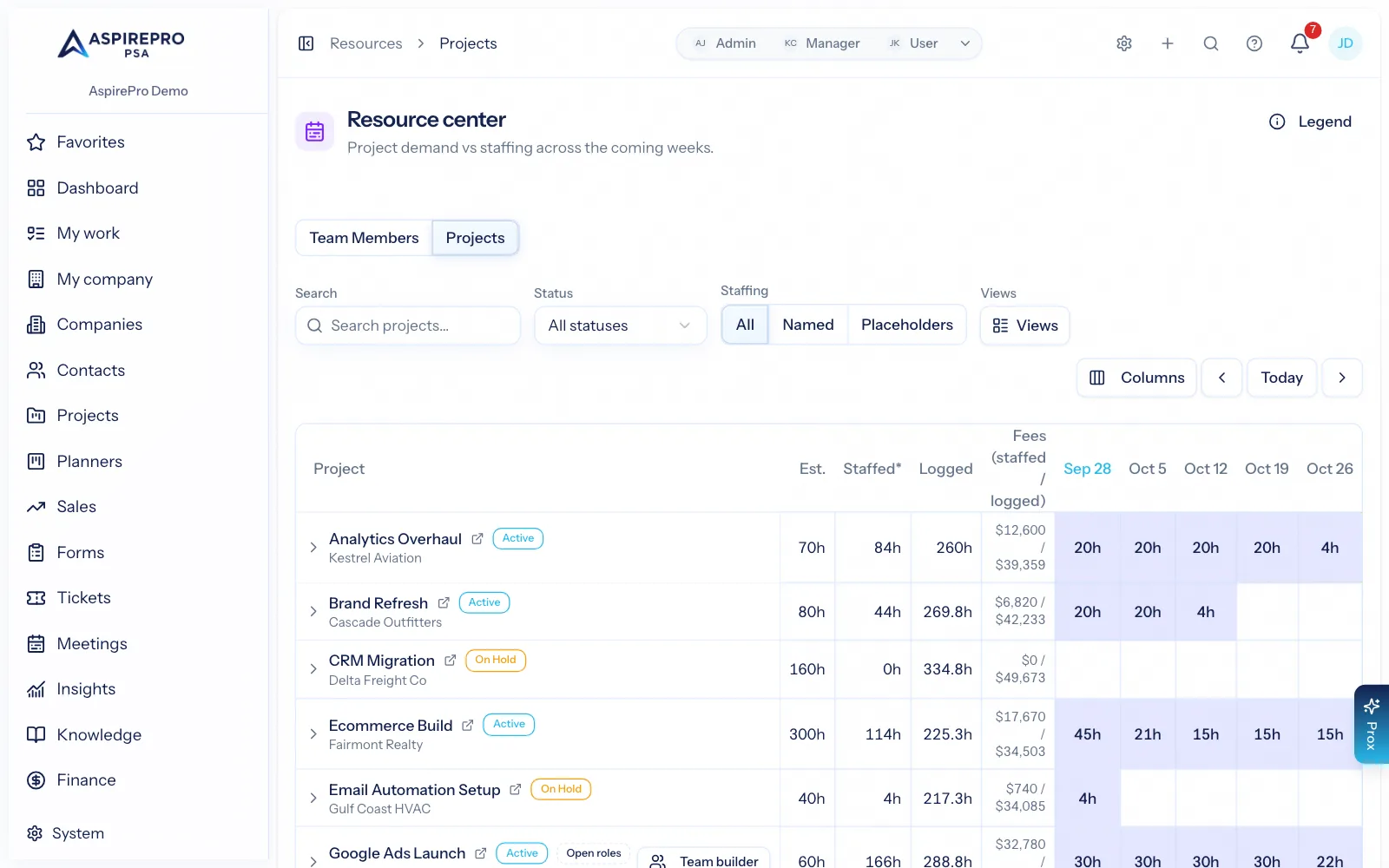
Switch to Projects and you see demand rather than supply: what each project needs, how much of it is staffed, how much has actually been logged, and which projects still have roles nobody is booked against.
- Planned, staffed and logged hours per project per week
- Open roles shown so unstaffed work cannot quietly slip
- Estimated and logged fees alongside hours, where your permissions allow
The screen to open before you ask someone to take on more
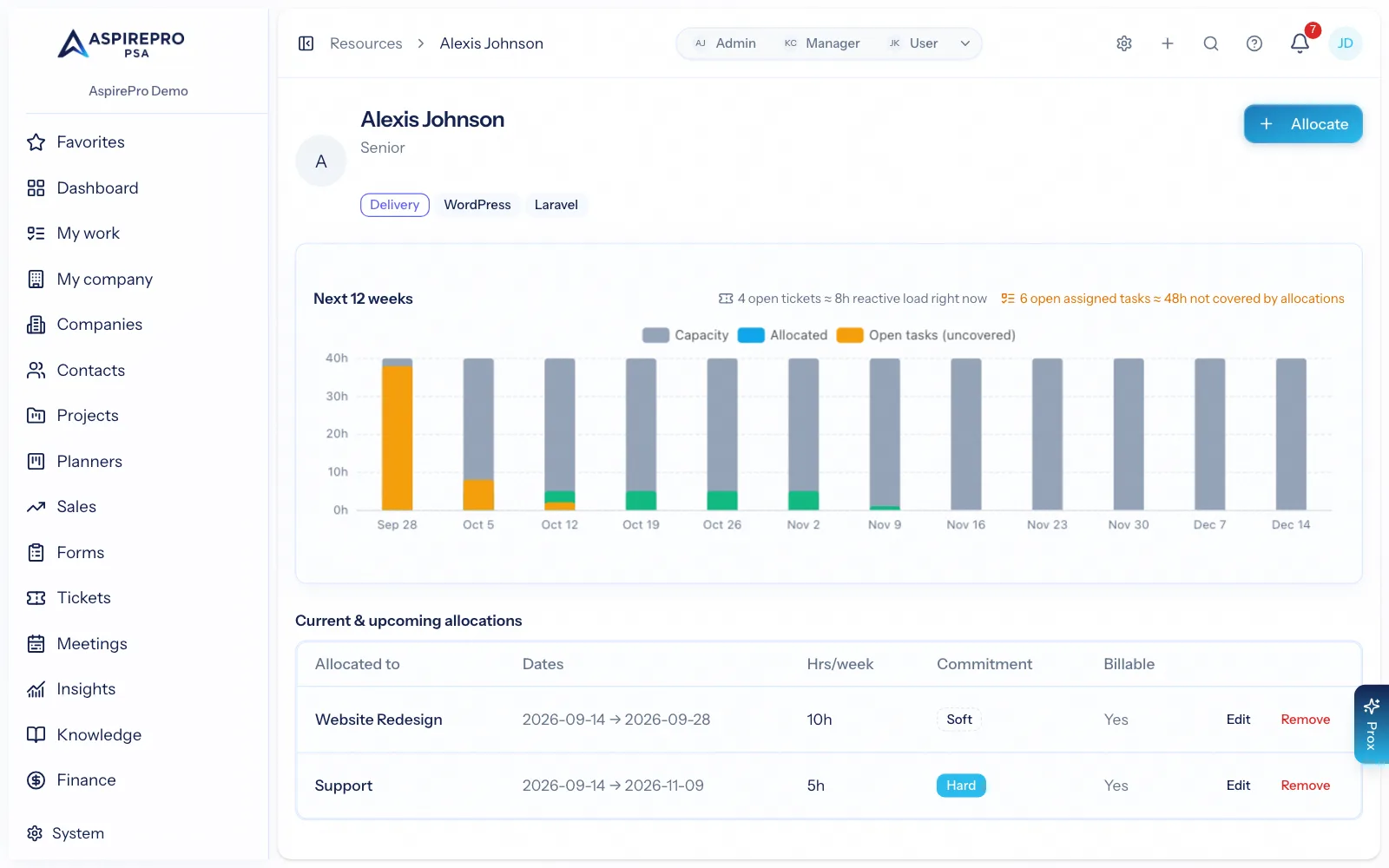
Click into anyone for a twelve-week picture: capacity against bookings against logged time, their current and upcoming work, approved time off, ticket demand and skills.
- Twelve weeks ahead of capacity, bookings and actual hours
- Their skills and role, so the ask is a fit and not just a free slot
- Approved time off already deducted — no accidental holiday bookings
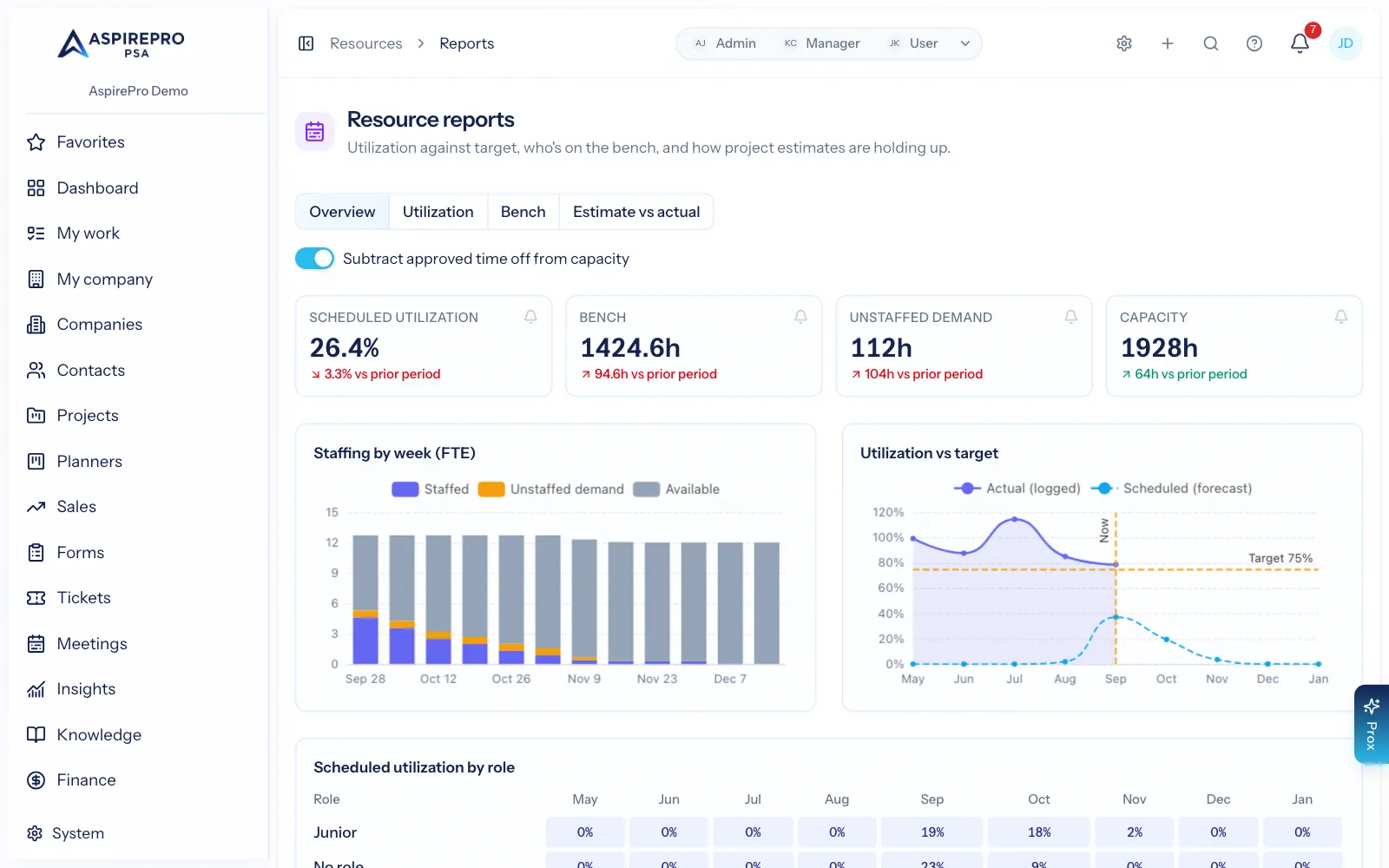
The report a services business runs its month on
Billable hours against target, work with nobody booked on it, idle hours and total capacity — with the trend plotted against your target over time and broken down by role.
- Billable share of hours measured against the target you set
- Unstaffed demand in the weeks ahead — the number that predicts a hiring conversation
- Booked share by role, so you can see which discipline is the bottleneck
- Count approved time off toward capacity or not — your choice
- Booked vs logged shows, per person and week, how much of what they were booked on they actually delivered
Ask for people, and choose them by skill
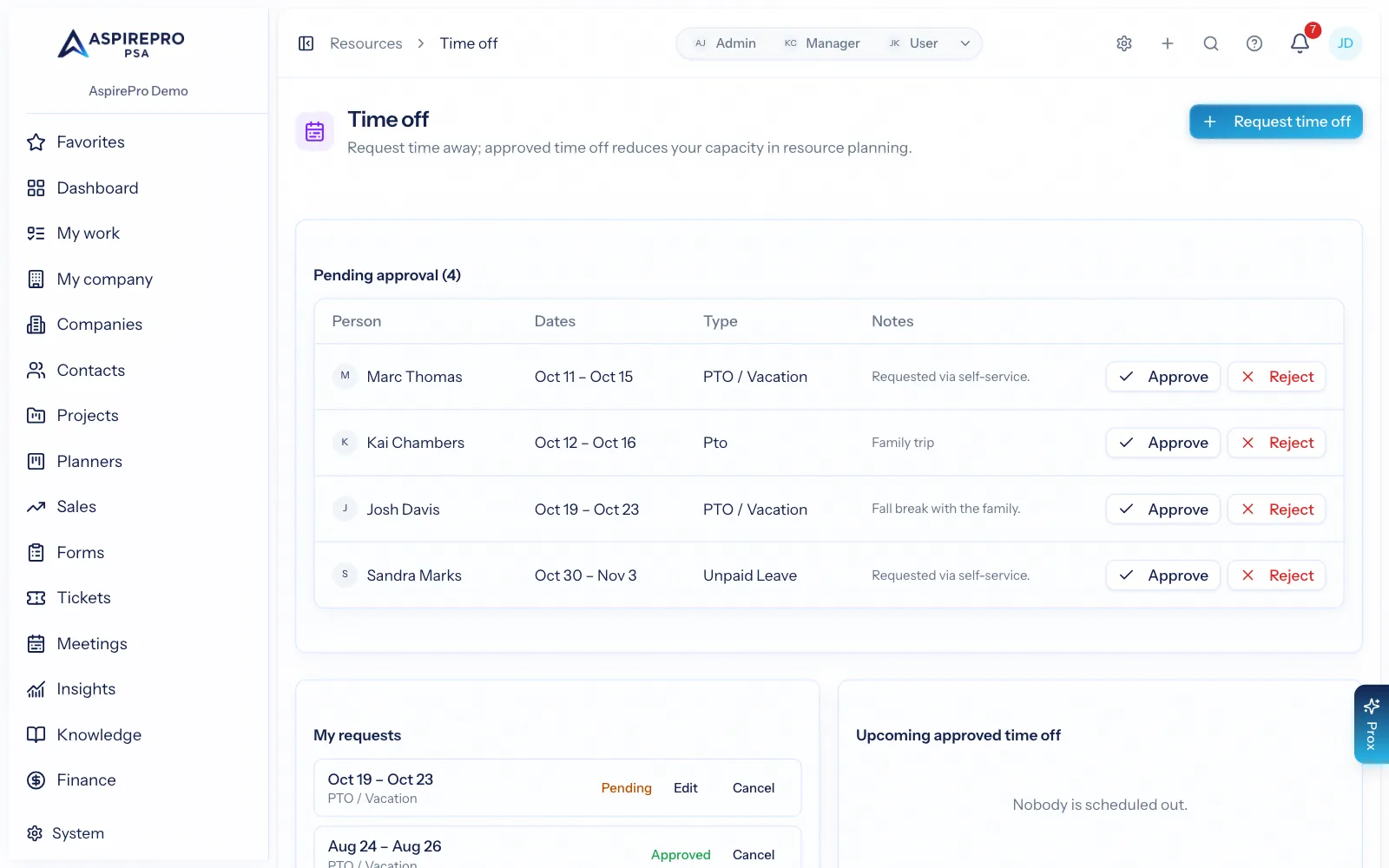
Staffing requests let a project lead ask for a role rather than chase individuals in chat. Team Builder ranks candidates for a project's open roles by skills, role and availability, with cost as an optional weight, so the shortlist can be defended. Time-off requests and approvals live in the same place, because they are the other half of capacity.
- Staffing requests with role, skills, hours and dates — tracked, not sent as a DM
- Team Builder ranks who could do it and when they are free, with cost as an optional weight
- Time off requested and approved here, and reflected in capacity immediately
How capacity gets real
Set the inputs
Working schedules, holidays, skills and work categories. This is where capacity comes from.
Book the work
Book people (or placeholder roles) onto projects for the weeks you need them — firm or tentative.
Watch the heatmap
Overload shows red weeks before it happens, and unstaffed demand shows what still needs a person.
Run the numbers
Billable share against target, idle time and the forecast — the figures behind hiring and pricing decisions.
What Resource Management connects to
Nothing here is a standalone tool — each of these reads the same clients, people and permissions.
Frequently asked questions
What is resource management software?
Where does capacity come from?
What is the difference between a firm and a tentative booking?
Can I plan for roles I have not hired yet?
How do you measure how busy people are?
Does it help me choose who to staff?
Read the documentation
The full how-to for this module, written for the people who use it every day.
Bring your whole services business together
Stop stitching together five tools. Run sales, delivery, support, and billing from one organization — with an AI assistant on every page.