One record per client that every team works from
Open a company and see the whole relationship — what you sold, what you are delivering, what broke last week, what they owe — because every module writes to the same record.
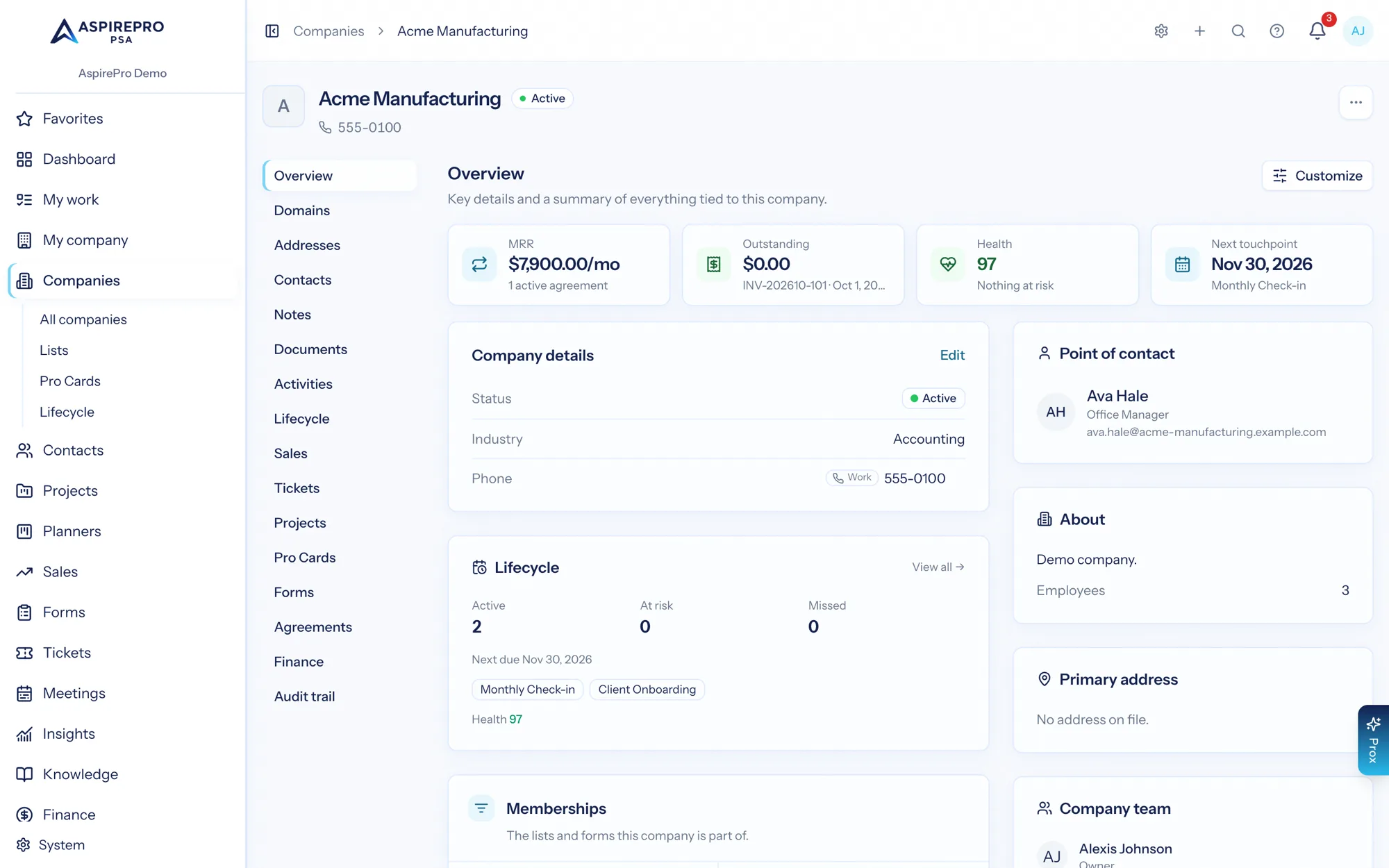
Client management software keeps the companies and people you work with in one trusted record. What separates a contact list from a client record is what attaches to it: in AspirePro a company carries its deals, projects, tickets, agreements, invoices, documents, meetings and health — so nobody has to assemble the picture from four systems before a call.
The foundation, not an add-on
Companies and contacts are the core of the platform. Every other module points at them, whichever ones you switch on.
Keep the details the software never had a field for
Pro Cards are typed, custom record cards — hosting details, equipment, site specs, credentials — attached to any company.
Know which clients are drifting
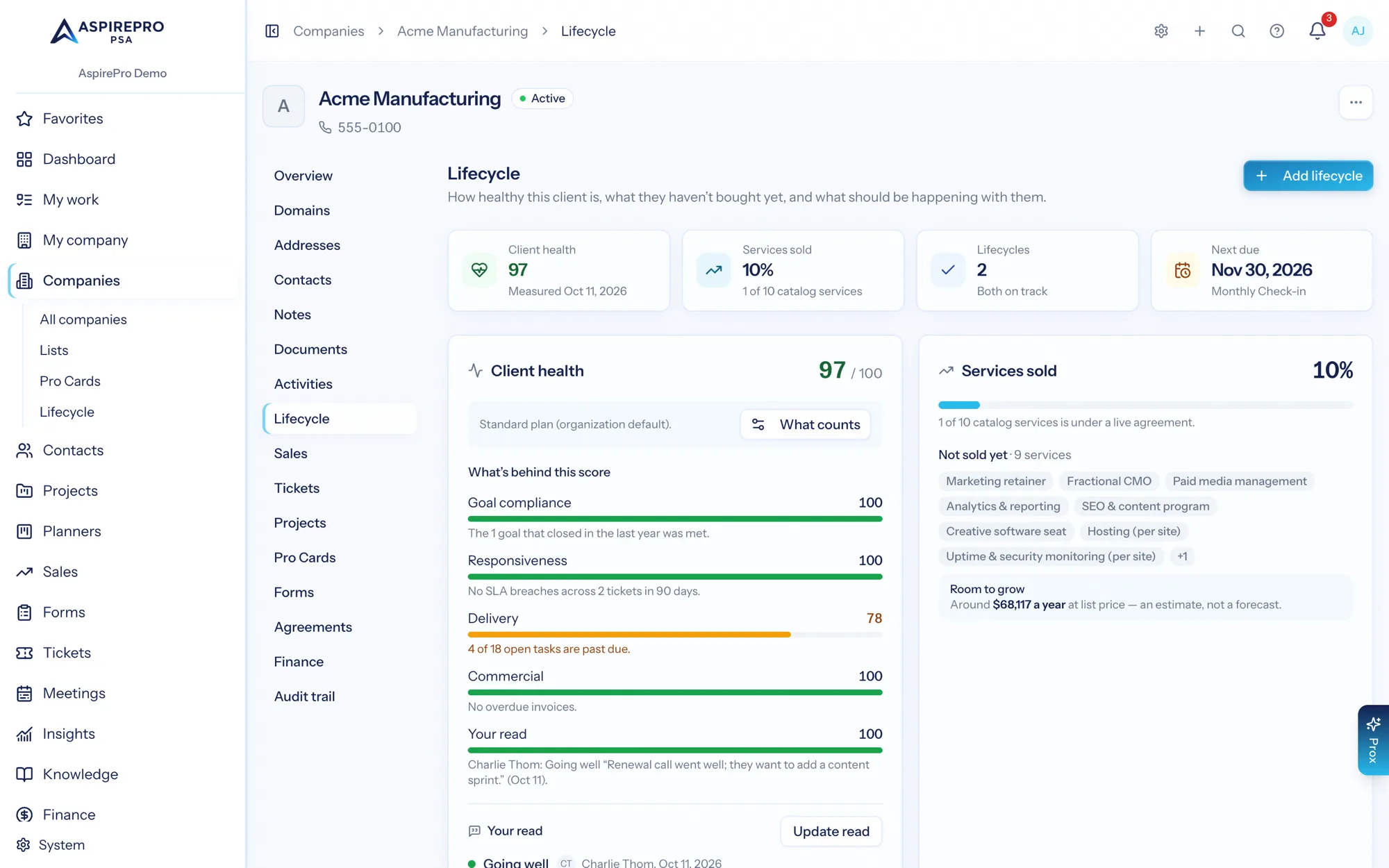
Lifecycles define the check-ins each client is owed and show which are covered; a health score rolls the signals together.
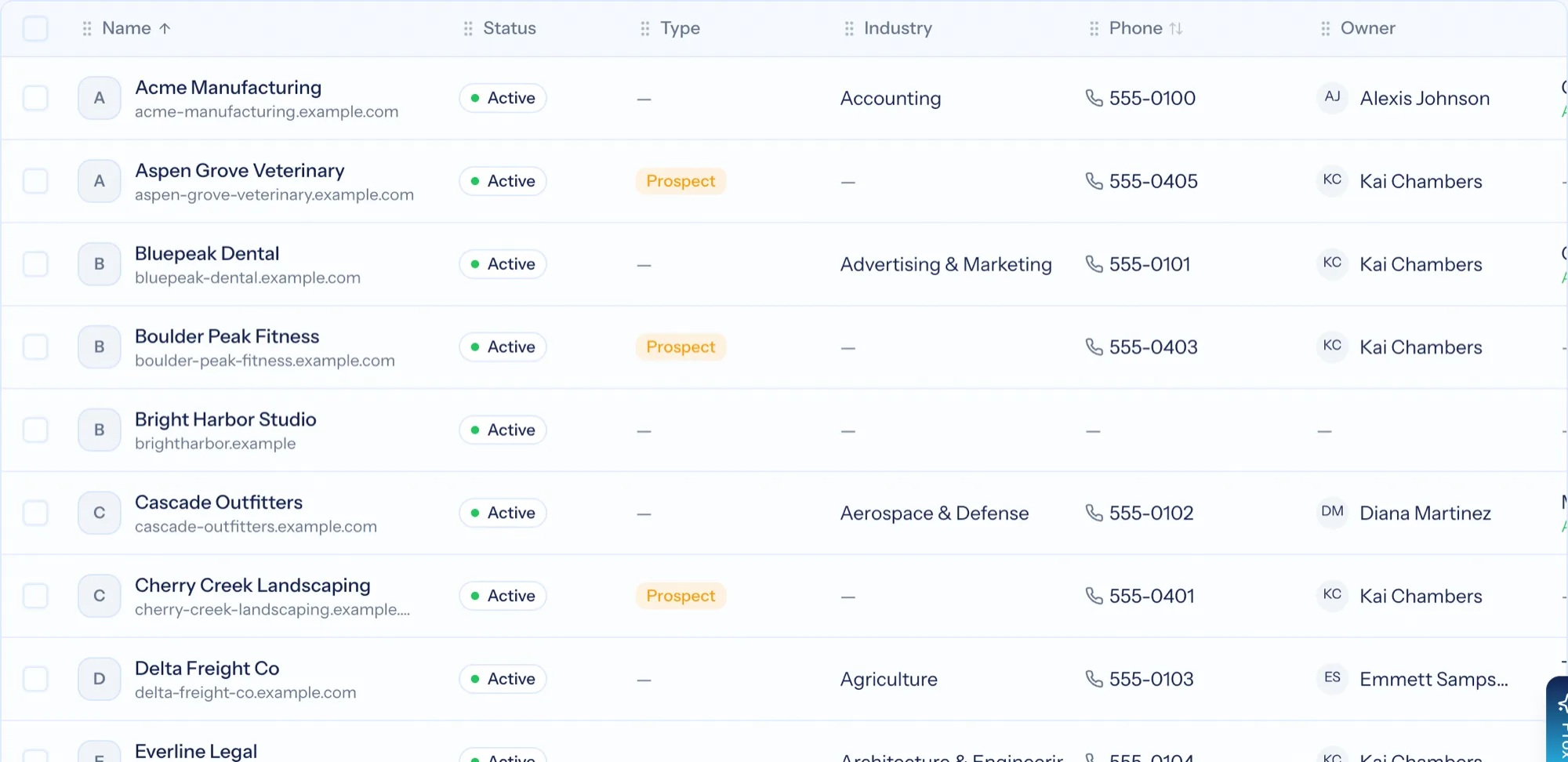
A client list you can actually work
Filter and sort by status, type, industry, owner and tags; save the segments you use every week as views; and act in bulk — change status, reassign owner, tag, archive or open deals from a selection. Import from CSV or Excel with duplicate detection, and export whatever you have filtered to.
- Saved views, with a default per person
- Bulk status, owner, tag and archive actions
- Guided CSV and Excel import with duplicate detection and column mapping
- Scoped export, run in the background when the selection is large
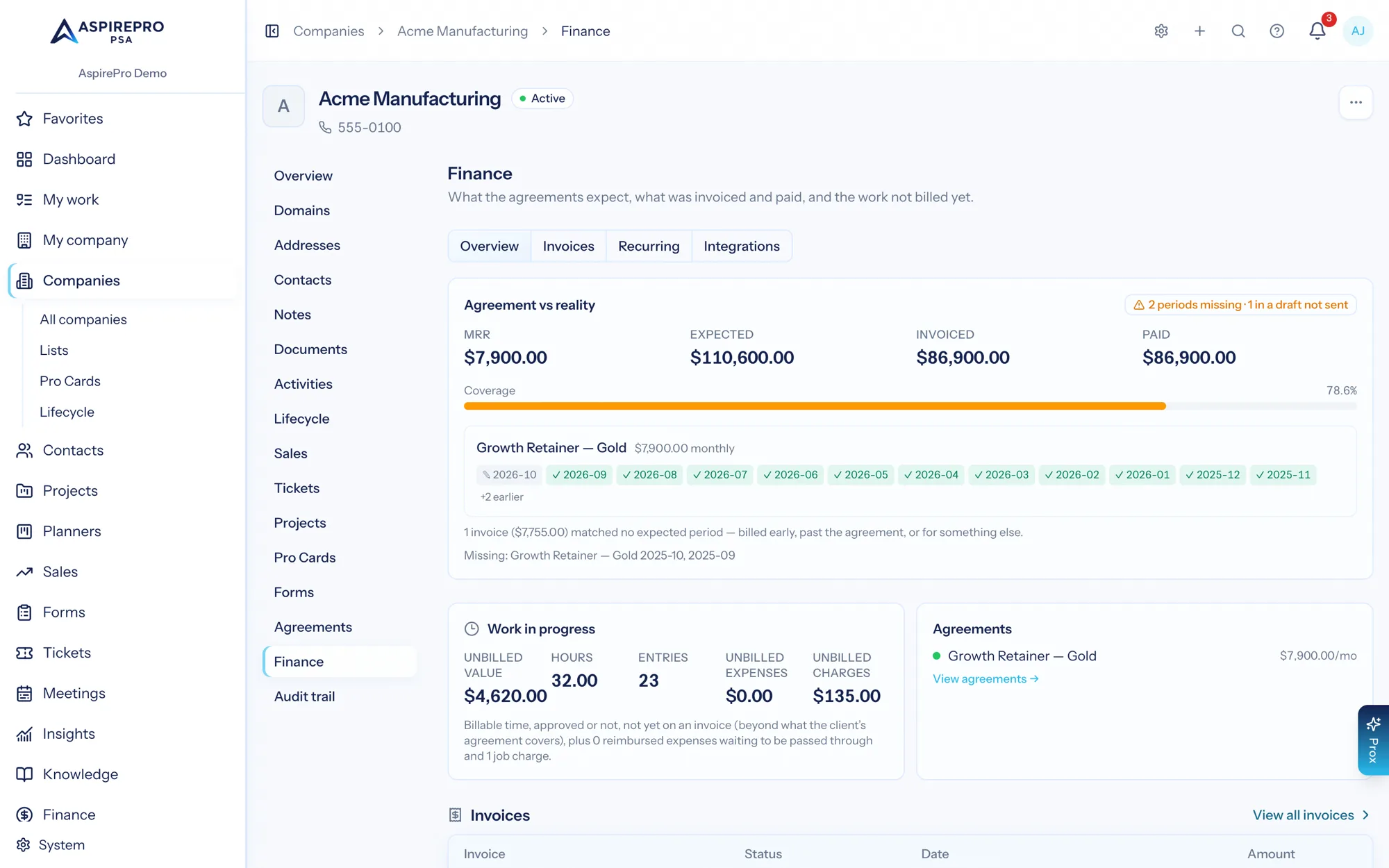
Everything about the client, gathered in one place
Overview, domains, addresses, contacts, documents, activities, lifecycle, sales, tickets, projects, Pro Cards, agreements, finance and the change history — every tab fed by the module that owns it. The finance tab alone shows the agreement against what actually happened, work in progress, every hour logged for the client from not submitted to invoiced, and every invoice.
- Deals, projects, tickets and invoices for the client, in one place
- Documents and addresses on the record rather than in a shared drive
- The account team and point of contact, so the right person is obvious
- A full history of what changed and who changed it
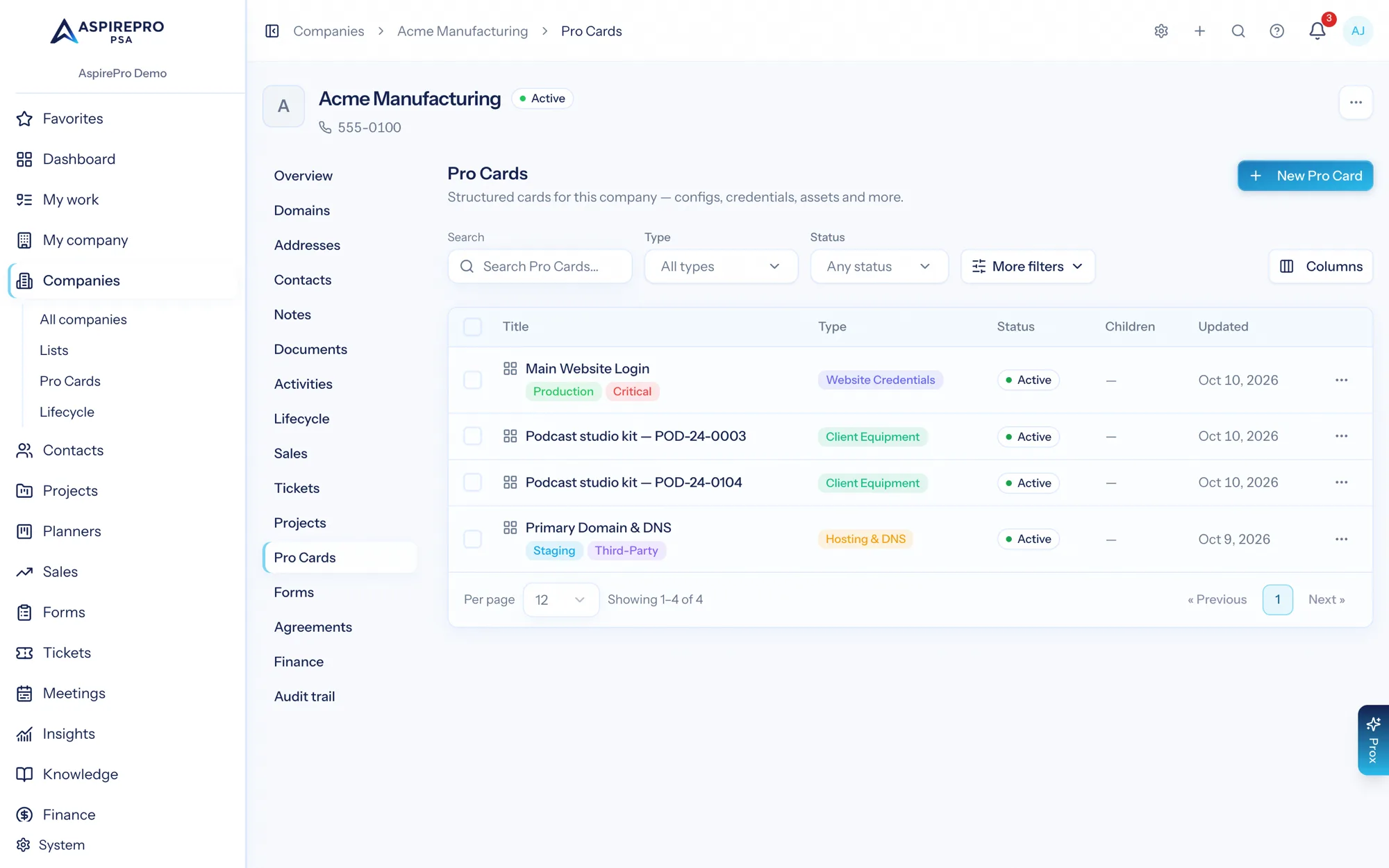
The details your business keeps, with real structure
Every services firm tracks something the software never shipped a field for — hosting stacks, DNS records, equipment, site specifications. Pro Cards are typed, custom record cards you design with a field builder, attach to a company, tag, relate to each other and search across.
- Design card types with your own fields, then create cards from them
- Parent and child relationships between cards
- Tags, filters and bulk actions across all cards
- Link a card to the tickets that concern it
The check-ins you promised, actually tracked
A lifecycle is a cadence — a monthly check-in, a quarterly review, an onboarding plan — assigned to a client, with periods that are either covered by real evidence (a logged meeting, a note) or visibly not. Client health rolls the signals together, so the account nobody has spoken to in ten weeks stops being invisible.
- Templates for the cadences you run, applied per client
- Coverage proven by real activity rather than a tick box
- At-risk and missed periods shown across the whole client base
- A health score per client, from cadence coverage and other signals
People, and the lists you group them into
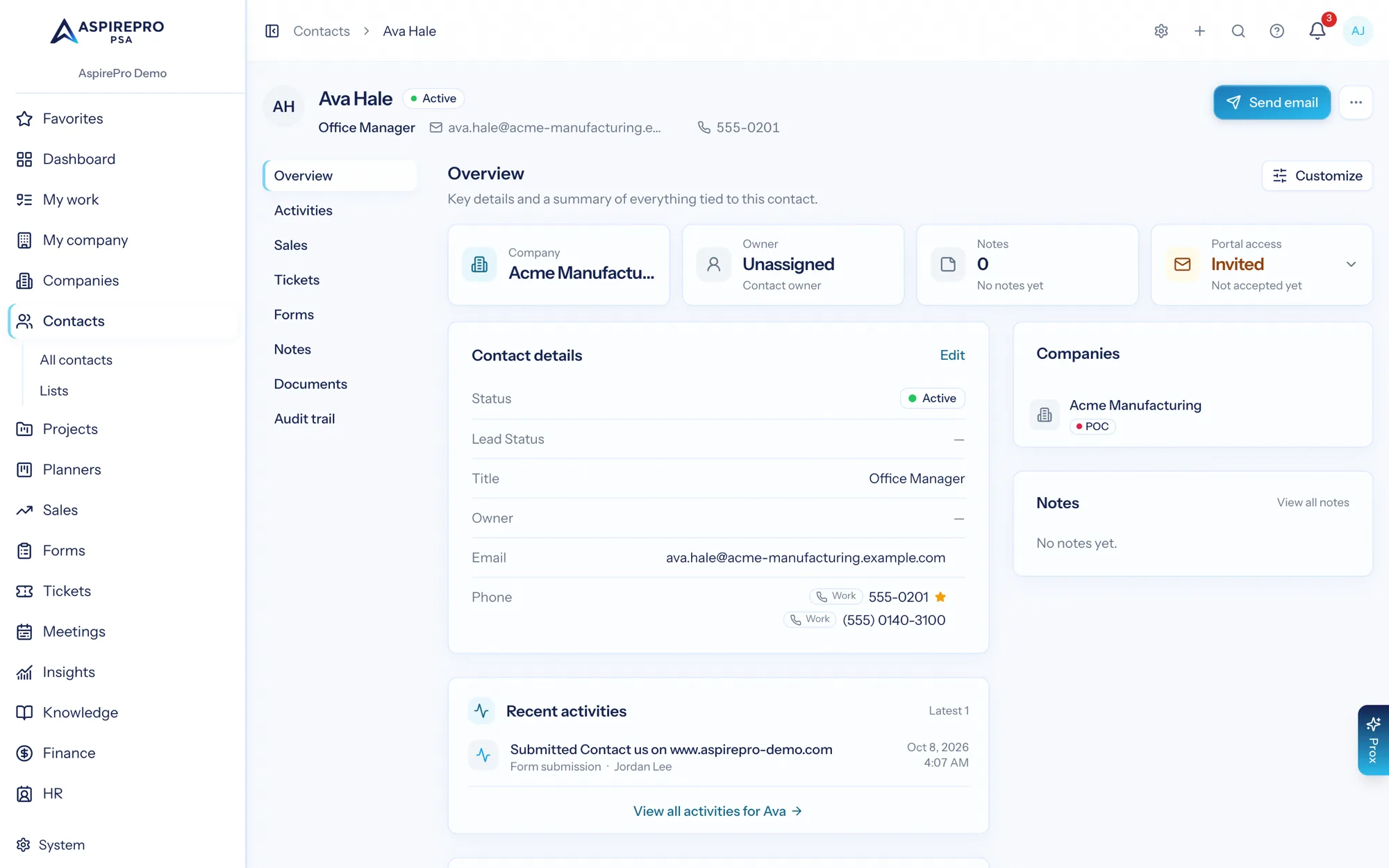
Contacts belong to companies (sometimes several), carry their own record with activities, documents, notes and tickets, and can be given client-portal access from the same screen. Lists group companies or contacts either by hand or by rule, and rule-based lists keep themselves up to date.
- A contact can belong to more than one company, with a title per relationship
- Lists you curate, or lists defined by criteria — with rules that fire as people join or leave
- Give a list the Outbound purpose and it becomes a call-and-email block worked from one screen
- Several phone numbers per person, with the default every screen dials
- Portal access granted from the contact record
- HubSpot sync keeps companies and contacts aligned when you sell elsewhere
Getting your client data in shape
Import what you have
CSV, Excel or a HubSpot pull — with column mapping and duplicate detection, so you don't import the mess twice.
Shape the categories
Statuses, types, industries and tags set up to match how you actually segment clients.
Add what the app never had a field for
Design Pro Card types for the details you track, and attach them to the clients they belong to.
Let the record fill itself
From then on every deal, ticket, project and invoice lands on the client record without anyone filing it.
What Client Management connects to
Nothing here is a standalone tool — each of these reads the same clients, people and permissions.
Frequently asked questions
What is client management software?
Can I add custom fields?
How do saved views work?
What is a lifecycle?
Can I import my existing client list?
Can a contact belong to more than one company?
Read the documentation
The full how-to for this module, written for the people who use it every day.
Bring your whole services business together
Stop stitching together five tools. Run sales, delivery, support, and billing from one organization — with an AI assistant on every page.