Ask your business a question and get the answer
Prox sits on every page with your real data behind it — the clients, tickets, projects, hours and invoices — and answers in plain English, or does the thing, with your permissions enforced on every request.
Most AI assistants are a chat window bolted onto a product: they can talk about your data only if you paste it in. Prox is the other kind. It runs inside AspirePro with hundreds of actions over the real records, so “which clients give us the poorest return?” is a question it can actually answer — and “create the follow-up ticket” is an action it can actually take, after you say yes.
Answers, not guesses
Prox reads the live records — deals, tickets, hours, return on time — rather than a summary someone pasted in.
Checked on every request
Prox can only reach what your role allows. Asking it nicely does not widen your access.
It asks before it changes anything
Anything that changes data is shown to you first. Nothing is created, edited or sent behind your back.
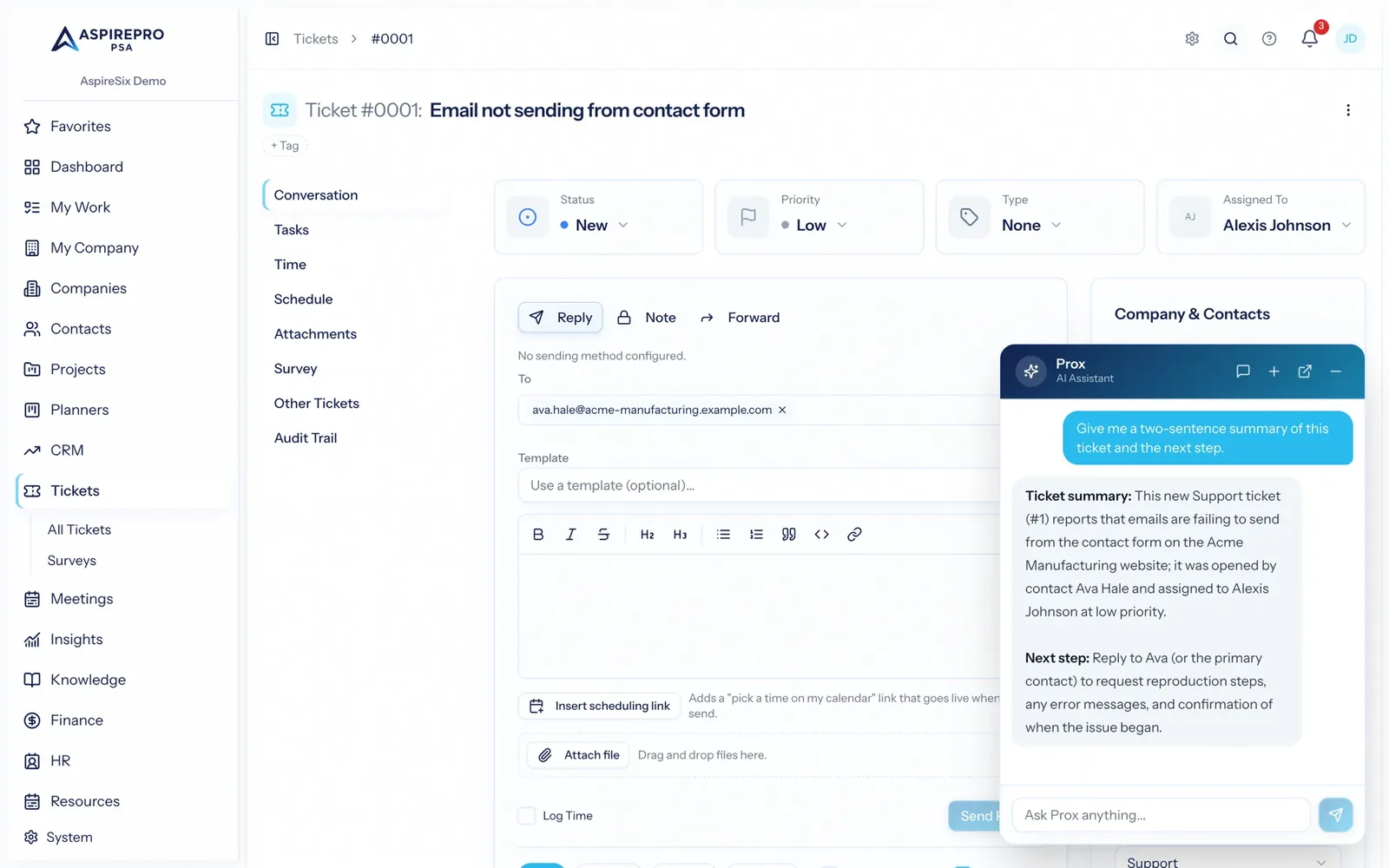
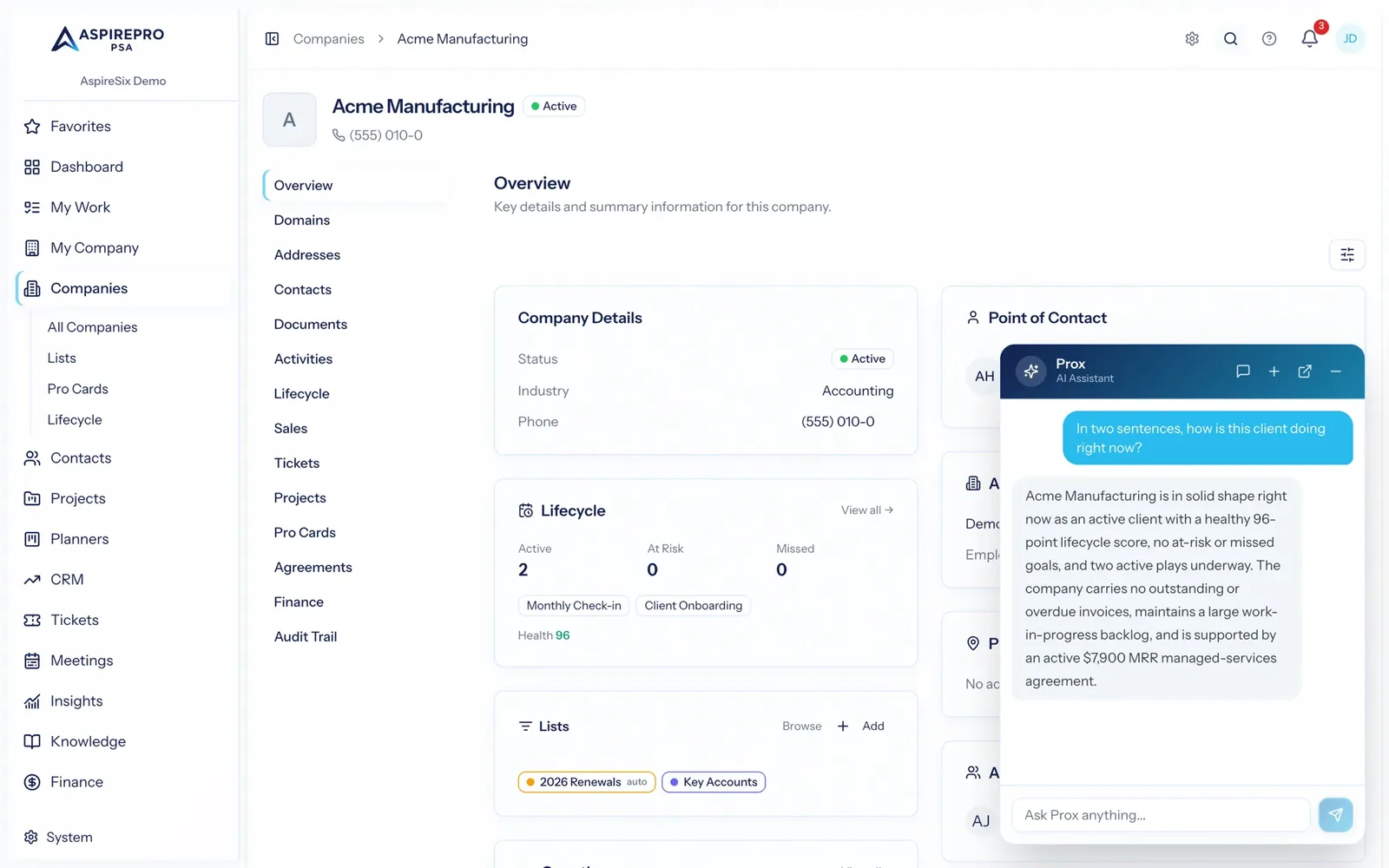
It already knows what page you're on
Open Prox from a ticket and it already has that ticket. Open it from a company and it has the client — their agreements, open work, WIP and health. You ask the short question a colleague would understand, not a prompt with the context pasted in.
- "What is this ticket about and what should I do next?"
- "How is this client doing right now?"
- "Summarise where this project stands for the status call."
It can do the work, once you say yes
Prox is not read-only. It can create a ticket, log time, move a deal, assign a task, draft a reply. Every action that changes something is presented for confirmation before it runs, and it is recorded in the audit log under your name — because it was your decision.
- Create, update and assign across the modules you have access to
- Draft replies and summaries you edit before they go anywhere
- Confirmation step on every write, and a full audit trail after
Questions that cross the whole business
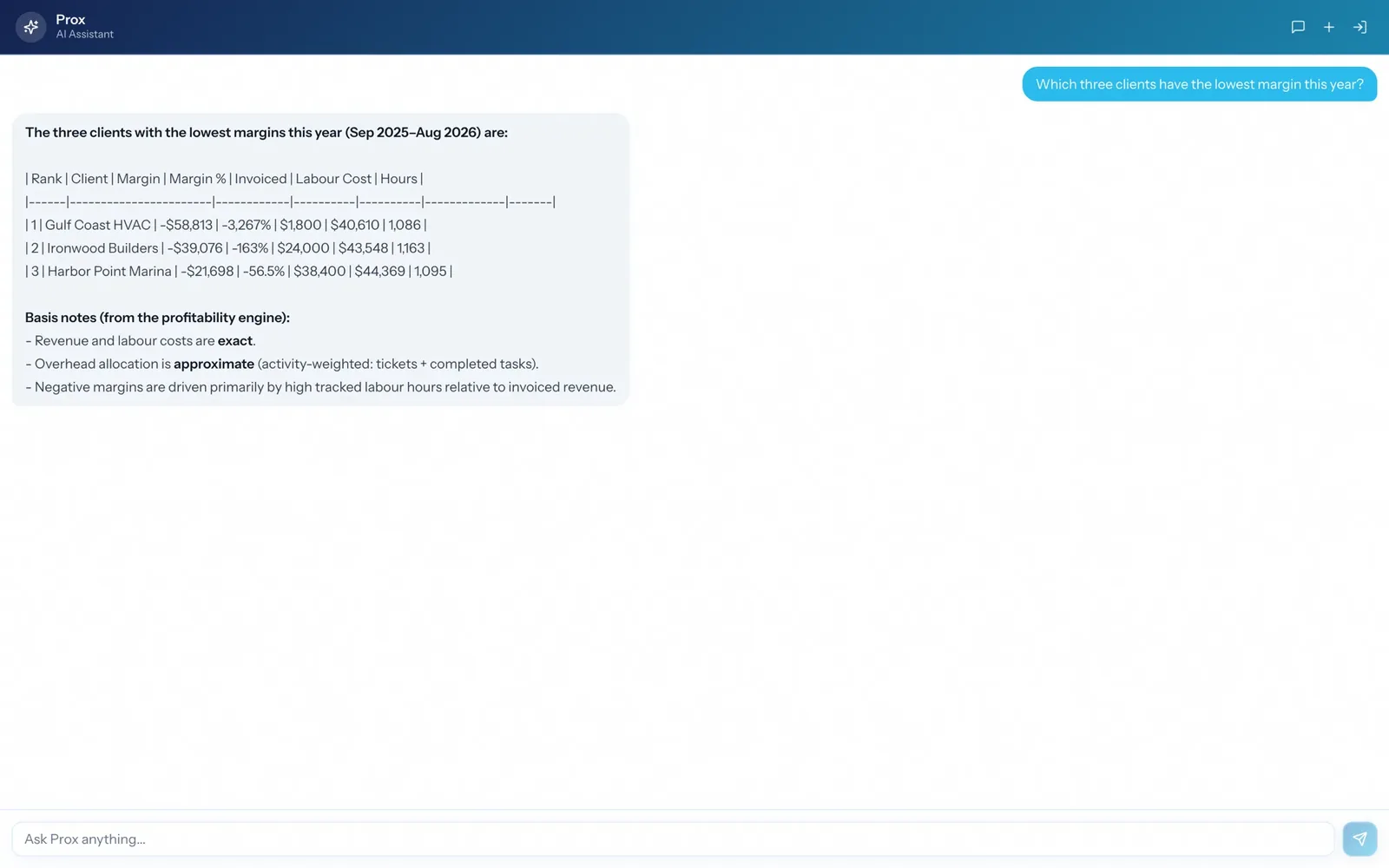
The questions that matter rarely live in a single module. Which clients give the lowest return on your team's time. Who is overloaded next month and still gets more tickets than anyone. What did we promise in that meeting and did it become a task. Prox can reach all of it at once because it is one system underneath.
- Cross-module questions answered without exporting anything
- Cites the records it used, so you can check the working
- Popout the conversation into its own window when you are working through something
The same tools, for the assistant you already use
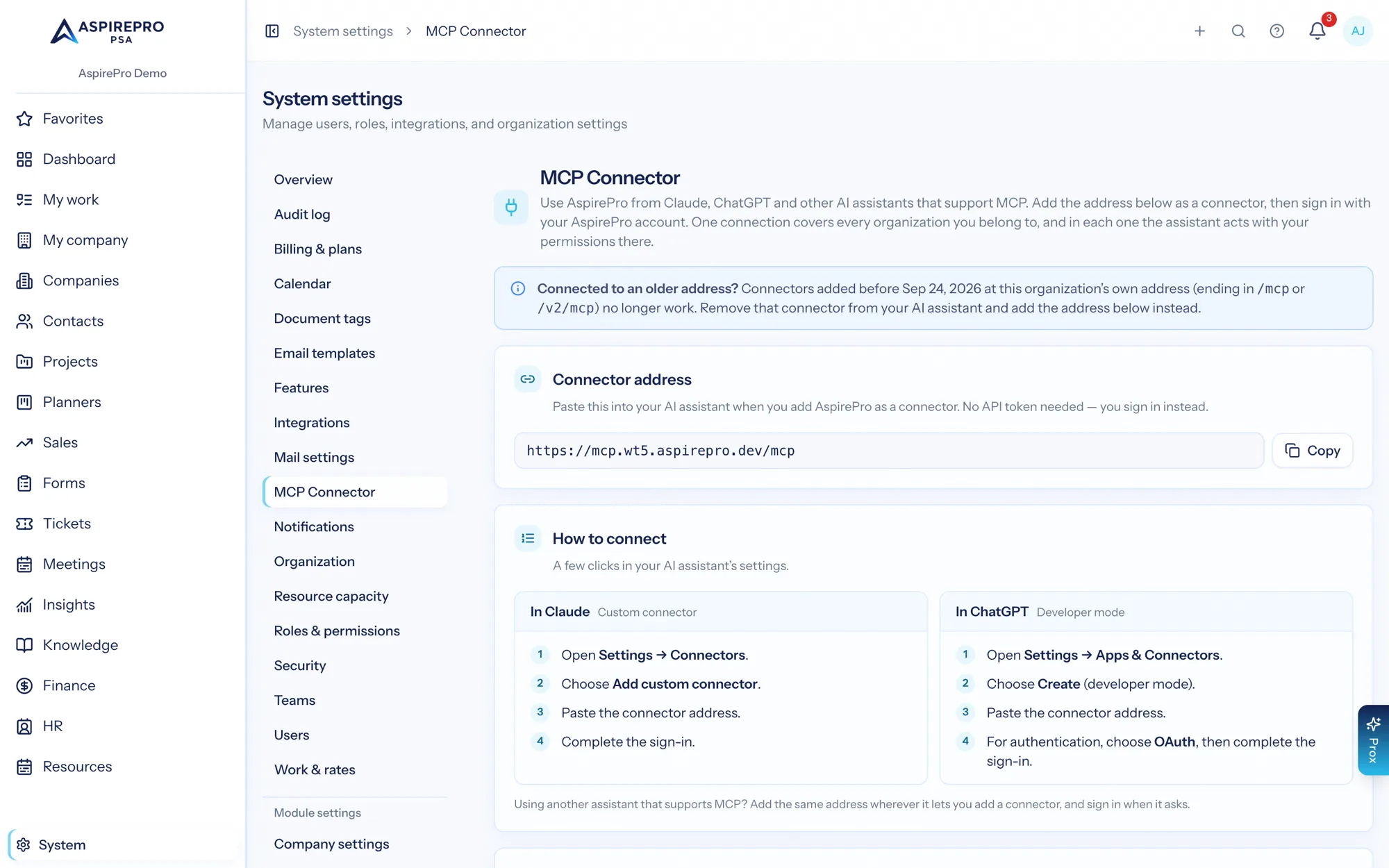
Everything Prox can do is available to Claude, ChatGPT or any other assistant that speaks the open Model Context Protocol (MCP). Add AspirePro's one connector address, sign in and pick an organization, and it gets the same tools, the same permission checks and the same audit trail — you are not choosing between our AI and yours.
- One connector address for every organization, with OAuth sign-in and no tokens to paste
- The same permission checks apply to external clients
- Every tool Prox gains becomes available there automatically
How Prox stays trustworthy
It runs as you
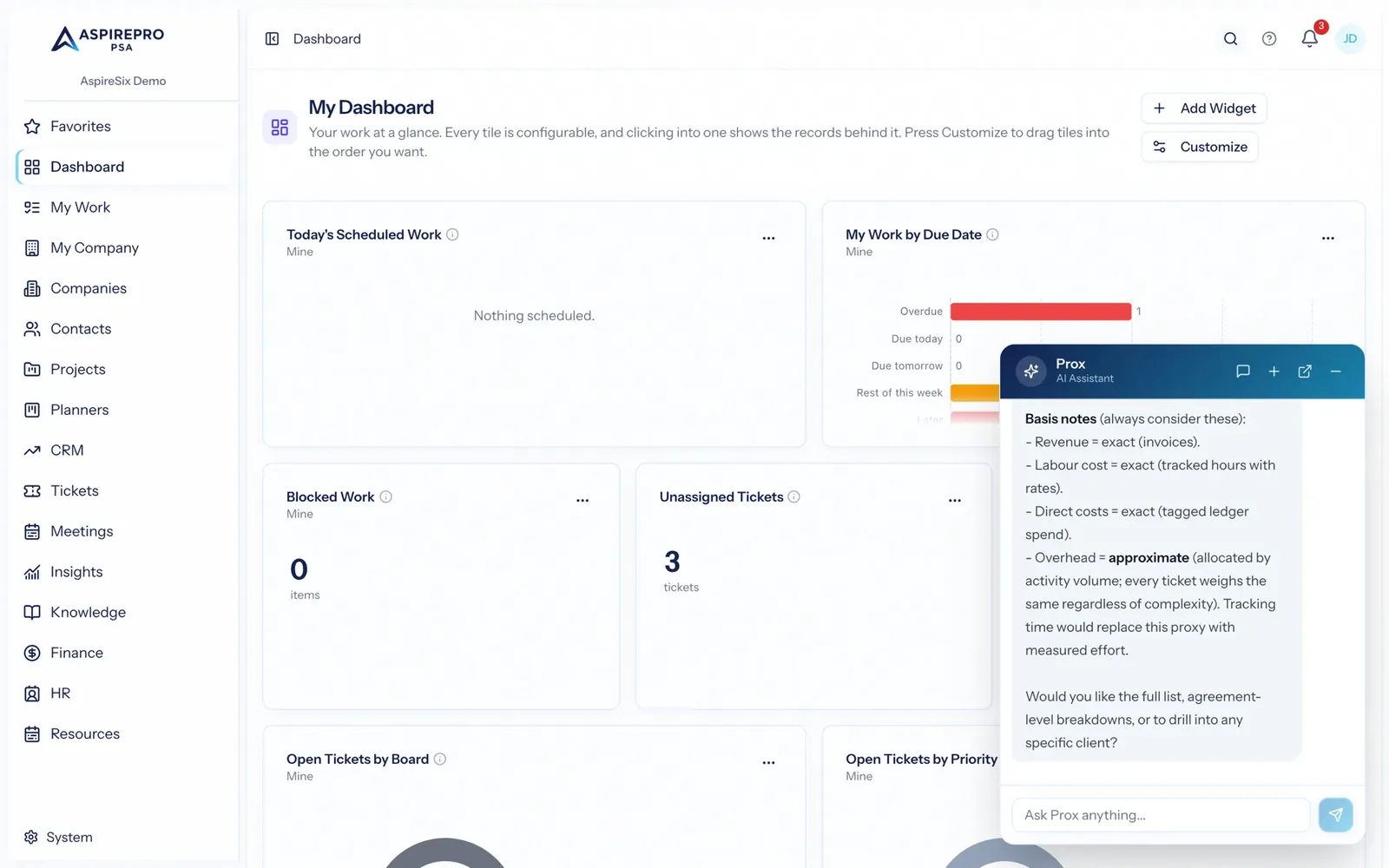
Every tool call is executed with your permissions. There is no service account with wider reach behind it.
It shows its basis
Where a number is approximated rather than measured, it says so instead of presenting an estimate as fact.
It asks before writing
Any change is confirmed by you first — nothing is created, edited or sent without an explicit yes.
It leaves a trail
Actions land in the audit log attributed to you, so an AI-assisted change is as reviewable as any other.
What Prox AI Assistant connects to
Nothing here is a standalone tool — each of these reads the same clients, people and permissions.
Frequently asked questions
What can Prox actually do?
Can Prox see data I am not allowed to see?
Will it change things without asking?
Does it know what I am looking at?
Can I use my own AI assistant instead?
Can we switch AI off?
Is my data used to train a model?
Read the documentation
The full how-to for this module, written for the people who use it every day.
Bring your whole services business together
Stop stitching together five tools. Run sales, delivery, support, and billing from one organization — with an AI assistant on every page.