The Finance module turns the work your team does into money in the door — and tells you what it cost to earn it. It connects the whole chain: time is logged against work, approved on a timesheet, priced by an agreement, and billed on an invoice — with expense reimbursements, your ledger, financial statements, profitability intelligence, and an optional QuickBooks sync on top.
Finance is a toggleable module; an administrator turns it on under System → Features.
The money flow#
Finance is best understood as a pipeline:
- Time is logged against tasks and tickets across the platform, and submitted for the week in My Work.
- Timesheets are reviewed and approved in Finance. Approval is the gate — only approved, billable time can be billed.
- Approved billable time becomes work in progress (WIP) — unbilled value waiting to be invoiced. So do the charges a job racked up (parts, licences, fees) and any billable expenses.
- Agreements define the recurring fees and rates for each client.
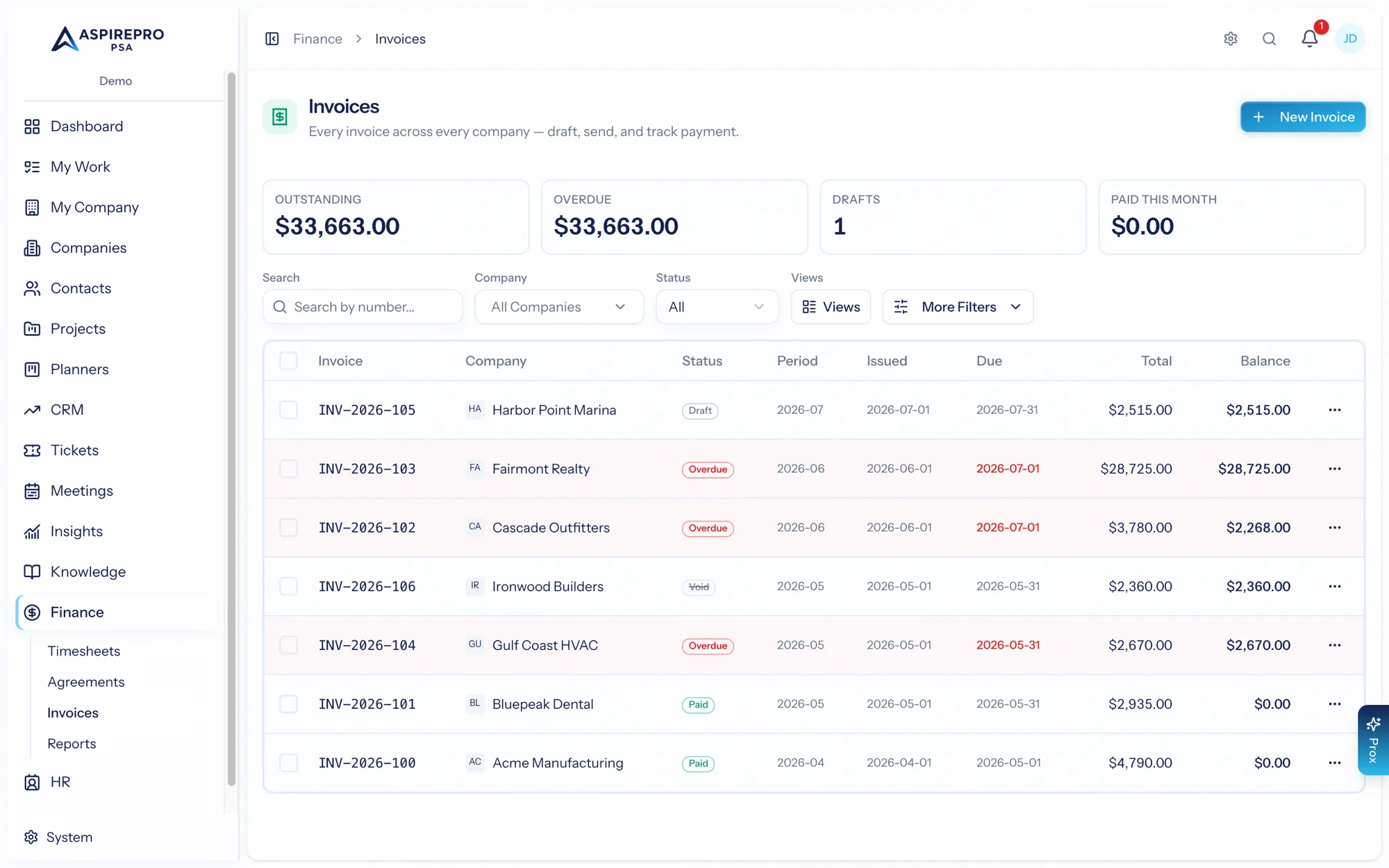
- Invoices pull in WIP time, charges, expenses and agreement fees, then go out to the client and get paid. You can raise one straight from the ticket or project that did the work.
- Reports and the Agreement vs. Reality view show you the health of it all — what's outstanding, what's aging, and where you might be under-billing.
And alongside the revenue pipeline runs the cost side:
- Reimbursements — your team logs the money it spends out of pocket, a reviewer approves it, finance marks it paid. Approved items become real expense records, so they count as client direct costs (when they're billable and linked) or as overhead. This works with no accounting integration at all.
- Expenses and vendors mirrored from QuickBooks, and live financial statements when a ledger is connected.
- A Profitability engine that turns revenue and measured cost into client-level margins — and, for teams that don't track time, each client's share of the work the team finished, set against its share of the revenue. Nothing unattributable is ever spread across clients: where no cost was measured, it says so.
There's a principle worth knowing early, because it explains why some Finance pages appear for you and others don't: AspirePro records the money events it owns — time, invoices, reimbursements — and mirrors the ones your ledger owns — vendor spend, statements. So Expenses shows up as soon as you have approved reimbursements, while Statements needs a real general ledger behind it.
What's in this section#
- Timesheets — the approval queue and how time gets approved.
- Agreements — recurring service contracts, rates, and terms.
- Invoices — creating, sending, and collecting on invoices.
- Quick invoice a job — raising a draft from a ticket or project.
- Charges on a job — the parts, licences and fees a job racked up.
- Reimbursements — out-of-pocket expenses and mileage: submit with a receipt, review per item, mark paid, and feed the result into your cost numbers.
- Expenses & Vendors — your QuickBooks ledger mirrored in: expenses with exact category splits, vendors with TTM spend — plus your approved reimbursements.
- Statements — P&L, Balance Sheet, Cash Flow, and A/R + A/P aging, rendered live from QuickBooks' own report engine.
- Profitability — client, agreement, and member margins, share of work, MRR movement, and signals — built on AspirePro's own data, no integration required. It runs to a section of its own: how margin is calculated, the revenue basis, costs, effort and the tab-by-tab reference.
- QuickBooks — syncing invoices, customers, and your expense ledger with QuickBooks Online.
- Reports — AR aging, revenue, recurring revenue, and WIP.
- Settings — invoice numbering, the invoice mailbox, payment terms, and agreement configuration.
A note on permissions: Finance isn't one switch. The timesheet queue is gated by Approve Timesheets, the reimbursement queue by Review Reimbursements, statements and profitability by their own grants — so approving time, approving expenses, and seeing the P&L are three separate decisions. Submitting your own expenses, like logging your own time, needs no permission at all. See Roles & permissions.
There's also a company-level pair of Finance permissions for the people who own a client relationship but shouldn't see the whole ledger. With them, an account manager opens the Finance and Agreements tabs on a company record — the agreements, the invoices, the PDFs, the payments — and with the manage grain can author them, while Finance's own lists, reports, and landing page stay behind full Finance access.