Nothing reaches an invoice until a manager has seen the week
People log time where the work is; on Friday they submit the week. Managers review it entry by entry, approve it or send specific entries back with a reason — and only approved billable hours become work in progress for invoicing.
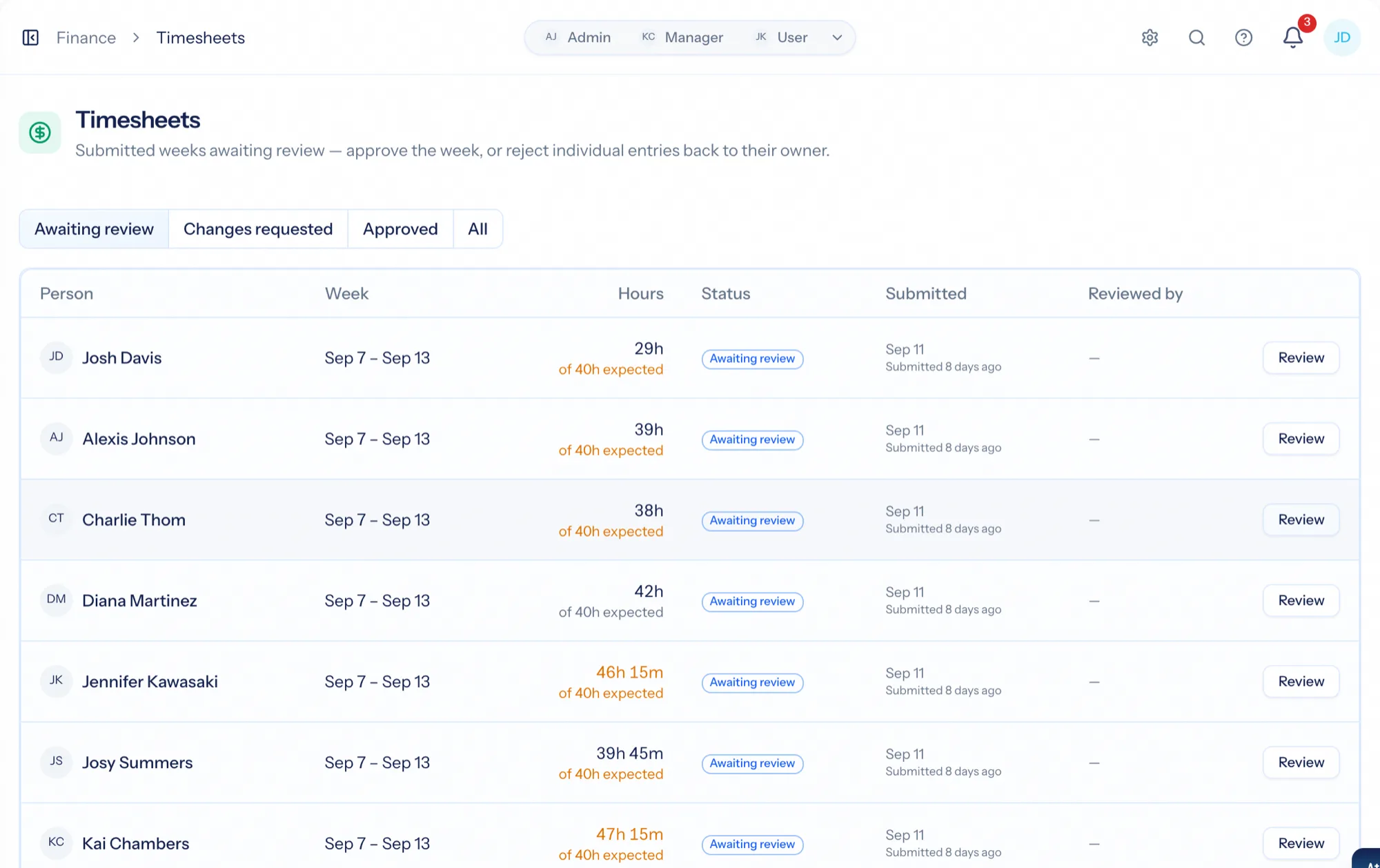
Timesheet software collects the hours people worked and gets them approved before they are billed. In AspirePro the timesheet is not a second place to type time: entries logged on tickets, tasks and projects during the week are the timesheet. The person submits the week, a manager approves it — or sends back the entries that are wrong with a reason — and approved billable hours become the work in progress that invoices draw from. The gate is deliberate: billing stays clean and utilization stays honest.
The week is already there
Time logged on tickets and tasks during the week is the timesheet. Submitting is a button, not an afternoon.
Send back the two entries, approve the rest
Reject specific entries with a required reason; the person fixes and resubmits those, and the rest of the week is already approved.
Approved billable hours become WIP
Until a manager signs off, nothing reaches an invoice. After, billable entries wait as work in progress for the next invoice run.
A week, submitted from where the work is
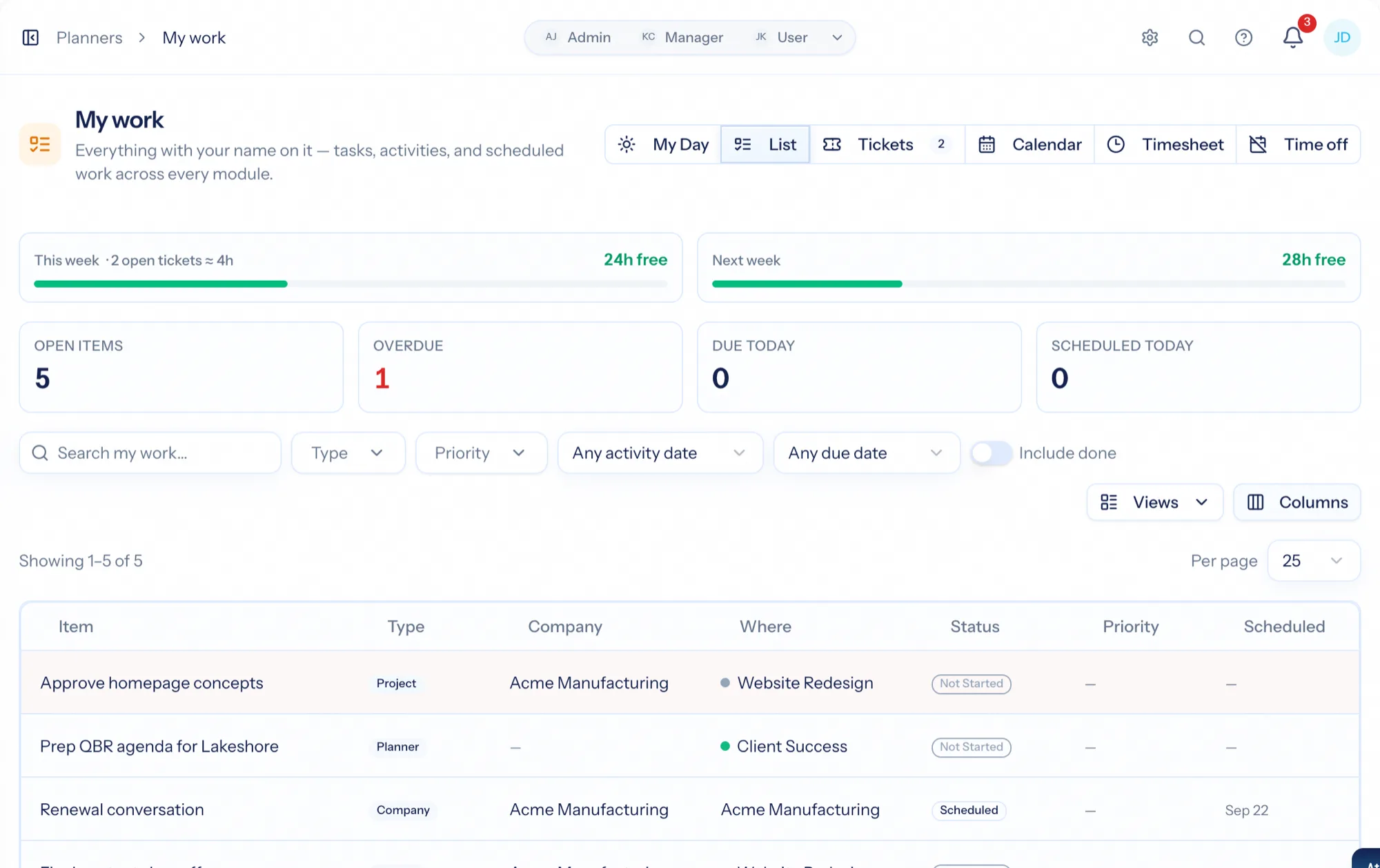
People log time throughout the week — a timer on a ticket, a quick entry on a task, a block on a project. From My Work they see the week against their expected hours and submit it. Once submitted the week is locked for review, and it appears in the finance queue.
- Timers and manual entries on tickets, tasks, projects, companies and internal time
- Expected hours per person, so a short week is visible before it is submitted
- Submitted weeks are locked; unlock to correct if the manager sends it back
Every entry, with what it was logged against
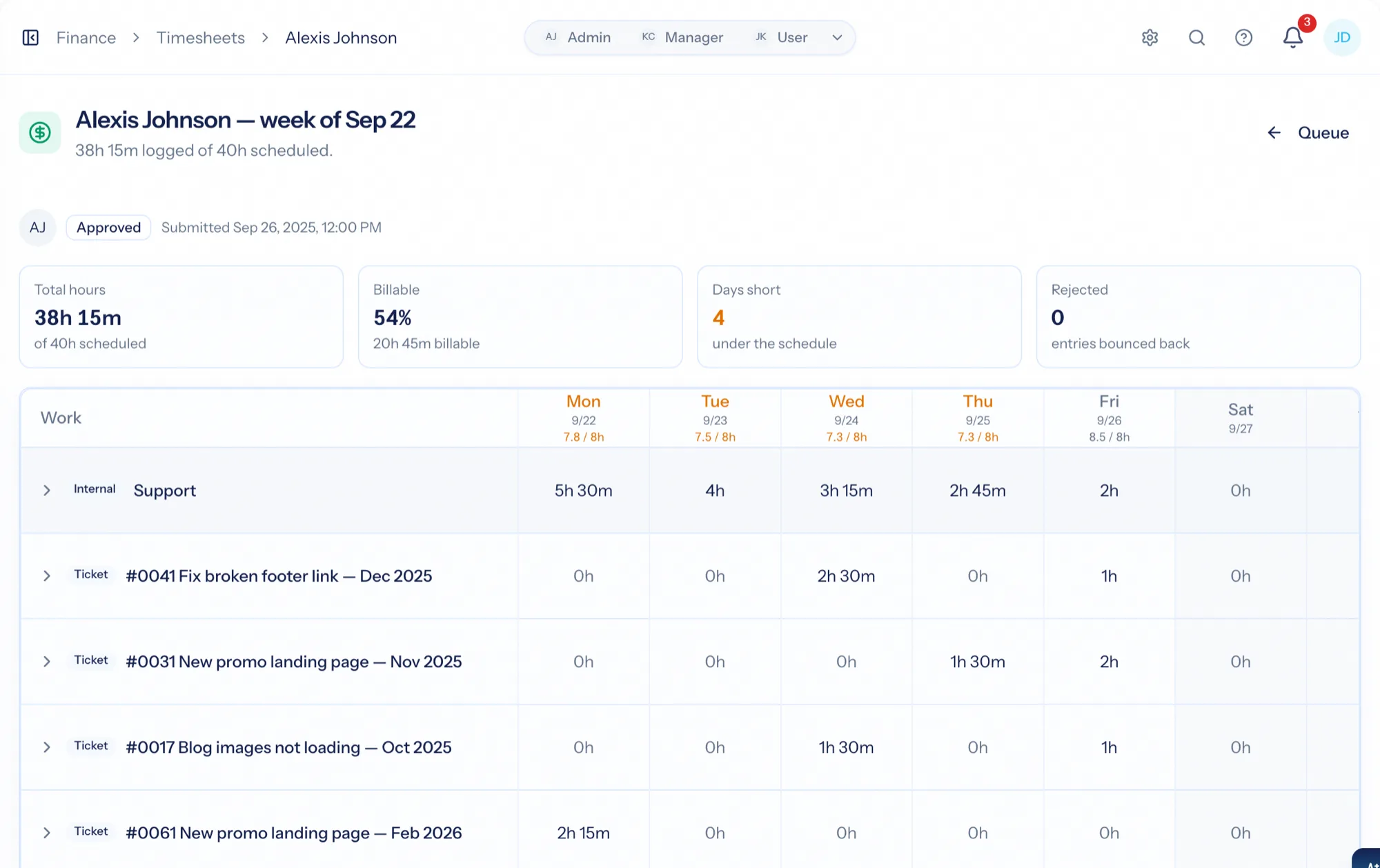
Finance → Timesheets lists each submitted person-week with hours, status and reviewer. Open one and every entry is there: date, start and end, duration, billable or not, notes, and the ticket, task or project it was logged against — with the person's expected hours alongside.
- Filter awaiting review, approved, changes requested
- Approve the whole week with an optional note; the person is notified
- Reject specific entries with a required reason; the week is marked changes requested
Work in progress, ready for the invoice
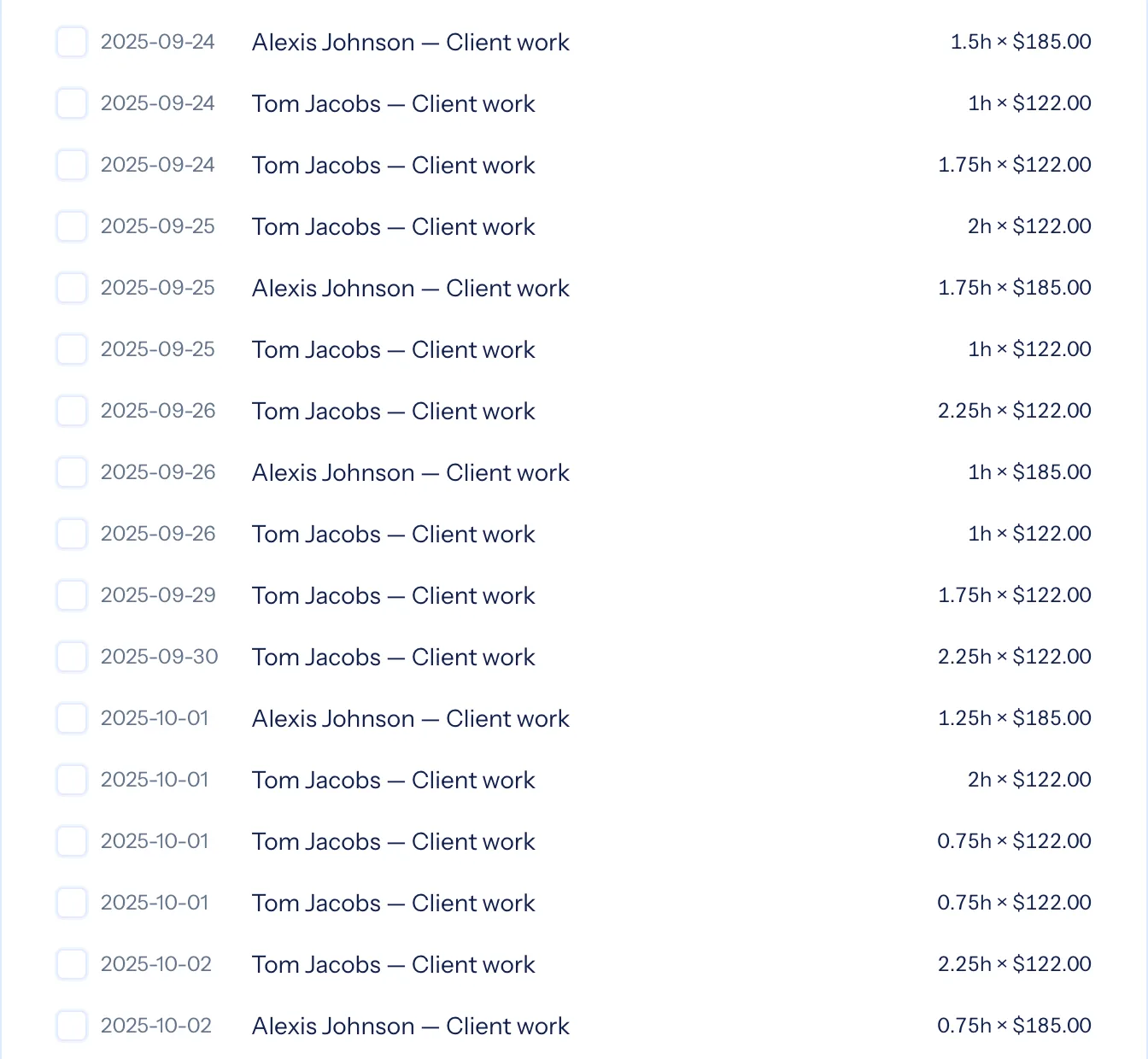
Approved billable entries that have not been invoiced yet are work in progress — the unbilled value you pull onto an invoice under the client's agreement. Non-billable time is approved too, because utilization and capacity reports need it. Rejected entries never reach an invoice.
- WIP by client, ready to bill at the client's rates
- Non-billable time counted for utilization
- Profitability counts time as soon as it is logged, so a margin is never a week stale
Rounding applied as time is recorded; short weeks flagged, never blocked
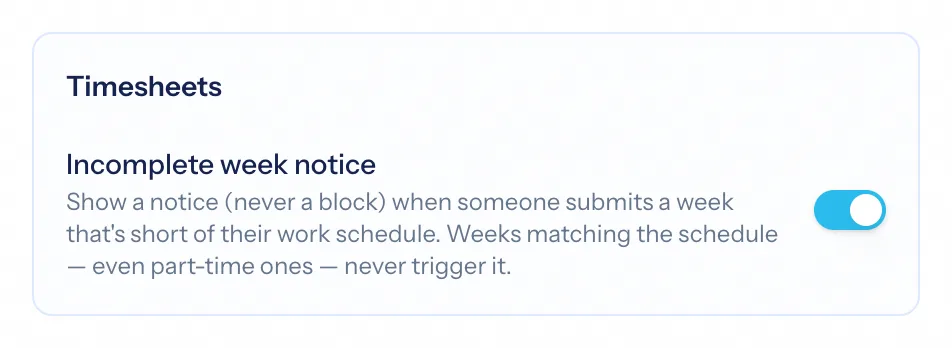
Time rounds as it is logged — to the nearest increment or always up, applied to every new entry so the timesheet never needs cleaning up. A week submitted short of the person's work schedule can show a notice at submission; part-time schedules never trigger it, and it is a notice, not a block.
- Rounding increment and direction, applied to timers and manual entries alike
- Incomplete-week notice against each person's work schedule
- Every approval and rejection in the audit log
Logged hour to invoice line
Log the time where the work is
A ticket, a task, a project — with a timer or a quick entry.
Submit the week
From My Work, against expected hours. The week locks for review.
A manager reviews it
Approve, or send specific entries back with a reason.
Approved billable hours become WIP
Pulled onto the next invoice under the client's agreement, at the client's rates.
What Timesheets connects to
Nothing here is a standalone tool — each of these reads the same clients, people and permissions.
Frequently asked questions
Do people have to fill in a timesheet?
Can a manager reject just part of a week?
What happens to approved time?
Can time be billed without approval?
Does profitability wait for approval?
Read the documentation
The full how-to for this module, written for the people who use it every day.
Bring your whole services business together
Stop stitching together five tools. Run sales, delivery, support, and billing from one organization — with an AI assistant on every page.