Expenses claimed, approved and billed back — without the spreadsheet
Claims with receipts, line-by-line review, payout through a pay run, the payroll export or by hand — and every approved item lands where it belongs: on the client's invoice, in the cost of that account, or in overhead.
Expense management software captures money spent on the business — usually out of someone's own pocket — and moves it through approval to reimbursement. In a services firm it has a second job most tools ignore: deciding whether that spend belongs to a client. AspirePro routes approved expenses to the client invoice as a billable pass-through, to that client's direct costs, or to overhead.
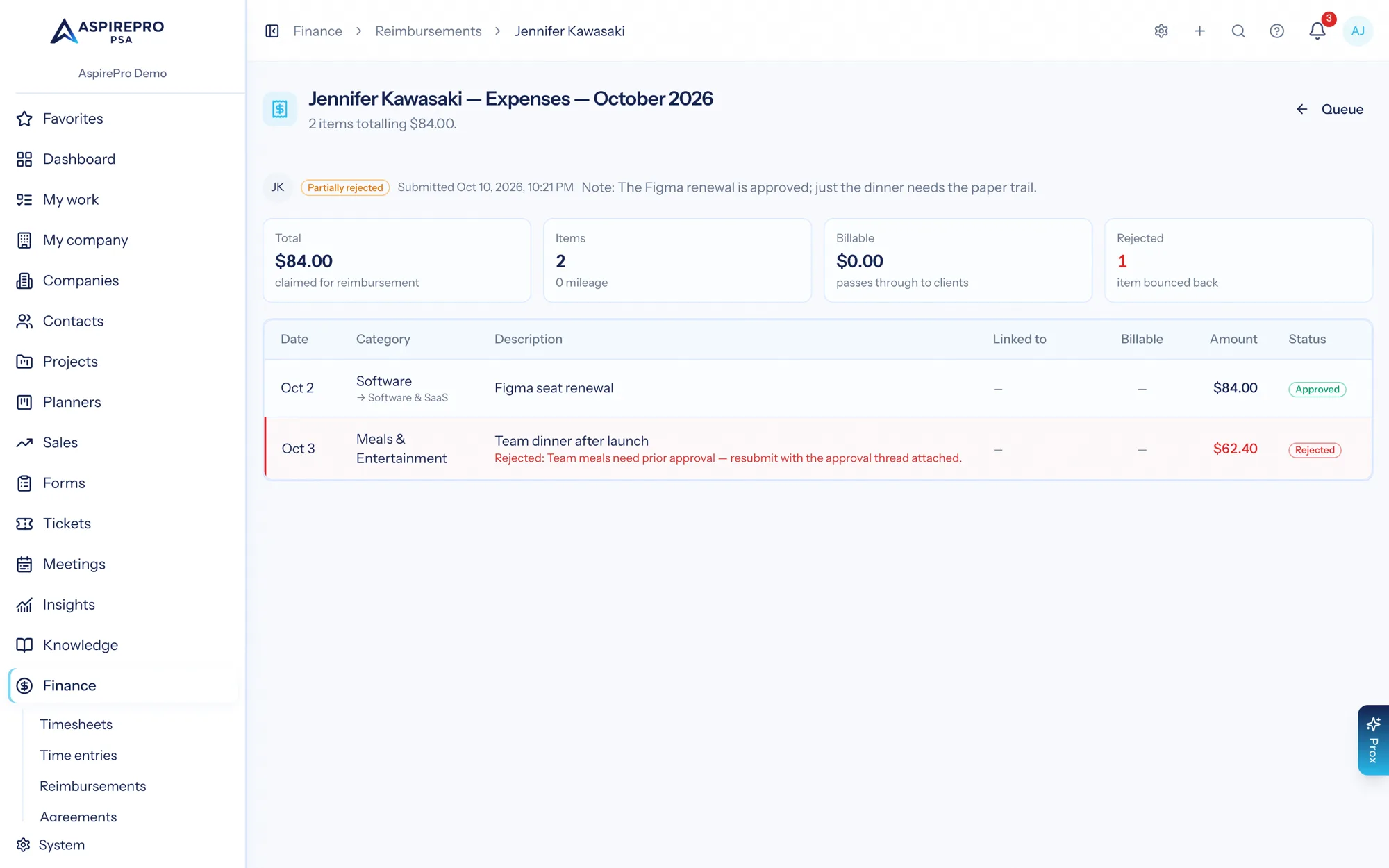
Approve four items, question one
A reviewer can approve most of a claim and send one line back with a reason, instead of bouncing the whole claim.
Straight onto the client's invoice
Mark an item billable and link it to a client, and it appears on their next invoice as a real line.
No accounting integration required
Reimbursements work with no ledger connected; QuickBooks mirroring is an option, not a prerequisite.
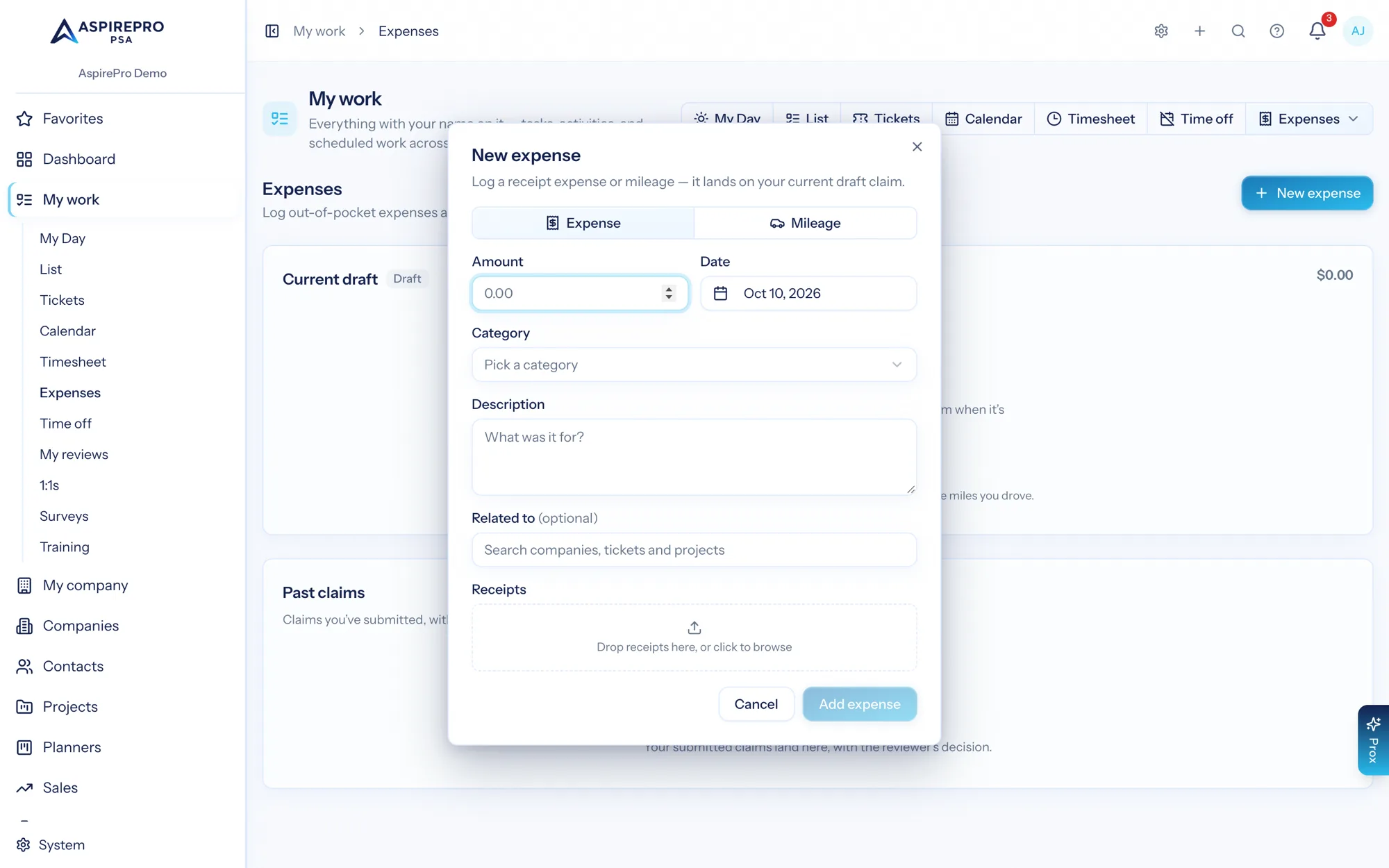
A phone and ten seconds
Amount, date, category, a note, and a receipt dropped in. Link it to the client, project or ticket it belongs to if it is billable. Mileage is its own entry type, so nobody is converting miles to dollars in their head.
- Receipt upload with the expense, not emailed separately
- Expense or mileage, with your own category list
- Optional link to a company, project or ticket for billable spend
- Items collect into a monthly claim you submit when you are ready
Review that respects the reviewer
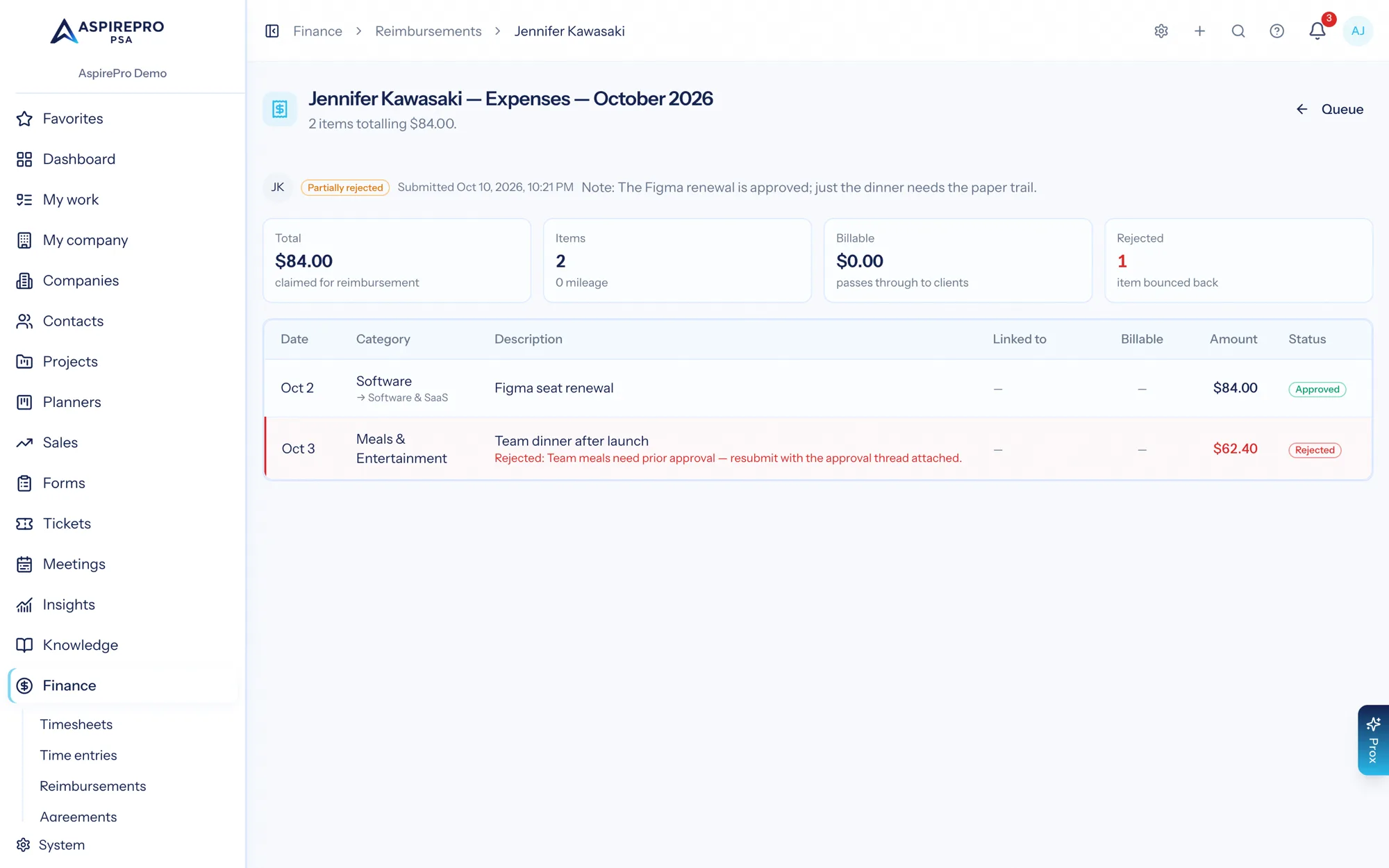
A submitted claim shows the total, the item count, and every line with its date, category, description, what it links to, whether it is billable, and the amount. Approve the claim, or approve some items and reject others with a reason — the submitter sees exactly what happened and why.
- Per-item approve and reject with a stated reason
- Partially rejected claims come back with only the disputed lines open
- Receipts viewable inline while reviewing
- Every decision audit-logged against the person who made it
A queue finance can actually clear
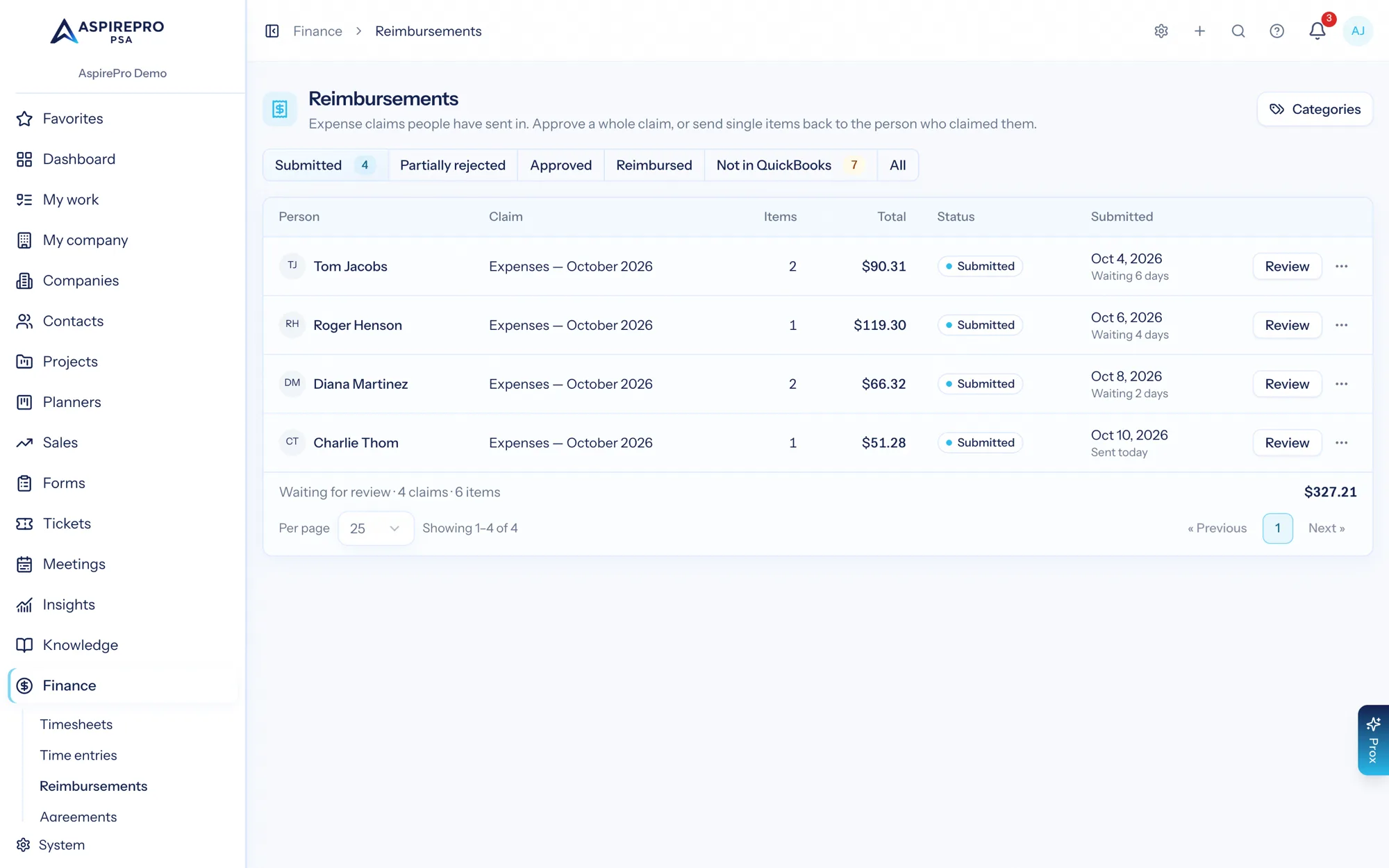
Submitted, partially rejected, approved and reimbursed as tabs, with who submitted what and when. Approve, then mark reimbursed — through a pay run or the payroll export when you pay people that way, or manually when you do not.
- One queue across everyone, filtered by state
- Reimburse through a pay run or the HR payroll export, or record it manually
- Approved items become real expense records the moment they are approved
All spend in one place, whoever paid for it
Approved reimbursements and — when QuickBooks is connected — vendor purchases and bills land in one expense ledger with vendor, category, document number and whether the item was billable. This is where the direct-cost half of client profitability comes from.
- Reimbursed staff spend and vendor spend in one view
- Filter by vendor, category, type, source and date; export to CSV
- Billable items marked and attributed to the client they belong to
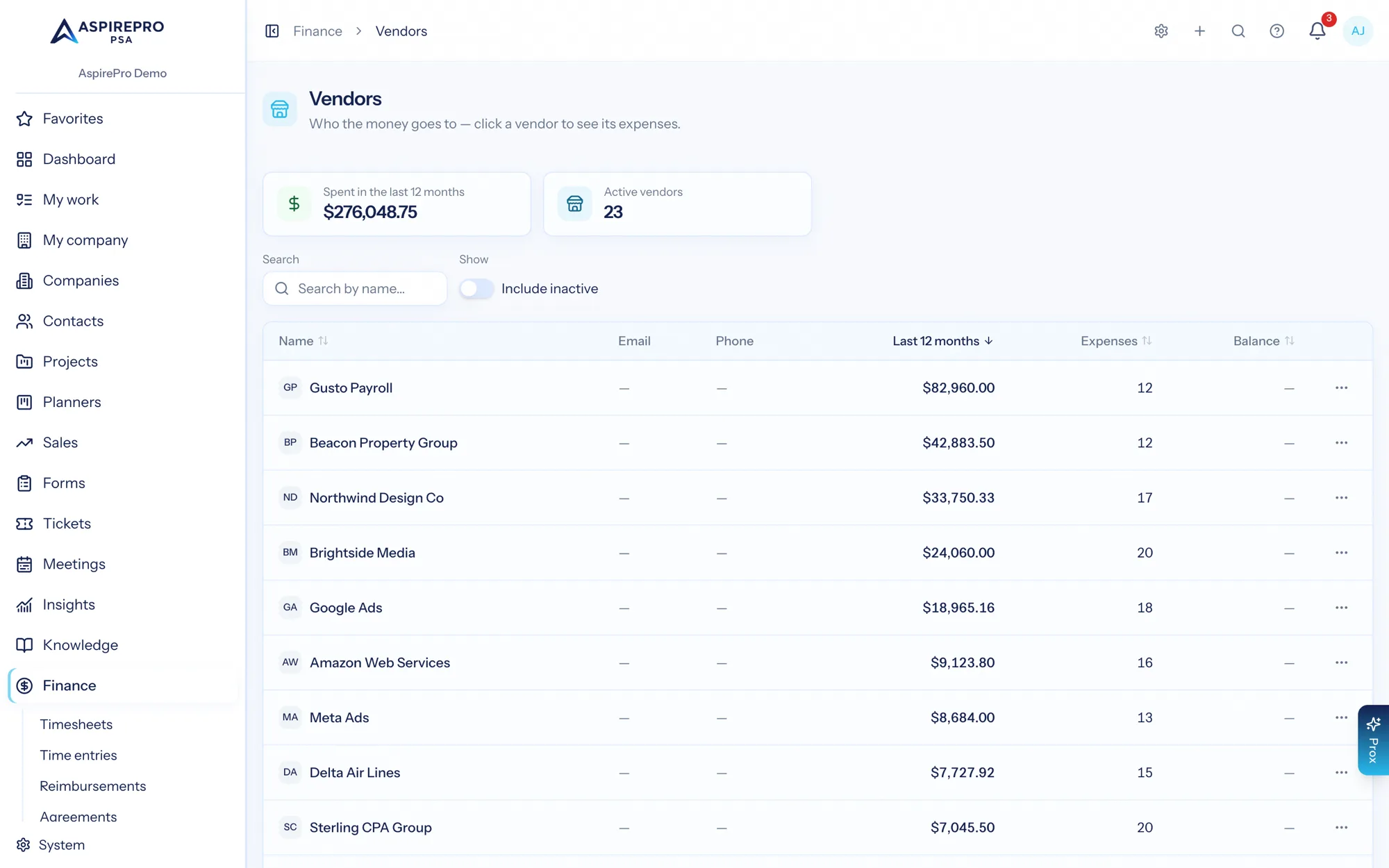
What you actually spend with each vendor
Every vendor with the last twelve months of spend, expense count and balance — mirrored from your ledger. It is the list you want open before renewing a tool or renegotiating a subcontractor.
- Last-twelve-month spend and expense count per vendor
- Mirrored from QuickBooks where connected
- Vendor spend feeds overhead and, where tagged, client costs
From receipt to reimbursed
Log it
Someone adds the expense with a receipt, and links it to a client if it is billable.
Submit the claim
Items collect into a claim for the month; submitting sends it to the review queue.
Review line by line
Approve, or approve some and send others back with a reason. Approval creates the real expense record.
Pay back and attribute
Pay through the payroll export or by hand; billable items pass through to the invoice, the rest count as costs.
What Expenses connects to
Nothing here is a standalone tool — each of these reads the same clients, people and permissions.
Frequently asked questions
What is expense management software?
Do I need an accounting integration to use it?
Can a reviewer approve part of a claim?
How do billable expenses reach the client?
How are people actually reimbursed?
Does it handle mileage?
Read the documentation
The full how-to for this module, written for the people who use it every day.
Bring your whole services business together
Stop stitching together five tools. Run sales, delivery, support, and billing from one organization — with an AI assistant on every page.