Finance → Statements puts your core financial statements inside AspirePro — the Profit & Loss, Balance Sheet, Cash Flow, and A/R and A/P aging reports, exactly as QuickBooks computes them.
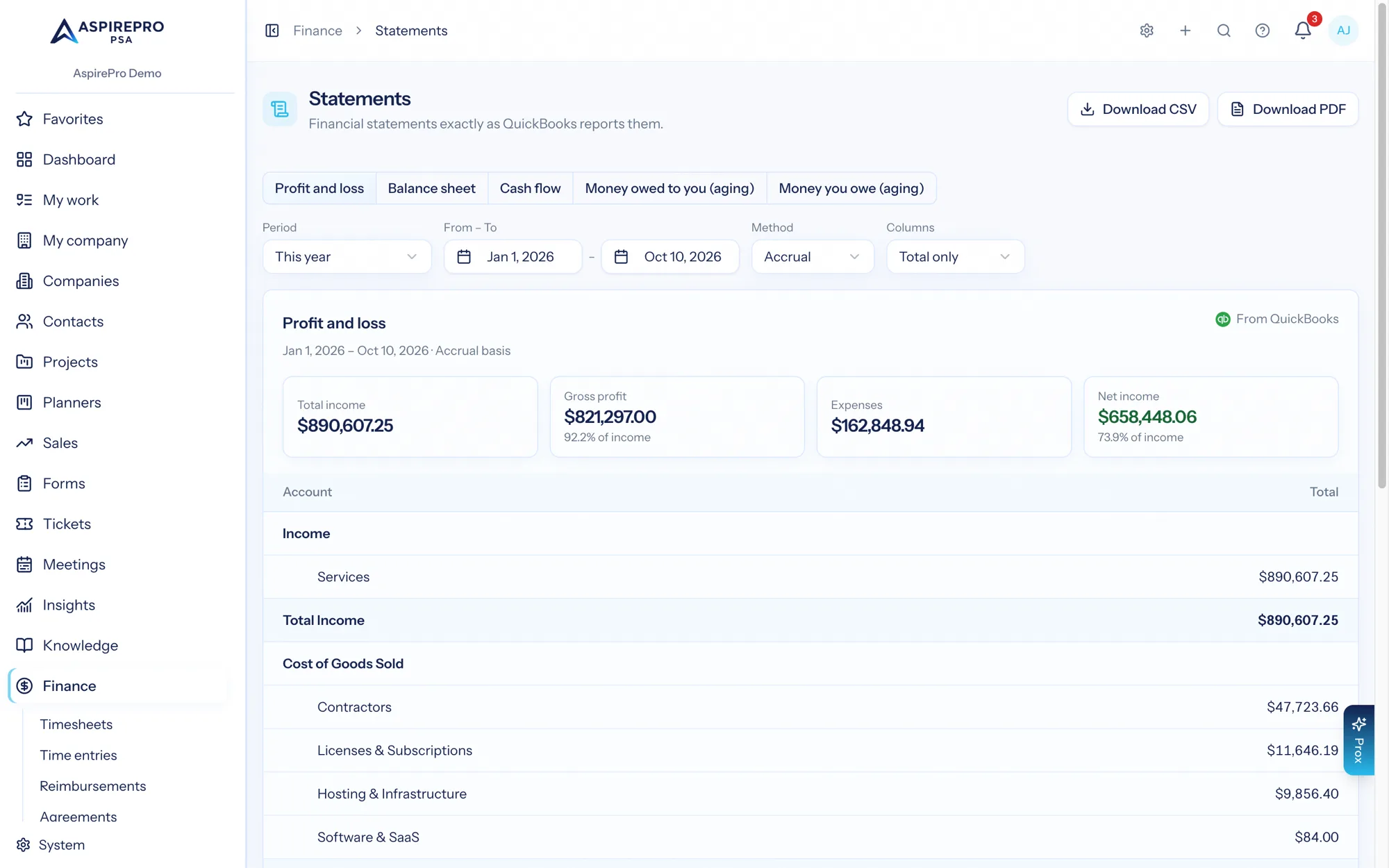
The key word is exactly: statements are read live from QuickBooks' own reports — AspirePro never works them out again from the data it brings in. The numbers you see here are the numbers your accountant sees, guaranteed, because they come from the same place.
The statements#
- Profit & Loss — income, cost of goods sold, expenses, and net income for the period.
- Balance Sheet — assets, liabilities, and equity as of the period end.
- Cash Flow — cash movement across operating, investing, and financing activities.
- A/R aging — who owes you, bucketed by how overdue.
- A/P aging — who you owe, bucketed the same way.
Shaping the view#
Every statement offers the controls you'd expect from an accounting tool:
- Accrual or cash basis, toggled inline.
- Columns — a single total, by month, or by quarter.
- Period — presets (this month, this quarter, this year, last year, and more) or any custom date range.
Downloads#
Download any statement as CSV (for a spreadsheet) or PDF (for a board pack or client conversation) — shaped exactly as you've configured it on screen: the same statement, dates, basis and columns.
Download PDF makes the PDF in the same look as your scheduled reports and downloads it, usually in a few seconds — a small window says it's being made and starts the download when it's ready. The PDF has a title band in your organization's accent colour (your logo, the statement, its dates and basis, where the figures come from and when it was made), the statement's own totals as tiles (for a profit and loss: Total Income through Net Income), then every row of the statement, indented as your accounting system nests them. Amounts are in accounting format — $1,000.00, with losses in brackets: ($250.00). Rows never split across pages and the headings repeat on each page; a statement by month or by quarter prints across a landscape page so every column fits. The figures are your accounting system's own report, exactly as it gave them — AspirePro doesn't recompute them.
If the PDF can't be printed in the report look, you get the plain version instead — the same figures, a simpler page. The PDF is made for you alone and is never emailed.
Permissions#
Statements carry their own permission — View Financial Statements — deliberately separate from basic finance access. Someone can approve timesheets or manage invoices without seeing your P&L, and vice versa. Grant it under Roles & permissions.
Statements answer "how is the business doing?" For "how is each client doing?" — margins, effective rates, and revenue movement — see Profitability.