Projects that carry the client, the budget and the bill with them
Run delivery on a board your team actually keeps up to date, with the budget, the hours and the client right there on the record — not in a spreadsheet someone updates on Fridays.
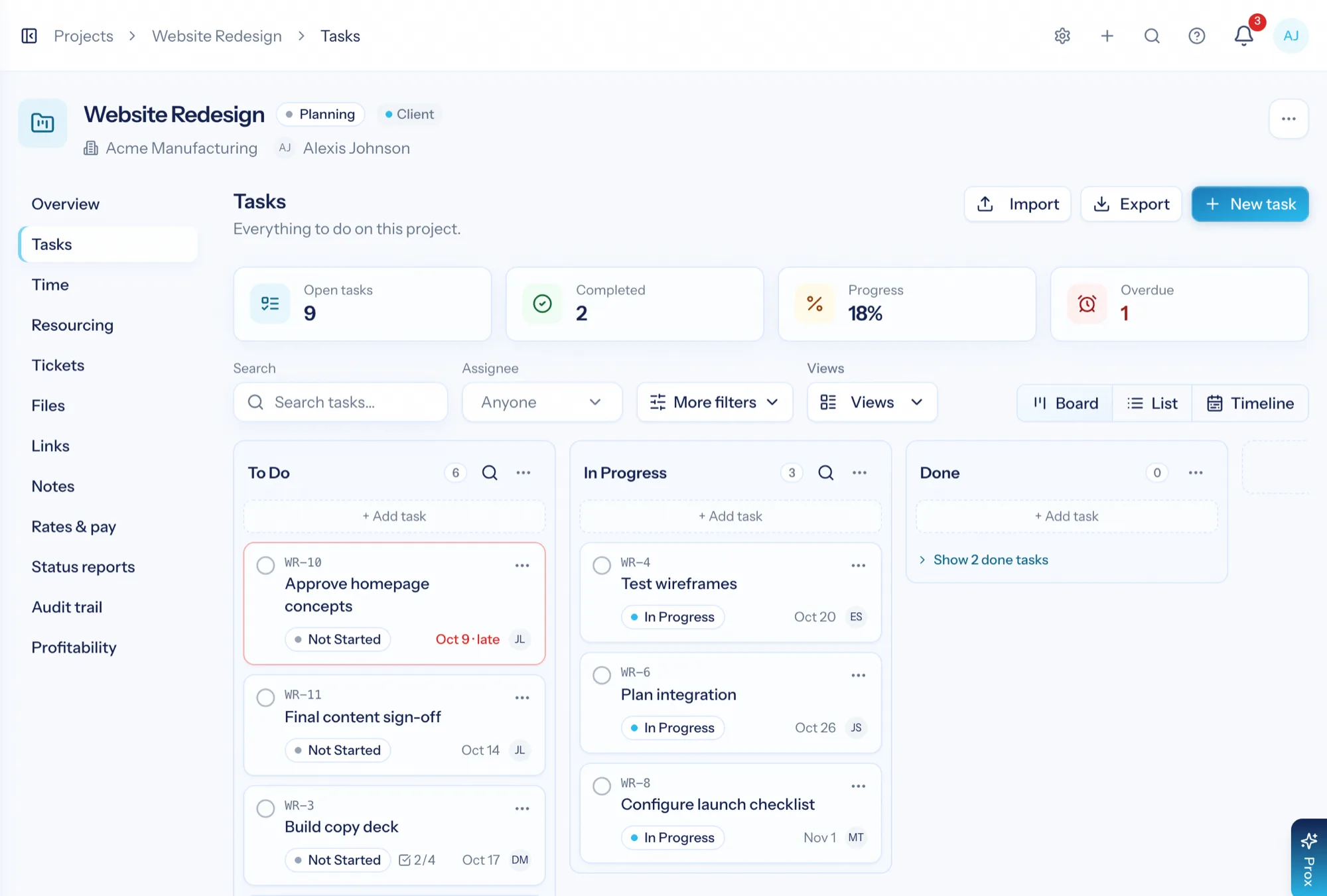
Project management software for a services business has to answer two questions at once: is the work on track, and is it still profitable? AspirePro projects carry tasks, phases, files, people and time on one record, attached to the client — so progress and budget used are the same conversation, not two systems you reconcile at month end.
Hours against the number you sold
Logged time rolls up against the project budget as work happens, so an overrun is something you see coming, not something you discover.
Tasks behave the same everywhere
Projects and planners share one task engine — checklists, dependencies, comments, files, recurring tasks, review — so nobody learns two tools.
Share the tasks, not your internal system
Mark specific tasks, comments and files as visible to the client and they appear in the portal. Nothing else does.
A board your team will actually keep current
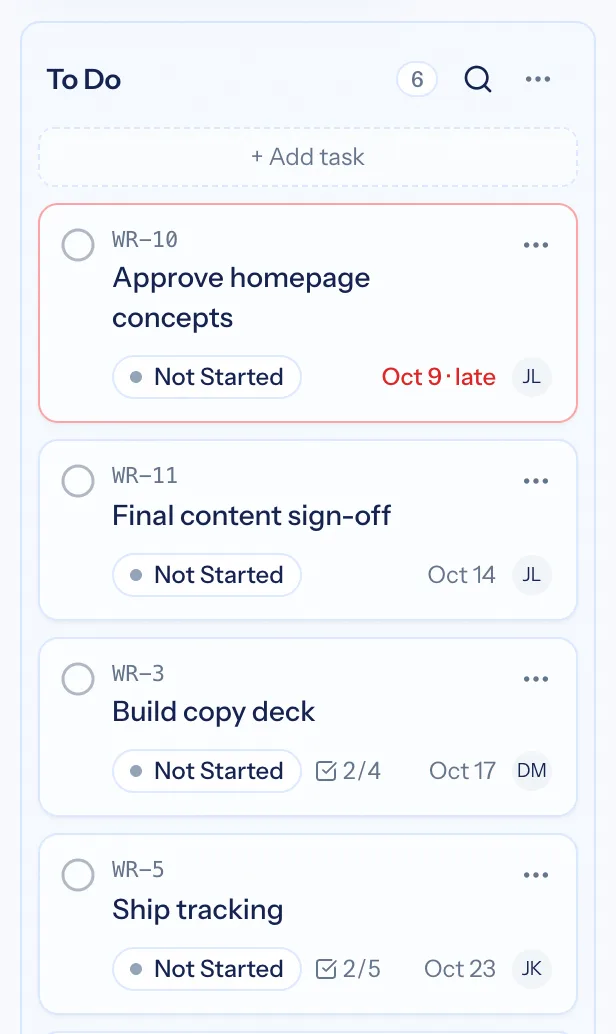
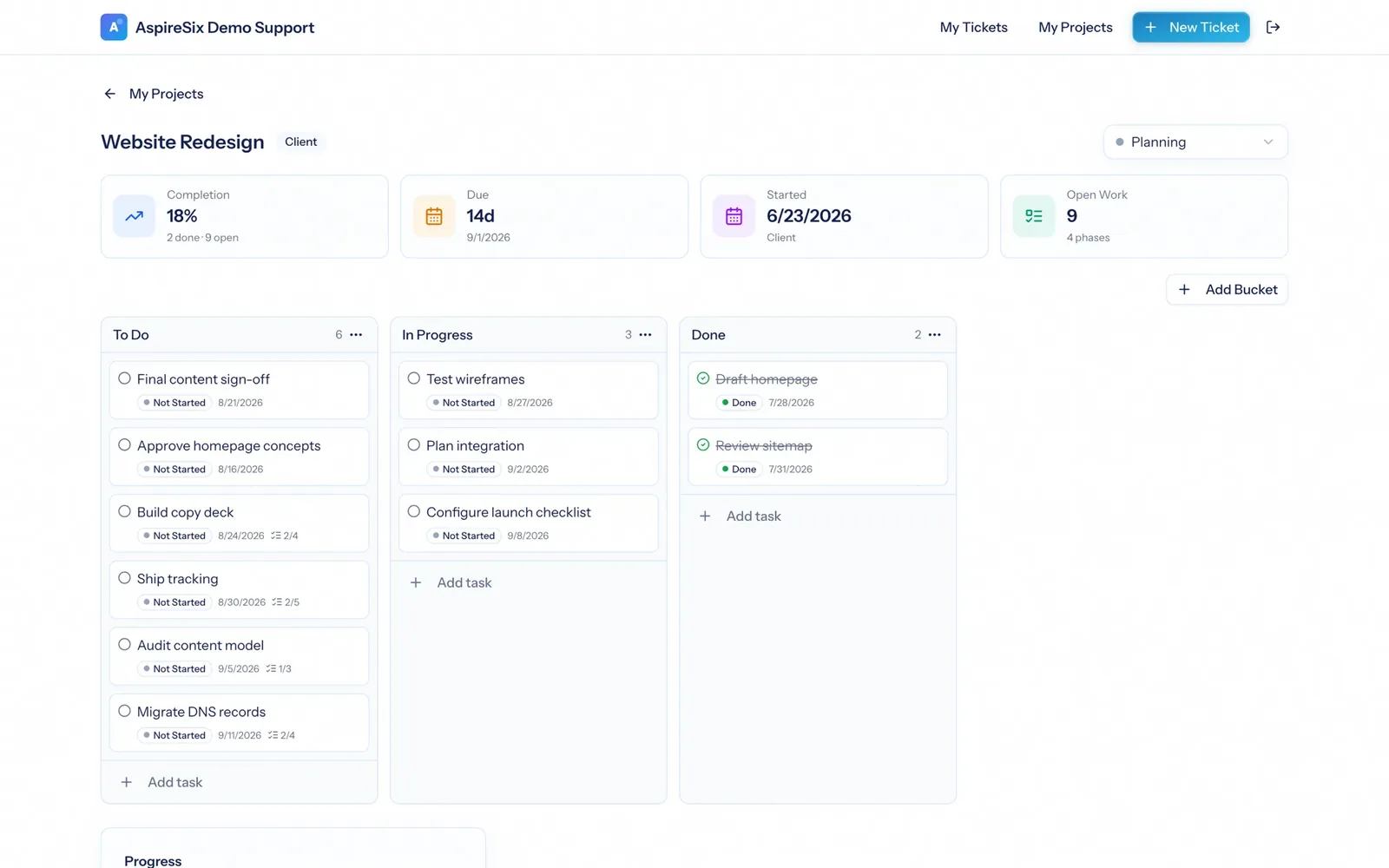
Columns across, task cards down, drag to move. Each card shows who owns it, when it is due, its priority and status; open one and you get the checklist, comments, files, links, dependencies, subtasks, review state and recurrence. It is the same task engine everywhere in the platform.
- Board, list and timeline views over the same tasks
- Dependencies and subtasks for work that genuinely has an order
- Recurring tasks for the parts of a retainer that repeat every month
- All Tasks rolls every project you can see into one filterable list
- Open any task in a side panel that stays beside the board, with previous and next to walk the list
The project record, not the project spreadsheet
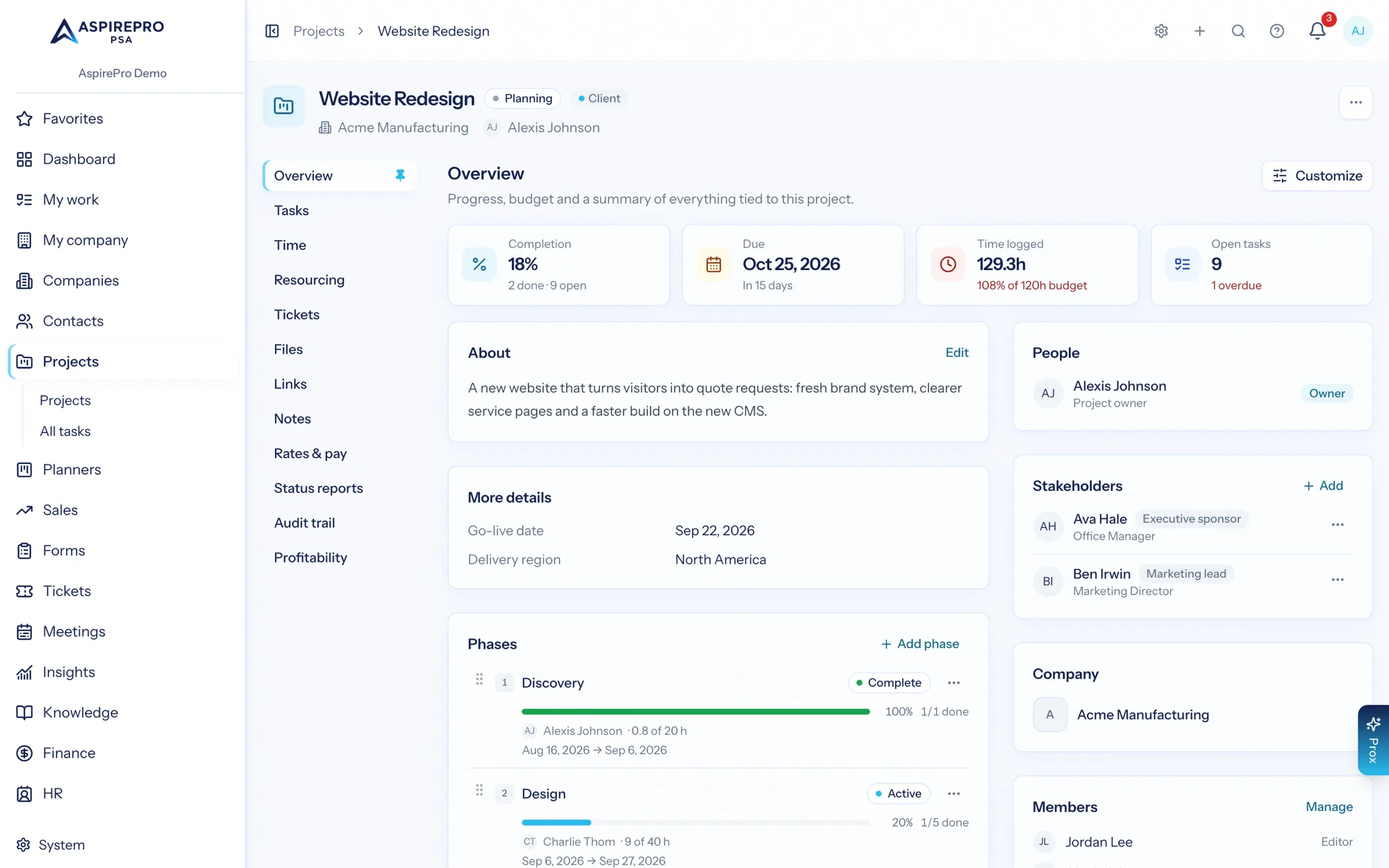
Completion, days remaining, hours logged and open tasks sit at the top of every project. Below that: phases with their own dates and progress, the people on the team, the client it belongs to, and tabs for files, links, notes, resourcing, time and the change history.
- Phases group the work into stages with dates and their own progress
- Files and notes live on the project, not in a chat thread
- Templates set up the next project of the same shape in one step
- Duplicate a project with or without its tasks when the work repeats
- Client stakeholders listed on the project with their roles, such as sponsor or billing contact
- The projects list doubles as a portfolio: phase, hours burn and next milestone for every project, with a health filter
The budget and the burn, on the same page as the work
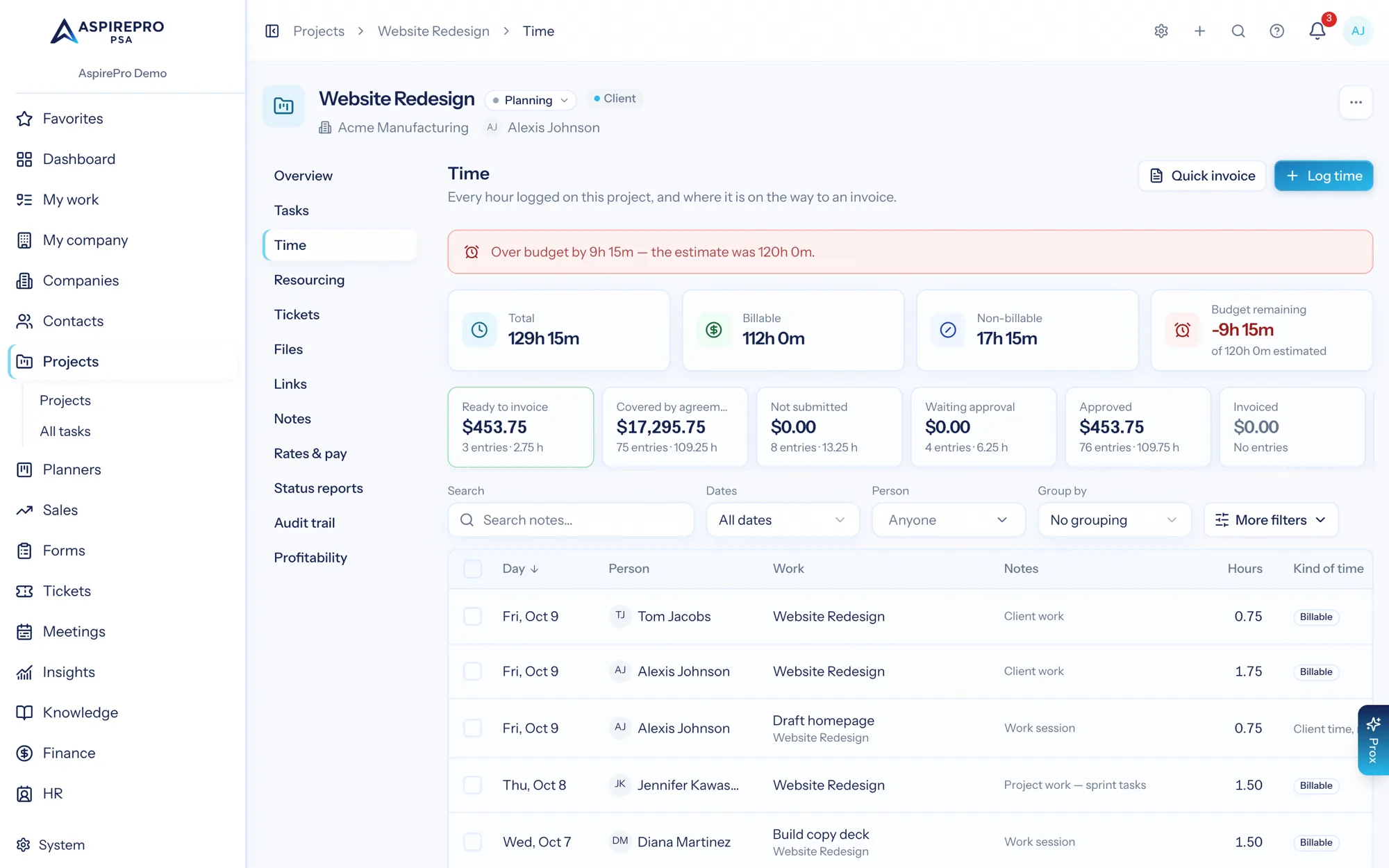
The project's Time tab shows every entry against it — who, what, when, billable or not — with the budget used and the hours remaining right above. When a project is heading past its number, you find out while there is still time to have the conversation.
- Time logged from tasks, tickets or the weekly timesheet all rolls up here
- Billable and non-billable kept apart, because they mean different things
- Ready-made project rules tell the owner at 80% and 100% of the hours budget, once switched on, rather than in a month-end report
Staff it with people who are actually free
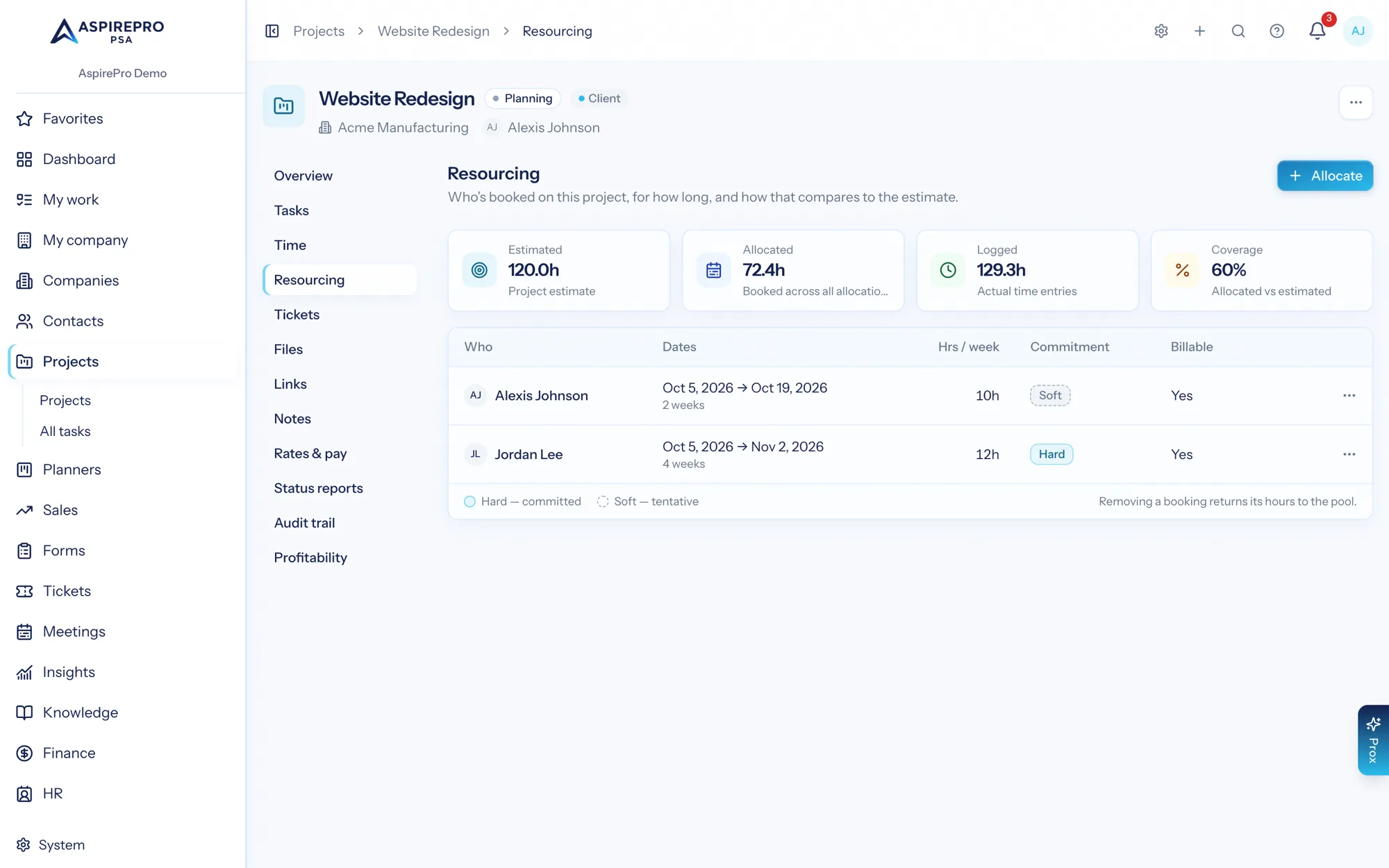
The Resourcing tab shows who is booked on this project, for how long, and how much of their week that takes — drawn from the same resource engine that knows about their other projects, their approved time off and their open ticket load.
- Book people, or placeholder roles for work that is not staffed yet
- Tentative bookings show striped, so plans and commitments stay distinguishable
- Team Builder ranks candidates by skills, role and availability, with cost as an optional weight
Show the client the work, not your internal system
Client visibility is set per task, per comment and per file. Turn it on for the things the client should follow, and they appear in a simplified portal where the client can comment, tick off their own tasks and upload what you asked for — with everything else invisible.
- Nothing is visible to the client until you say so
- Clients can be allowed to create, edit, complete and comment on tasks, and upload files — each switched on separately
- Their activity lands back on the same task your team is working
From signed to delivered
Start from a template
Set the project up from a template — or from the deal you just won — against the client it belongs to.
Phase and staff it
Break the work into phases, then book real people (or placeholder roles) against the weeks you need them.
Run the board
The team works tasks and logs time as they go; the client sees only what you marked visible.
Bill and review
Billable time becomes invoice lines; profitability shows what the engagement actually earned.
What Projects connects to
Nothing here is a standalone tool — each of these reads the same clients, people and permissions.
Frequently asked questions
What makes project management software right for consultants and agencies?
How is a project different from a planner?
Can I track budgets and profitability per project?
Can clients see project progress?
Do you support templates and recurring work?
Does it connect to our Git repositories?
Read the documentation
The full how-to for this module, written for the people who use it every day.
Bring your whole services business together
Stop stitching together five tools. Run sales, delivery, support, and billing from one organization — with an AI assistant on every page.