The service desk, the documentation and the contract — on the same client record
Tickets with response targets, the client's configuration one click from the ticket, managed-service agreements with included hours, hardware that becomes an asset record when it's delivered, and a health score that says which client is drifting.
IT and business services firms usually run three tools that don't know about each other: a ticketing system, a documentation tool and something for contracts and billing. AspirePro puts them on one client record. A ticket opens beside the client's Pro Cards — hosting, credentials inventory, the workstation with its serial — the time logged on it counts against the managed-service agreement, and the invoice pulls the approved hours. Purchasing closes the loop: a delivered laptop becomes a Pro Card on the client with the serial pre-filled.
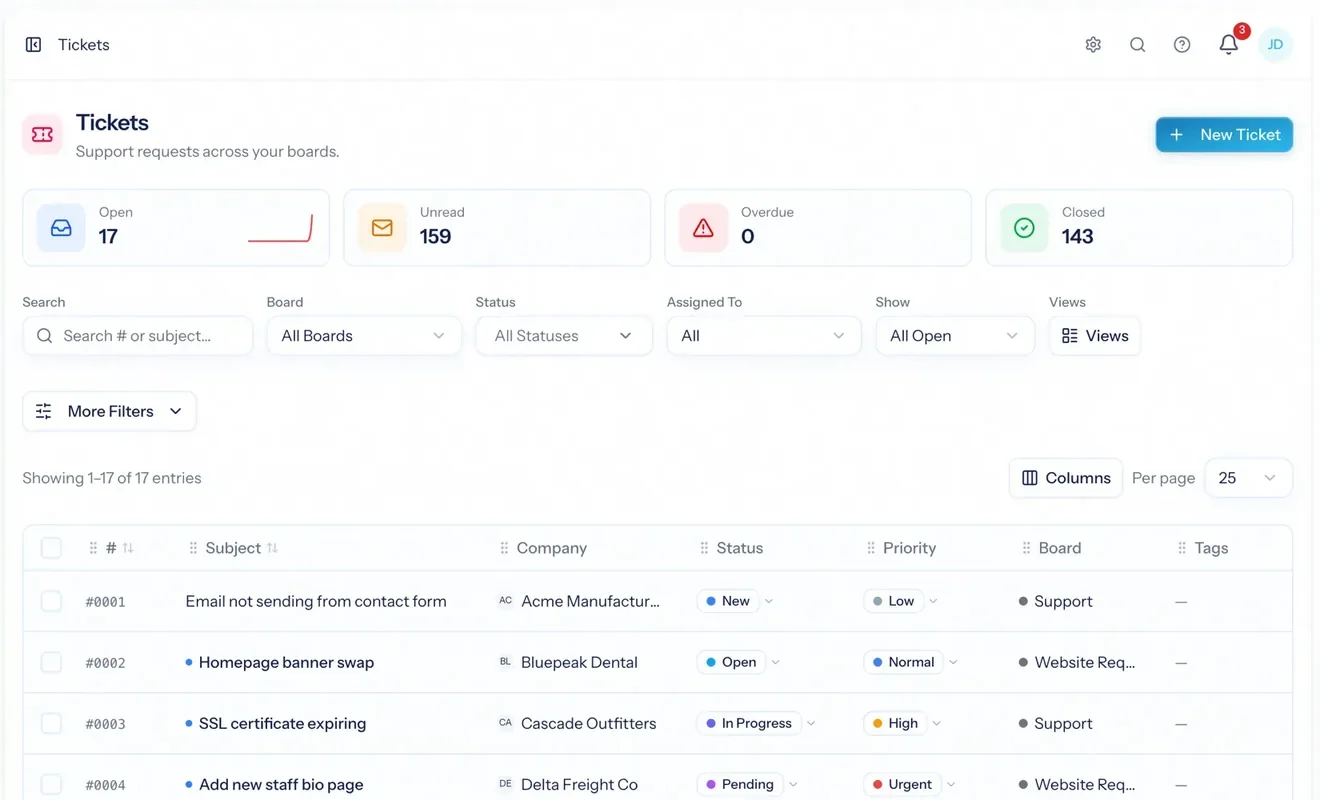
Boards, SLAs, email-to-ticket, surveys
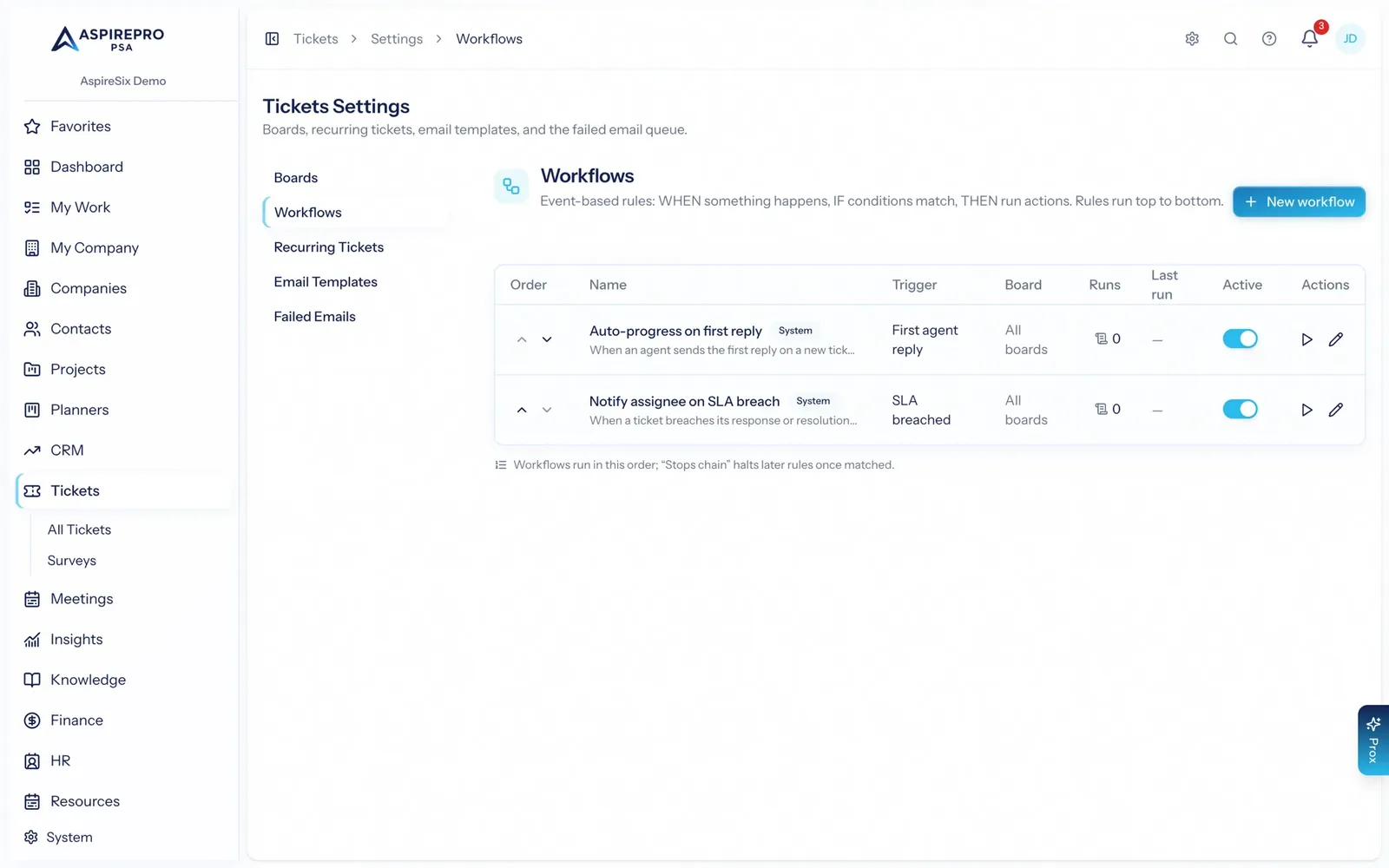
A queue per service line with response and resolution targets, mail that threads correctly, rules that escalate, and a one-click survey when it closes.
Client documentation with structure
Typed record cards you design — configurations, credentials inventories, equipment — attached to the company, linked to tickets, searchable across every client.
Managed services with included hours
Fixed fee or retainer, included hours with overage, client-specific rates, revenue at risk when paper lapses, and the under-billing detector.
A ticket, with the client's configuration beside it
Email a board and it becomes a ticket with the thread intact. Response and resolution targets show on the queue with a pre-breach warning; statuses like Waiting on Customer pause the clock. Link the ticket to the Pro Card it concerns — the firewall, the site — so the next person doesn't have to ask.
- Per-board statuses, priorities, mailbox, rules and access list
- SLA clocks on 24/7, business hours or a custom schedule
- Recurring tickets for monthly maintenance
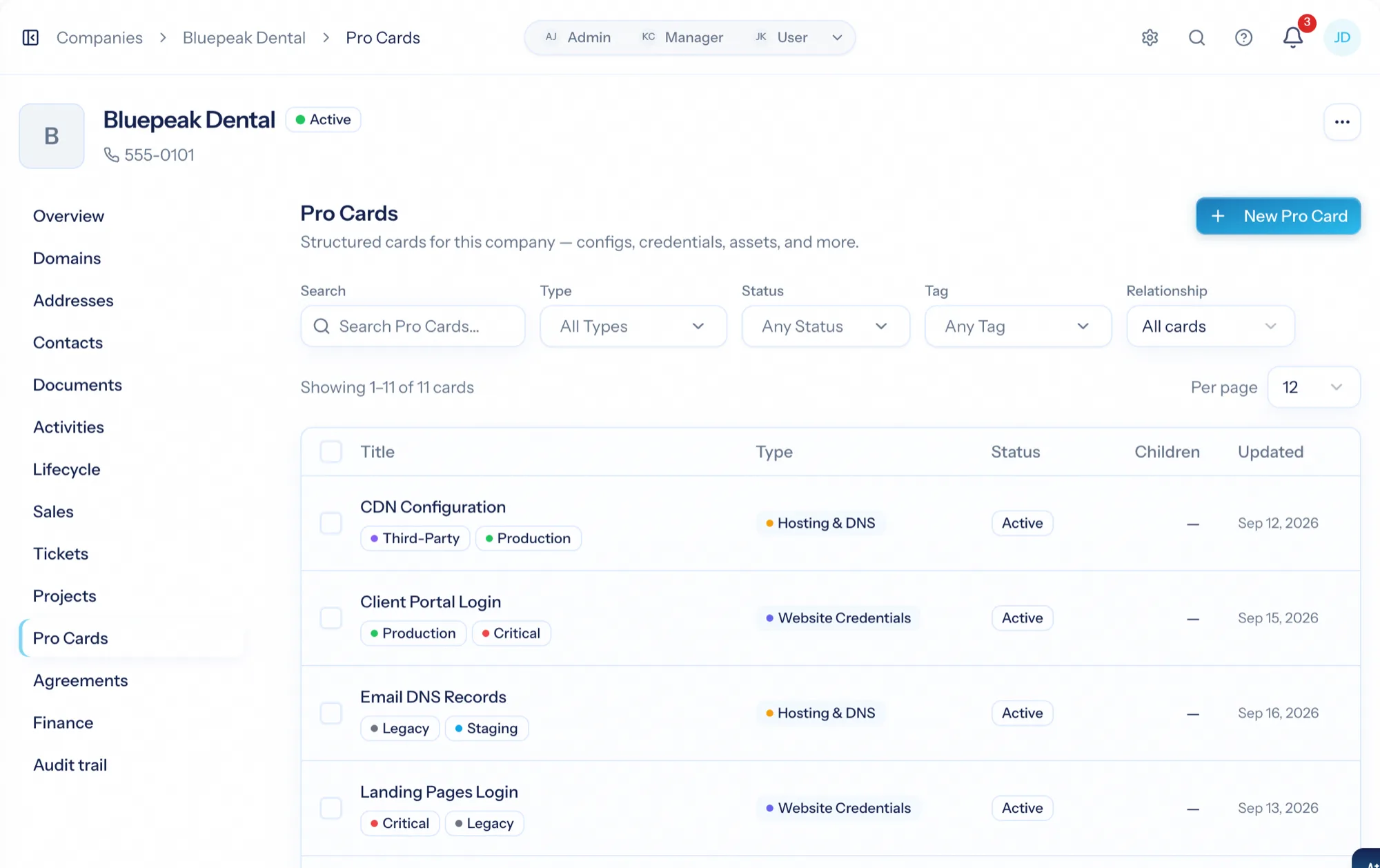
Every fact about a client, in cards your team designs
Card types with a field builder — Hosting & DNS, Website Credentials, Workstation — attached to the company, related to each other, with documents and history. The fleet view answers 'who is still on the legacy setup' across every client.
- Custom card types with typed fields
- Parent/child and related cards; link to tickets
- Fleet view with filters, board and bulk actions
Managed-service agreements that keep billing honest
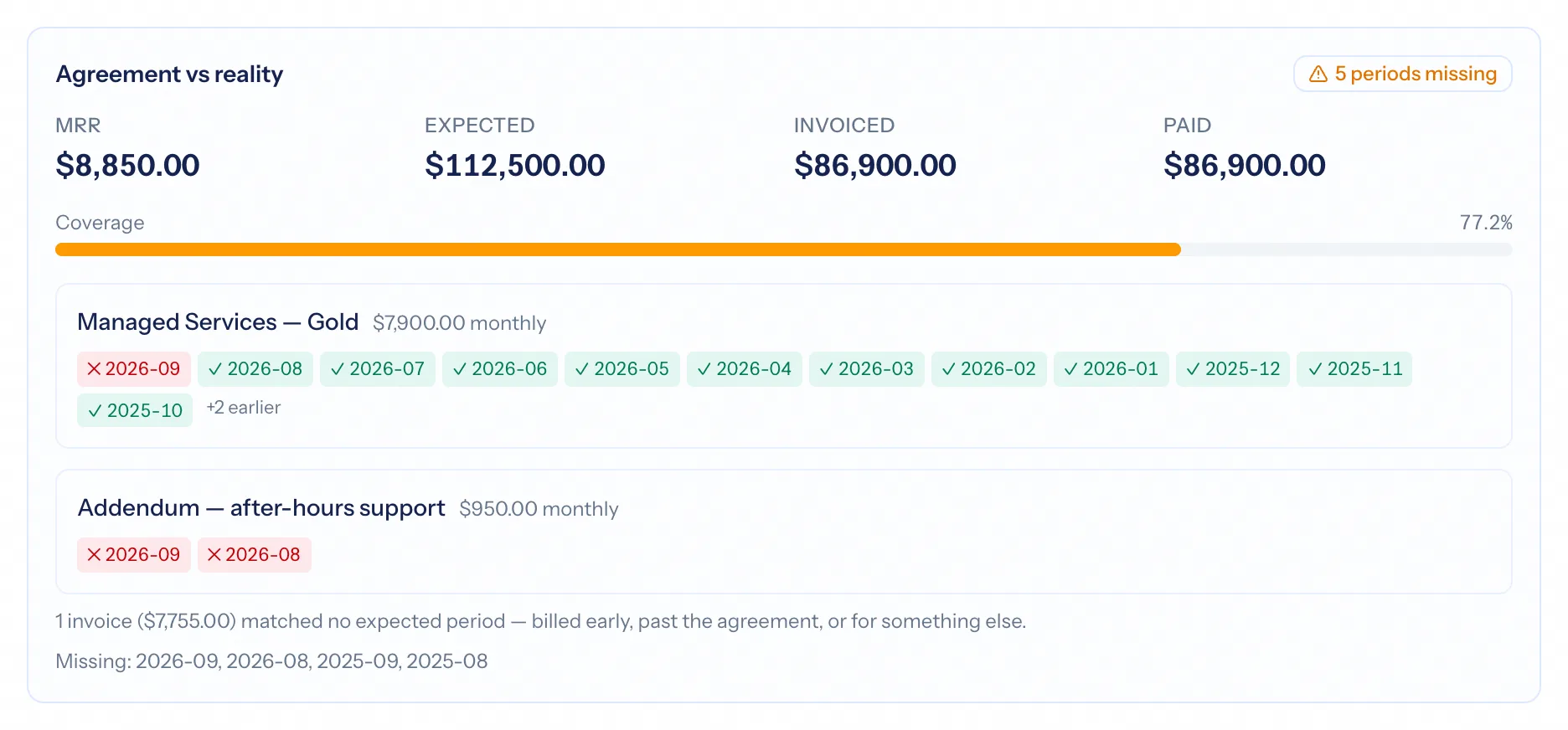
Included hours with overage and rollover, client-specific rates, recurring invoices on the cycle, renewals flagged before they lapse, and Agreement vs. Reality naming the months that were never invoiced. Subscription agreements can sync with Stripe.
- Fixed fee, retainer, time and materials
- Revenue at risk on every recurring figure
- Agreement vs. Reality under-billing detection
Order, receive, deliver — and the asset record already exists
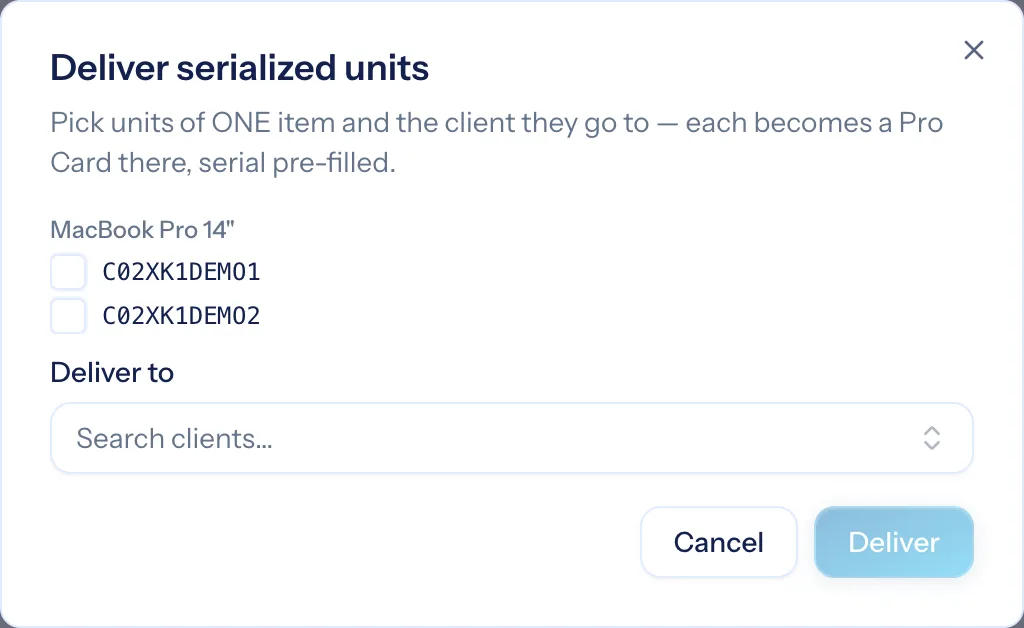
Purchase orders from the catalogue, receiving with serials, a stock ledger you never type into, drop-ship straight to the client. A delivered serialized unit becomes a Pro Card on that client — Workstation, Firewall — with the serial pre-filled. RMAs keep the record straight when a unit fails.
- Serialized items → Pro Cards on delivery
- Drop-ship and deliver-from-stock
- Vendor RMAs with replacement serials
Return on time per client, and a health score
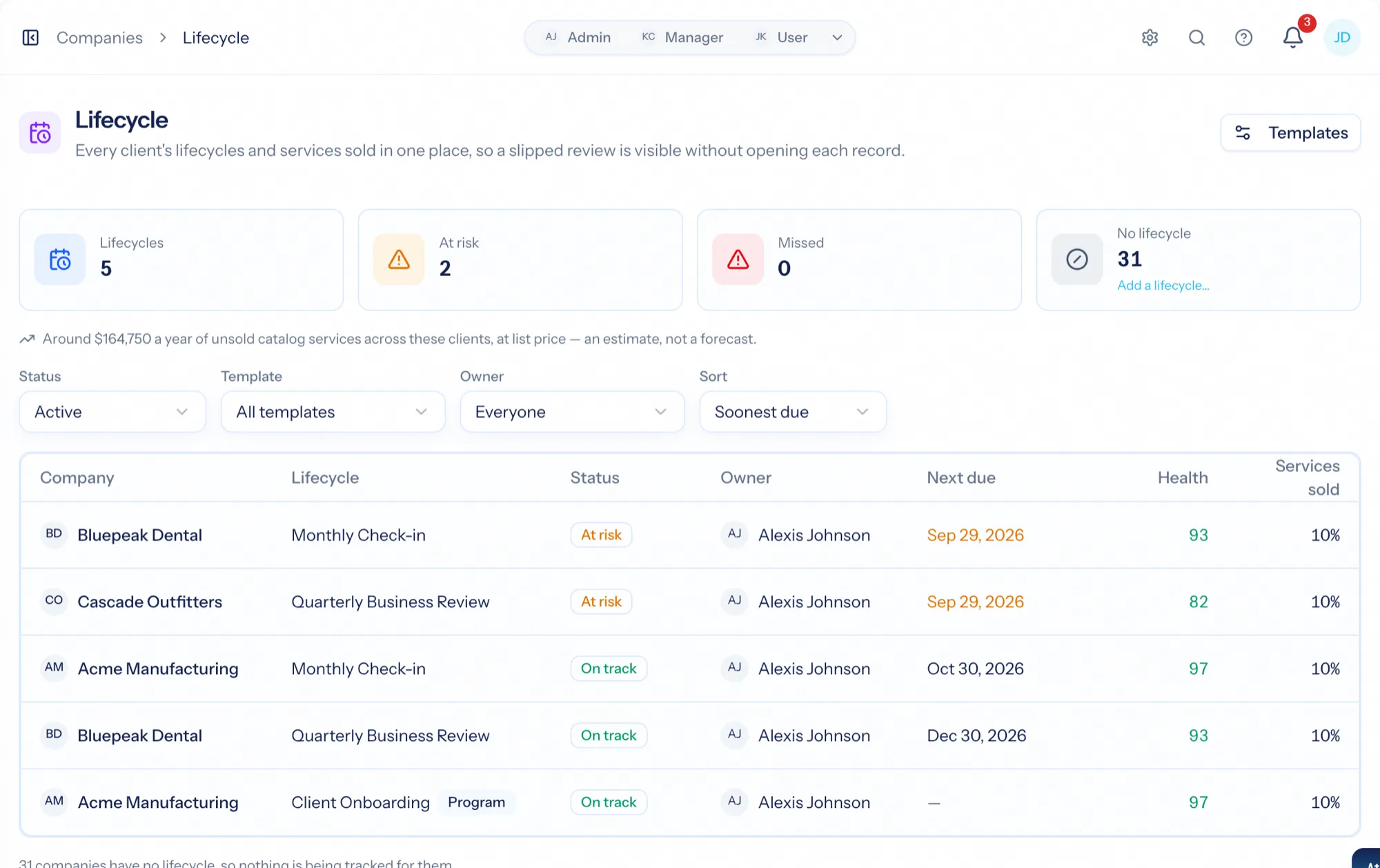
Profitability compares each client's revenue with what your team's time cost. Client health scores the account from kept check-ins, recent contact, ticket responsiveness, delivery, contracts in force and satisfaction — and pings the owner when it drops.
- Return on time per client and per agreement
- Six explained health contributors
- Lifecycle check-ins with attestation
A client, end to end
Sign
A managed-service agreement with included hours and the client's rates.
Document
Their configuration as Pro Cards, linked to the tickets they explain.
Support
Tickets with SLAs, time logged as you reply, surveys when they close.
Bill and read
Approved hours under the agreement; return on time and health per client.
What you'd use most
Every module reads the same clients, people and permissions — switch on the ones you need.
Frequently asked questions
Is AspirePro an RMM or PSA?
Is it IT documentation software?
How do SLAs work?
Can a delivered laptop become an asset record automatically?
Does it sync with QuickBooks?
Bring your whole services business together
Stop stitching together five tools. Run sales, delivery, support, and billing from one organization — with an AI assistant on every page.