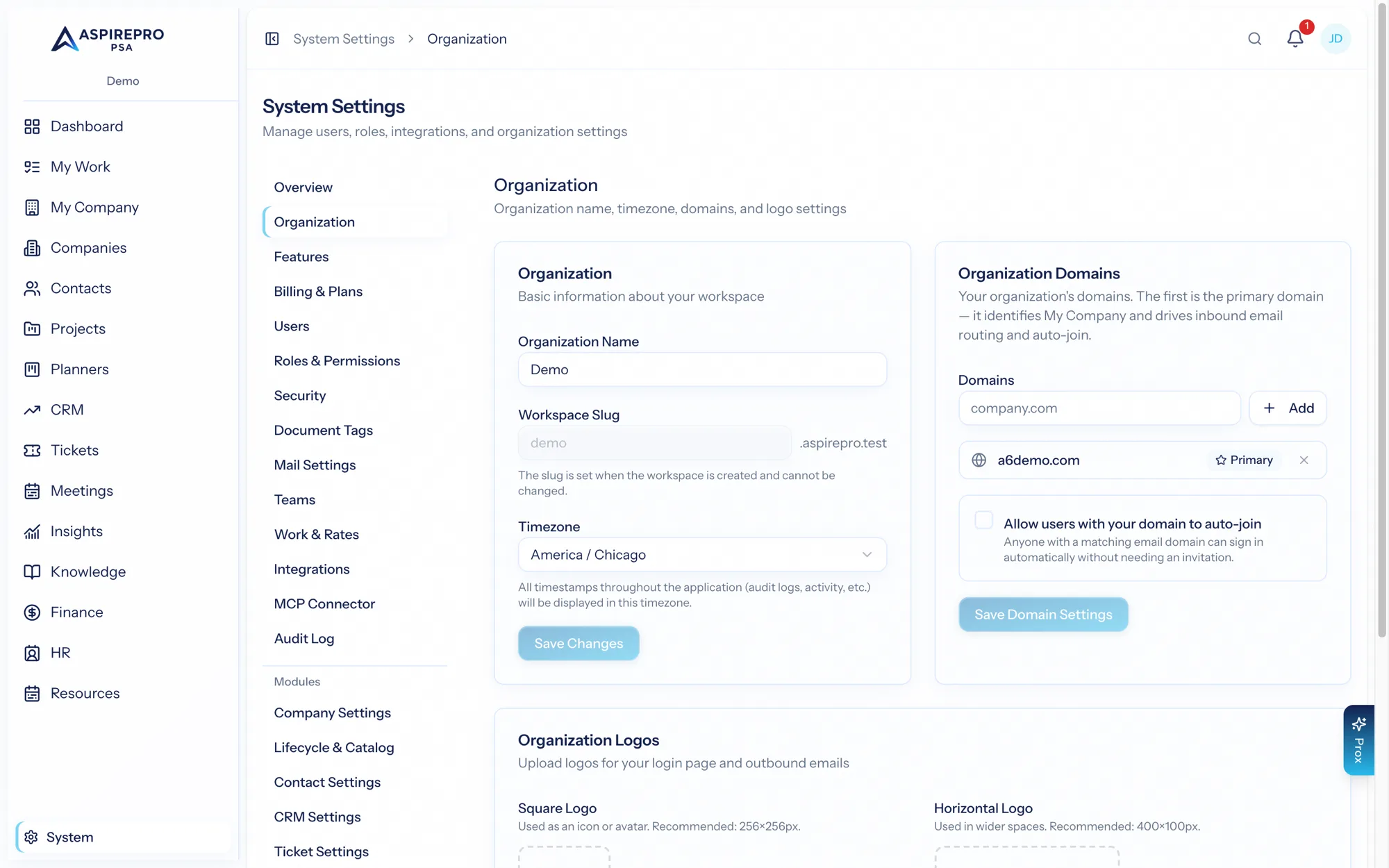
System → Organization is where you set your organization's identity and the defaults everything else inherits. It's usually the first thing to configure in a new organization.
Identity#
- Name — your organization's name, shown throughout the product and on things like invoices and portal pages.
- Logo — used in the interface and on client-facing documents.
Timezone and locale#
- Timezone — the organization's default timezone. Dates, deadlines, schedules, and reports are anchored to it, so setting it correctly keeps everyone on the same clock. (Individual users may still see times in their own context where relevant.)
- Locale — regional formatting for dates and numbers.
- Currency — USD. Organizations are single-currency: invoices, quotes, and agreements are all in dollars, and so are the Stripe, Xero, and QuickBooks rails, so the field isn't editable. (Deal values in the CRM and pay figures in HR carry their own currency labels — those are descriptions, not charged money.)
Set these early: modules like scheduling, timesheets, and SLAs all depend on the organization timezone.
Defaults#
The Organization page also holds organization-wide defaults that give new records sensible starting points. Configuring them once means less repetitive setup later and more consistent data.
Business hours & holidays#
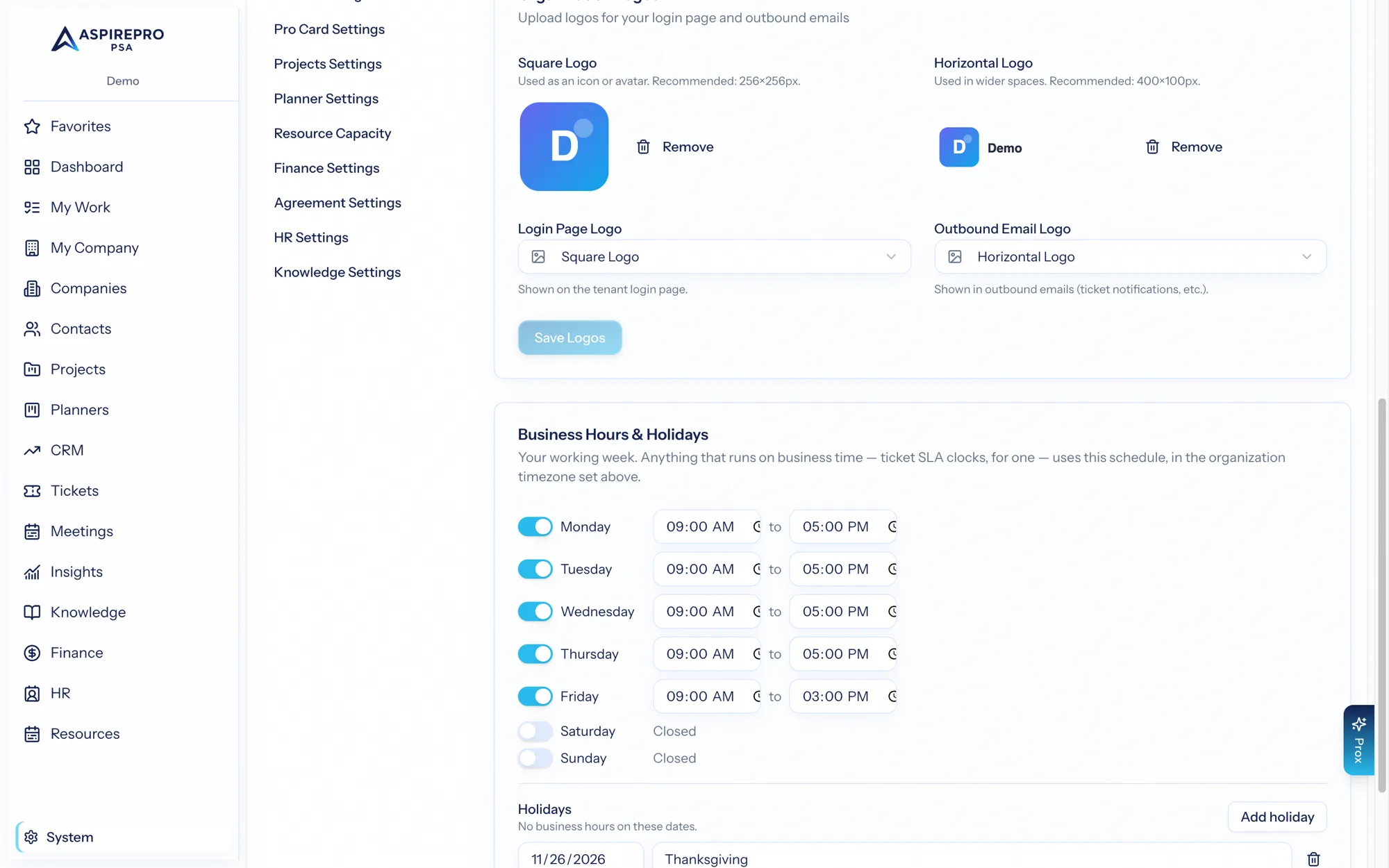
Your working week — open and close times per day, plus a holiday list — in the organization timezone. Anything that runs on business time uses this one schedule; today that's ticket SLA clocks on boards set to "business hours" (see SLAs & automations), and future business-time features will read the same definition.
Company domains#
Your organization's email domains (for example yourcompany.com) identify your business within the organization. Domains matter for a few reasons:
- They help AspirePro recognize your own people versus external contacts.
- A domain claimed by your organization can't be claimed by another organization signing up — domain ownership is treated as belonging to you.
Manage the domains associated with your organization here.
Changing the organization name or logo takes effect across the product immediately, including on client-facing surfaces like the portal and invoices — so review those touchpoints after a rebrand.