Most ticket configuration lives on each board. A couple of settings apply across the service desk and live under Tickets → Settings: email templates and workflows. (Recurring tickets and failed emails live here too — see Recurring tickets and Failed emails.)
Email templates#
Reusable replies you can drop into the conversation composer, so common responses are consistent and fast. A template is a subject and body with merge tokens (like {{contact.first_name}}) that fill in from the ticket when you use it. Templates can be global or scoped to a specific board.
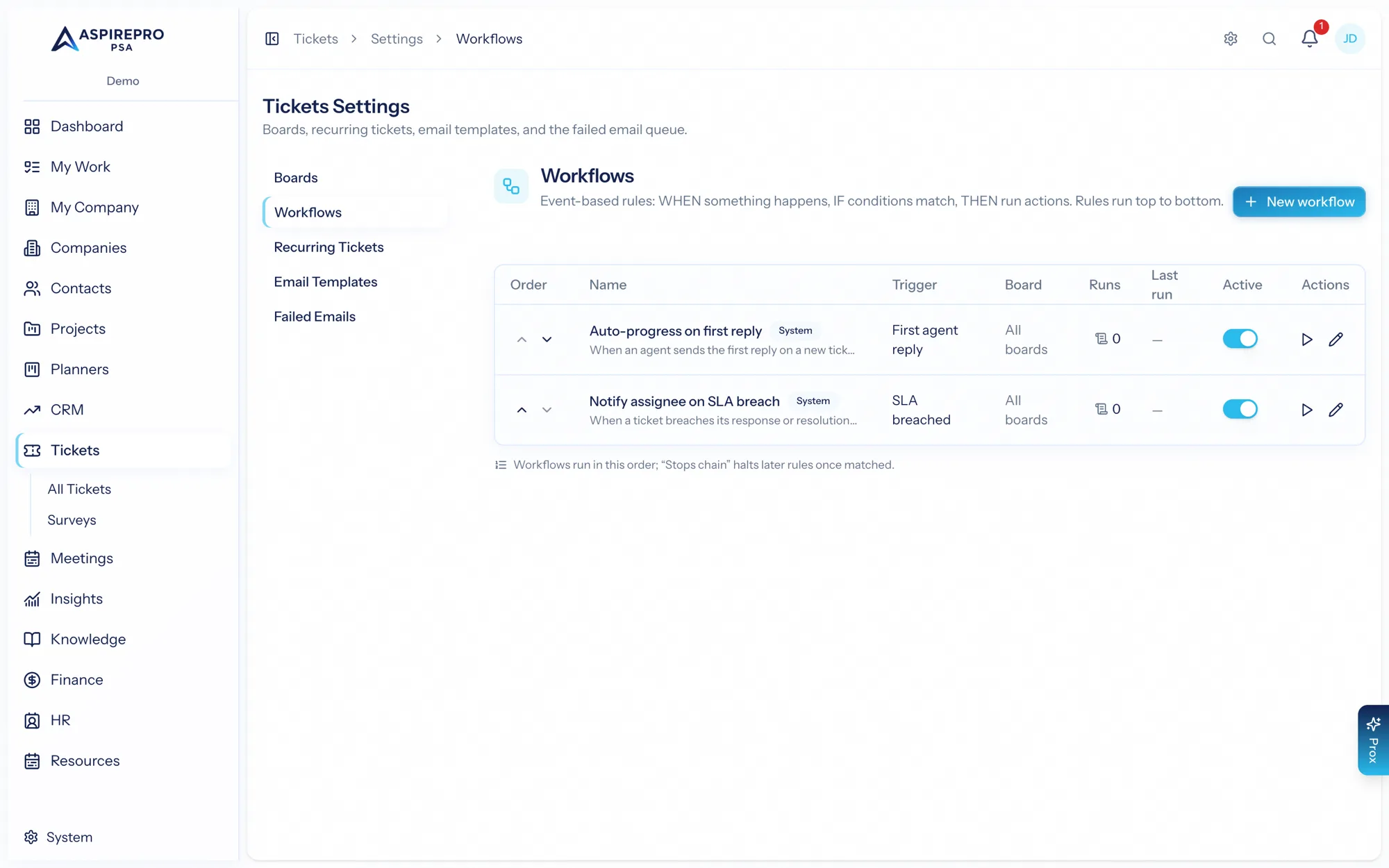
Workflows#
Event-driven rules that automate your boards — the same engine described in SLAs & automations. The workflow area has three parts:
- Index — your rules in a list, each with its trigger, board scope, last run, and an active toggle; reorder them to control precedence.
- Editor — build a rule: name it, pick the trigger event and board scope, define condition groups (ALL/ANY, nestable — two top-level groups combined with ALL behave exactly like two nested groups under an ALL wrapper), and choose the actions: set status/priority/type, add or remove a tag, move to another board, color, banner, assign, add a task, add an internal note, send a system email or reply template, notify, set an SLA override, or delete the ticket. Every action's configuration is validated at save, so a rule can't silently do nothing.
- Runs — a log of every evaluation, showing when it ran, on which ticket, whether it matched, and the result. Filter it and open any run for detail.
Test a rule with a dry run before it goes live, and use run now to apply it to matching tickets on demand.
Viewing workflows and editing them are separate permissions — you can let people see what automation is running (and review the runs log) without granting the ability to change the rules.