System settings is where administrators configure the whole organization — the organization's identity, which modules are on, who the users are, what they can do, security, billing, and more. You'll find it under System at the bottom of the sidebar (visible only to users whose role grants it).
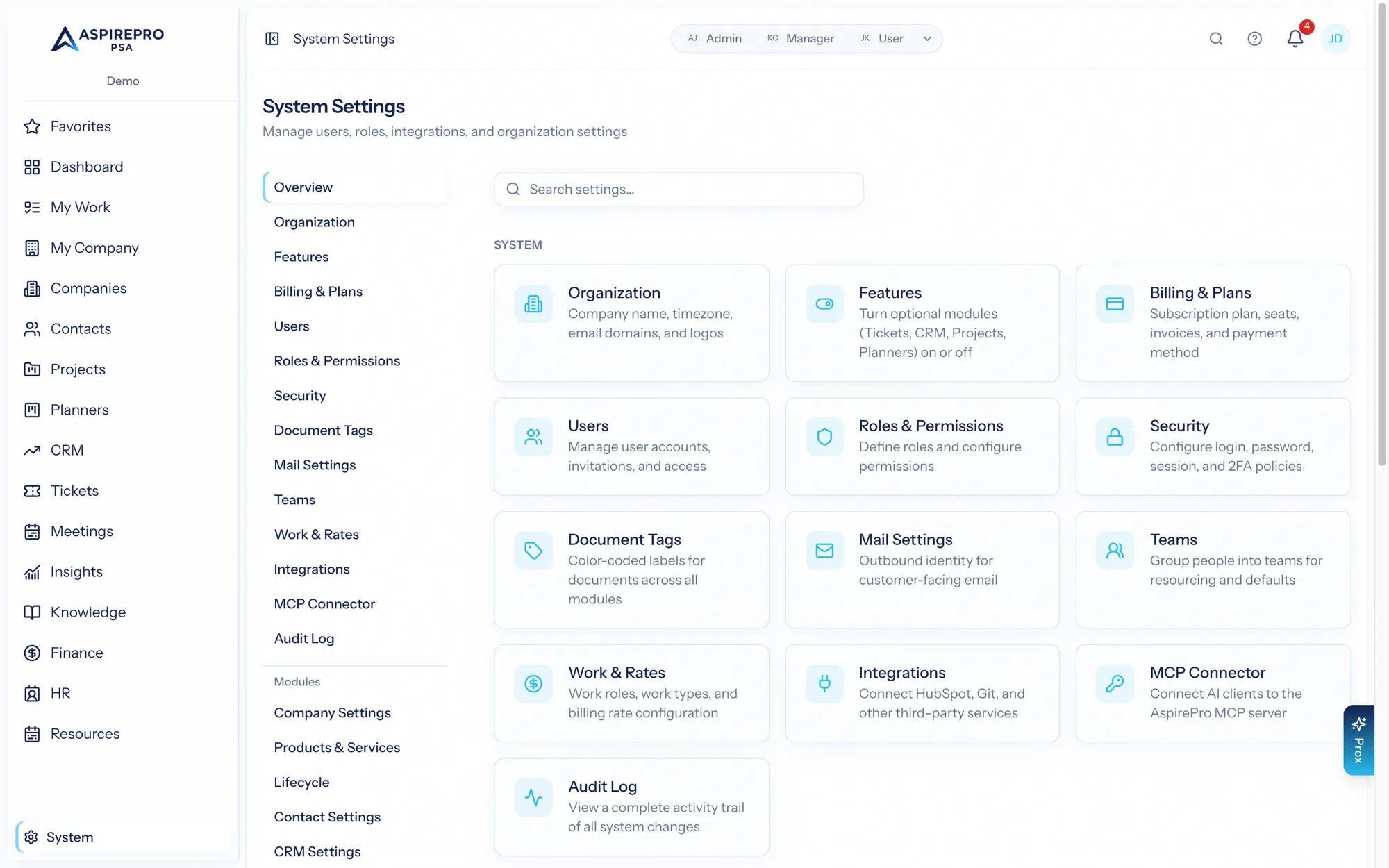
This page is the map. Each area has its own page with the details.
What's under System#
Area | What it controls |
|---|---|
Name, timezone, locale, and organization-wide defaults | |
Which modules are turned on | |
Inviting people and managing their accounts | |
What each role can see and do | |
Grouping people for access and assignment | |
Sign-in policy, including required two-factor auth | |
Your subscription, seats, and invoices | |
Mail settings | How the organization sends email |
Document tags | Tags used on documents across modules |
Work roles and billing rates | |
Resource capacity | Team capacity for resource planning |
API tokens for the MCP server | |
A record of significant changes in the organization | |
Integrations | HubSpot, QuickBooks, Git, and more |
Some modules add their own entries under System too — HR settings, Finance settings, Agreement settings, and Knowledge settings appear when those modules are enabled. Lifecycle settings is always there for anyone holding Manage lifecycle, because Lifecycle is part of Companies; it also holds the two client health switches. Those are documented with their modules.
Recommended setup order#
Setting up a new organization? This order minimizes rework:
- Organization — set your name, timezone, and locale first; other things build on them.
- Features — turn on the modules you'll use. There's no need to enable everything; you can add modules later without losing anything.
- Roles & permissions — decide what your roles can do before you invite people, so everyone lands with the right access.
- Users — invite your team. They'll get an email to set a password and join.
- Teams — group people if you'll use teams for access or assignment.
- Security — set your sign-in policy; consider requiring two-factor authentication.
- Module settings — configure each enabled module's taxonomy (statuses, types, tags, pipelines, boards) so records have somewhere to go.
- Integrations — connect HubSpot, QuickBooks, Git, calendar, and email as needed.
Personal vs. system#
Remember the split: System settings affect the whole organization and need administrator permission. Anything that affects only one person lives under Account settings — see Your profile & preferences.