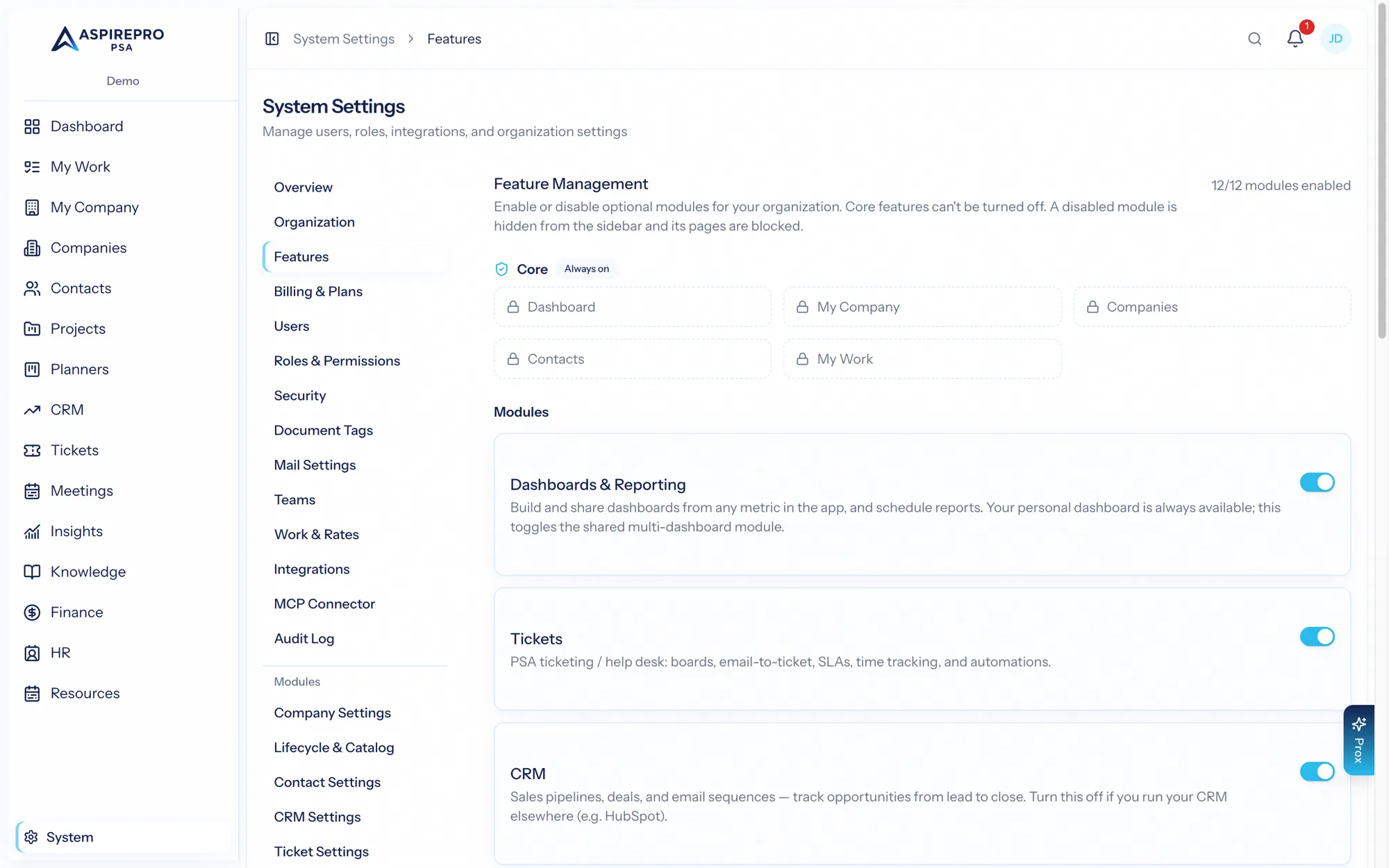
System → Features is where you decide which modules your organization runs. AspirePro is deliberately modular: turn on what your team needs and leave the rest off, so the product stays focused and the sidebar stays clean.
Toggleable modules#
Each of these can be switched on or off independently:
- Dashboards & Reporting (Insights) — shared dashboards and scheduled reports.
- CRM — sales pipelines and deals.
- Service Desk (Tickets) — support queues, SLAs, email-to-ticket.
- Projects — project delivery and task management.
- Planners — flexible boards for any kind of work.
- Resource Management — capacity planning, staffing, time off.
- Finance — timesheets, agreements, invoicing.
- HR — people, performance, recruiting, assets.
- Meeting Notetaker — meeting recording and notes, powered by a notetaker service your organization connects (bring your own).
- Meeting Scheduler — bookable meeting pages.
- Knowledge — a permissioned knowledge base.
- Client Portal — a secure portal for your clients.
Always-on foundations#
Some areas can't be turned off because everything builds on them: Companies (including Lifecycle), Contacts, your personal Dashboard, My Work, and Notifications. These are always available regardless of which modules you enable. The one switch inside them is client health: scoring, and separately its notifications, can be turned off under System → Lifecycle → Client health rather than here.
Turning a module on or off#
- Open System → Features.
- Toggle the module.
When you enable a module, its navigation appears and its features become available. When you disable one:
- Its navigation is hidden and its routes are blocked, so no one can reach it.
- Its data is preserved — nothing is deleted. Turn the module back on and everything is exactly as you left it.
This makes it safe to experiment: enable a module to try it, disable it if the timing isn't right, and re-enable later without losing a thing.
Rolling out gradually#
A common approach is to start with the core modules your team will adopt first (say, CRM and Tickets), get those running well, then enable Projects, Finance, and the rest as you're ready. Because disabling is non-destructive, there's no penalty for phasing your rollout.
Enabling a module makes it available; it doesn't configure it. After turning one on, visit its settings to set up the statuses, boards, pipelines, or taxonomy it needs — see each module's documentation.