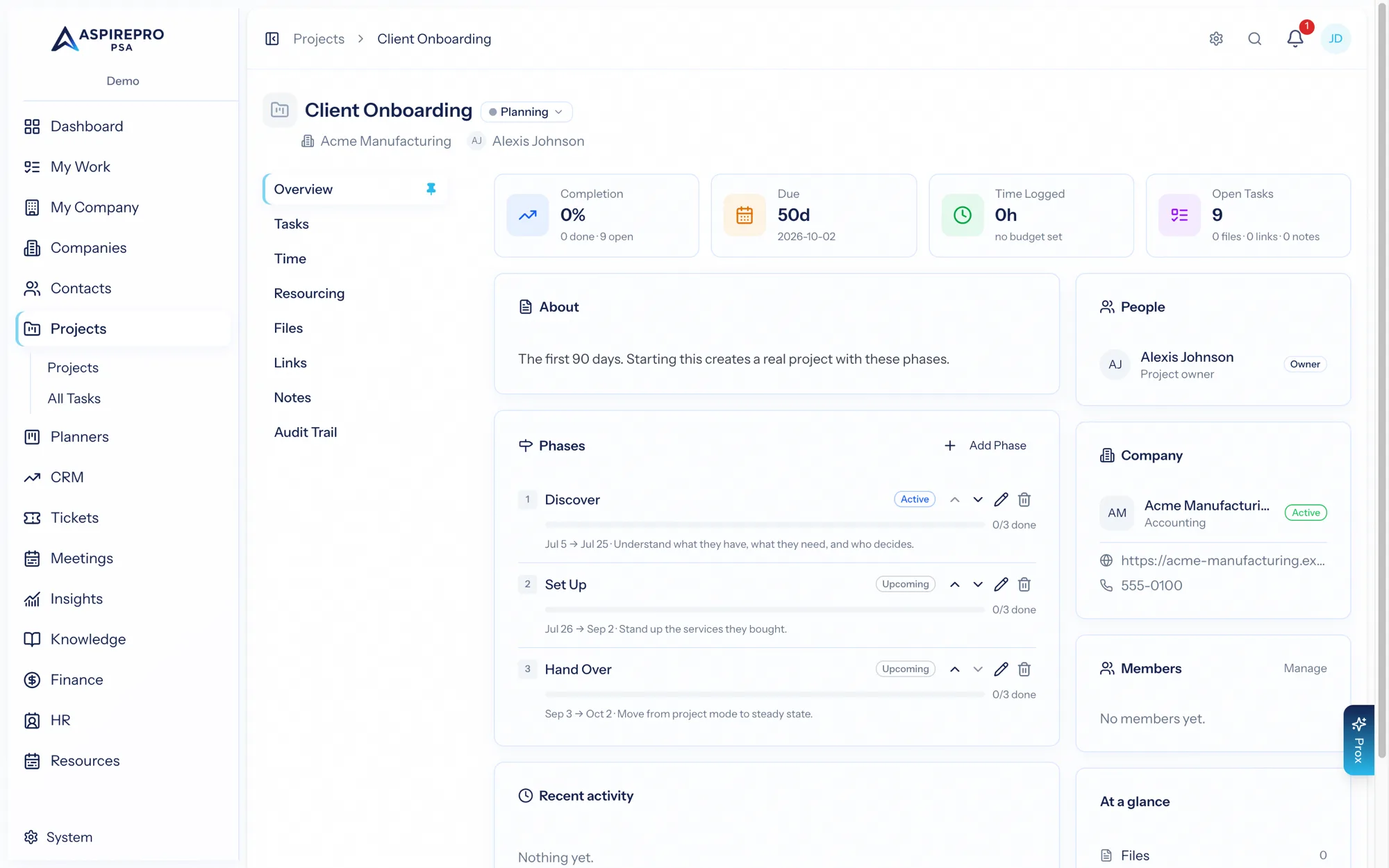
Phases let you organize a project into stages — for example Assess → Build → Launch → Grow — so a longer engagement reads as a clear sequence rather than one big pile of tasks. Phases are optional; add them to any project that benefits from stage structure.
What a phase is#
Each phase has a name (free text — name them however your delivery works), an optional description, start and end dates, and a status: upcoming, active, or complete. You add phases to a project, reorder them, and edit or remove them as the work evolves.
Progress comes from tasks#
A phase's progress is derived from its tasks — assign a task to a phase from the task's detail panel, and the phase rolls up how many of its tasks are done. An empty phase reads as 0% (not "complete"), so progress always reflects real work. This keeps phases honest: they move because the tasks inside them move.
Deleting a phase#
Removing a phase keeps its tasks — they simply become "unphased" and stay on the board. You won't lose work by reorganizing your phases.
Phases and lifecycle programs#
Phases are also the mechanism behind running a lifecycle program as a project. A Program lifecycle template defines its phases up front (each with a duration and deliverables), and adding it to a company creates a real project with those phases laid end to end — the first active, the rest upcoming — and each deliverable as a task due at the end of its phase. The project is owned by the lifecycle's owner and linked from the company's Lifecycle tab; removing the lifecycle later leaves the project in place. See Program templates.
Phases are about stages of one project. For recurring, ongoing client work (monthly reviews, check-ins), use Lifecycle instead — the two are complementary.