Project settings shape how projects and their tasks are classified. They're under Projects → Settings (project statuses/types/tags/templates need the projects-settings permission; task taxonomy needs the task-settings permission).
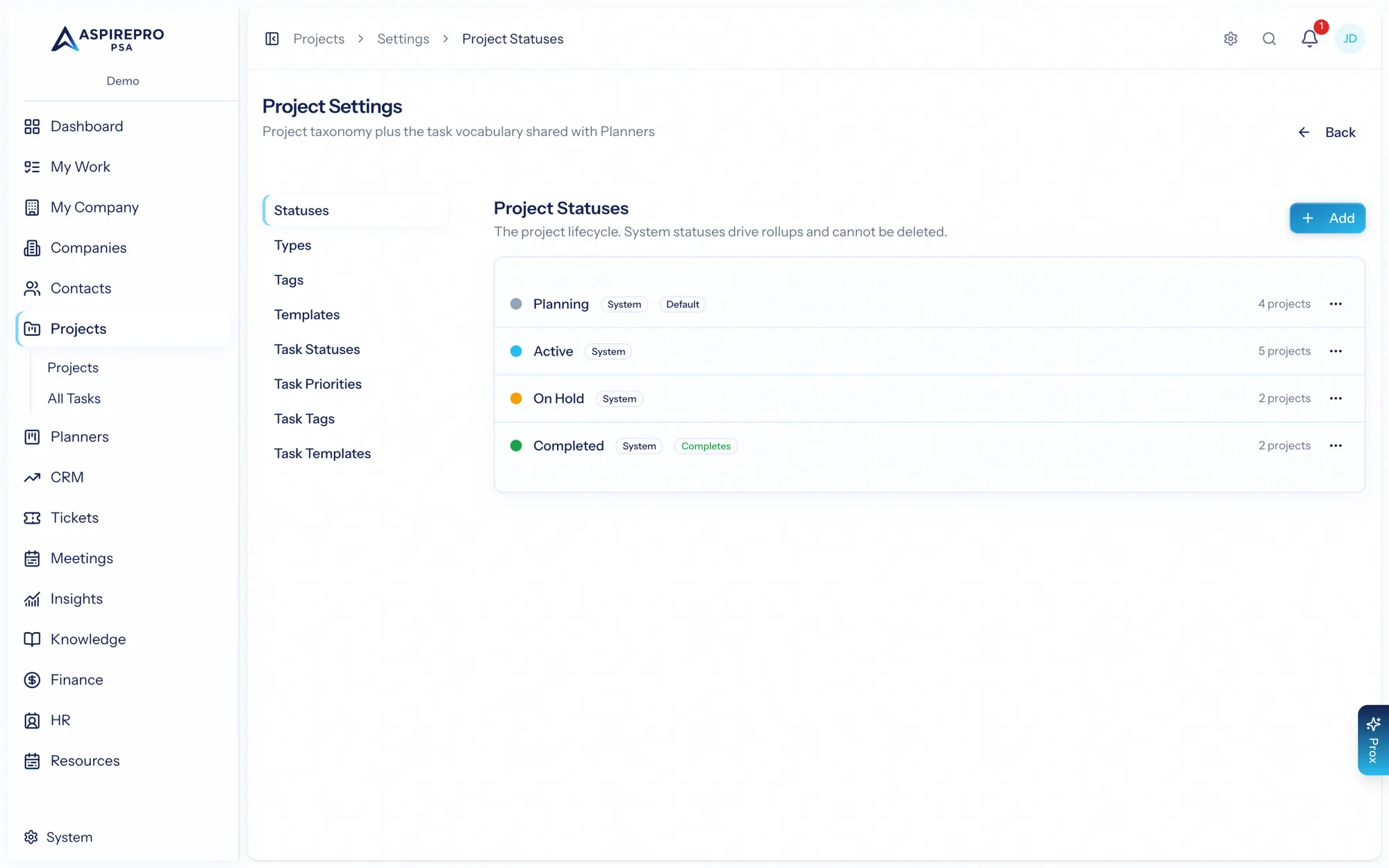
Project statuses#
The project statuses — the stages a project moves through (for example Planning, Active, On hold, Complete). Some statuses are system statuses that drive completion roll-ups and can't be deleted, but you can still adjust their color and visibility. Add your own statuses to match how your team tracks project health.
Project types#
Types classify what kind of project it is — Website, Retainer, Onboarding, Campaign. Each has a name and color, and types are a useful filter and reporting axis.
Project tags#
Flexible, colored tags for any cross-cutting classification that isn't a status or type — SOW workstreams, campaigns, departments. Apply them on a project's edit form; they show as chips on the project cards, list, and record header, and the projects list can filter by tag (savable as a view). A common agency pattern: each SOW workstream becomes a tag, each deliverable becomes a project tagged with its workstream — so "how is Workstream 3 doing?" is one saved view.
Templates#
Save a project as a template to spin up similar work quickly. A template captures the project's structure — its buckets and, optionally, its tasks — so starting a new project of that kind is one click instead of rebuilding it each time. You create templates by saving an existing project as one (with or without its tasks), then create new projects from them.
Task taxonomy#
Separately, projects have their own task taxonomy — task statuses, task priorities, and task tags — that the board and task panel use. This is scoped to projects (Planners keep their own), so you can tune how tasks are classified for delivery work without affecting other modules.
Task templates#
Task templates are reusable task setups: a name, a description, a checklist, and subtasks. You drop one onto a board instead of rebuilding the same task. There's one shared list for the whole organization. Projects → Settings → Task templates and Planners → Settings → Task templates show the same templates, so a change in either place shows up in both.
Anyone who works tasks can see the list and use the templates. Creating, editing, and deleting them needs the task-settings permission, the same one that governs task statuses, priorities, and tags.
System project statuses are the ones that make completion percentages and roll-ups meaningful — leave them in place and add alongside them rather than trying to remove them.