The Projects module is where delivery happens. A project gathers the tasks, files, notes, time, and people for a piece of work — a website build, an onboarding, a campaign — and gives your team a board to run it on. Projects share the same companies and contacts as the rest of AspirePro, so a project is tied to the client it's for.
Projects is a toggleable module; an administrator turns it on under System → Features.
The projects list#
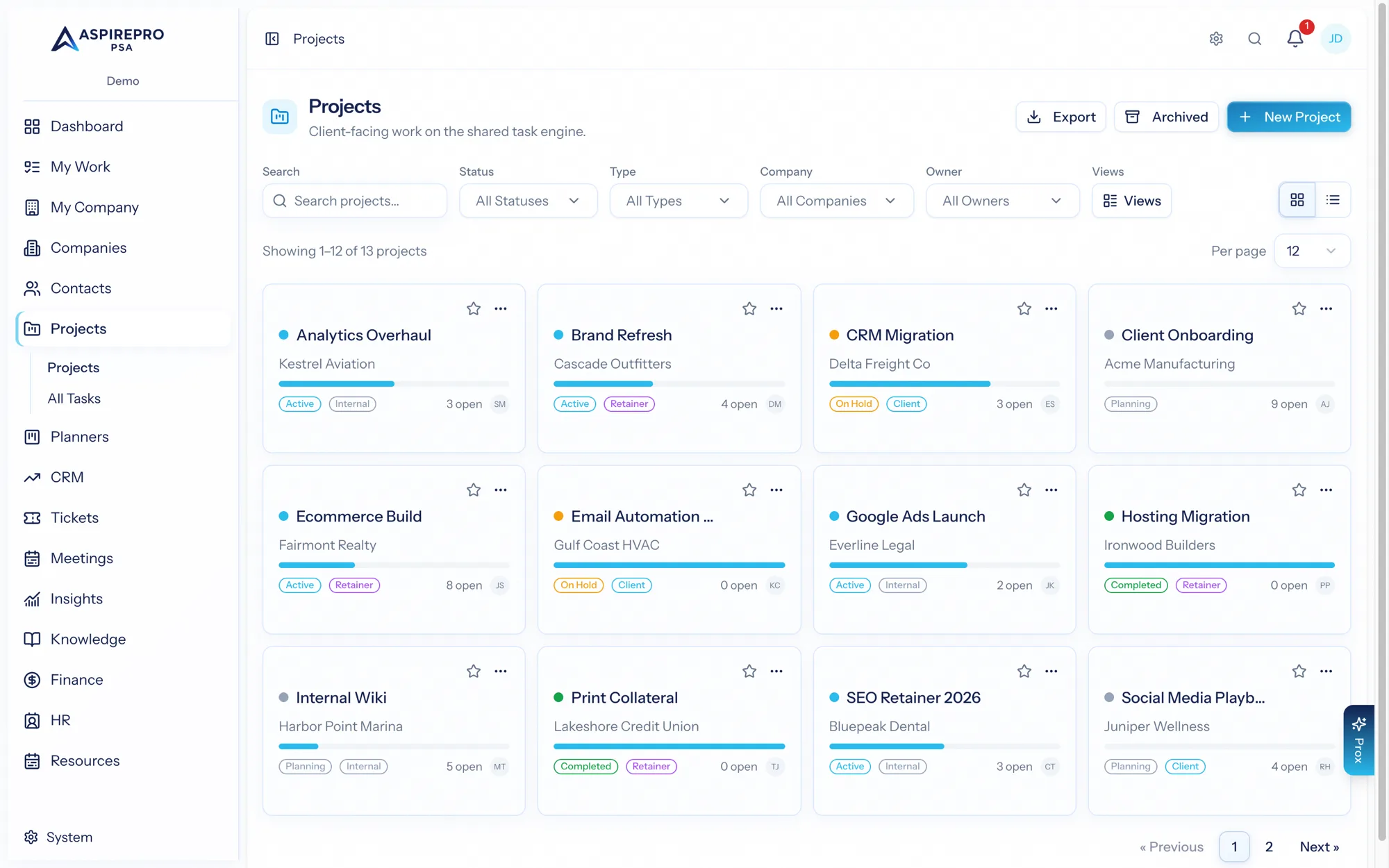
Open Projects for every project you can access, as cards or a list. From here you can:
- Search and filter by status, type, company, and owner.
- Save views and set a default, and star the projects you care about most.
- Create a new project, or create from a template.
- Use row actions to duplicate a project (structure only, or with its tasks), save it as a template, edit, archive/restore, or delete.
- Select projects to change status, archive, or delete in bulk.
Cross-project: All Tasks#
Projects → All Tasks rolls up tasks from every project you can access into one unified list — the fastest way to see everything in flight across your delivery work, filter it, and jump straight to a task.
What's in this section#
- The project record — the overview, files, links, notes, resourcing, time, and audit tabs, plus members.
- The task engine — the board, buckets, tasks, and the task panel (shared with Planners).
- Phases — organize a project into stages with dates and progress.
- Git links — connect tasks to pull requests and branches.
- Client-portal visibility — share specific tasks, comments, and files with clients.
- Settings — statuses, types, tags, templates, and task taxonomy.
Projects vs. Planners: both run on the same task engine. Use Projects for client delivery work that needs time tracking, dependencies, review, and client sharing; use Planners for lighter, flexible boards. See Projects vs. Planners.