Time off spans two modules, and HR owns the part about how much time people have: the balances, the accrual policies, and adjustments. The request and approval flow lives in Resource Management — the two share the same underlying records, so it's one system with two front doors.
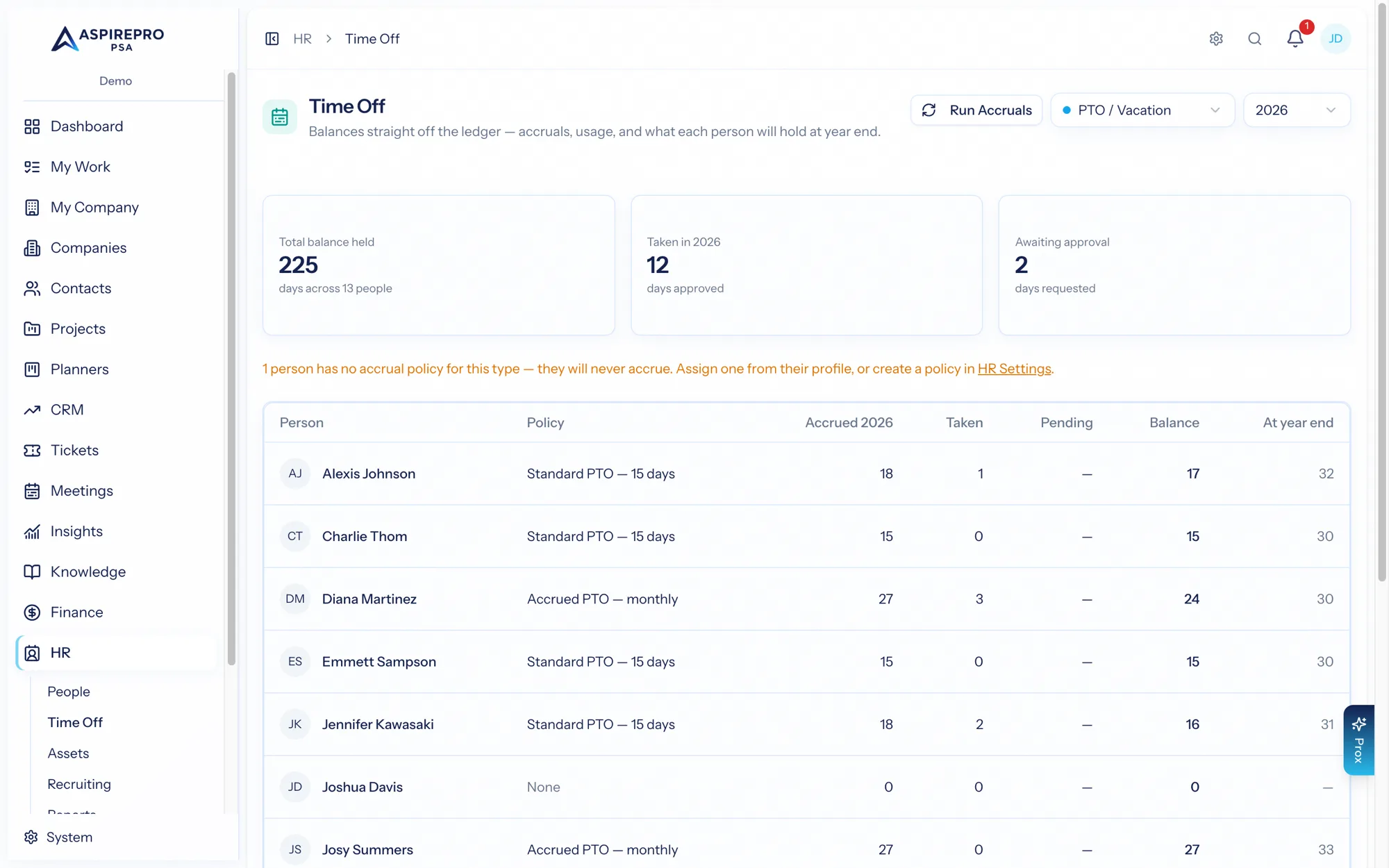
The org-wide view#
HR → Time off shows every active person's balance for a chosen time-off type and year — their policy, accrued, used, pending, and remaining days, plus a projected year-end balance. A total liability figure sums it across the organization, so you know your outstanding obligation at a glance.
On a person#
A person's Time Off tab shows their balances, their entries, the full ledger (every accrual, use, and adjustment), and their policy assignments. From here, HR managers can:
- Adjust a balance — a ledgered correction with a required note (audit-logged).
- Assign or remove a policy — which backfills accruals accordingly.
- Project a balance forward to a future date — useful when someone asks "how much will I have by December?"
Policies and accruals#
Time-off policies define how time accrues — the method, the annual days, carryover limits, waiting periods, and reset timing. Policies are configured under HR settings, assigned to people, and run to grant time. Because accruals are policy-driven and ledgered, every balance is explainable down to the entry.
The split with Resource Management#
To be clear about the division:
- HR owns balances, policies, accruals, and adjustments (this page).
- Resource Management owns requesting and approving time off, and applies approved time off to capacity.
They operate on the same time-off records, so a request approved in Resources draws down the balance HR maintains. Manage the policy here; request and approve there.
Time off on calendars#
Time off shows on the internal AspirePro calendar automatically — pending and approved requests appear as all-day bands (rejected and cancelled never show).
With a connected external calendar (Account settings → Calendar), approved time off also syncs out as all-day blocks, so booked days read as away in Outlook or Google too. This rides the outbound sync preferences — an "Approved time off" toggle, on by default — and it's tidy in both directions: approval pushes the block (immediately, not at the next poll), while cancelling or revoking removes it.