The Recruiting area is a built-in applicant tracking system: post openings, move candidates through a pipeline, run structured interviews, extend offers, and — when someone accepts — hire them into a full employee profile in one step.
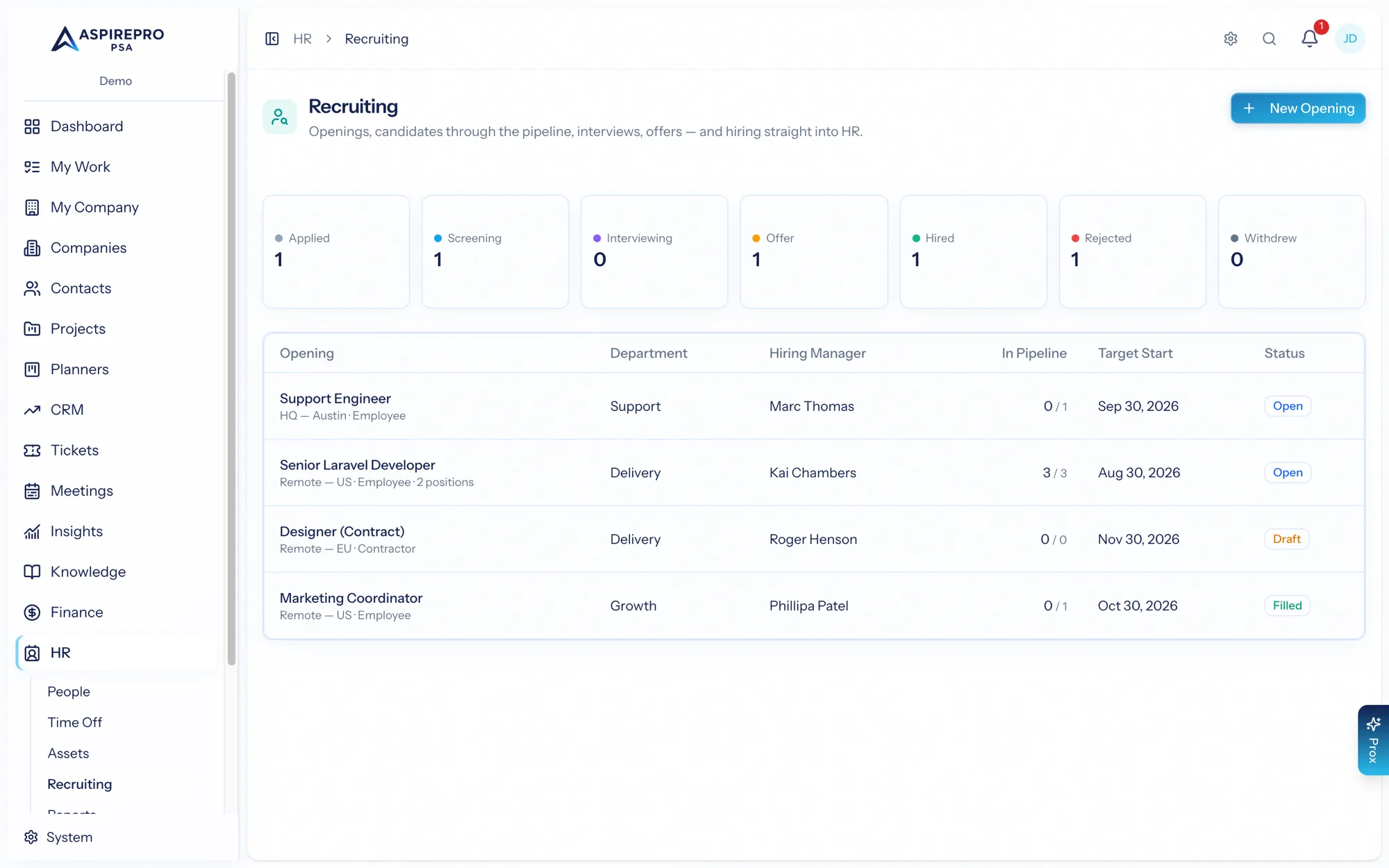
Recruiting has its own sub-toggle on top of the HR module: an administrator enables it under HR settings (it's off until turned on). Managing the pipeline needs the recruiting permission; an interviewer with no other access can still reach their own scorecard.
Job openings#
Create an opening with its title, department, location, employment type, number of positions, hiring manager, salary range, target start date, and description. Openings have a status — open, closed, or filled — and the index shows the funnel and application counts. Deleting an opening that already has applications closes it instead, so you never lose candidate history.
The candidate pipeline#
Add candidates to an opening (an existing candidate is reused by email), then move them through your hiring stages. Rejection stages capture a reason. Hiring is a deliberate, separate action — you can't simply drag someone into "hired."
Interviews and scorecards#
Schedule interviews for an application — assigning an interviewer, a type, a time, and a duration (the interviewer is notified). After the interview, that interviewer fills in a scorecard: a rating, a recommendation, strengths, concerns, and notes. Only the assigned interviewer can edit their scorecard, and the application shows the average rating across interviews — so hiring decisions rest on structured, comparable feedback.
Offers#
Extend an offer with pay type, amount, currency, start and expiry dates, and notes, then track its status through sent → accepted / declined / withdrawn.
Hiring#
When a candidate accepts, hire them — and AspirePro does the rest in one action:
- Creates their user account (invited to set a password) with a starting role.
- Builds their employee profile, first employment record, and a compensation record from the accepted offer.
- Marks the candidate hired, moves the application to the hired stage, and withdraws their other in-flight applications.
- Closes the opening once it's filled and auto-starts their onboarding checklist.
So the moment someone is hired, they exist as a proper employee with a profile, comp on record, and onboarding already underway — no re-entering the details you already captured in recruiting.
Recruiting connects straight into the rest of HR: the offer becomes compensation, the hire becomes an employment record, and onboarding starts itself. Hiring in AspirePro is the same data flowing forward, not a hand-off between systems.