AspirePro doesn't run payroll — it hands your payroll provider a clean, accurate file to run it from. The Payroll export produces a CSV of hours, pay rates, and time off for a date range, so payday is built on approved data rather than a scramble of spreadsheets.
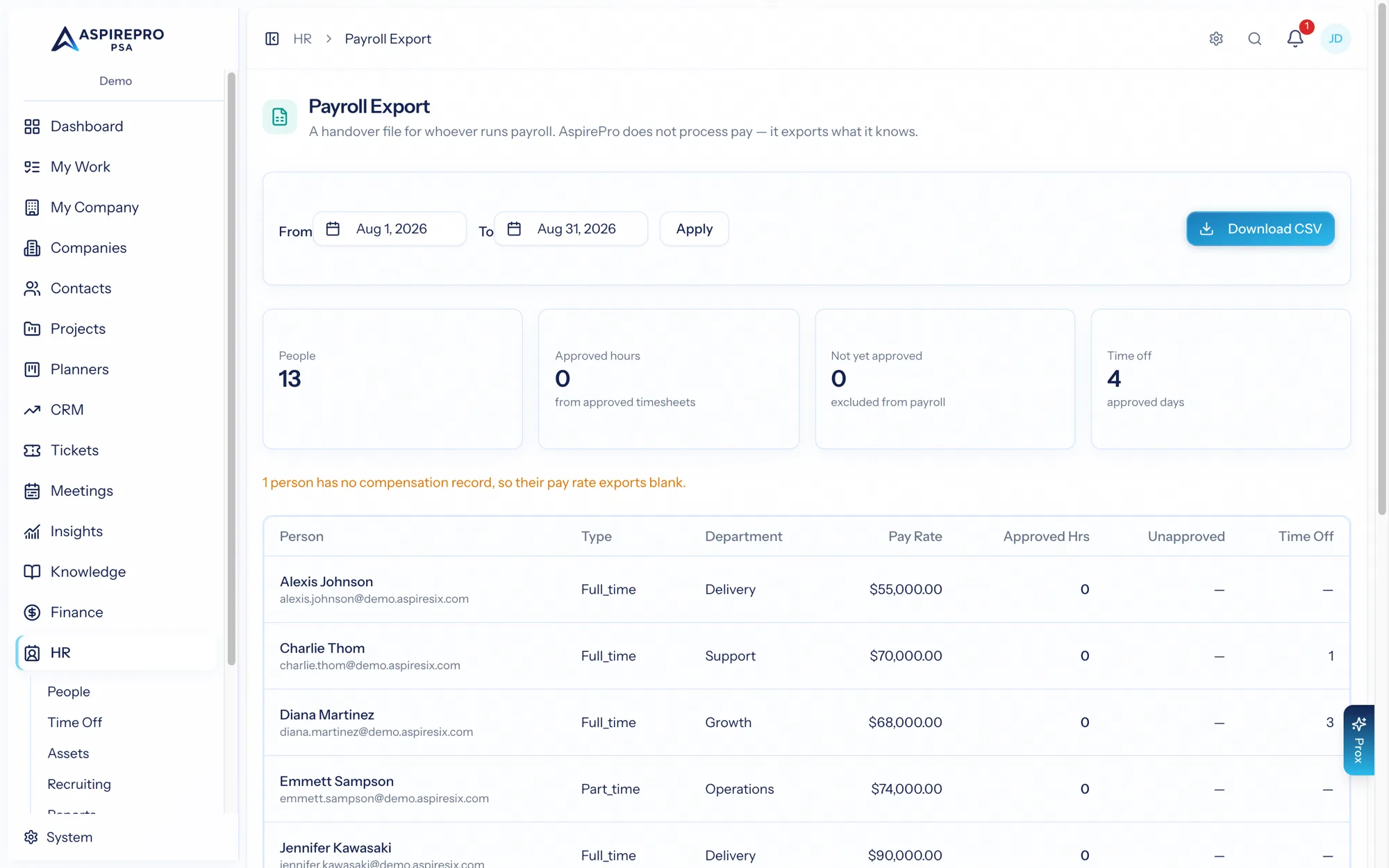
Find it under HR → Payroll export (it needs the payroll-export permission).
What it produces#
Pick a date window (it defaults to the current month), and export a CSV with a row per active person containing:
- Identity and employment — name, email, employment type, department, hire and termination dates.
- Pay — pay type, pay rate, and currency.
- Approved hours — only hours from approved timesheet periods, with breaks deducted. Unapproved hours are shown separately so nothing questionable slips into payroll.
- Time off — approved time-off days that fall within the window.
A totals row sums it up, and every export is audit-logged.
Why "approved only" matters#
The export draws a hard line at approval: only time that a manager has signed off on counts toward the payroll hours. That's the same gate that governs billing, so the hours you pay for and the hours you can bill both rest on the same reviewed data.
This is a handover, not a payroll engine — there's no tax calculation or direct deposit here. The export gives your payroll provider (or bookkeeper) exactly the hours and rates they need, pulled straight from approved timesheets and approved time off, for whatever period you're running.