Bringing someone on — and letting someone go — involves a lot of small, easy-to-forget steps. Checklist templates capture those steps once, so every onboarding and offboarding runs the same complete way.
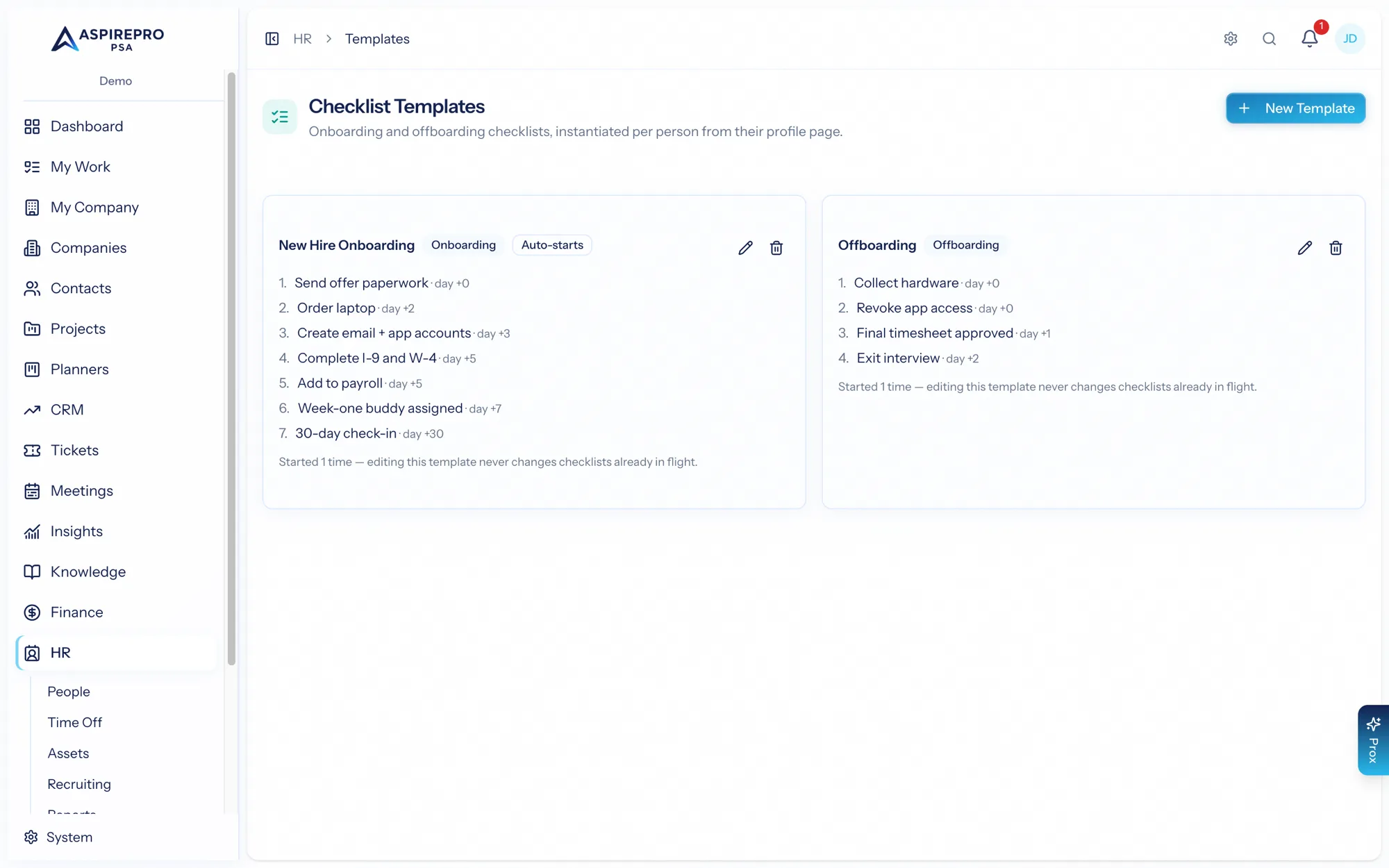
Manage templates under HR → Templates.
Building a template#
A template is either an onboarding or offboarding checklist. It holds a list of items, each with a title and description, a default owner (HR, the person's manager, the new hire themselves, and so on), and a due offset — how many days before or after the anchor date it's due. Mark an item self-serve and it's assigned to the person themselves. You can keep several templates and mark which are active.
Starting a checklist#
A checklist is instantiated per person from their profile:
- Onboarding anchors its due dates on the person's hire date.
- Offboarding anchors on their termination date.
You can start one manually, but templates marked auto-start kick off on their own: saving a hire date starts onboarding, saving a termination date starts offboarding, and hiring someone through recruiting auto-starts their onboarding. That means the moment a start or end date is known, the right checklist is already running.
Working the checklist#
Each item can be checked off by HR, by the item's assigned owner, or — for self-serve items — by the person themselves. Because items carry owners and due dates, everyone knows what they're responsible for and by when, and nothing slips between IT, HR, and the manager.
A good pair of templates — one onboarding, one offboarding — pays for itself immediately: new hires get a consistent first week, departures are handled cleanly (including returning their equipment), and no one has to remember the list.