Two of HR's most-used features are for everyone, not just HR: the directory and the org chart. Both are surfaced under My Company and are open to everyone in the organization, because knowing who your colleagues are and how the team is organized shouldn't need special permission.
Directory#
The Directory is a searchable roster of your people with just the contact-level details everyone needs — name, title, email, phone, avatar, department, work location, manager, and teams. It deliberately shows only directory information, never sensitive HR data, so it's safe for the whole company to browse. Filter by department or team to find the right person fast.
People who have left the organization are excluded, so the directory always reflects your current team.
Org chart#
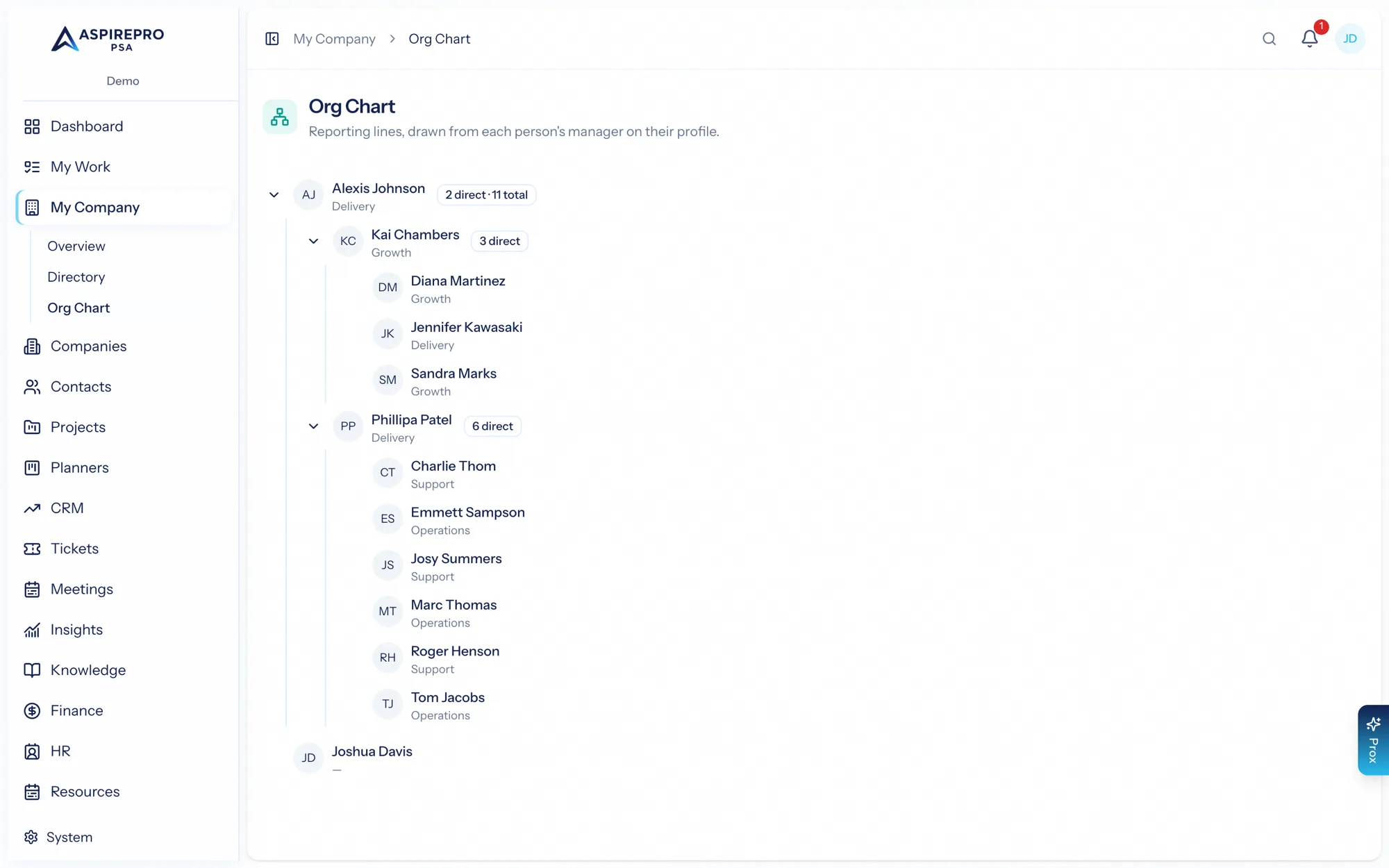
The Org chart visualizes your reporting structure as a tree, built from each person's manager. Roots are the people at the top (no manager), and every node shows how many people sit below them. Because it's generated from the same employment records that drive the rest of HR, the org chart stays accurate automatically as people are hired, change managers, or leave — there's no separate chart to maintain.
The directory and org chart are the friendly, company-wide face of HR. They draw on the same employee profiles as the rest of the module but expose only what's appropriate for everyone — so the whole team benefits from HR's data without any of the sensitivity concerns.