The Asset register tracks the company equipment you hand out — laptops, phones, monitors, access cards — so you always know who has what, and nothing walks out the door unaccounted for.
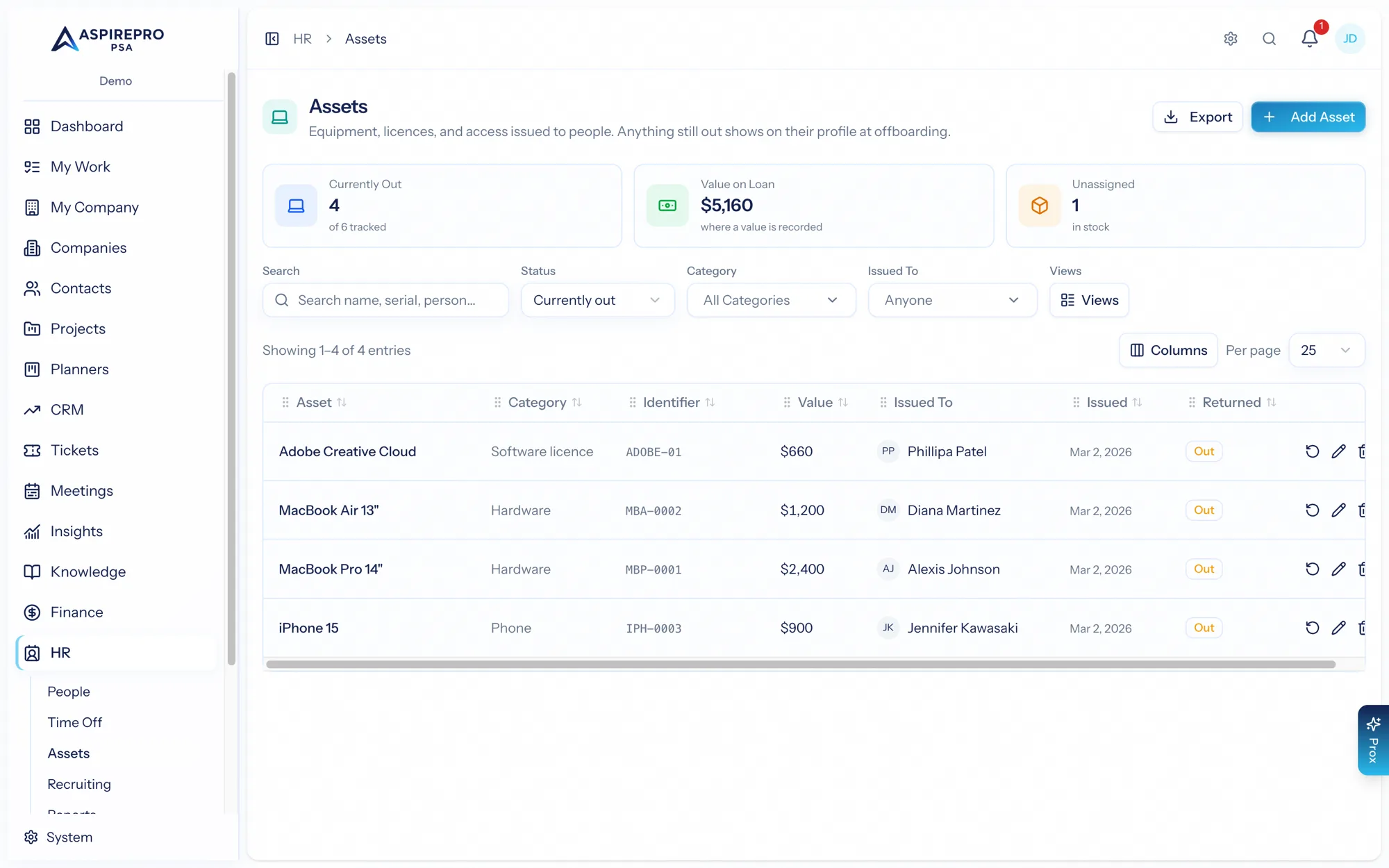
Find it under HR → Assets.
The register#
By default the register shows what's still out — assets currently assigned to people. Filter by category, holder, or status (out, returned, unassigned), search by name or identifier, and sort. Stat cards summarize the whole register: how many are outstanding, the total count, the outstanding value, and how many are unassigned. Save your own views for the cuts you check often.
Assigning and returning#
- Add an asset with its details (name, identifier, category, value).
- Assign it to one or more people — assets support multiple holders (a shared meeting-room laptop, say).
- Return an asset when it comes back, recording the return date and any condition notes.
- Update or remove assets as your inventory changes.
Tied to offboarding#
Outstanding assets show up on a person's profile, so when someone leaves you can see exactly what they still hold and make sure it's returned as part of offboarding. The register turns "did we get their laptop back?" from a guess into a fact.
Keep the register current as you buy and retire equipment — an accurate asset list is worth its weight at audit time and at offboarding, and the outstanding-value total gives Finance a real number for the equipment in the field.