Some work happens on a schedule — monthly maintenance, quarterly reviews, a weekly backup check. Recurring tickets create those tickets for you automatically so routine work never slips through the cracks.
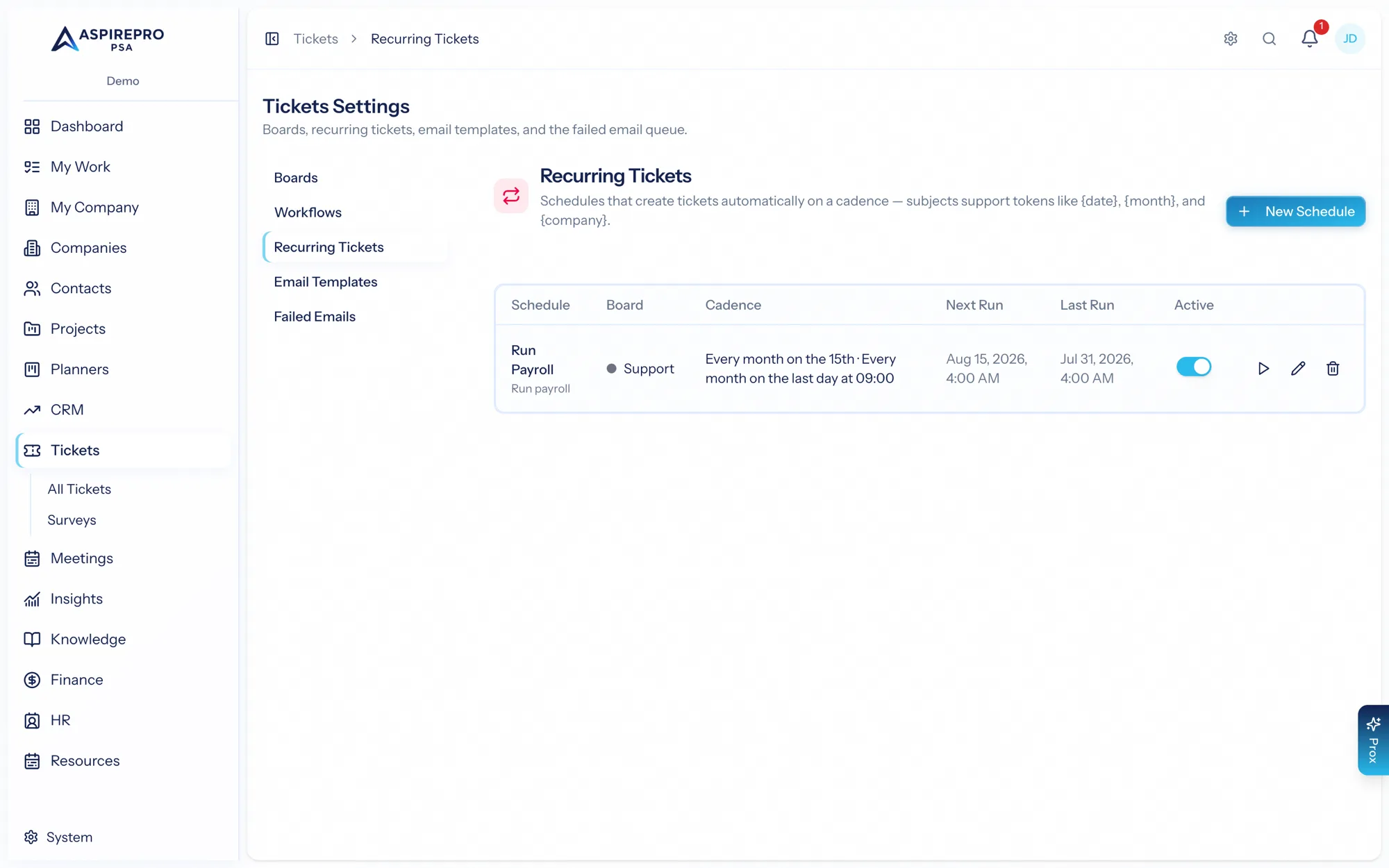
Manage them under Tickets → Settings → Recurring.
How it works#
Each schedule spawns a fresh ticket on its cadence, on the board you choose, pre-filled with the subject, description, priority, type, and source you set. The list shows each schedule's board, cadence, and its next and last run.
Creating a schedule#
Add a schedule and set:
- Name — what the schedule is for.
- Board — where the tickets land.
- Repeats — daily, weekly, or monthly. Monthly offers precise options: a specific day of the month, the last day, a number of days before month-end, or a particular weekday.
- Time — when the ticket is created.
- Subject template — supports tokens like
{month}and{year}so each ticket is named for its period (e.g. "March 2026 server maintenance"). - Description, priority, source, and type.
Run now#
Need this period's ticket early? Use Run now on a schedule to create it immediately, without waiting for the next scheduled time.
Recurring tickets are ideal for managed-services commitments — the routine, promised work you do for clients every month. Pair them with a board's SLAs and automations so each recurring ticket is tracked and answered like any other.