The Service Desk (Tickets) module turns every customer request into a tracked ticket on a shared queue. Tickets can come in by email or be created by your team, and each one carries its full conversation, tasks, time, and history in one place — so nothing slips, and anyone can pick up where a colleague left off.
Tickets is a toggleable module; an administrator turns it on under System → Features.
Boards are your queues#
The top organizing unit is the board — think of a board as a queue for a particular kind of work: Support, Website Requests, IT Helpdesk. Each board has its own:
- statuses, priorities, types, tags, and sources,
- mailbox and forwarding address (so it can receive and send email as itself),
- customer emails, automations, and happiness survey,
- and access list.
You can have as many boards as you need, and the ticket list can show one board or All Boards at once.
What's on a ticket#
A ticket has a number (like #0042), a subject, and a board, plus its status, priority, type, source, the company and contacts involved, an assignee, tags, and a due date. Its heart is the conversation — the back-and-forth with the customer, mixed with internal notes. See The ticket record.
The list#
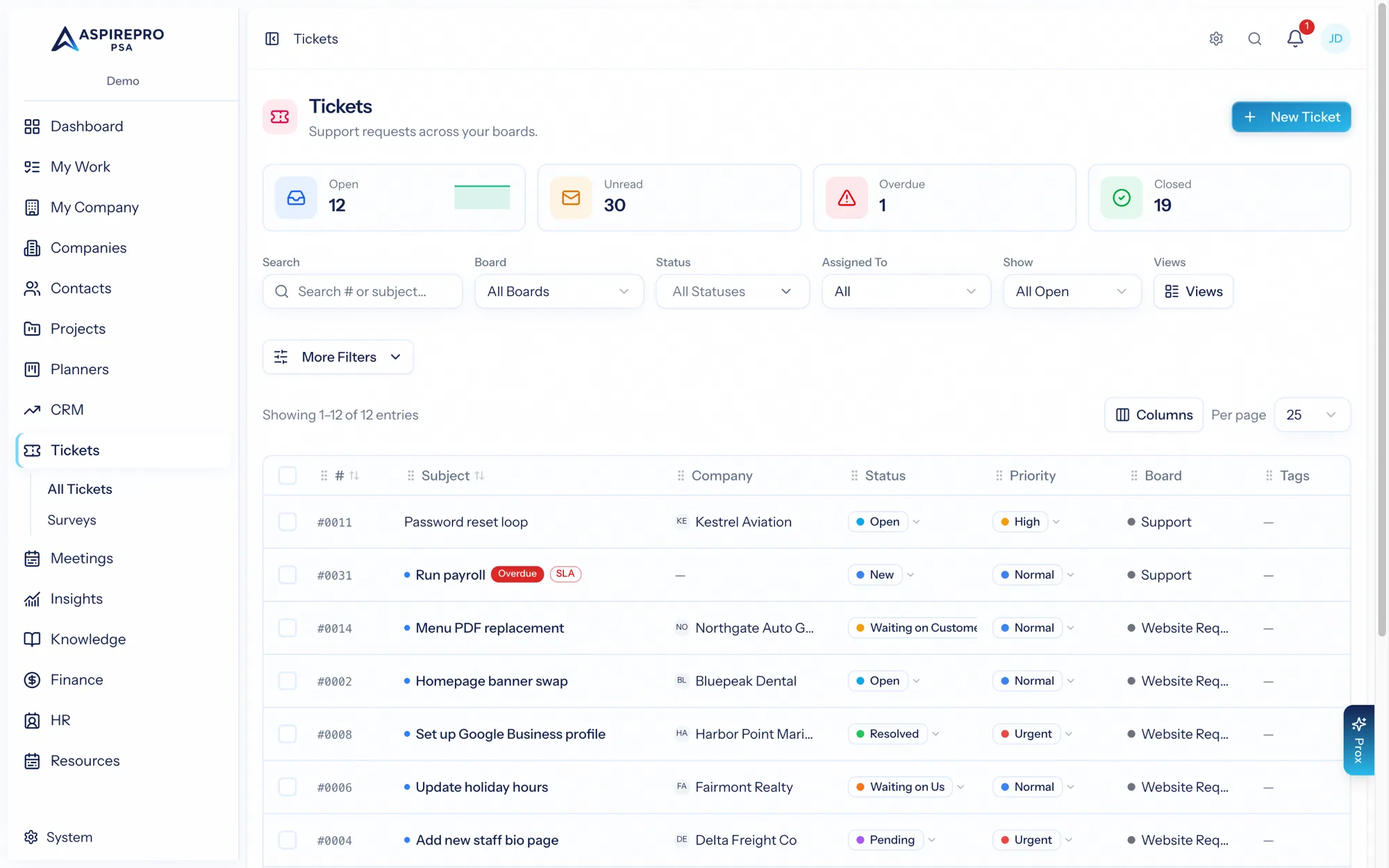
Open Tickets for the list. The header shows quick tiles — Open, Unread, Overdue, Closed — and a board switcher, search, filters, and a New Ticket button. You can save views, sort, and run bulk actions. See Views & bulk actions.
If no boards exist yet, you're prompted to create your first one (administrators) or to ask an administrator to set one up.
What's in this section#
- The ticket record — the conversation, tasks, time, schedule, attachments, and audit.
- Views & bulk actions — filtering the queue and acting in bulk.
- Boards — configuring a board end to end.
- Email to ticket — inbound email, threading, and sending as the board.
- SLAs & automations — response/resolution targets and rules.
- Recurring tickets — scheduled, repeating tickets.
- Satisfaction surveys (CSAT) — measuring how you did.
- Failed emails — the inbound dead-letter queue.
- Settings — email templates and workflows.