Everything the Resource Center shows — capacity, availability, fees — comes from two settings areas under System. Set these up and the rest of the module becomes accurate and useful.
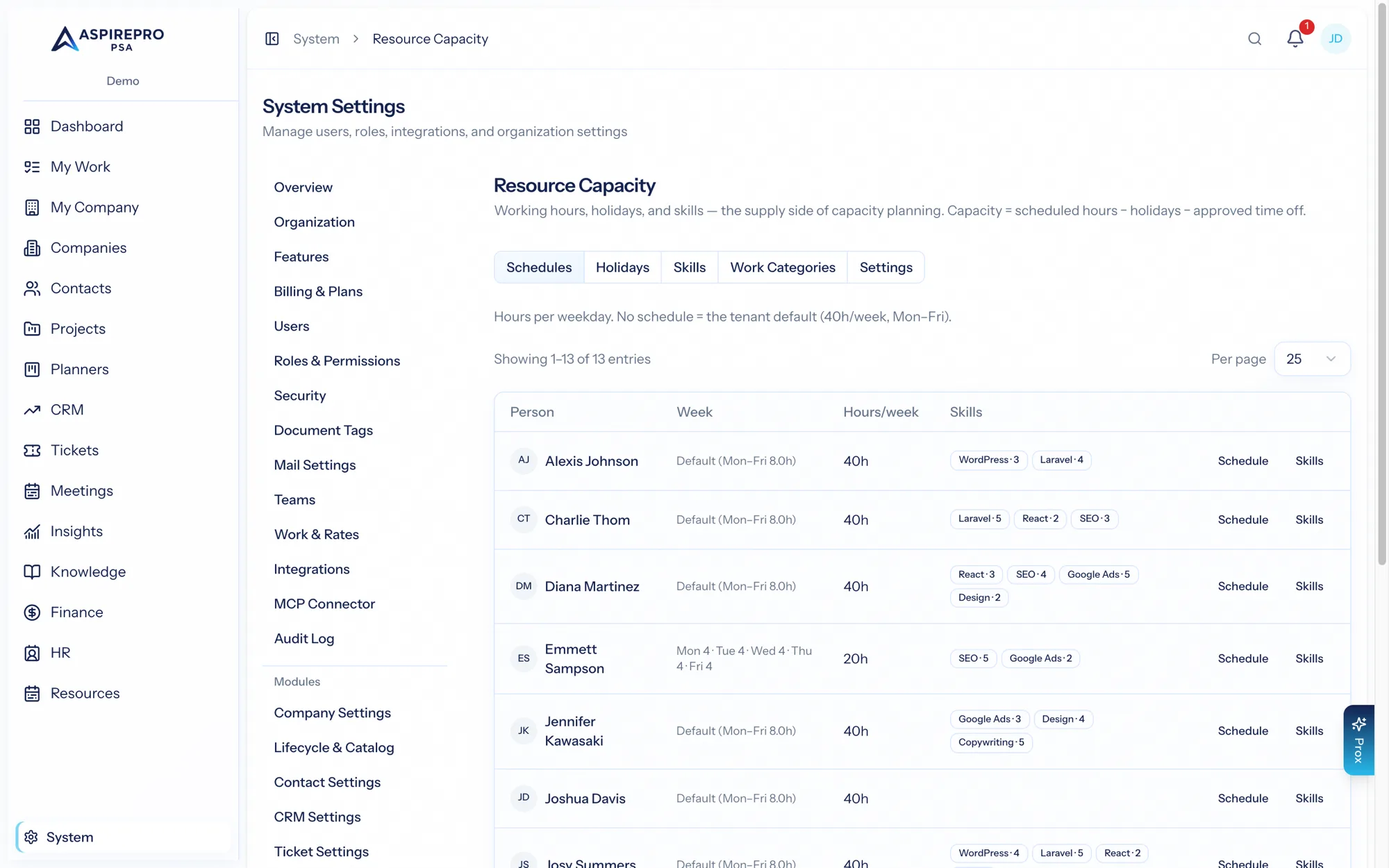
Resource Capacity#
System → Resource Capacity defines how much time your people actually have:
- Default hours per week and a utilization target for the organization.
- Work schedules — each person's working hours by day, effective-dated so they can change over time. This is the basis of everyone's capacity.
- Holidays — an organization-wide calendar; holidays reduce capacity for everyone.
- Skills — a skills library (name, category), plus each person's skills with a proficiency level (1–5). Skills power the Skill filter, the person popover, and — importantly — the matching in Team Builder and staffing candidates.
- Work categories — non-project buckets you can allocate against, like Support or Sales.
- Hours per open ticket — how much near-term capacity an open assigned ticket consumes (the reactive demand overlay).
Work & Rates#
System → Work & Rates defines the money side that flows into fees and cost:
- Work roles — each with a bill rate and a cost rate.
- Work types — with a rate multiplier and color.
- A rate matrix (role × type) and team defaults, plus per-person effective-dated rate overrides.
Bill and cost rates resolve differently, and it's worth knowing which is which:
- Bill rate — a person's own effective-dated rate override wins outright. Otherwise it comes from the work role and work type: in matrix mode, the role × type cell (falling back to the role's own bill rate); in multiplier mode, the role's bill rate times the work type's multiplier.
- Cost rate — a person's own effective-dated override, then their pay in HR turned into a loaded hourly cost (see Cost to the business), then the work role's cost rate, then nothing. HR pay sits above the role because a role's rate is an average across everyone in it, while HR pay is that person. There is no team default and no organization default for cost: an hour with none of the three is saved with no cost rate, and it shows up as uncosted hours in Profitability. Cost is never multiplied — it's what the person costs, not what the work sells for.
The team and organization defaults resolve which work role and work type a person inherits when they have none of their own; they don't supply a rate themselves. Both rates are resolved and stored on the time entry when it is saved, so changing a rate today never restates hours already logged. The one exception fills gaps rather than changing anything: when time logged this month or last carries no rate, Apply current rates on System → Work & rates fills in the empty ones with today's rates (see Work & rates). Cost rates are guarded behind their own permission, since they're sensitive.
How it all connects#
- Capacity settings (schedules, holidays, time off) drive the availability math across the heatmap, person view, and forecast.
- Skills drive Team Builder and staffing recommendations.
- Rates drive the estimated and logged fees shown in the Projects view and Team Builder, and the cost impact of a booking.
These two settings pages are the foundation. Invest in accurate work schedules and an up-to-date skills library first — they're what make the Resource Center trustworthy and Team Builder smart.