Resource Management answers the question every services team asks: who's available, and when? It gives you a live view of your team's capacity against the work booked onto them — so you can staff projects confidently, spot who's overloaded, and see who has room.
Resource Management is a toggleable module; an administrator turns it on under System → Features.
The Resource Center#
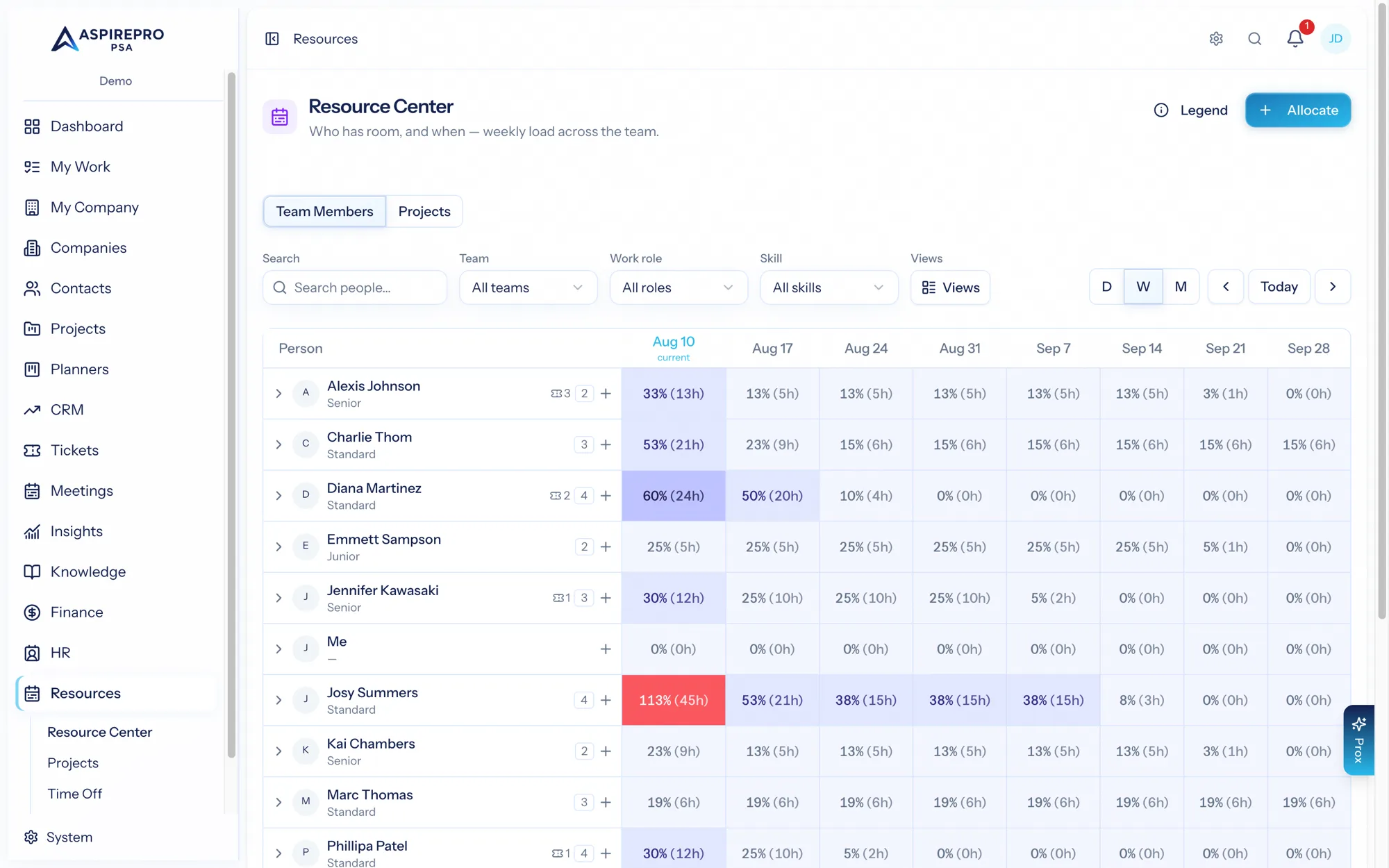
The heart of the module is the Resource Center — a heatmap of your people across the weeks ahead. Each row is a person; each cell shows how booked they are for that period, shaded by load (and red when over capacity). Zoom between day, week, and month views, page forward and back, and filter by team, work role, or skill.
Each person's row shows their work role, current ticket load, and skills, and expands to reveal their individual allocations as colored weekly bars. Tentative (soft) bookings appear striped, so you can tell committed work from provisional plans at a glance.
Projects view#
Switch to the Projects tab to see the same weeks from the project side — each project's demand, how much is staffed, and how much has been logged, with estimated and logged fees where you're permitted to see them. It's the fastest way to spot projects with open roles that still need people.
Person view#
Click into a person for their detail — a 12-week capacity picture, their current and upcoming allocations, approved time off, ticket demand, and skills. It's the view to open before a staffing conversation.
Capacity is real#
The availability you see isn't a guess. A person's capacity comes from their work schedule, minus holidays and approved time off; their booked load comes from allocations and, when Tickets is on, their open ticket demand. Configure the inputs under System → Resource Capacity — see Capacity & rates.
What's in this section#
- Allocations — booking people and placeholders onto work.
- Team Builder — ranked staffing recommendations.
- Staffing requests — asking for people.
- Time off — requests and approvals.
- Reports — utilization, bench, and forecast.
- Capacity & rates — the settings behind it all.