Not everyone who needs people should book them directly. A staffing request lets a project lead ask for a resource — describing the role they need — and routes it to whoever staffs the team. The request shows up as demand right away, so nothing waits invisibly.
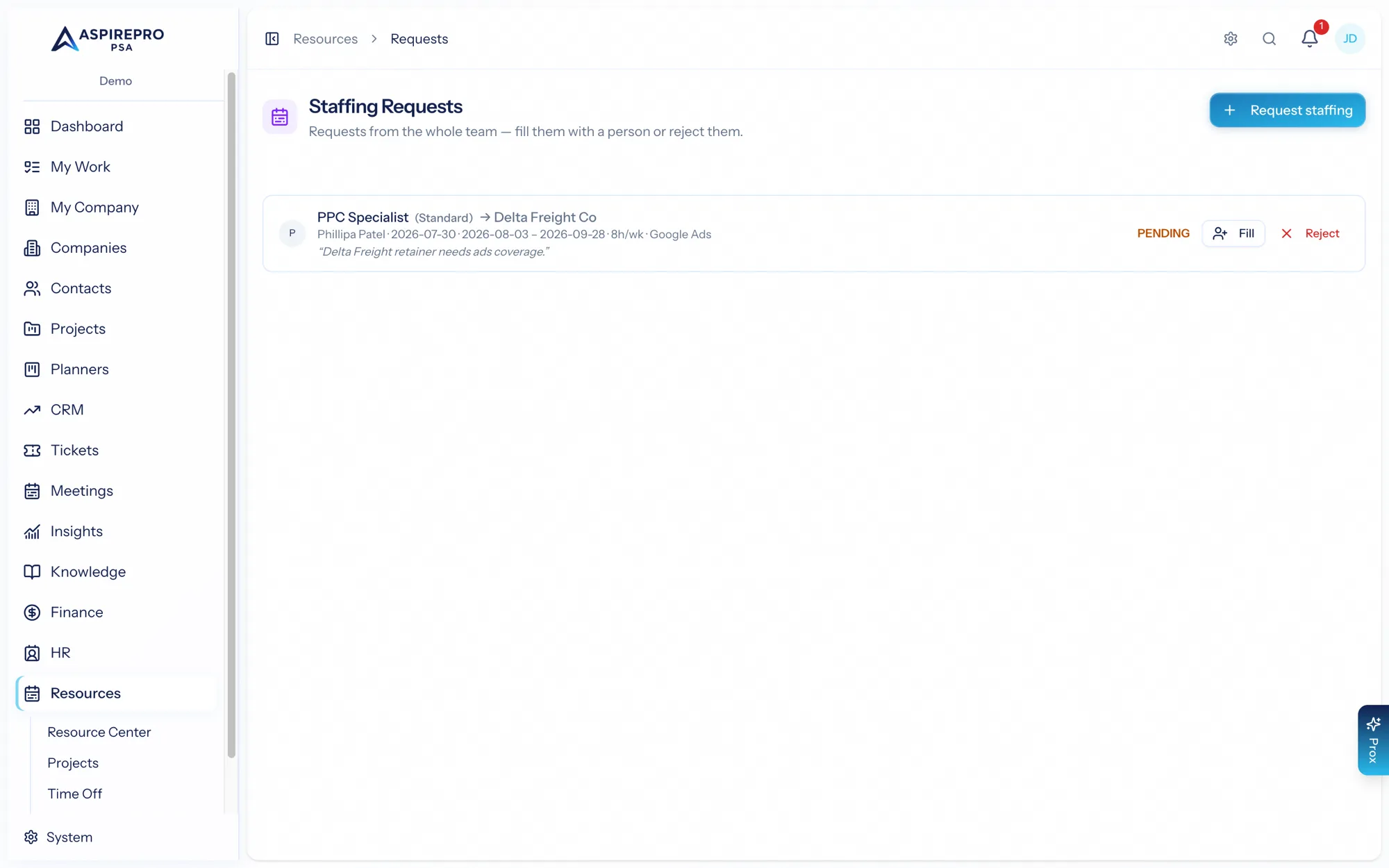
Submitting a request#
From Resources → Requests, submit a staffing ask with:
- A role label (the placeholder name, e.g. "Front-end developer").
- The work role and any required skills.
- The project it's for, the dates, and hours per week.
- The reason or notes.
Submitting creates a soft placeholder allocation immediately — so the project's demand reflects the ask on the heatmap and in the Projects view straight away — and notifies the approvers.
Filling, rejecting, and cancelling#
Approvers work the request queue:
- Fill — assign a person (using the ranked candidate picker, the same engine as Team Builder); the placeholder becomes a real booking and the request is marked filled.
- Reject — decline the request; the placeholder is removed.
The requester can cancel a request they no longer need. Every transition notifies the relevant people, so requesters always know where their ask stands. Requests move through pending → filled / rejected / cancelled.
Staffing requests separate demand from decision: project leads express what they need, and the people who own capacity decide how to meet it — with the request visible as demand the whole time.