AspirePro brings the tools a services business runs on into a single organization: your CRM, projects, service desk, time & billing, HR, knowledge base, scheduling, and a built-in AI assistant. Everything shares the same clients, people, and permissions, so a company you sell to in the CRM is the same company you deliver projects for, support with tickets, and invoice from finance — no duplicate records, no copy-paste between apps.
This documentation covers everything from your first sign-in to configuring each module. If you're brand new, start here and work through Getting started; if you administer the organization, the Administration section is written for you.
The big picture#
A few concepts show up everywhere in AspirePro. Understanding them now makes the rest of the product click.
Your organization#
Your organization gets its own organization — a private, isolated space at your-name.aspirepro.io with its own data, users, and settings. Nothing is shared with any other organization. When people talk about "the organization," they mean your organization's AspirePro.
Modules#
AspirePro is built from modules — CRM, Projects, Tickets, Finance, HR, and so on. An administrator turns modules on and off under System → Features, so your organization only shows the tools your team actually uses. Turn a module off and its navigation disappears; turn it back on and everything is exactly as you left it.
A handful of areas are always on because everything else builds on them: Companies, Contacts, your personal Dashboard, My Work, and Notifications.
Companies and contacts#
Companies (the organizations you work with) and Contacts (the people at them) are the shared backbone of the platform. A deal, a project, a ticket, an invoice, and a meeting can all point at the same company — so opening a company record shows you its entire history in one place, no matter which module created it.
People, roles, and permissions#
Everyone who logs in is a user. What each user can see and do is controlled by roles and permissions, set by an administrator. Permissions are granular and are enforced everywhere — including by the AI assistant — so a user only ever sees what their role allows.
Prox, your AI assistant#
Prox lives on every page. Ask it a question in plain English, and it answers from your live data; ask it to do something, and it takes the action for you — always with your exact permissions and always asking before it changes anything. Prox is introduced in its own section.
A quick tour#
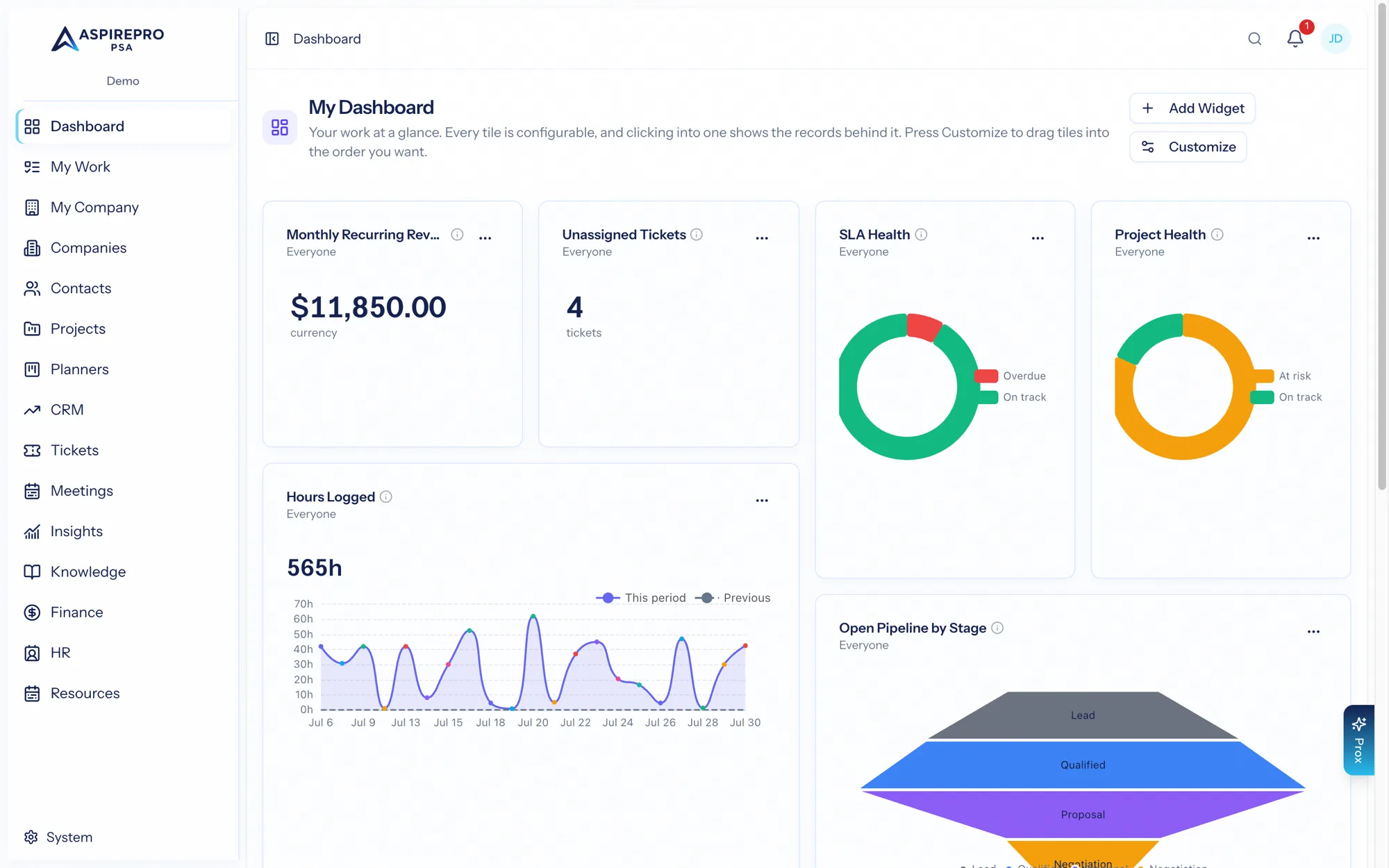
Once you sign in, you'll land on My Dashboard — your personal home base. From there:
- The left sidebar is your map of the whole product. It only lists the modules your organization has enabled and your role can access.
- The top bar holds global search, notifications, and the Prox assistant.
- My Work collects everything assigned to you — tasks, tickets, time, and time off — across every module in one list.
Where to go next#
- Finding your way around — the interface, navigation, and search.
- Accounts & signing in — logging in, invitations, and two-factor security.
- Your profile & preferences — personal settings, theme, and connected accounts.
- Companies and Contacts — the heart of your data.
Administrators: if you're setting the organization up for the first time, jump to System settings overview for the recommended setup order.