Companies are the organizations you do business with — clients, prospects, partners, vendors. They're one of the two always-on foundations of AspirePro (the other is Contacts), because nearly everything else points back to a company: a deal is with a company, a project is for a company, a ticket is from a company, an invoice is to a company.
That shared backbone is the whole point. Open a company and you see its entire relationship with you — every deal, project, ticket, document, and invoice — in one place, no matter which module created them.
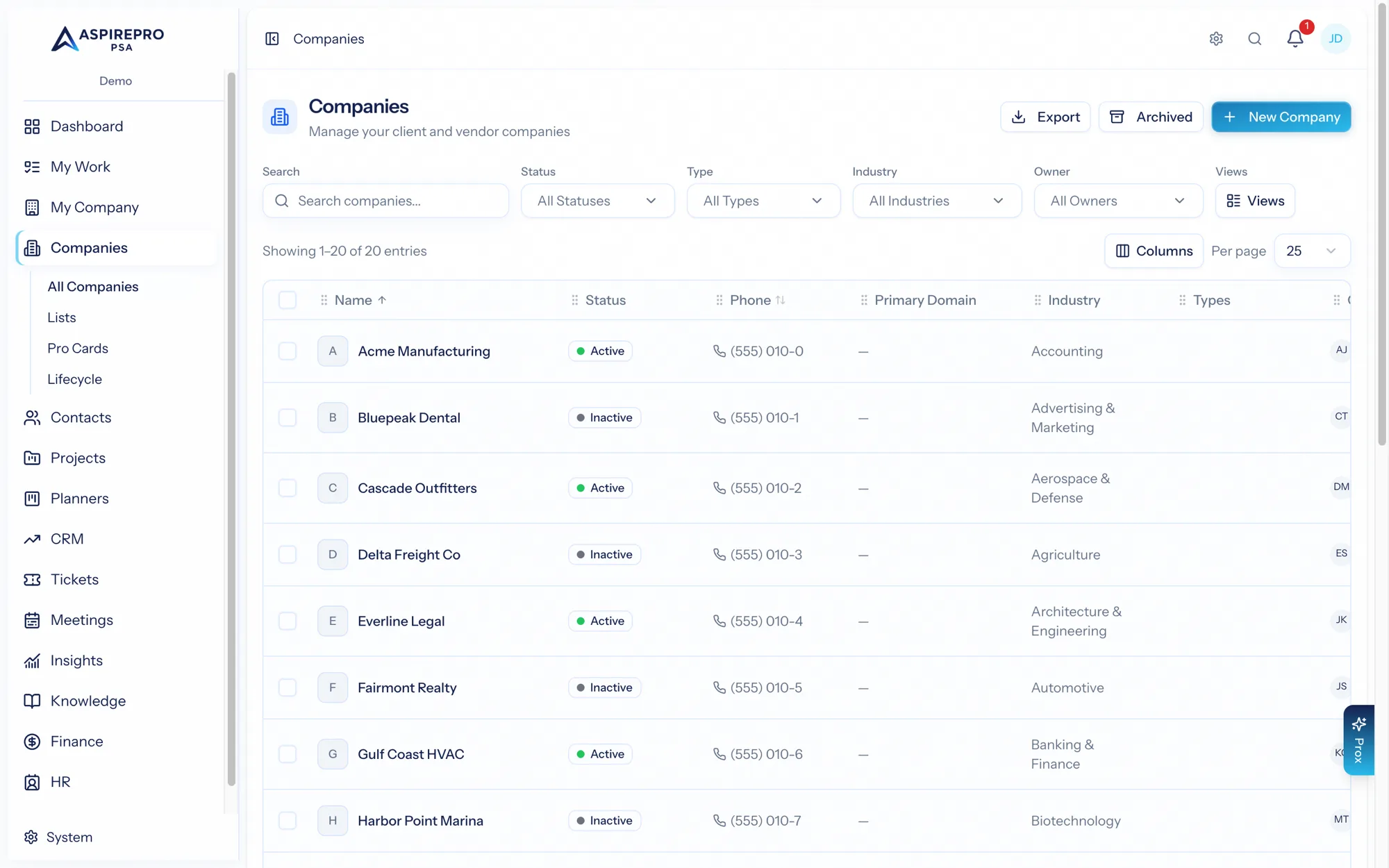
The Companies list#
Open Companies from the sidebar to see every organization in your organization. From here you can:
- Filter and sort by status, type, industry, owner, tags, and more.
- Save views for the segments you work with often (see Views & bulk actions).
- Select rows to run bulk actions — change status, reassign owner, tag, archive, or spin up deals.
- Export the current list to a spreadsheet.
Adding a company#
Click New company and fill in the details. AspirePro checks for likely duplicates as you type the name, so you don't end up with two records for the same organization. You can add a logo, set the company's status, type, and industry, and assign an owner.
The fields available — and the statuses, types, and industries you can choose — are configured by an administrator under Company settings.
What lives on a company#
A company record gathers everything related to that organization across tabs — contacts, tickets, projects, sales, activities, documents, addresses, domains, and (when the relevant modules are on) finance, agreements, Pro Cards, and lifecycle. The full breakdown is in The company record.
Archiving#
When you stop working with an organization, archive it rather than deleting — the record and its history are preserved and out of your active lists, and you can restore it later from the Archived view. Archiving is available as a bulk action too.
Related building blocks#
Companies is also home to three capabilities substantial enough to have their own pages:
- Lists — named, reusable sets of companies (static or rule-based), also used for segmentation and HubSpot sync.
- Lifecycle — what should happen with each client over time, the services they buy, and client health. Lifecycle is part of Companies with no module toggle; client health scoring can be switched off under System → Lifecycle.
- Pro Cards — structured configuration and record cards attached to a company.