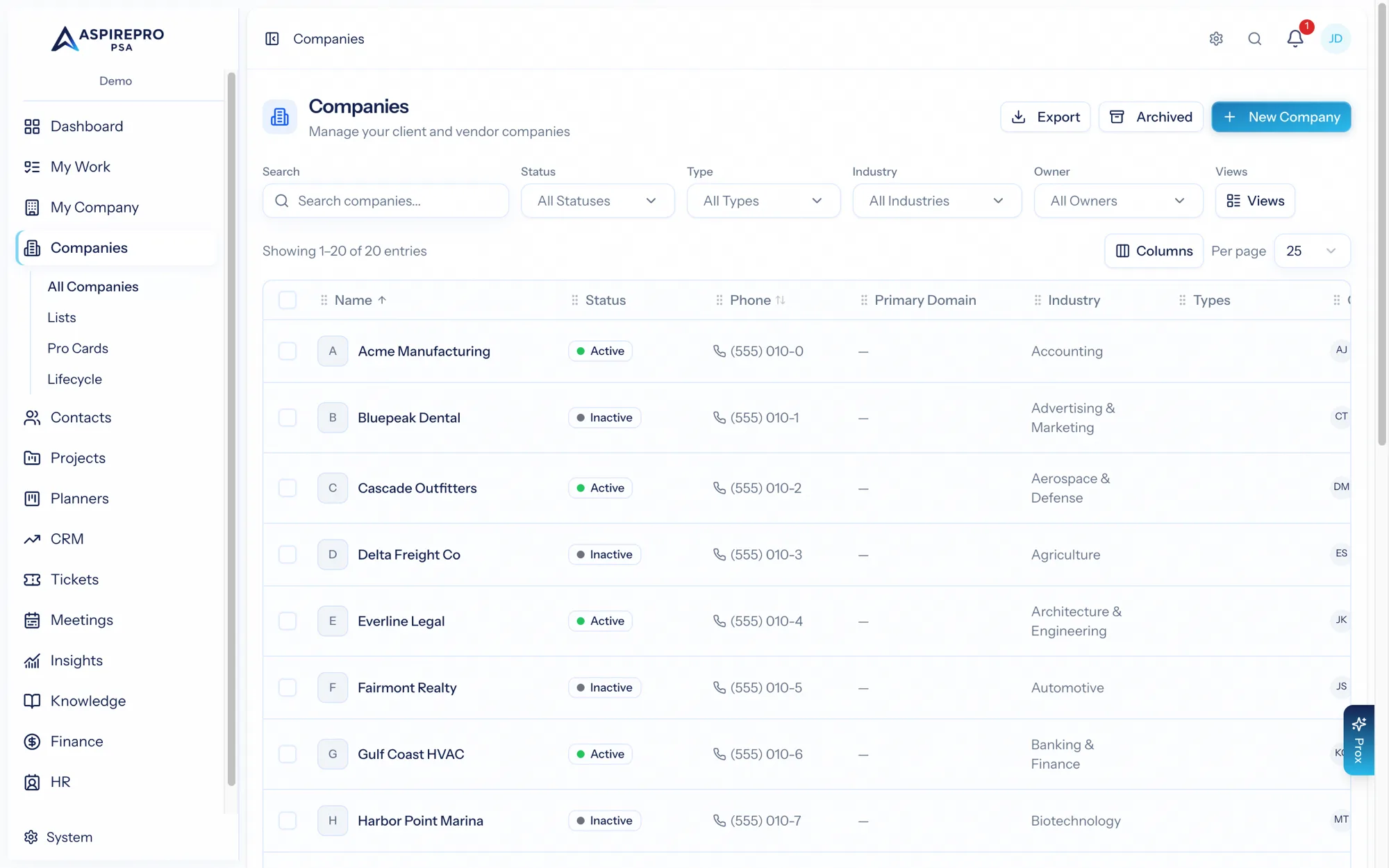
The Companies list is the canonical example of a pattern you'll use everywhere in AspirePro: filter a list, save it as a view, and run actions in bulk. Learn it here and it transfers to Contacts, Deals, Tickets, Projects, and beyond.
Filtering#
Above the list is a filter bar. Add one or more conditions on any field — status, type, industry, owner, tags, created date, and more — and the list narrows instantly. Combine conditions to zero in: for example, status is Active and industry is Manufacturing and owner is me.
Sorting and columns#
- Sort by clicking a column header, or choose a sort field from the toolbar.
- Choose columns to control which fields show, so the list surfaces the information you care about.
Saving a view#
Once you've dialed in a filter, sort, and columns, save it as a view:
- Set up the filter/sort/columns you want.
- Click Save view and give it a name (for example "My active clients").
- Choose whether it's personal (just you) or shared (available to your team).
Saved views appear as quick tabs at the top of the list, so returning to a segment is a single click. You can edit, rename, reorder, or delete your views at any time.
Shared views are a great way to standardize how a team works — an "Onboarding this month" or "At-risk accounts" view everyone can rely on.
Bulk actions#
Select rows with the checkboxes (or select-all) and a bulk action toolbar appears. For companies you can:
- Change status
- Reassign the owner
- Add or remove tags
- Archive (or restore, from the Archived view)
- Create deals for the selected companies at once
Bulk actions apply to your current selection and are logged in each record's audit trail.
Exporting#
Use Export to download the current (filtered) list as a spreadsheet — handy for reporting, a mail merge, or sharing a snapshot with someone outside the organization.
Archived companies#
Archiving keeps history without cluttering active lists. The Archived view shows everything you've archived; restore a company from there to bring it back into circulation. Nothing is ever silently lost.