The Sales module is where you manage your sales process. Deals move through the stages of a pipeline — from first touch to Won or Lost — on a board that mirrors how your team actually sells. Because Sales shares the same Companies and Contacts as the rest of AspirePro, a deal is tied to the real organization and people behind it, and everything you learn in sales carries into delivery, support, and billing.
Sales is a toggleable module — an administrator turns it on under System → Features.
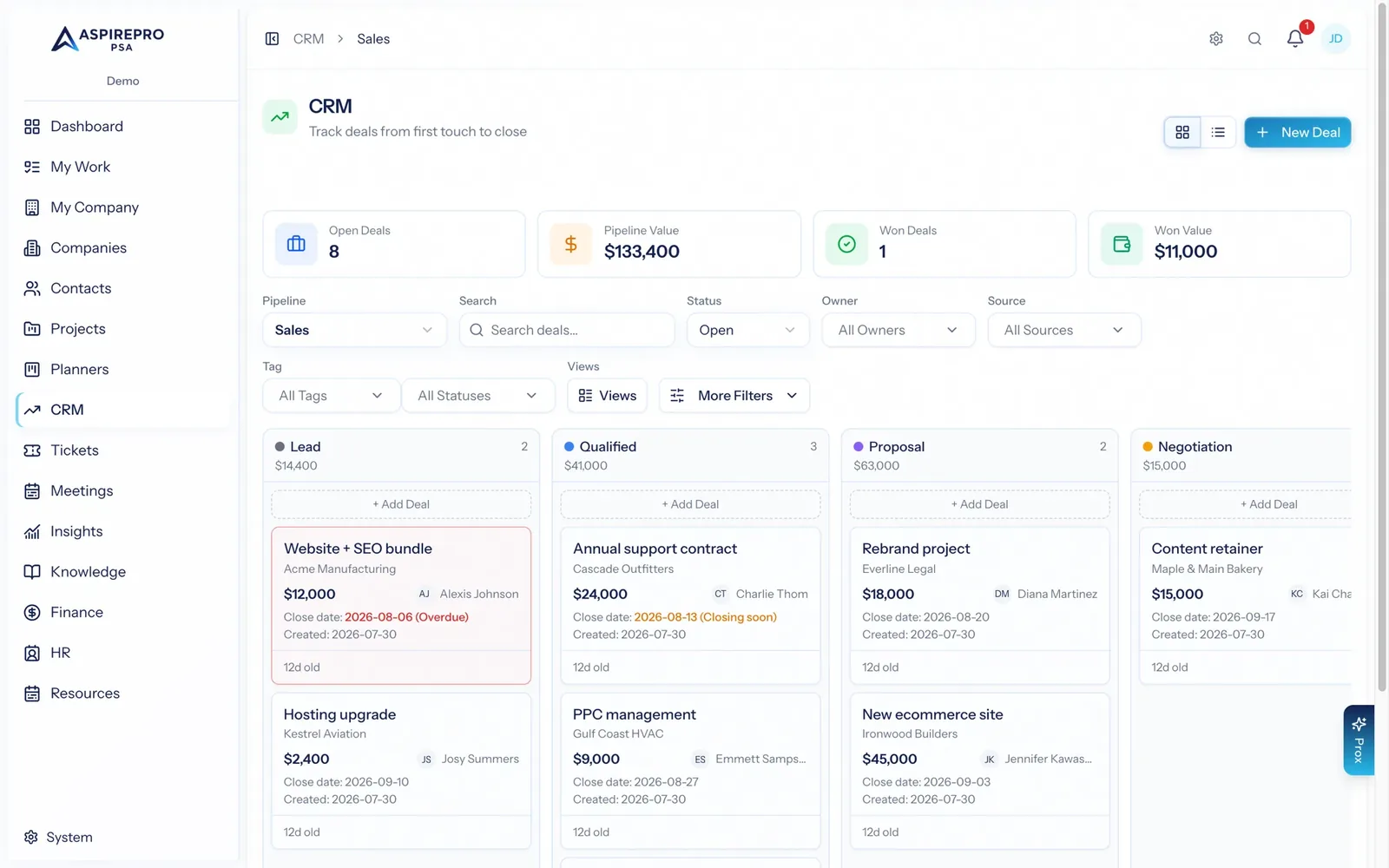
Pipelines and deals#
Two ideas run through the whole module:
- A pipeline is a sales process with its own stages, sources, tags, currency, and access list. You can run several pipelines for different sales motions (new business, renewals, partnerships), each shaped independently.
- A deal is an opportunity moving through a pipeline's stages. The word "deal" is configurable per pipeline — a pipeline can call its records "Deals," "Opportunities," "Projects," or whatever fits — so the labels match your team's language.
Getting started#
When you open Sales for the first time and no pipelines exist yet, you'll see an empty state:
- Administrators (with the Sales settings permission) get a Set up a pipeline button that goes straight to pipeline settings.
- Everyone else is prompted to ask an administrator to set one up.
Once a pipeline exists, opening Sales takes you to the pipeline you last worked in. From there you work the board — see The pipeline board.
What's in this section#
- The pipeline board — board and list views, filters, saved views, and bulk actions.
- The deal record — everything on a deal: the activity feed, stage and value, company and contacts, attachments, and audit.
- Email & templates — sending and logging email from a deal, and reusable templates.
- Workflows & automations — rules that act on deals automatically.
- Meeting auto-log — logging calendar meetings onto matching deals.
- Sales settings — pipelines, stages, sources, tags, lost reasons, and deal statuses.
Permissions: access to Sales, and what you can do within it (create, edit, close, delete deals, manage settings), is governed by your role. See Roles & permissions.